
AI Image to SVG
The 2026 Creator Workflow
Generate with AI, vectorize, produce. The full pipeline used by Etsy sellers, laser cutters, apparel printers, and indie design studios in 2026.
The 60-second summary
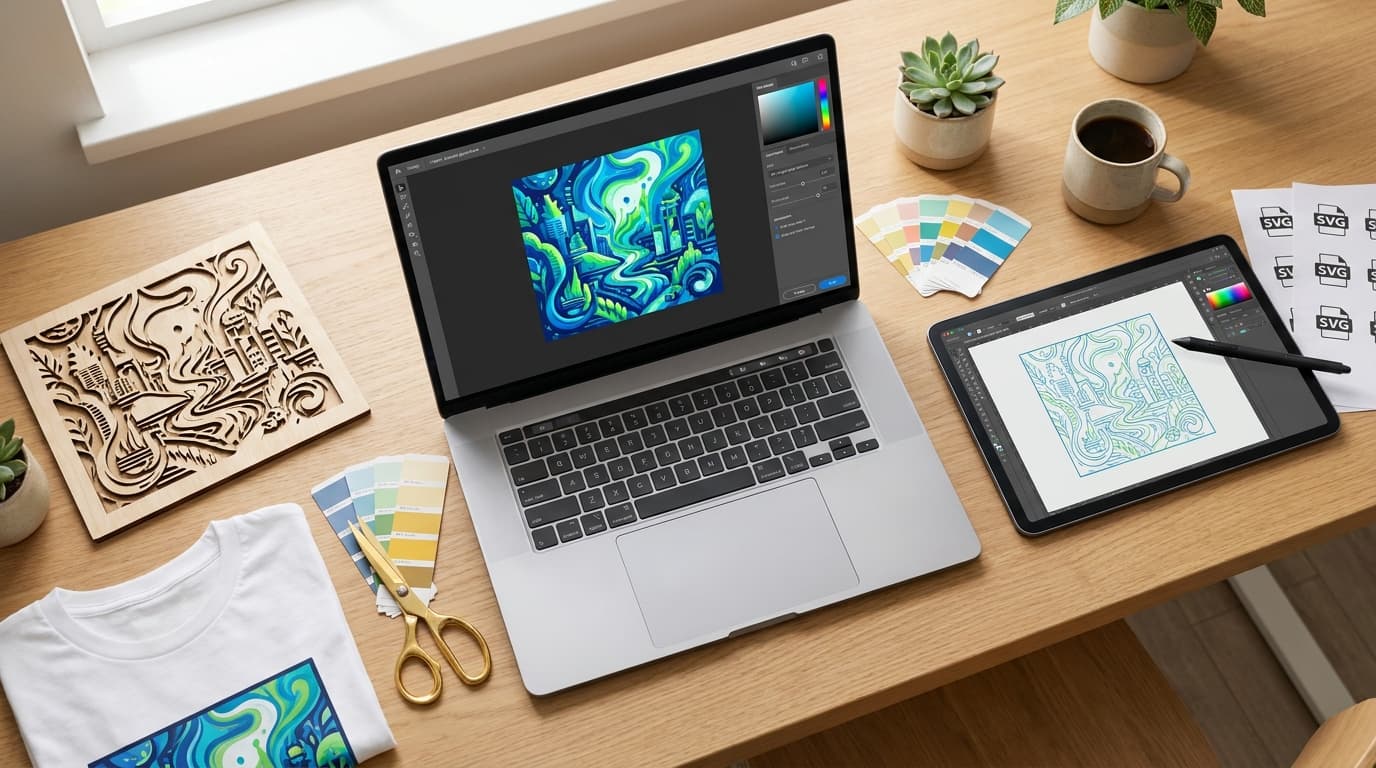
In 2026, the smartest creator workflow is a stack, not a single tool. You generate the design with an AI image model, vectorize the output to clean SVG, then send it straight to your production hardware. The whole loop fits in roughly a minute and costs well under one credit per finished design.
The bottleneck has shifted. AI image generation became excellent in 2024–2025. The new bottleneck is bridging raster AI outputs to vector formats that physical production actually wants: SVG for Cricut, DXF for laser, DTF-ready files for apparel. That bridge is vectorization.
Our own tool: VectoSolve — we list it first because it is the tool this site sells and the one whose output we know best; we do not score it. It handles AI generation, vectorization, refinement, and production export (SVG + DXF + PNG + G-code) in one place, with plans from $7.99 a month or $49 a year.
Best raw AI image generation (third-party): Midjourney V7 for creative quality, Ideogram for designs with text, Flux for technical precision and price.
Why this workflow exists in 2026
Two things changed in the last 18 months. First, AI image generation went from a fun toy to a serious production tool — Midjourney V7, OpenAI's GPT-Image, Adobe Firefly, and Black Forest Labs' Flux now produce outputs good enough to skip the “hire a designer” step for a huge chunk of small-business work. Second, physical production became radically more accessible: desktop laser cutters under $1,500, Cricut machines in millions of homes, DTF transfer printers running out of basements, embroidery shops digitizing in Hatch. Both ends of the pipeline matured. The middle — converting AI raster output into vector formats your hardware actually wants — became the choke point.
This guide is the answer to that choke point. It compares the eight most-used AI image generators from the production side: what they output, how well that output typically vectorizes, and what it costs to get from a prompt to a file for Cricut Design Space, LightBurn, a screen-printing RIP, or an embroidery digitizer. Below is what each tool is best at and the realistic per-design cost.
The 4-step workflow
Generate
Use any AI image generator (Midjourney, GPT-Image, Firefly, Flux, Ideogram, etc.) to produce your design. For best vectorization results, prompt for flat colors, bold shapes, and high contrast.
Vectorize
Upload the AI output to VectoSolve. Our vectorizer traces clean SVG paths in under 5 seconds. Output includes the SVG, plus DXF / PNG / G-code in a single ZIP.
Refine (optional)
Use VectoSolve's built-in SVG editor — or Illustrator / Inkscape — to adjust colors, simplify paths, separate layers, or remove background noise.
Produce
Send to your Cricut, laser cutter, screen printer, sublimation press, or embroidery machine. Same SVG works across all of them with minor format adjustments.
End-to-end, the workflow takes about a minute. Total cost under one credit per finished design. Versus hiring a designer ($50–$300/logo) that's a 200x cost reduction at comparable end-output quality for most use cases.
8 AI image generators compared
Each tool is judged here on what matters for the final SVG, not just the raster image: output format, how cleanly its typical output vectorizes, and pricing model. To compare them on your own work, run the same few prompts through each one (for example a vintage coffee shop logo, a slogan-led t-shirt design and a line-art illustration), then vectorize the results.
| Tool | Rating | Output | Vectorizes well | Pricing |
|---|---|---|---|---|
VectoSolveOur tool | Our tool, not rated | Native SVG (end-to-end) | Native — text-to-SVG, image-to-SVG, AI logo, AI pattern, all built in | 0.20–0.50 credits per design, plans from $7.99/mo |
Midjourney V7 | 4.7 | PNG (raster) | Excellent — clean shapes, low noise | Subscription |
OpenAI gpt-image-1 | 4.6 | PNG (raster) | Good for stylized outputs, mediocre for full photos | Billed per image (API) |
Adobe Firefly | 4.5 | PNG + SVG (Vector mode) | Native SVG mode skips this step entirely | Subscription (Adobe plans) |
Black Forest Labs Flux | 4.5 | PNG (raster) | Very good — outputs are clean and consistent | Free (self-host) or paid API (billed per image) |
Ideogram | 4.3 | PNG (raster) | Good — text and shapes come through cleanly | Free + paid plans |
Krea AI | 4.2 | PNG (raster) | Good for stylized outputs | Subscription |
Leonardo.ai | 4.2 | PNG (raster) | Good for flat-styled outputs | Free + paid plans |
Recraft | 4.6 | PNG + SVG (native) | Native — outputs SVG directly | Free + paid plans |
1. VectoSolveOur tool
Best for: Creators, Etsy sellers, laser/CNC shops, apparel printers who want AI generation and vector output in one place
Verdict: Our own tool, listed first and not scored. It is the only tool on this list that handles AI generation, vectorization, refinement, and production export in a single platform; the others each cover one part of the workflow.
Pros
- Generate from text OR vectorize existing AI raster outputs — both in one tool
- Native SVG output, plus DXF (R12 / AC1015) with CUT / ENGRAVE layers
- Plans from $7.99/mo or $49/yr, and unused credits roll over
- Built-in SVG editor for refinement (color, paths, layers, optimization)
- Production-ready export bundles: SVG + DXF + PNG + G-code in one ZIP
- Niche-specific dashboards for Cricut, laser, embroidery, screen printing
- API access for automation — drop into Make / Zapier / your stack
- Commercial rights included on every conversion
Cons
- Less stylized creative range than Midjourney for purely artistic generation
- AI generation focused on production-ready vector aesthetics, not fine art
2. Midjourney V7
Best for: Logos, illustrations, mascots, creative branding
Verdict: The default choice for creators making logos, illustrations, and branded designs that will be vectorized for production.
Pros
- Top-tier aesthetic quality
- Strong stylization control via parameters
- Active community and prompt libraries
- Commercial rights on paid plans
Cons
- PNG only — vectorization required
- No SVG export
- Subscription required to use
3. OpenAI gpt-image-1
Best for: Photo-realistic outputs, complex scenes, precise composition
Verdict: Best when you need precise prompt control or text rendering in the image. Stylize outputs intentionally for cleaner vectors.
Pros
- Excellent prompt following
- Strong text rendering within images
- Pay-per-image — no subscription needed
- Commercial rights included
Cons
- PNG only — vectorization required
- Photo-realistic outputs vectorize poorly (too many paths)
- API access requires developer setup
4. Adobe Firefly
Best for: Brand-safe content, vector-native generation, designers in Adobe ecosystem
Verdict: The safest commercial choice if you're already in the Adobe ecosystem. Native vector mode skips the vectorization step but with less style range.
Pros
- Native vector mode (no vectorization needed)
- Trained on licensed Adobe Stock content (IP-safe)
- Integrates with Illustrator and Express
- Full commercial rights guaranteed
Cons
- Less creative variety than Midjourney
- Vector mode still limited compared to dedicated SVG tools
- Requires Adobe subscription
5. Black Forest Labs Flux
Best for: Developers, agencies running their own pipelines, fine-grained style control
Verdict: The power-user choice. Best price-to-quality ratio if you can stomach the slightly more technical setup.
Pros
- Open weights — can self-host for unlimited use
- Excellent technical quality, fine details
- Cheap per-image API pricing
- Strong style consistency across prompts
Cons
- PNG only — vectorization required
- Requires more technical setup than consumer tools
- Less prompt-following than gpt-image-1
6. Ideogram
Best for: T-shirt designs with slogans, posters, typographic logos, signage
Verdict: Underrated for apparel printing and POD. If your design has text, Ideogram beats almost everything else.
Pros
- Best-in-class text rendering inside images
- Generous free tier
- Clean, vectorizer-friendly aesthetic
- Strong for apparel and POD designs
Cons
- PNG only — vectorization required
- Less photorealistic than gpt-image-1
- Smaller community than Midjourney
7. Krea AI
Best for: Rapid prototyping, brainstorming, designers iterating on style
Verdict: Best when you don't know what you want yet. Iterate in Krea, finalize in another tool, vectorize at the end.
Pros
- Real-time generation as you draw
- Excellent for ideation and rapid iteration
- Integrates with multiple generation models
Cons
- PNG only — vectorization required
- Subscription-only
- Final outputs sometimes need a polish pass
8. Leonardo.ai
Best for: Brand asset series, multi-product collections, consistent characters
Verdict: The go-to for creators building consistent visual series — brand collections, character variations, themed merch lines.
Pros
- Trained models for specific styles
- Strong style locking across multiple generations
- Active community and template library
Cons
- PNG only — vectorization required
- Less prompt flexibility than Midjourney
- Free tier limited
9. Recraft
Best for: Designers who want SVG without an extra vectorization step
Verdict: If your end output is always a vector (logos, icons, line art), Recraft skips the entire vectorization step. We use it internally as part of our pipeline.
Pros
- Native SVG output — no vectorization step
- Specialized for vector aesthetics (line art, icons, logos)
- API available for automation
- Powers VectoSolve's own vectorization backend
Cons
- Less generalist than Midjourney for non-vector work
- Newer tool, smaller community
- Stylistic range still narrower than top photo generators
Why vector matters for production
Every AI image generator above outputs raster — pixels in a grid. That works fine for social media or web. The moment you try to print on a t-shirt larger than postcard size, cut on a Cricut, engrave on wood, or stitch on fabric, raster falls apart. Here's what changes when you vectorize:
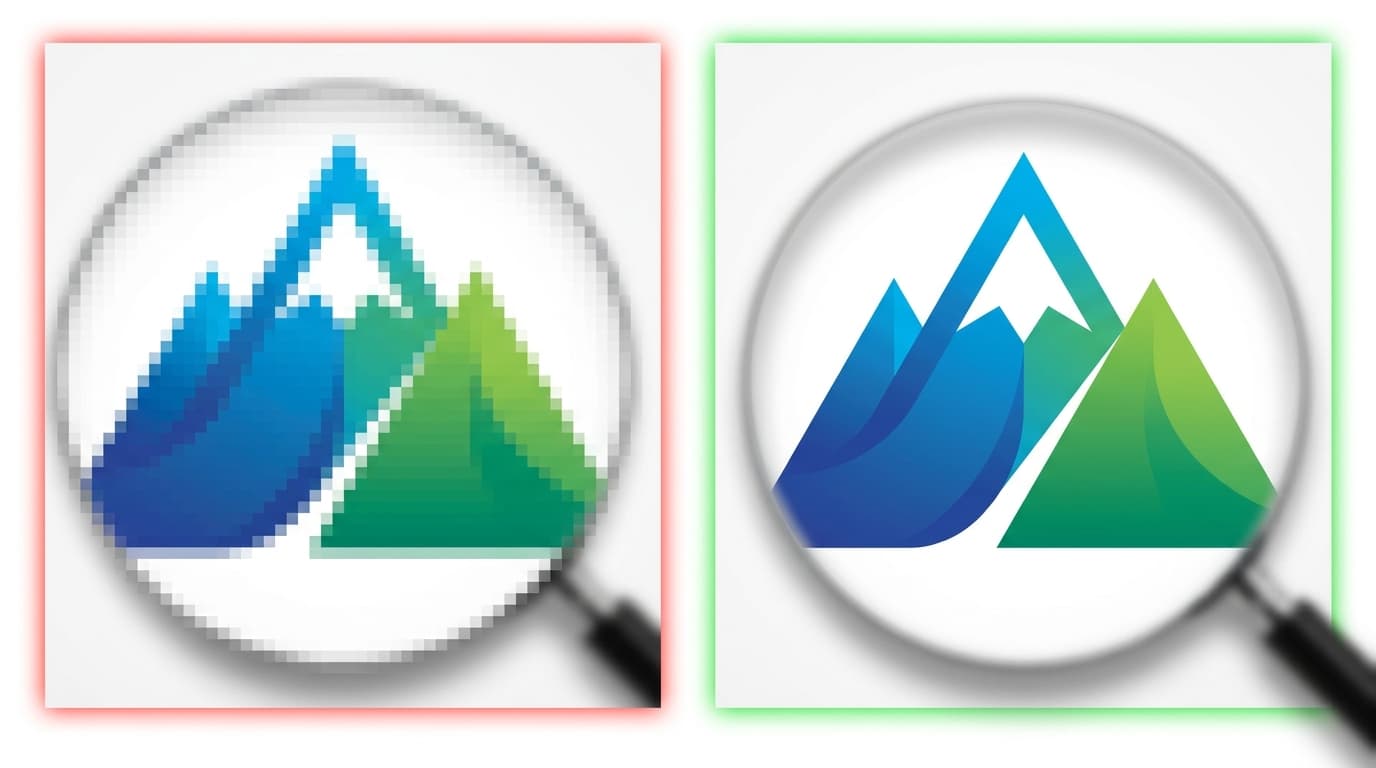
Raster AI output (PNG / JPG)
- Pixelates the moment you scale beyond native resolution
- No layers — every color is baked into the pixel grid
- Cricut Design Space won't auto-detect cut paths
- Laser software can't separate CUT from ENGRAVE
- Embroidery digitizing requires manual redraw
- Screen-print color separation has to be done by hand
Vectorized SVG
- Infinitely scalable — billboard or business card, same file
- Each color is its own editable path
- Cricut and Silhouette auto-detect cut paths
- DXF export with separate CUT / ENGRAVE layers for laser
- Embroidery software digitizes closed paths directly
- Screen-print RIPs color-separate from the SVG automatically
Use cases — what you can actually make
One AI-generated design, one vectorization pass, six different production methods. That's the real unlock — you're not making a t-shirt OR a laser-cut sign, you're making both from the same source file.
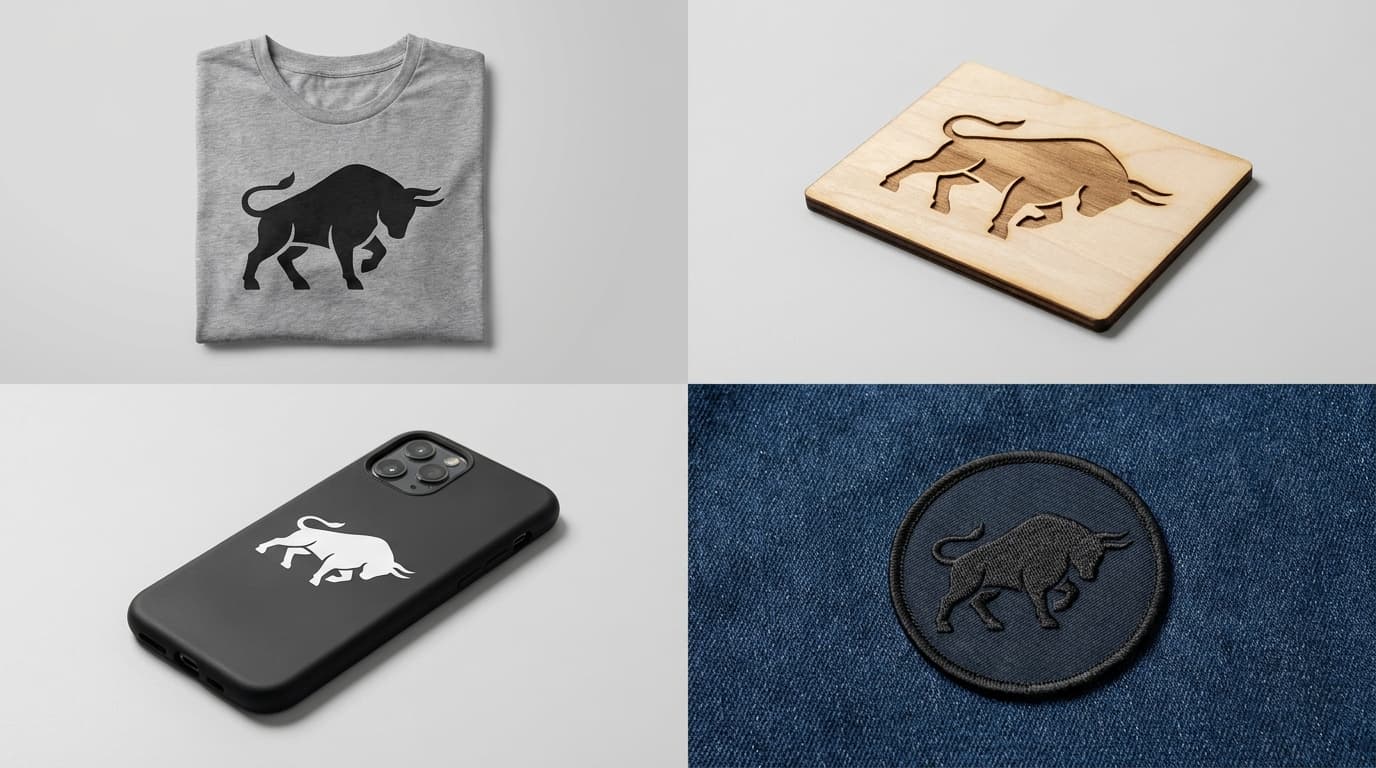
Drop the SVG straight into Design Space or Silhouette Studio. Cut paths come through, layers preserved.
Export to DXF (R12 or AC1015) with separate CUT and ENGRAVE layers. Works with LightBurn, VCarve, Easel, Fusion 360, Mastercam.
Each color in the SVG becomes a separate screen. Works for traditional screen print, DTG, DTF transfers — straight from your RIP.
Import SVG to Hatch, Wilcom, Embrilliance, or Brother PE Design. Clean closed paths digitize into clean satin and fill stitches.
High-resolution SVG → export PNG at any size for sublimation paper, print-on-demand mockups, or full-bleed apparel.
Single-color paths for plotter-cut vinyl signage. Multi-color SVG for full-color print + cut.
Full workflow pricing breakdown
What does it actually cost to take a prompt all the way to a finished SVG, the variable cost only — ignoring hardware, software subscriptions, and your time. This is the realistic per-design number; third-party costs are as listed when this page was written (May 2026).
| Step | Tool | Cost per design |
|---|---|---|
| 1. Generate | Midjourney V7 (standard plan) | ~$0.10 |
| 1. Generate (alt) | GPT-Image / Flux API | $0.04–$0.19 |
| 2. Vectorize | VectoSolve | 0.20 credits ($0.11–$0.32 on a plan) |
| 3. Refine | VectoSolve SVG editor (free) or Inkscape (free) | $0.00 |
| Total variable cost | Per finished design, ready for production | under 1 credit |
For comparison: a custom logo from a freelance designer costs $50–$300, and when this page was written (May 2026) a Looka or Brandmark brand kit was listed at $20–$175. The AI-to-SVG workflow is 50–500× cheaper per design at quality good enough for most small-business and creator use cases.
Frequently asked questions
Can AI image generators output SVG directly?
Most AI image generators (Midjourney, DALL-E / GPT-Image, Firefly's standard mode, Flux, Ideogram) output raster — PNG or JPG. Only a few tools generate native SVG: Recraft and Adobe Firefly's vector mode. For everything else, vectorization is the bridge.
Which AI generator vectorizes best?
Flat, bold designs with high contrast and few colors vectorize cleanest. Midjourney with style parameters --niji or --raw, Ideogram, and Recraft tend to output the most vector-friendly raster. Photorealistic outputs from GPT-Image or Flux at default settings vectorize into thousands of paths — workable but heavy. Prompt for "flat colors, bold shapes, vector style" for cleaner results.
Do I need design skills for this workflow?
No. The whole point of this stack is that the AI handles the design and the vectorizer handles the technical conversion. Both ends require nothing more than writing a prompt and uploading a file. Design skills become useful at the optional refine step — but most outputs go straight from vectorize to production.
Can I sell what I make commercially?
Yes, on paid plans of all major AI generators (Midjourney, GPT-Image, Firefly, Flux, Ideogram, Recraft). Once vectorized through VectoSolve, the SVG is yours to license, sell, and produce commercially in line with the AI tool's terms of service. Free tiers usually restrict commercial use — check each tool's license.
Will my Cricut, laser, or screen printer accept the output?
Yes. The SVG works natively on Cricut Design Space, Silhouette Studio, screen-printing RIPs, and most embroidery software. For laser cutters and CNC routers, VectoSolve also outputs DXF (R12 or AC1015) with separate CUT and ENGRAVE layers — compatible with LightBurn, VCarve, Easel, Fusion 360, Mastercam, and BobCAD.
How long does the full workflow take?
AI image generation runs 5–30 seconds depending on the tool. VectoSolve vectorization takes 3–5 seconds. Together, prompt to production-ready SVG is roughly a minute — versus hours of manual design or days of waiting on a freelance designer.
What if the AI output has a background I want to remove?
Either prompt for "transparent background" or "isolated on white" (most AI tools support this), or use VectoSolve's built-in background removal before vectorization. The combo of remove-bg + vectorize produces clean transparent SVGs ready for layering.
Can I batch this workflow for multiple designs?
Yes. Most AI generators support batch generation (4–9 outputs per prompt). VectoSolve has a batch mode at /batch that vectorizes multiple images in parallel with a single credit deduction per file.
Final verdict
The AI-to-SVG workflow isn't a future trend — it's how Etsy top sellers, indie laser-cutting shops, and apparel-print startups are quietly out-producing studios in 2026. The stack is cheap, fast, and produces output good enough for the vast majority of real commercial use cases.
If you want one tool that does it all: use VectoSolve. AI generation from text prompts, vectorization of any raster image (yours or AI-generated), built-in SVG editor, and production-ready exports (SVG + DXF in R12 or AC1015 + PNG + G-code) — all in one platform, with plans from $7.99 a month. The dashboards are tuned per use case (Cricut, laser, embroidery, screen print, sublimation, sign making) so you go from prompt to production hardware without juggling five different tools.
If you want maximum creative range: use Midjourney (or Ideogram for designs with text) for generation, then plug into VectoSolve for vectorization and production export. Total cost per design under $0.50. Total time under a minute.
If you're building this into an automated pipeline: VectoSolve's API lets you plug both AI generation and vectorization into any existing stack — Make, Zapier, custom scripts. A single API call returns SVG + DXF + PNG + G-code in the same response, ready to drop into your production queue.
Vectorize your first AI design in 5 seconds
Drop any PNG, JPG, or WEBP. Get a clean SVG with DXF, PNG, and G-code in the same ZIP.
Free preview — no signup required.
Start vectorizing free