
Vectorizing Maps and Diagrams: Geographic & Technical Illustration
Convert maps, flowcharts, and technical diagrams to scalable vector format. Essential for presentations, publications, and professional documentation.
Founder of VectoSolve
Self-taught developer, founder and sole developer of VectoSolve since 2024. He builds the conversion engine and the cutting, embroidery and 3D printing exports.
How this article was made: drafted with AI assistance, then edited and fact-checked before publication. About the author
Try it on your own file
Free preview, no signup. Drop an image and see the vector before deciding anything.
Key Takeaways
- Floor plans, city maps, flowcharts, org charts, and infographics each demand a distinct vectorization strategy
- Simplify complex maps before tracing to avoid bloated SVGs with thousands of unnecessary anchor points
- Auto-tracing destroys text labels — always recreate type manually with real fonts
- Interactive SVG maps with hover states and click events turn static illustrations into powerful web tools
- Accessible SVG structure with ARIA attributes serves every user, including those on assistive technology
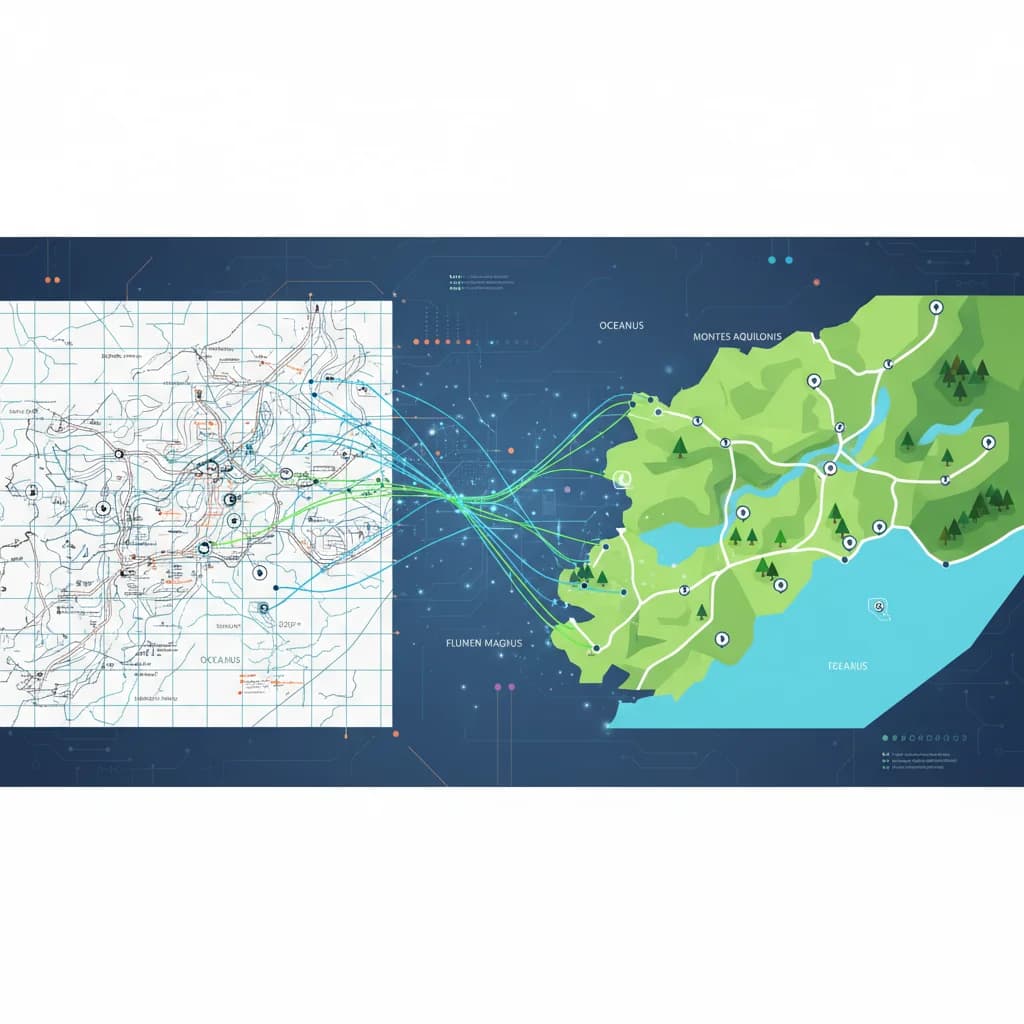
Every map tells a story. Every diagram encodes a decision. When these information-dense graphics are locked in raster formats, that story degrades each time you scale, reprint, or repurpose it. Vectorization is the cartographer's answer: convert fixed pixel grids into clean mathematical paths that hold their precision from a phone screen to a conference wall.
Why Vectorize Maps and Diagrams?
Raster maps are fragile. Zoom into a city map exported as PNG and you see aliased edges, blurred labels, and color banding. A flowchart screenshot looks fine at 100% but print it on A1 paper and every pixel screams.
Vector format solves this structurally:
- Infinite scalability — paths defined by math, not pixels
- Editability — change a road color, swap a label, reroute a connector
- Print fidelity — sharp output at 300 DPI, 1200 DPI, or anything between
- Interactivity — SVG is a first-class web citizen with DOM access and animation
If your workflow involves maps or diagrams, vectorization isn't optional — it's infrastructure. VectoSolve makes that conversion fast and AI-driven.
Types of Maps and Diagrams Worth Vectorizing
Geographic and Location Maps
City maps, transit diagrams, campus wayfinding maps, and custom illustrated maps. Their geometry — roads, boundaries, routes — translates naturally to vector paths.
Floor Plans and Architectural Layouts
Walls, doors, room labels, and furniture symbols all benefit from crisp vector lines. Architects convert scanned legacy blueprints into editable formats for renovation projects regularly.
Flowcharts and Process Diagrams
Business processes, decision trees, workflows, and system architectures share a common structure: shapes connected by lines — tailor-made for vector representation.
Organizational Charts
Org charts combine boxes, connectors, and text. Converting a raster org chart means you can update titles, restructure departments, and rebrand without starting over.
Infographics and Data Visualizations
Pie charts, bar graphs, icon arrays, timelines, and comparison graphics trace cleanly when they rely on geometric shapes.
Vectorization Challenges by Graphic Type
| Graphic Type | Primary Challenge | Typical Fix |
|---|---|---|
| City maps | Overwhelming detail creates bloated paths | Simplify source, trace major roads only |
| Floor plans | Dimension lines clutter the trace | Strip annotations pre-trace, add back as text |
| Transit maps | Precise 45/90-degree angles lost | Snap paths to grid post-conversion |
| Flowcharts | Arrowheads distort or merge with lines | Trace shapes separately, recreate arrows manually |
| Org charts | Small text becomes unreadable outlines | Delete traced text, retype with real fonts |
| Infographics | Mixed content — icons, text, photos | Segment graphic, vectorize geometric parts only |
| Scientific diagrams | Hatching and stippling create excessive nodes | Replace with flat fills or vector pattern swatches |
Pro Tip: Simplify before you vectorize. For complex maps with hundreds of streets and contour lines, reduce the source to essential features first. A two-pass approach — broad strokes first, fine detail on a separate layer — produces cleaner SVGs and smaller files. In GIS terms, think generalization before export.
A Full Year of Conversions for $49
Starter Annual: 25 conversions every month, $49 for the whole year. That is about $4.08 a month · Cancel anytime
Get the Annual DealThe Vectorization Workflow
Step 1: Assess Source Quality
Scan physical maps at 600 DPI minimum. For screenshots, capture at native resolution. From PDFs, extract at the highest raster resolution available.
Step 2: Prepare the Image
- Increase contrast to sharpen line edges
- Remove noise — speckles, scanner artifacts
- Convert to grayscale if color isn't critical
- Crop tightly to the relevant area
Step 3: Trace with AI
Upload to VectoSolve and let the AI detect paths, shapes, and regions. It understands topology — closed shapes are rooms, thin lines are roads, parallel lines are rail corridors.
Step 4: Post-Process
Open in VectoSolve's SVG Editor for cleanup: separate elements into layers, snap paths to grid, simplify curves, and replace text outlines with live type.
Warning: Auto-tracing destroys text labels. Every auto-trace tool converts text characters into outlined shapes. The letter "A" becomes a triangle with a bar, not a selectable character. Always delete traced text and retype it with real fonts. This is non-negotiable for maps or diagrams with labels, legends, or annotations.
Interactive SVG Maps for the Web
SVG elements live in the DOM, so every path and shape can respond to user events. A static PNG floor plan becomes a clickable, hoverable interface:
<svg viewBox="0 0 800 600" xmlns="http://www.w3.org/2000/svg">
  <style>
    .region {
      fill: #e8f4f8; stroke: #2c3e50;
      stroke-width: 1.5; cursor: pointer;
      transition: fill 0.2s ease;
    }
    .region:hover { fill: #3498db; }
    .label { font-family: system-ui; font-size: 14px;
             pointer-events: none; text-anchor: middle; }
  </style>
  <path class="region" id="conf-room"
        d="M50,50 L300,50 L300,200 L50,200 Z"
        onclick="showInfo('conf')" />
  <text class="label" x="175" y="130">Conference</text>
</svg>
<script>
  function showInfo(id) {
    const data = { conf: { name: "Conference", capacity: 20 } };
    alert(data[id].name + " — Capacity: " + data[id].capacity);
  }
</script>
This pattern scales to city maps with clickable districts, transit maps with route highlighting, and org charts that expand on click.
Accessibility for SVG Diagrams
A vector map only sighted users can navigate is half-finished. Accessible SVGs require deliberate structure:
- Add
<title>and<desc>elements inside the<svg> - Apply
role="img"andaria-labelledbyto the root element - Ensure keyboard navigation with
tabindexon interactive regions - Provide a text alternative — a table of regions or written description
<svg role="img" aria-labelledby="map-title map-desc" viewBox="0 0 800 600">
  <title id="map-title">Office Floor Plan</title>
  <desc id="map-desc">Interactive floor plan showing Conference Room,
    Open Office, Kitchen, and Server Room.</desc>
</svg>
Free SVG Tools for Crafters
Design Checker · Color Separator · Mat Preview · Offset Generator · Text to SVG
Check Your SVG FreeUse Cases Across Industries
| Use Case | Format | Why Vector Wins |
|---|---|---|
| Presentations | SVG / EMF | Scales to any projector resolution |
| Academic publications | EPS / PDF | Journals require vector figures |
| Websites and web apps | SVG | Interactive, responsive, accessible |
| Mobile apps | SVG / PDF | Resolution-independent on every density |
| Print materials | AI / PDF | Crisp at any physical size |
| GIS platforms | SVG / GeoJSON | Editable base layers for cartography |
Layer Organization
| Layer | Contents | Notes |
|---|---|---|
| Background | Base fills, terrain | Locked during editing |
| Boundaries | Region outlines, borders | Consistent stroke weight |
| Paths / Roads | Streets, routes, rail | Organized by hierarchy |
| Shapes | Buildings, boxes, nodes | Grouped by function |
| Labels | Place names, titles | Live text only |
| Symbols | Markers, arrows, legends | Reusable <symbol> defs |
| Interactive | Hover zones, click targets | Transparent overlays |
Start Converting Your Maps and Diagrams
Whether you're digitizing a hand-drawn floor plan, modernizing a legacy city map, or converting a flowchart screenshot into an editable asset — high-quality source, intelligent tracing, disciplined post-processing.
Upload your map or diagram to VectoSolve and get a clean SVG in seconds. Refine it in the SVG Editor to perfect layers, replace text, and prepare for print, web, or interactive deployment.
Maps are how we make sense of space. Diagrams are how we make sense of systems. Both deserve the precision that only vector format guarantees.
| Map/Diagram Type | Key Challenge | Recommended Approach | Avg. Anchor Points |
|---|---|---|---|
| City/street maps | Excessive detail, small text | Simplify before tracing, recreate labels | 5,000–50,000 |
| Floor plans | Precise measurements needed | Trace walls, re-add dimensions manually | 500–2,000 |
| Flowcharts | Text inside shapes | Trace shapes, re-type all text | 200–800 |
| Org charts | Consistent box sizing | Template-based rebuild from trace | 100–500 |
| Infographics | Mixed raster + vector elements | Trace graphics, rebuild text/data | 1,000–10,000 |