
VectoSolve API Tutorial: Automate Image Vectorization for Developers
Learn how to integrate VectoSolve API into your applications. Complete guide with code examples in Node.js, Python, and PHP plus automation workflows.
Senior Graphics Engineer
Alex has 8+ years of experience in image processing and vector graphics. Former Adobe engineer with expertise in SVG optimization and conversion algorithms.
Whether you're building a SaaS product, automating design workflows, or processing thousands of images, the VectoSolve API lets you convert raster images to clean SVG vectors programmatically. This guide covers everything from your first API call to advanced integrations.
Why Use the VectoSolve API?
Manual image conversion doesn't scale. The VectoSolve API enables:
- Batch processing — Convert hundreds of images automatically
- SaaS integration — Add vectorization to your product
- Workflow automation — Connect with n8n, Zapier, or OpenClaw
- Consistent quality — Same AI-powered results every time
Getting Started
Step 1: Create Your API Key
Navigate to your API Keys dashboard and click "Create New Key". Give it a descriptive name like "Production" or "Testing".
Important: Copy your API key immediately — it won't be shown again for security reasons.
Step 2: Add Credits
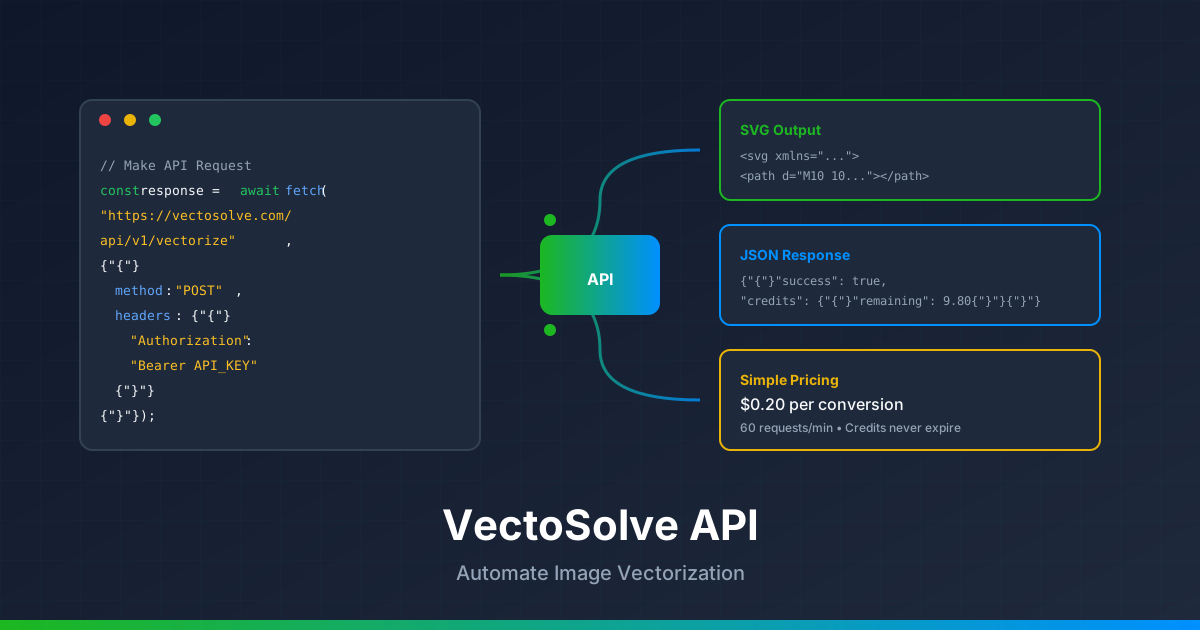
Each API conversion costs $0.20. Purchase a credit pack from the pricing page. Credits never expire, so buy what you need.
Step 3: Make Your First Request
The API endpoint accepts POST requests with your image as form-data:
POST https://vectosolve.com/api/v1/vectorize
Authorization: Bearer YOUR_API_KEY
Content-Type: multipart/form-data
Code Examples
cURL
curl -X POST https://vectosolve.com/api/v1/vectorize
  -H "Authorization: Bearer YOUR_API_KEY"
  -F "file=@image.png"
  -F "removeBackground=false"
Node.js
const FormData = require('form-data');
const fs = require('fs');
const fetch = require('node-fetch');async function vectorize(imagePath, apiKey) {
const formData = new FormData();
formData.append('file', fs.createReadStream(imagePath));
formData.append('removeBackground', 'false');
const response = await fetch('https://vectosolve.com/api/v1/vectorize', {
method: 'POST',
headers: {
'Authorization': Bearer ${apiKey},
},
body: formData,
});
const result = await response.json();
if (result.success) {
console.log('SVG URL:', result.svgUrl);
console.log('Credits remaining:', result.credits.remaining);
return result.svg;
} else {
throw new Error(result.error);
}
}
// Usage
vectorize('./logo.png', 'YOUR_API_KEY');
Python
import requestsdef vectorize(image_path, api_key):
url = "https://vectosolve.com/api/v1/vectorize"
with open(image_path, 'rb') as f:
files = {'file': f}
data = {'removeBackground': 'false'}
headers = {'Authorization': f'Bearer {api_key}'}
response = requests.post(url, files=files, data=data, headers=headers)
result = response.json()
if result.get('success'):
print(f"SVG URL: {result['svgUrl']}")
print(f"Credits remaining: {result['credits']['remaining']}")
return result['svg']
else:
raise Exception(result.get('error'))
# Usage
svg = vectorize('./logo.png', 'YOUR_API_KEY')
PHP
<?php
function vectorize($imagePath, $apiKey) {
$url = 'https://vectosolve.com/api/v1/vectorize'; $curl = curl_init();
$postFields = [
'file' => new CURLFile($imagePath),
'removeBackground' => 'false'
];
curl_setopt_array($curl, [
CURLOPT_URL => $url,
CURLOPT_RETURNTRANSFER => true,
CURLOPT_POST => true,
CURLOPT_POSTFIELDS => $postFields,
CURLOPT_HTTPHEADER => [
'Authorization: Bearer ' . $apiKey
]
]);
$response = curl_exec($curl);
curl_close($curl);
$result = json_decode($response, true);
if ($result['success']) {
echo "SVG URL: " . $result['svgUrl'] . "
";
return $result['svg'];
} else {
throw new Exception($result['error']);
}
}
// Usage
$svg = vectorize('./logo.png', 'YOUR_API_KEY');
?>
API Response Format
A successful response looks like this:
{
  "success": true,
  "svg": "<svg xmlns="http://www.w3.org/2000/svg"...>",
  "svgUrl": "https://vectosolve.com/api/files/abc123.svg",
  "backgroundRemoved": false,
  "credits": {
    "cost": 0.20,
    "remaining": 9.80
  }
}
Error Handling
The API returns standard HTTP status codes:
| Code | Meaning | Solution |
|---|---|---|
| 401 | Invalid API key | Check your Authorization header |
| 402 | Insufficient credits | Purchase more credits |
| 403 | Subscription required | Upgrade your plan |
| 429 | Rate limit exceeded | Wait and retry (60 req/min) |
| 500 | Server error | Retry or contact support |
Advanced: Background Removal
Add removeBackground=true to automatically remove backgrounds before vectorizing. This costs an additional $0.07 per request:
curl -X POST https://vectosolve.com/api/v1/vectorize
  -H "Authorization: Bearer YOUR_API_KEY"
  -F "file=@photo.jpg"
  -F "removeBackground=true"
Automation Integrations
n8n Workflow
n8n is a powerful workflow automation tool. To integrate VectoSolve:
- Add an HTTP Request node
- Set Method to POST
- URL:
https://vectosolve.com/api/v1/vectorize - Authentication: Header Auth
- Header Name:
Authorization - Header Value:
Bearer YOUR_API_KEY - Body Content Type: Form-Data
- Add parameter
filewith your binary input
Zapier
Use "Webhooks by Zapier" to connect VectoSolve to 5,000+ apps:
- Add a Webhooks by Zapier action
- Choose POST request
- URL:
https://vectosolve.com/api/v1/vectorize - Add header:
Authorization: Bearer YOUR_API_KEY - Payload Type: Form
- Map your file field from the trigger
OpenClaw / AI Agents
For AI-powered automation tools like OpenClaw:
- Create an API key in your VectoSolve dashboard
- Add a new HTTP tool in your AI agent
- Configure the POST request as shown above
- Parse the JSON response to extract
svgorsvgUrl
Rate Limits & Best Practices
- Rate limit: 60 requests per minute
- Max file size: 5MB
- Supported formats: PNG, JPG, JPEG, WEBP, GIF
- Credits: Never expire
Tips for batch processing:
- Implement exponential backoff for rate limits
- Queue requests and process in batches of 50
- Cache results to avoid re-converting the same image
- Use webhooks for large batch jobs
Frequently Asked Questions
How much does the API cost?
Each conversion costs $0.20. Background removal adds $0.07. Buy credits in bulk to save — they never expire.
What image formats are supported?
PNG, JPG, JPEG, WEBP, and GIF. Maximum file size is 5MB.
Do credits expire?
No! Once purchased, credits remain in your account forever until used.
What's the rate limit?
60 requests per minute. For higher limits, contact us for enterprise plans.
Can I use the API in commercial products?
Yes! You can integrate the VectoSolve API into your commercial applications, SaaS products, or client projects.
Need Help?
Check out these resources:
- API Keys Dashboard — Manage your keys and view usage
- FAQ — Common questions answered
- Pricing — Credit packages and subscriptions
Ready to start? Get your API key and convert your first image in seconds!