
Vectorizing Fabric Patterns for Textile Design and Fashion
Convert fabric textures and patterns into production-ready vector files. Essential for fashion designers, textile manufacturers, and surface designers.
Founder of VectoSolve
Self-taught developer, founder and sole developer of VectoSolve since 2024. He builds the conversion engine and the cutting, embroidery and 3D printing exports.
How this article was made: drafted with AI assistance, then edited and fact-checked before publication. About the author
Try it on your own file
Free preview, no signup. Drop an image and see the vector before deciding anything.
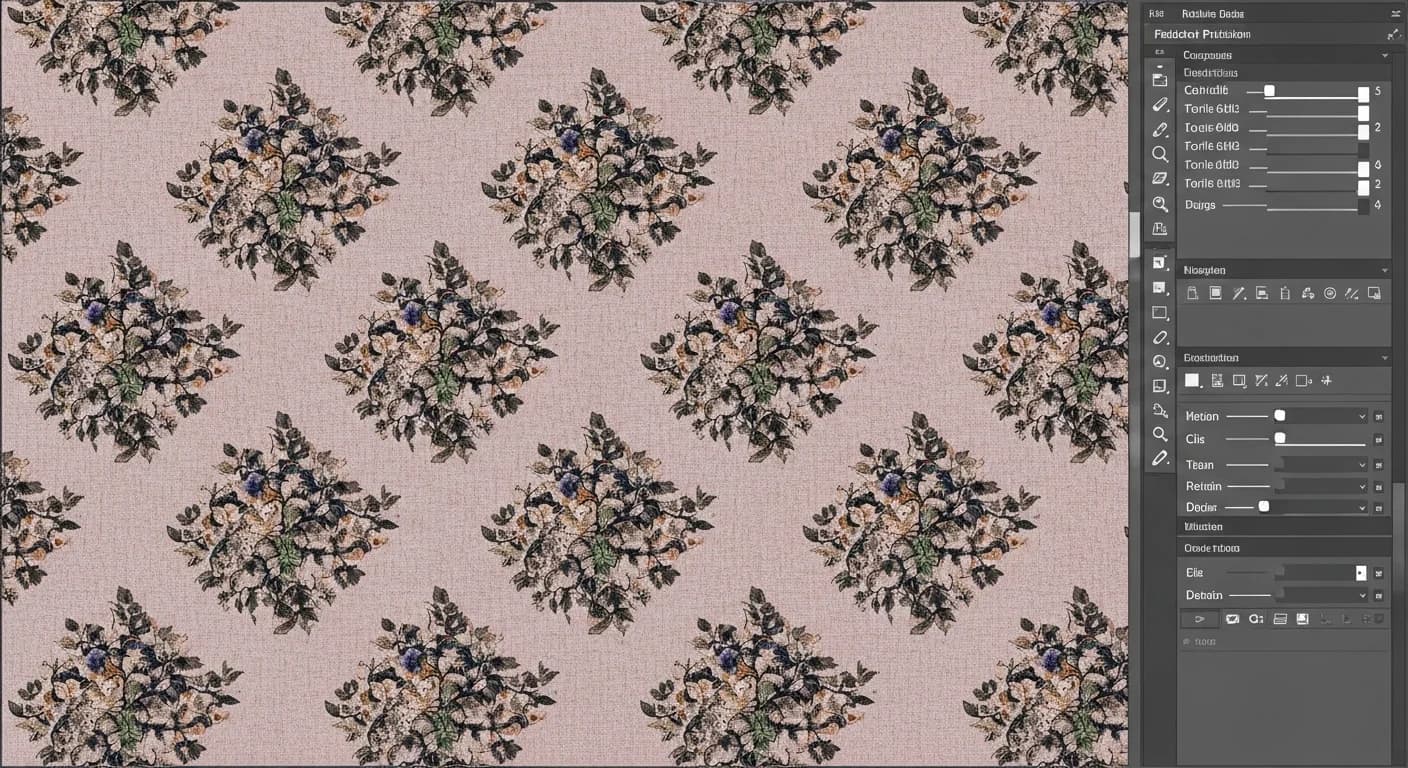
From Swatch to Screen Print: Vectorizing Fabric Patterns for Textile Production
The gap between a gorgeous pattern sketch and a production-ready textile file has killed more collections than bad trend forecasting.
Vectorizing fabric patterns isn't a nice-to-have digital exercise. It's the bridge between your design studio and the factory floor. Whether you're sending strike-offs to a screen printer in Como or uploading files for digital inkjet in Bursa, the quality of your vector artwork determines whether your fabric looks like your vision or a bad photocopy.

Why Textile Designers Must Think in Vectors
Raster files have their place — mood boards, presentation decks, Instagram. But the moment your pattern needs to exist on actual fabric, you need vectors:
| Production Need | Raster Reality | Vector Advantage |
|---|---|---|
| Scaling to fabric width | Pixelation at 54"+ | Infinite scaling, zero quality loss |
| Colorway development | Rebuild each time | Swap fills instantly, 12 colorways in an hour |
| Repeat engineering | Visible seams at tile edges | Mathematically precise tiling |
| Mill file delivery | Rejected by pre-press | Accepted by every production house |
| Design archiving | Degradation with re-saves | Permanent, editable, licensable assets |
If you're licensing prints — and you should be — vector files command premium rates. Sourcing teams at major retailers won't look at raster-only artwork for mainline production.
Repeat Types: The Foundation of Textile Design
Your repeat type changes the entire visual rhythm on the body or in a room. Here's what matters:
| Repeat Type | How It Works | Best For | Watch Out For |
|---|---|---|---|
| Full-drop | Motifs align in a straight grid | Geometrics, stripes, plaids | Can look static on garments |
| Half-drop | Each column shifts down 50% | Florals, paisleys, conversationals | Diagonal lines emerge if unbalanced |
| Brick | Each row shifts horizontally 50% | Organic shapes, scattered botanicals | Horizontal banding if density is uneven |
| Mirror | Motifs reflect along axes | Engineered borders, damasks | Obvious seam lines at mirror points |
| Random / tossed | No rigid grid structure | Ditsy florals, confetti, novelty | Hardest to engineer — gaps reveal the repeat |
Pro Tip: Always proof your repeat at actual production scale. Print your tile at 100% on paper, tape four copies together, and step back. What looks seamless on screen often reveals clustering, rivers of negative space, or diagonal lines at 54 inches wide. This five-minute test can save you from expensive re-strikes.
A Full Year of Conversions for $49
Starter Annual: 25 conversions every month, $49 for the whole year. That is about $4.08 a month · Cancel anytime
Get the Annual DealColor Separation for Textile Printing

In textile printing, every color costs money. Each screen printing color requires a separate screen, engraving, ink mixing, and setup. Vector artwork with clean, separated color channels is non-negotiable.
Screen printing (flatbed and rotary): 8-12 colors maximum. Each color on its own layer with trap lines where colors meet.
Rotary screen printing: 6-8 colors is the cost-effective sweet spot. Repeat circumference locks to roller diameter — typically 64cm for standard rollers.
Digital inkjet: Theoretically unlimited colors via CMYK process. But color gamut is narrower than expected on fabric — saturated oranges, neons, and deep navies are difficult. Always request a strike-off.
Warning: Color limitations per printing method are non-negotiable. Screen printing caps at 8-12 colors, each adding cost-per-yard. Rotary runs best at 6-8. Digital gives unlimited colors but a compressed gamut — your calibrated monitor does NOT show what you'll get on cotton sateen. Always get a physical strike-off approved before production. Designers can lose an entire season approving color on screen.
DPI, Scale, and Production Numbers
When vectorizing patterns with VectoSolve, input quality drives output fidelity:
- Input resolution: Minimum 300 DPI at actual repeat size. For fine details (liberty-scale florals), go 600 DPI
- Repeat dimensions: Specified in inches or centimeters, never pixels
- Fabric widths: 44-45" (dress goods), 54-60" (home/upholstery), 108-120" (sheeting)
- Minimum line weight: 0.3mm for screen printing, 0.15mm for digital (expect feathering on textured substrates)
"Patterns are the soul of fashion — they carry cultural memory, emotional resonance, and the designer's signature all in a single repeat tile. Getting that tile right is everything."
Fabric Type Considerations
Woven naturals (cotton, linen, silk): Ink absorbs and spreads. Account for 10-15% dot gain on natural fibers. Colors appear softer than on screen.
Knits (jersey, interlock): Fabric stretches, pattern stretches with it. Build 15-20% vertical compression so designs look correct when worn.
Synthetics (polyester, nylon): Sublimation printing gives the most vibrant results. It chemically bonds with polyester — only works on synthetics.
Free SVG Tools for Crafters
Design Checker · Color Separator · Mat Preview · Offset Generator · Text to SVG
Check Your SVG FreeFashion vs. Home Textiles
Fashion demands speed. Keep colors lean (4-6 for fast fashion, up to 12 for premium) and design with garment placement in mind — how does the pattern sit on a bodice panel versus a gathered skirt?
Home textiles demand durability. Upholstery fabrics undergo abrasion testing. Use heavier color saturation, larger repeats (24-36"), and plan minimum 8 colorways per pattern.
The Production-Ready Workflow
Capture: Iron fabric flat. Scan at 300+ DPI perpendicular to surface with diffused lighting. Capture at least one full repeat.
Vectorize: Upload to the core vectorization engine. AI traces elements and generates clean SVG paths. To create new motifs from a text description, use VectoSolve's pattern generator.
Engineer the repeat: Verify repeat type, check edge alignment at 3200% zoom, confirm color count matches your printing method, set dimensions in real units.
Color separate: Assign elements to named layers. Specify as Pantone TPX/TCX (fashion) or TPG (home textiles).
Deliver: Name files with metadata — FloralDitsy_CW01-Navy_HalfDrop_18inRepeat_8color_v2.ai. Include a color legend with Pantone references and a 2x2 tiling preview.
Key Takeaways
- Vector patterns are non-negotiable for professional textile production — raster files get rejected at the mill
- Choose your repeat type (full-drop, half-drop, brick, mirror, random) based on visual rhythm, not convenience
- Color count directly impacts cost — screen at 8-12 max, rotary at 6-8, digital unlimited but gamut-limited
- Always test repeats at actual production scale — screen-size proofing hides critical flaws
- Match vectorization to fabric type — knits stretch, naturals absorb, synthetics sublimate
- Specify colors in Pantone TPX/TCX (fashion) or TPG (home) — never rely on screen color
- VectoSolve gets you from swatch to production file in minutes instead of days
Start Producing Textile-Ready Vectors
Tools like VectoSolve and the Pattern Generator handle vectorization — but your textile knowledge makes the output production-worthy. Understanding repeat engineering, color separation, and substrate behavior separates a designer who sells prints from one who ships fabric.
Your patterns deserve to exist on real textiles. Make the files that get them there.
| Textile Production Method | Vector Requirement | Repeat Precision | Typical Output |
|---|---|---|---|
| Rotary Screen Printing | Exact seamless tile, spot colors | Circumference-locked repeat | 10,000+ yards/run |
| Digital Textile Printing | High-res vector or 300 DPI raster | Flexible repeat sizes | 1-1,000 yards |
| Jacquard Weaving | Simplified vector, limited colors | Warp/weft grid alignment | 500+ yards |
| Sublimation Printing | Full-color vector preferred | Mirrored for transfer | 50-5,000 units |
| Block Printing (Artisan) | Single-color vector per block | Manual registration | Small batch / custom |