
Print on Demand Design Guide 2026: Convert Images to Print-Ready Vectors
The POD market hits $57B in 2026. Here's how to convert your designs into print-ready vectors for Printify, Redbubble, and Etsy.
Graphics & Design Experts
Our team of experienced designers and developers specializes in vector graphics, image conversion, and digital design optimization. With over 10 years of combined experience in graphic design and web development.
Print on Demand (POD) is on track to reach $57.49 billion by 2033, growing at 23% per year. Platforms like Printify, Redbubble, Merch by Amazon, and Etsy have made it possible for anyone with a design to sell custom merchandise without inventory, shipping, or upfront costs. But here is what separates successful POD sellers from the rest: print-ready file quality. Professional-grade vectors and high-resolution images make the difference between products that look sharp and products that look blurry, cheap, or amateur. This guide shows you how to prepare your designs for POD using VectoSolve.The Print on Demand Market Is Booming
Why Vectors Win in Print on Demand
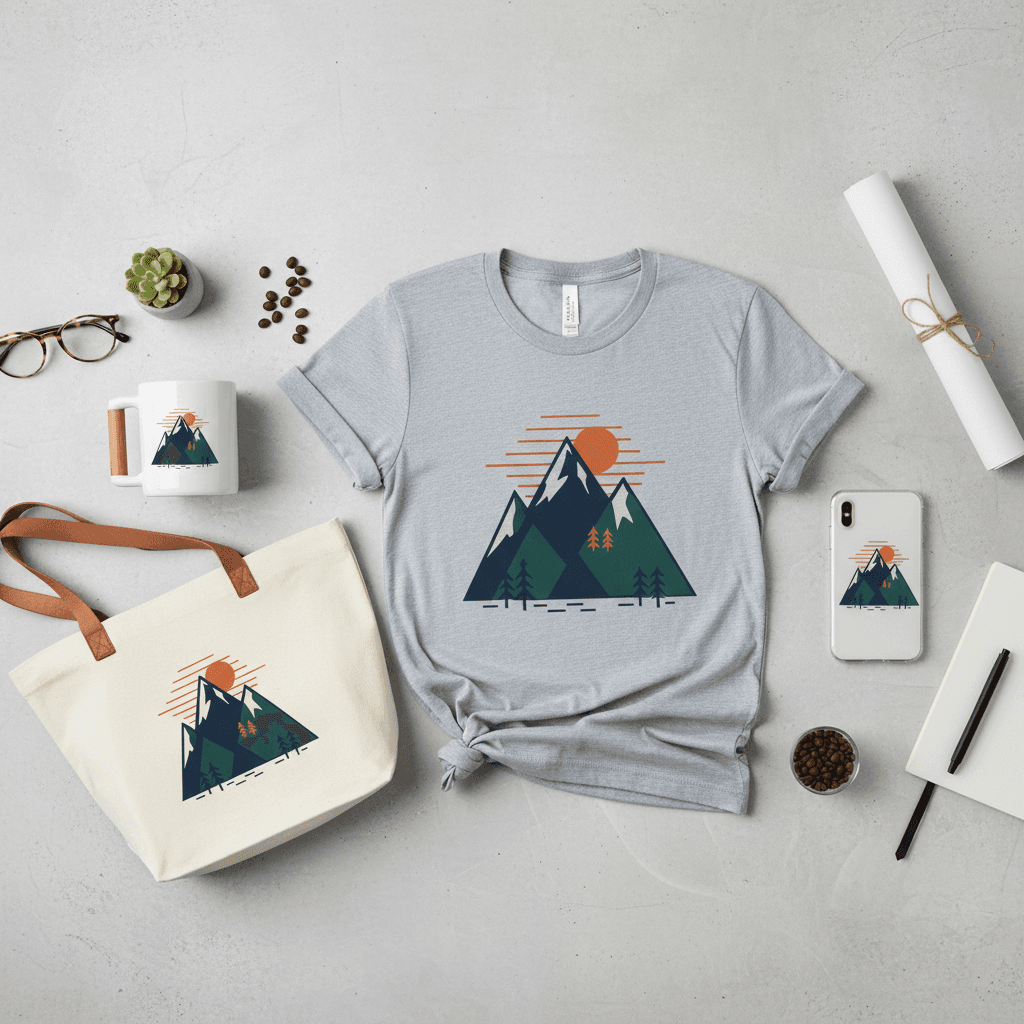
- Resolution independence — a vector design looks perfect on a phone case and a 36×24 poster
- No pixelation — POD platforms resize your design for different products; vectors never blur
- Clean edges — professional print facilities get the best results from vector input
- Easy color editing — change colorways for seasonal variations without quality loss
- Smaller files — faster uploads to POD platforms
Resolution Requirements by Product Type
| Product | Min Resolution (DPI) | Typical Print Size | Pixels Needed |
|---|---|---|---|
| T-shirt | 300 DPI | 12×16 inches | 3600×4800 px |
| Coffee mug | 300 DPI | 3.5×3.5 inches | 1050×1050 px |
| Phone case | 300 DPI | 3×5 inches | 900×1500 px |
| Poster (18×24) | 150–300 DPI | 18×24 inches | 2700–7200 px |
| Canvas print | 150 DPI | 24×36 inches | 3600×5400 px |
| Tote bag | 300 DPI | 14×14 inches | 4200×4200 px |
| Pillow cover | 200 DPI | 18×18 inches | 3600×3600 px |
The SVG advantage: If you upload a vector SVG, the POD platform can render it at any resolution automatically. No pixels needed — it is always sharp.
The POD Design Workflow with VectoSolve
Step 1: Create Your Design
Start from any source:
- Hand-drawn art scanned or photographed
- AI-generated images from ChatGPT, Midjourney, or Stable Diffusion
- Digital illustrations from Procreate, Canva, or other tools
- Existing brand assets that need upgrading
Step 2: Remove the Background
POD products need designs on transparent backgrounds. Use VectoSolve's background removal tool to strip the background cleanly.
Step 3: Vectorize or Upscale
Choose based on your design type:
- Vectorize — for logos, text designs, illustrations, line art. Gives you SVG that scales to any product size.
- Upscale (2x or 4x) — for photorealistic designs, complex paintings, detailed art. Gives you high-res PNG for large print formats.
Step 4: Upload to Your POD Platform
Most platforms accept PNG (transparent) and some accept SVG. If SVG is not accepted, export from VectoSolve at the required pixel dimensions.
Top POD Niches in 2026
- Personalized pet products — pet portraits on mugs, blankets, pillows. Use VectoSolve to vectorize pet photos for a clean illustrated look.
- Fitness and wellness — motivational quotes, gym graphics, yoga illustrations. Text-heavy designs vectorize perfectly.
- Eco-living and sustainability — nature illustrations, botanical designs, earthy color palettes.
- Home decor — the fastest growing POD category at 24.2% CAGR. Wall art, throw pillows, blankets.
- Fandom and community designs — niche hobby graphics, inside jokes, subculture art.
Platform-Specific Tips
Printify / Printful
Upload PNG at 300 DPI. Transparent background required. Max file size usually 25MB. Vector SVG converted to high-res PNG works perfectly.
Redbubble
Accepts PNG with transparency. Minimum 2400×3200 px for most products. Larger files give better results across their product range.
Merch by Amazon
Strict requirements: PNG, 300 DPI, transparent background, exact dimensions per product. Vectorizing your design first ensures it meets every requirement perfectly.
Etsy (Digital Products)
Sell the SVG files directly as digital downloads. Cricut and crafting SVGs are top sellers on Etsy — some listings have crossed 200,000+ sales.
Frequently Asked Questions
Can I use AI-generated designs for print on demand?
Yes. Most AI image generators allow commercial use. Generate your design, vectorize or upscale it with VectoSolve, and upload to your POD platform. Check each AI tool's terms for specific restrictions.
SVG or PNG — which should I upload to POD platforms?
Most POD platforms require PNG with transparent backgrounds. However, starting with an SVG ensures you can export at any resolution needed. Create the SVG first, then export PNG at the exact dimensions the platform requires.
How do I make my designs look professional?
Three things: high resolution (300 DPI), transparent background, and clean edges. VectoSolve handles all three — background removal, vectorization for perfect edges, and upscaling for high resolution.
What is the cheapest way to start a POD business?
Design creation is the main cost. VectoSolve's credit packs start at $0.65, letting you prepare professional designs for pennies each. Combined with free POD platforms (no inventory costs), you can launch a product line for under $10.
Start Building Your POD Empire
The difference between a $5/month POD store and a $5,000/month POD brand is design quality. VectoSolve gives you the tools to create print-ready vectors and high-resolution images from any source — hand-drawn art, AI images, or existing designs.