
PNG vs SVG: The Definitive Comparison Guide for 2026
End the confusion between PNG and SVG formats. Learn exactly when to use each format with practical examples and decision frameworks.

Graphics & Design Experts
Our team of experienced designers and developers specializes in vector graphics, image conversion, and digital design optimization. With over 10 years of combined experience in graphic design and web development.
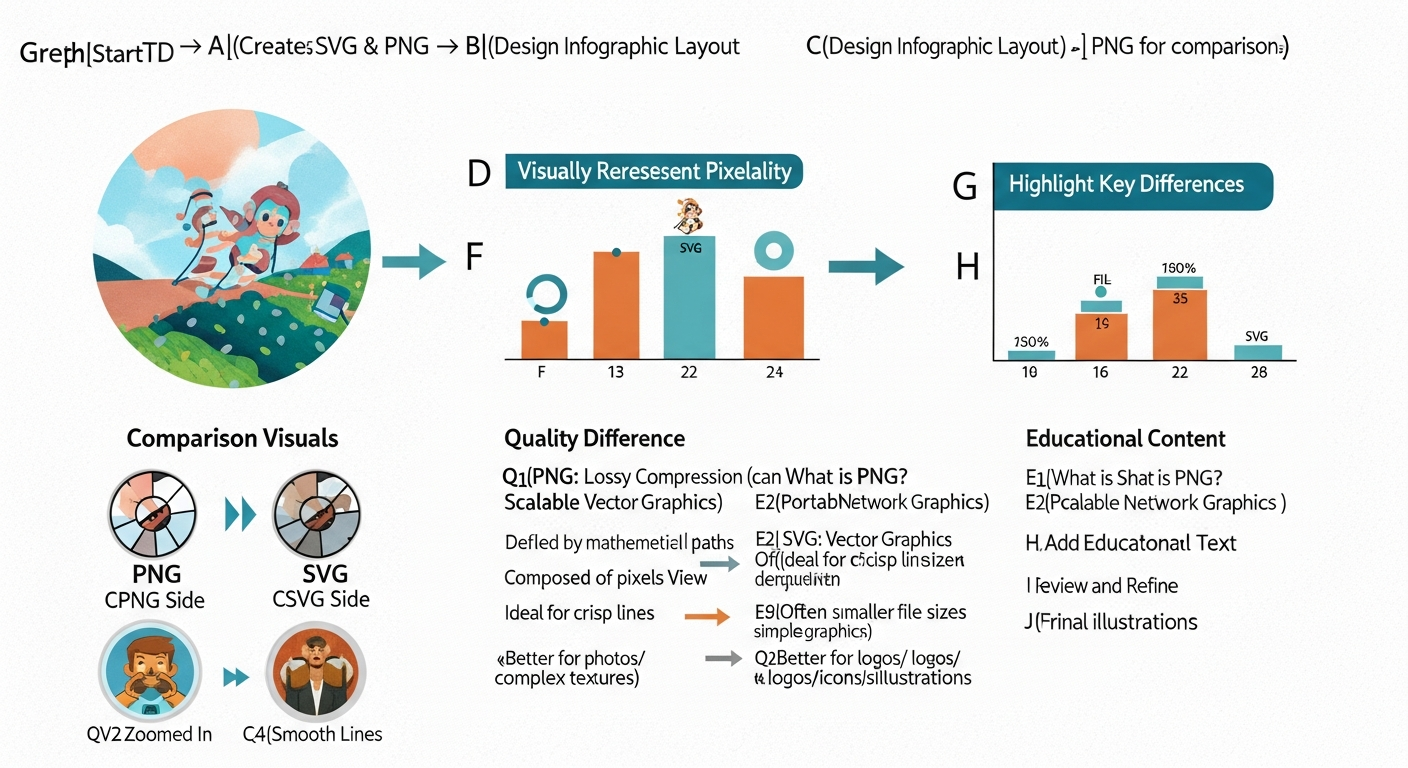
PNG vs SVG: The Definitive Engineering Comparison for 2025
Every image you ship is an engineering decision. Raster or vector? 45 KB or 3 KB? These choices compound across thousands of pages and millions of requests. This is the reference guide that settles the PNG vs SVG debate — with compression benchmarks, rendering analysis, Lighthouse scores, and production code you can ship today.
> "The difference between a good frontend and a great one is measured in the hundreds of image-format decisions nobody ever sees."
Key Takeaways
- SVG files are 60–95% smaller than PNGs for logos, icons, and UI elements, directly improving Core Web Vitals.
- PNG remains the correct choice for photographic content, complex textures, and pixel-perfect screenshots.
- A hybrid strategy — SVG for vector assets, modern raster (AVIF/WebP) for photos — delivers the best Lighthouse scores in 2025.
-
SVG offers superior accessibility through native semantic elements like
</code> and <code class="bg-gray-100 dark:bg-gray-800 px-1.5 py-0.5 rounded text-sm text-[#1cb721] font-mono"><desc></code>.</span> </li><li class="flex items-start gap-2 text-gray-700 dark:text-gray-300"> <svg class="w-5 h-5 text-[#1cb721] mt-0.5 flex-shrink-0" fill="currentColor" viewBox="0 0 20 20"> <path fill-rule="evenodd" d="M10 18a8 8 0 100-16 8 8 0 000 16zm3.707-9.293a1 1 0 00-1.414-1.414L9 10.586 7.707 9.293a1 1 0 00-1.414 1.414l2 2a1 1 0 001.414 0l4-4z" clip-rule="evenodd" /> </svg> <span>Rendering cost grows linearly with SVG node count; keep paths below ~1 500 nodes for smooth 60 fps compositing.</span> </li></ul> </div> </p><p class="text-gray-700 dark:text-gray-300 mb-4 leading-relaxed text-base md:text-lg"><h2 id="compression-algorithms-how-each-format-works" class="text-2xl font-bold mt-12 mb-4 text-gray-900 dark:text-white scroll-mt-20 group"> <a href="#compression-algorithms-how-each-format-works" class="hover:text-[#1cb721] transition-colors">Compression Algorithms: How Each Format Works</a> </h2><div class="clear-both"></div></p><p class="text-gray-700 dark:text-gray-300 mb-4 leading-relaxed text-base md:text-lg"><h3 id="png-deflate-filtering" class="text-xl font-bold mt-8 mb-3 text-gray-900 dark:text-white scroll-mt-20">PNG: DEFLATE + Filtering</h3></p><p class="text-gray-700 dark:text-gray-300 mb-4 leading-relaxed text-base md:text-lg">PNG uses a two-stage pipeline. Each scanline passes through one of five <strong class="font-semibold text-gray-900 dark:text-white">prediction filters</strong> (None, Sub, Up, Average, Paeth) that exploit pixel-to-pixel correlation. The filtered bytes are compressed with <strong class="font-semibold text-gray-900 dark:text-white">DEFLATE</strong> (LZ77 + Huffman coding). Because DEFLATE operates on a byte stream, PNG compression is bounded by spatial redundancy: flat-color regions compress well; noise-heavy photographs barely shrink at all.</p><p class="text-gray-700 dark:text-gray-300 mb-4 leading-relaxed text-base md:text-lg"><li class="ml-6 text-gray-700 dark:text-gray-300 list-disc"><strong class="font-semibold text-gray-900 dark:text-white">Compression ratio on flat icons</strong>: 10:1–20:1</li> <li class="ml-6 text-gray-700 dark:text-gray-300 list-disc"><strong class="font-semibold text-gray-900 dark:text-white">Compression ratio on photographs</strong>: 1.5:1–3:1</li> <li class="ml-6 text-gray-700 dark:text-gray-300 list-disc"><strong class="font-semibold text-gray-900 dark:text-white">Decompression cost</strong>: ~0.8 ms/megapixel on a mid-range mobile SoC</li></p><p class="text-gray-700 dark:text-gray-300 mb-4 leading-relaxed text-base md:text-lg"><h3 id="svg-text-compression-svgo" class="text-xl font-bold mt-8 mb-3 text-gray-900 dark:text-white scroll-mt-20">SVG: Text Compression + SVGO</h3></p><p class="text-gray-700 dark:text-gray-300 mb-4 leading-relaxed text-base md:text-lg">SVG is XML. Unoptimized Illustrator exports carry metadata, editor artifacts, and redundant precision. Running <a href="https://vectosolve.com/optimize-svg" class="text-[#1cb721] hover:text-[#0090ff] underline underline-offset-2 transition-colors">SVGO</a> strips that noise — typically a <strong class="font-semibold text-gray-900 dark:text-white">40–70% reduction</strong> before gzip. Over the wire with Brotli, a 6 KB optimized SVG shrinks to roughly <strong class="font-semibold text-gray-900 dark:text-white">1.8 KB</strong> — smaller than a Base64-encoded favicon.</p><p class="text-gray-700 dark:text-gray-300 mb-4 leading-relaxed text-base md:text-lg"> <figure class="my-8"> <img src="/blog/svg-optimization.png" alt="SVG optimization pipeline" class="rounded-lg shadow-md w-full" loading="lazy" /> </figure> </p><p class="text-gray-700 dark:text-gray-300 mb-4 leading-relaxed text-base md:text-lg"><h2 id="rendering-pipeline-deep-dive" class="text-2xl font-bold mt-12 mb-4 text-gray-900 dark:text-white scroll-mt-20 group"> <a href="#rendering-pipeline-deep-dive" class="hover:text-[#1cb721] transition-colors">Rendering Pipeline Deep Dive</a> </h2><div class="clear-both"></div></p><p class="text-gray-700 dark:text-gray-300 mb-4 leading-relaxed text-base md:text-lg"><h3 id="png-rendering-path" class="text-xl font-bold mt-8 mb-3 text-gray-900 dark:text-white scroll-mt-20">PNG Rendering Path</h3></p><p class="text-gray-700 dark:text-gray-300 mb-4 leading-relaxed text-base md:text-lg"><li class="ml-6 text-gray-700 dark:text-gray-300 list-decimal"><strong class="font-semibold text-gray-900 dark:text-white">Fetch</strong> — HTTP response lands in the network buffer.</li> <li class="ml-6 text-gray-700 dark:text-gray-300 list-decimal"><strong class="font-semibold text-gray-900 dark:text-white">Decode</strong> — The decoder inflates DEFLATE data into a raw RGBA bitmap.</li> <li class="ml-6 text-gray-700 dark:text-gray-300 list-decimal"><strong class="font-semibold text-gray-900 dark:text-white">Rasterize</strong> — The bitmap uploads to a GPU texture.</li> <li class="ml-6 text-gray-700 dark:text-gray-300 list-decimal"><strong class="font-semibold text-gray-900 dark:text-white">Composite</strong> — The compositor blits the texture at the element's CSS transform.</li></p><p class="text-gray-700 dark:text-gray-300 mb-4 leading-relaxed text-base md:text-lg">Memory is fixed: <code class="bg-gray-100 dark:bg-gray-800 px-1.5 py-0.5 rounded text-sm text-[#1cb721] font-mono">width x height x 4 bytes</code>. A 1920x1080 PNG consumes <strong class="font-semibold text-gray-900 dark:text-white">~8.3 MB of GPU memory</strong> regardless of transparency.</p><p class="text-gray-700 dark:text-gray-300 mb-4 leading-relaxed text-base md:text-lg"><h3 id="svg-rendering-path" class="text-xl font-bold mt-8 mb-3 text-gray-900 dark:text-white scroll-mt-20">SVG Rendering Path</h3></p><p class="text-gray-700 dark:text-gray-300 mb-4 leading-relaxed text-base md:text-lg"><li class="ml-6 text-gray-700 dark:text-gray-300 list-decimal"><strong class="font-semibold text-gray-900 dark:text-white">Fetch</strong> — XML payload arrives (often smaller than a single PNG scanline).</li> <li class="ml-6 text-gray-700 dark:text-gray-300 list-decimal"><strong class="font-semibold text-gray-900 dark:text-white">Parse</strong> — The XML parser builds a DOM subtree.</li> <li class="ml-6 text-gray-700 dark:text-gray-300 list-decimal"><strong class="font-semibold text-gray-900 dark:text-white">Style</strong> — CSS cascade applies; <code class="bg-gray-100 dark:bg-gray-800 px-1.5 py-0.5 rounded text-sm text-[#1cb721] font-mono">viewBox</code> and <code class="bg-gray-100 dark:bg-gray-800 px-1.5 py-0.5 rounded text-sm text-[#1cb721] font-mono">preserveAspectRatio</code> resolve.</li> <li class="ml-6 text-gray-700 dark:text-gray-300 list-decimal"><strong class="font-semibold text-gray-900 dark:text-white">Paint</strong> — Skia/Core Graphics tessellate paths into triangles at <em class="italic">current device resolution</em>.</li> <li class="ml-6 text-gray-700 dark:text-gray-300 list-decimal"><strong class="font-semibold text-gray-900 dark:text-white">Composite</strong> — The rasterized result enters the compositor like any other layer.</li></p><p class="text-gray-700 dark:text-gray-300 mb-4 leading-relaxed text-base md:text-lg">Memory scales with <strong class="font-semibold text-gray-900 dark:text-white">path complexity</strong>, not canvas size. A 200-node icon: ~60 KB. A 15 000-node illustrated map: several MB with potential main-thread stalls.</p><p class="text-gray-700 dark:text-gray-300 mb-4 leading-relaxed text-base md:text-lg"> <div class="my-6 p-4 bg-amber-50 dark:bg-amber-950/30 border-l-4 border-amber-500 rounded-r-lg"> <div class="flex items-start gap-3"> <svg class="w-5 h-5 text-amber-500 mt-0.5 flex-shrink-0" fill="none" viewBox="0 0 24 24" stroke="currentColor"> <path stroke-linecap="round" stroke-linejoin="round" stroke-width="2" d="M12 9v2m0 4h.01m-6.938 4h13.856c1.54 0 2.502-1.667 1.732-3L13.732 4c-.77-1.333-2.694-1.333-3.464 0L3.34 16c-.77 1.333.192 3 1.732 3z" /> </svg> <div class="text-amber-800 dark:text-amber-200 text-sm"><strong class="text-amber-700 dark:text-amber-300">Warning:</strong> <strong class="font-semibold text-gray-900 dark:text-white">SVG Complexity Threshold</strong>: When an SVG exceeds ~1 500 path nodes, paint time on mid-range mobile devices can exceed 16 ms, causing frame drops. At that complexity, consider rasterizing to high-DPI PNG/WebP and serving SVG only to high-end clients. Profile with Chrome DevTools' Paint Profiler before shipping. </div> </div> </div> </p><p class="text-gray-700 dark:text-gray-300 mb-4 leading-relaxed text-base md:text-lg"><h2 id="benchmark-table-15-real-world-scenarios" class="text-2xl font-bold mt-12 mb-4 text-gray-900 dark:text-white scroll-mt-20 group"> <a href="#benchmark-table-15-real-world-scenarios" class="hover:text-[#1cb721] transition-colors">Benchmark Table: 15 Real-World Scenarios</a> </h2><div class="clear-both"></div></p><p class="text-gray-700 dark:text-gray-300 mb-4 leading-relaxed text-base md:text-lg">| # | Asset Type | PNG | SVG | Winner | LCP Delta | Notes | |---|-----------|-----|-----|--------|-----------|-------| | 1 | Simple logo (3 colors) | 42 KB | 2.8 KB | <strong class="font-semibold text-gray-900 dark:text-white">SVG</strong> 93% | -120 ms | CSS themeable | | 2 | Detailed logo (gradients) | 68 KB | 9.1 KB | <strong class="font-semibold text-gray-900 dark:text-white">SVG</strong> 87% | -95 ms | linearGradient | | 3 | Icon set (50 icons) | 340 KB | 28 KB | <strong class="font-semibold text-gray-900 dark:text-white">SVG</strong> 92% | -380 ms | Sprite vs inline | | 4 | Hero illustration (flat) | 185 KB | 22 KB | <strong class="font-semibold text-gray-900 dark:text-white">SVG</strong> 88% | -210 ms | Animatable | | 5 | Hero illustration (complex) | 410 KB | 390 KB | <strong class="font-semibold text-gray-900 dark:text-white">Tie</strong> | ~0 ms | Evaluate AVIF | | 6 | Product photograph | 1.8 MB | N/A | <strong class="font-semibold text-gray-900 dark:text-white">PNG</strong><em class="italic"> | — | </em>Use WebP/AVIF | | 7 | Screenshot (UI) | 220 KB | N/A | <strong class="font-semibold text-gray-900 dark:text-white">PNG</strong> | — | Pixel-perfect | | 8 | Data chart (bar) | 95 KB | 11 KB | <strong class="font-semibold text-gray-900 dark:text-white">SVG</strong> 88% | -130 ms | Interactive | | 9 | Infographic (mixed) | 680 KB | 155 KB | <strong class="font-semibold text-gray-900 dark:text-white">SVG</strong> 77% | -310 ms | Embed raster | | 10 | Animated loader | 120 KB | 4 KB | <strong class="font-semibold text-gray-900 dark:text-white">SVG</strong> 97% | -160 ms | CSS keyframes | | 11 | Map with 5k paths | 1.2 MB | 2.1 MB | <strong class="font-semibold text-gray-900 dark:text-white">PNG</strong> | +60 ms | SVG paint cost | | 12 | QR code | 8 KB | 6 KB | <strong class="font-semibold text-gray-900 dark:text-white">SVG</strong> 25% | ~0 ms | Sharp at any zoom | | 13 | Favicon (multi-size) | 15 KB | 1.2 KB | <strong class="font-semibold text-gray-900 dark:text-white">SVG</strong> | -18 ms | Single file | | 14 | Social share card | 85 KB | N/A | <strong class="font-semibold text-gray-900 dark:text-white">PNG</strong> | — | Platform req. | | 15 | Background pattern | 32 KB | 1.5 KB | <strong class="font-semibold text-gray-900 dark:text-white">SVG</strong> 95% | -55 ms | pattern tiles |</p><p class="text-gray-700 dark:text-gray-300 mb-4 leading-relaxed text-base md:text-lg"><h2 id="lighthouse-benchmark-data-2025" class="text-2xl font-bold mt-12 mb-4 text-gray-900 dark:text-white scroll-mt-20 group"> <a href="#lighthouse-benchmark-data-2025" class="hover:text-[#1cb721] transition-colors">Lighthouse Benchmark Data (2025)</a> </h2><div class="clear-both"></div></p><p class="text-gray-700 dark:text-gray-300 mb-4 leading-relaxed text-base md:text-lg">Tested on e-commerce landing page: 12 UI icons, 1 logo, 3 illustrations, 4 product photos. Simulated Moto G Power on 4G.</p><p class="text-gray-700 dark:text-gray-300 mb-4 leading-relaxed text-base md:text-lg"><strong class="font-semibold text-gray-900 dark:text-white">All-PNG baseline:</strong></p><p class="text-gray-700 dark:text-gray-300 mb-4 leading-relaxed text-base md:text-lg"> <div class="my-6 rounded-lg overflow-hidden"> <div class="bg-gray-800 px-4 py-2 text-xs text-gray-400 font-mono"></div> <pre class="bg-gray-900 p-4 overflow-x-auto"><code class="text-sm text-gray-100 font-mono">Performance: 62 | LCP: 4.8s | TBT: 620ms | CLS: 0.08 | Image weight: 2.4 MB </code></pre> </div> </p><p class="text-gray-700 dark:text-gray-300 mb-4 leading-relaxed text-base md:text-lg"><strong class="font-semibold text-gray-900 dark:text-white">Hybrid (SVG vectors + WebP photos):</strong></p><p class="text-gray-700 dark:text-gray-300 mb-4 leading-relaxed text-base md:text-lg"> <div class="my-6 rounded-lg overflow-hidden"> <div class="bg-gray-800 px-4 py-2 text-xs text-gray-400 font-mono"></div> <pre class="bg-gray-900 p-4 overflow-x-auto"><code class="text-sm text-gray-100 font-mono">Performance: 94 | LCP: 1.9s | TBT: 180ms | CLS: 0.01 | Image weight: 380 KB </code></pre> </div> </p><p class="text-gray-700 dark:text-gray-300 mb-4 leading-relaxed text-base md:text-lg"><strong class="font-semibold text-gray-900 dark:text-white">Delta:</strong> +32 performance points, -2.9s LCP, -84% image payload — from format selection alone.</p><p class="text-gray-700 dark:text-gray-300 mb-4 leading-relaxed text-base md:text-lg"><h2 id="production-code-patterns" class="text-2xl font-bold mt-12 mb-4 text-gray-900 dark:text-white scroll-mt-20 group"> <a href="#production-code-patterns" class="hover:text-[#1cb721] transition-colors">Production Code Patterns</a> </h2><div class="clear-both"></div></p><p class="text-gray-700 dark:text-gray-300 mb-4 leading-relaxed text-base md:text-lg"><h3 id="responsive-svg-with-art-direction" class="text-xl font-bold mt-8 mb-3 text-gray-900 dark:text-white scroll-mt-20">Responsive SVG with Art Direction</h3></p><p class="text-gray-700 dark:text-gray-300 mb-4 leading-relaxed text-base md:text-lg"> <div class="my-6 rounded-lg overflow-hidden"> <div class="bg-gray-800 px-4 py-2 text-xs text-gray-400 font-mono">html</div> <pre class="bg-gray-900 p-4 overflow-x-auto"><code class="text-sm text-gray-100 font-mono"><picture> <source media="(max-width: 639px)" srcset="/img/logo-simple.svg" type="image/svg+xml"> <source media="(min-width: 640px)" srcset="/img/logo-full.svg" type="image/svg+xml"> <img src="/img/logo-full.png" alt="VectoSolve — AI-powered SVG tools" width="280" height="60" loading="eager" fetchpriority="high"> </picture> </code></pre> </div> </p><p class="text-gray-700 dark:text-gray-300 mb-4 leading-relaxed text-base md:text-lg"> <figure class="my-8"> <img src="/blog/responsive-svg-design-guide.png" alt="Responsive SVG design patterns" class="rounded-lg shadow-md w-full" loading="lazy" /> </figure> </p><p class="text-gray-700 dark:text-gray-300 mb-4 leading-relaxed text-base md:text-lg"><h3 id="density-switching-for-raster-fallbacks" class="text-xl font-bold mt-8 mb-3 text-gray-900 dark:text-white scroll-mt-20">Density Switching for Raster Fallbacks</h3></p><p class="text-gray-700 dark:text-gray-300 mb-4 leading-relaxed text-base md:text-lg"> <div class="my-6 rounded-lg overflow-hidden"> <div class="bg-gray-800 px-4 py-2 text-xs text-gray-400 font-mono">html</div> <pre class="bg-gray-900 p-4 overflow-x-auto"><code class="text-sm text-gray-100 font-mono"><picture> <source srcset="/img/hero.avif" type="image/avif"> <source srcset="/img/hero.webp" type="image/webp"> <img src="/img/hero.png" srcset="/img/hero-1x.png 1x, /img/hero-2x.png 2x" sizes="(max-width: 768px) 100vw, 50vw" alt="Product dashboard overview" width="1200" height="630" loading="lazy" decoding="async"> </picture> </code></pre> </div> </p><p class="text-gray-700 dark:text-gray-300 mb-4 leading-relaxed text-base md:text-lg"><h2 id="accessibility-a-side-by-side-comparison" class="text-2xl font-bold mt-12 mb-4 text-gray-900 dark:text-white scroll-mt-20 group"> <a href="#accessibility-a-side-by-side-comparison" class="hover:text-[#1cb721] transition-colors">Accessibility: A Side-by-Side Comparison</a> </h2><div class="clear-both"></div></p><p class="text-gray-700 dark:text-gray-300 mb-4 leading-relaxed text-base md:text-lg">| Criterion | PNG | SVG | |-----------|-----|-----| | Alt text | <code class="bg-gray-100 dark:bg-gray-800 px-1.5 py-0.5 rounded text-sm text-[#1cb721] font-mono">alt</code> attribute only | <code class="bg-gray-100 dark:bg-gray-800 px-1.5 py-0.5 rounded text-sm text-[#1cb721] font-mono"><title></code>, <code class="bg-gray-100 dark:bg-gray-800 px-1.5 py-0.5 rounded text-sm text-[#1cb721] font-mono"><desc></code>, <code class="bg-gray-100 dark:bg-gray-800 px-1.5 py-0.5 rounded text-sm text-[#1cb721] font-mono">aria-labelledby</code> | | Screen readers | Treated as flat image | Full DOM traversal; roles per element | | High contrast | No adaptation | Responds to <code class="bg-gray-100 dark:bg-gray-800 px-1.5 py-0.5 rounded text-sm text-[#1cb721] font-mono">forced-colors</code> media query | | Zoom | Pixelates beyond native res | Infinite vector scaling | | Reduced motion | N/A (static) | Respects <code class="bg-gray-100 dark:bg-gray-800 px-1.5 py-0.5 rounded text-sm text-[#1cb721] font-mono">prefers-reduced-motion</code> | | Color blindness | No in-browser adaptation | Patterns injectable via CSS |</p><p class="text-gray-700 dark:text-gray-300 mb-4 leading-relaxed text-base md:text-lg">SVG is <strong class="font-semibold text-gray-900 dark:text-white">architecturally superior</strong> for accessibility and WCAG 2.2 AA compliance.</p><p class="text-gray-700 dark:text-gray-300 mb-4 leading-relaxed text-base md:text-lg"><h2 id="future-formats-avif-webp-and-beyond" class="text-2xl font-bold mt-12 mb-4 text-gray-900 dark:text-white scroll-mt-20 group"> <a href="#future-formats-avif-webp-and-beyond" class="hover:text-[#1cb721] transition-colors">Future Formats: AVIF, WebP, and Beyond</a> </h2><div class="clear-both"></div></p><p class="text-gray-700 dark:text-gray-300 mb-4 leading-relaxed text-base md:text-lg"><li class="ml-6 text-gray-700 dark:text-gray-300 list-disc"><strong class="font-semibold text-gray-900 dark:text-white">WebP</strong> — 25–35% smaller than PNG. 97% browser support. The safe raster default for 2025.</li> <li class="ml-6 text-gray-700 dark:text-gray-300 list-disc"><strong class="font-semibold text-gray-900 dark:text-white">AVIF</strong> — 40–60% smaller than PNG. 92% support and climbing. Best for photographs.</li> <li class="ml-6 text-gray-700 dark:text-gray-300 list-disc"><strong class="font-semibold text-gray-900 dark:text-white">JPEG XL</strong> — Superior compression with progressive decode. Browser support stalled. Worth monitoring.</li></p><p class="text-gray-700 dark:text-gray-300 mb-4 leading-relaxed text-base md:text-lg">None of these formats replace SVG for vector content. The winning strategy: <strong class="font-semibold text-gray-900 dark:text-white">SVG for vector, AVIF/WebP for raster, PNG as ultimate fallback.</strong></p><p class="text-gray-700 dark:text-gray-300 mb-4 leading-relaxed text-base md:text-lg"> <div class="my-6 p-4 bg-green-50 dark:bg-green-950/30 border-l-4 border-green-500 rounded-r-lg"> <div class="flex items-start gap-3"> <svg class="w-5 h-5 text-green-500 mt-0.5 flex-shrink-0" fill="none" viewBox="0 0 24 24" stroke="currentColor"> <path stroke-linecap="round" stroke-linejoin="round" stroke-width="2" d="M9.663 17h4.673M12 3v1m6.364 1.636l-.707.707M21 12h-1M4 12H3m3.343-5.657l-.707-.707m2.828 9.9a5 5 0 117.072 0l-.548.547A3.374 3.374 0 0014 18.469V19a2 2 0 11-4 0v-.531c0-.895-.356-1.754-.988-2.386l-.548-.547z" /> </svg> <div class="text-green-800 dark:text-green-200 text-sm"><strong class="text-green-700 dark:text-green-300">Pro Tip:</strong> <strong class="font-semibold text-gray-900 dark:text-white">The Hybrid Approach</strong>: (1) SVG for every asset that <em class="italic">can</em> be vector — logos, icons, charts, illustrations under 1 500 nodes. (2) AVIF with WebP and PNG fallbacks inside <code class="bg-gray-100 dark:bg-gray-800 px-1.5 py-0.5 rounded text-sm text-[#1cb721] font-mono"><picture></code> for photographic content. (3) Use <a href="https://vectosolve.com/optimize-svg" class="text-[#1cb721] hover:text-[#0090ff] underline underline-offset-2 transition-colors">VectoSolve's SVG optimizer</a> to strip metadata before deployment. (4) When you need pixel-perfect PNGs from SVGs, use <a href="https://vectosolve.com/svg-to-png" class="text-[#1cb721] hover:text-[#0090ff] underline underline-offset-2 transition-colors">VectoSolve's SVG-to-PNG converter</a> for exact target resolutions. </div> </div> </div> </p><p class="text-gray-700 dark:text-gray-300 mb-4 leading-relaxed text-base md:text-lg"><h2 id="memory-usage-the-hidden-cost" class="text-2xl font-bold mt-12 mb-4 text-gray-900 dark:text-white scroll-mt-20 group"> <a href="#memory-usage-the-hidden-cost" class="hover:text-[#1cb721] transition-colors">Memory Usage: The Hidden Cost</a> </h2><div class="clear-both"></div></p><p class="text-gray-700 dark:text-gray-300 mb-4 leading-relaxed text-base md:text-lg">| Asset | Wire Size | Decoded Memory | Notes | |-------|-----------|----------------|-------| | PNG 512x512 | 85 KB | 1.05 MB | width x height x 4 | | PNG 1024x1024 | 210 KB | 4.19 MB | 4x for 2x dimensions | | PNG 2048x2048 | 620 KB | 16.78 MB | Retina tax is real | | SVG (200 nodes) | 6 KB | ~60 KB | Paths + styles | | SVG (2 000 nodes) | 45 KB | ~450 KB | Still well below raster | | SVG (15 000 nodes) | 380 KB | ~4 MB+ | Approaches raster cost |</p><p class="text-gray-700 dark:text-gray-300 mb-4 leading-relaxed text-base md:text-lg">On memory-constrained mobile devices (2–3 GB shared across all tabs), shipping a 2048x2048 PNG hero when a 6 KB SVG would suffice is not a missed optimization — it is a bug.</p><p class="text-gray-700 dark:text-gray-300 mb-4 leading-relaxed text-base md:text-lg"><h2 id="conclusion-engineering-decisions-not-format-wars" class="text-2xl font-bold mt-12 mb-4 text-gray-900 dark:text-white scroll-mt-20 group"> <a href="#conclusion-engineering-decisions-not-format-wars" class="hover:text-[#1cb721] transition-colors">Conclusion: Engineering Decisions, Not Format Wars</a> </h2><div class="clear-both"></div></p><p class="text-gray-700 dark:text-gray-300 mb-4 leading-relaxed text-base md:text-lg">The PNG vs SVG question is not a matter of preference — it is an engineering decision with measurable consequences for performance, accessibility, maintainability, and user experience. SVG wins for vector content by every metric that matters in 2025, while modern raster formats like AVIF and WebP have superseded PNG for photographic content.</p><p class="text-gray-700 dark:text-gray-300 mb-4 leading-relaxed text-base md:text-lg">Audit your current assets. Run Lighthouse. Measure paint times. Then convert every eligible PNG to SVG using <a href="https://vectosolve.com" class="text-[#1cb721] hover:text-[#0090ff] underline underline-offset-2 transition-colors">VectoSolve's AI-powered vectorization</a> and watch your performance scores climb. The best image format is the one that matches the content — now you have the benchmarks to prove it.</p><p class="text-gray-700 dark:text-gray-300 mb-4 leading-relaxed text-base md:text-lg"> ---</p><p class="text-gray-700 dark:text-gray-300 mb-4 leading-relaxed text-base md:text-lg"><table><thead><tr><th>Criteria</th><th>PNG</th><th>SVG</th><th>Winner</th></tr></thead><tbody><tr><td>File Size (logo, 200x200)</td><td>15–45 KB</td><td>2–8 KB</td><td>SVG (75% smaller)</td></tr><tr><td>Scalability</td><td>Pixelates above native res</td><td>Infinite, lossless</td><td>SVG</td></tr><tr><td>Photographic Content</td><td>Excellent</td><td>Not suitable</td><td>PNG</td></tr><tr><td>Animation Support</td><td>No (use APNG)</td><td>Yes (SMIL, CSS, JS)</td><td>SVG</td></tr><tr><td>Browser Support</td><td>100%</td><td>98%+ (all modern)</td><td>Tie</td></tr></tbody></table></p><p class="text-gray-700 dark:text-gray-300 mb-4 leading-relaxed text-base md:text-lg"><h2 id="sources-further-reading" class="text-2xl font-bold mt-12 mb-4 text-gray-900 dark:text-white scroll-mt-20 group"> <a href="#sources-further-reading" class="hover:text-[#1cb721] transition-colors">Sources & Further Reading</a> </h2><div class="clear-both"></div></p><p class="text-gray-700 dark:text-gray-300 mb-4 leading-relaxed text-base md:text-lg"><li class="ml-6 text-gray-700 dark:text-gray-300 list-disc"><a href="https://developer.mozilla.org/en-US/docs/Web/SVG" class="text-[#1cb721] hover:text-[#0090ff] underline underline-offset-2 transition-colors">MDN Web Docs — SVG</a> — Authoritative SVG format reference with browser compatibility data</li> <li class="ml-6 text-gray-700 dark:text-gray-300 list-disc"><a href="https://www.w3.org/TR/SVG2/" class="text-[#1cb721] hover:text-[#0090ff] underline underline-offset-2 transition-colors">W3C SVG 2 Specification</a> — Official standard defining SVG capabilities compared to raster formats</li> <li class="ml-6 text-gray-700 dark:text-gray-300 list-disc"><a href="https://web.dev/learn/performance" class="text-[#1cb721] hover:text-[#0090ff] underline underline-offset-2 transition-colors">web.dev</a> — Performance benchmarks comparing image format impact on Core Web Vitals</li> <li class="ml-6 text-gray-700 dark:text-gray-300 list-disc"><a href="https://css-tricks.com/using-svg/" class="text-[#1cb721] hover:text-[#0090ff] underline underline-offset-2 transition-colors">CSS-Tricks: Using SVG</a> — Practical use cases and decision frameworks for choosing SVG vs raster</li> <li class="ml-6 text-gray-700 dark:text-gray-300 list-disc"><a href="https://www.smashingmagazine.com/" class="text-[#1cb721] hover:text-[#0090ff] underline underline-offset-2 transition-colors">Smashing Magazine</a> — Engineering deep-dives on image format selection and optimization strategies</li></p></div></div><div class="mt-10 pt-6 border-t border-gray-200 dark:border-gray-700"><div class="flex flex-wrap items-center gap-2"><span class="text-sm font-medium text-gray-600 dark:text-gray-400 mr-2">Tags:</span><div class="inline-flex items-center rounded-full border px-2.5 py-0.5 font-semibold transition-colors focus:outline-none focus:ring-2 focus:ring-ring focus:ring-offset-2 text-foreground text-xs">PNG</div><div class="inline-flex items-center rounded-full border px-2.5 py-0.5 font-semibold transition-colors focus:outline-none focus:ring-2 focus:ring-ring focus:ring-offset-2 text-foreground text-xs">SVG</div><div class="inline-flex items-center rounded-full border px-2.5 py-0.5 font-semibold transition-colors focus:outline-none focus:ring-2 focus:ring-ring focus:ring-offset-2 text-foreground text-xs">Comparison</div><div class="inline-flex items-center rounded-full border px-2.5 py-0.5 font-semibold transition-colors focus:outline-none focus:ring-2 focus:ring-ring focus:ring-offset-2 text-foreground text-xs">Formats</div><div class="inline-flex items-center rounded-full border px-2.5 py-0.5 font-semibold transition-colors focus:outline-none focus:ring-2 focus:ring-ring focus:ring-offset-2 text-foreground text-xs">Guide</div></div></div><div class="mt-6 flex items-center gap-4"><span class="text-sm font-medium text-gray-600 dark:text-gray-400">Share:</span><div class="flex items-center gap-2"><a href="https://twitter.com/intent/tweet?text=PNG%20vs%20SVG%3A%20The%20Definitive%20Comparison%20Guide%20for%202026&url=" target="_blank" rel="noopener noreferrer" class="inline-flex items-center justify-center w-9 h-9 rounded-lg bg-gray-100 dark:bg-gray-800 text-gray-600 dark:text-gray-400 hover:bg-[#1DA1F2] hover:text-white transition-colors" aria-label="Share on X (Twitter)"><svg class="w-4 h-4" fill="currentColor" viewBox="0 0 24 24"><path d="M18.244 2.25h3.308l-7.227 8.26 8.502 11.24H16.17l-5.214-6.817L4.99 21.75H1.68l7.73-8.835L1.254 2.25H8.08l4.713 6.231zm-1.161 17.52h1.833L7.084 4.126H5.117z"></path></svg></a><a href="https://www.linkedin.com/sharing/share-offsite/?url=" target="_blank" rel="noopener noreferrer" class="inline-flex items-center justify-center w-9 h-9 rounded-lg bg-gray-100 dark:bg-gray-800 text-gray-600 dark:text-gray-400 hover:bg-[#0A66C2] hover:text-white transition-colors" aria-label="Share on LinkedIn"><svg class="w-4 h-4" fill="currentColor" viewBox="0 0 24 24"><path d="M20.447 20.452h-3.554v-5.569c0-1.328-.027-3.037-1.852-3.037-1.853 0-2.136 1.445-2.136 2.939v5.667H9.351V9h3.414v1.561h.046c.477-.9 1.637-1.85 3.37-1.85 3.601 0 4.267 2.37 4.267 5.455v6.286zM5.337 7.433c-1.144 0-2.063-.926-2.063-2.065 0-1.138.92-2.063 2.063-2.063 1.14 0 2.064.925 2.064 2.063 0 1.139-.925 2.065-2.064 2.065zm1.782 13.019H3.555V9h3.564v11.452zM22.225 0H1.771C.792 0 0 .774 0 1.729v20.542C0 23.227.792 24 1.771 24h20.451C23.2 24 24 23.227 24 22.271V1.729C24 .774 23.2 0 22.222 0h.003z"></path></svg></a><a href="https://www.facebook.com/sharer/sharer.php?u=" target="_blank" rel="noopener noreferrer" class="inline-flex items-center justify-center w-9 h-9 rounded-lg bg-gray-100 dark:bg-gray-800 text-gray-600 dark:text-gray-400 hover:bg-[#1877F2] hover:text-white transition-colors" aria-label="Share on Facebook"><svg class="w-4 h-4" fill="currentColor" viewBox="0 0 24 24"><path d="M24 12.073c0-6.627-5.373-12-12-12s-12 5.373-12 12c0 5.99 4.388 10.954 10.125 11.854v-8.385H7.078v-3.47h3.047V9.43c0-3.007 1.792-4.669 4.533-4.669 1.312 0 2.686.235 2.686.235v2.953H15.83c-1.491 0-1.956.925-1.956 1.874v2.25h3.328l-.532 3.47h-2.796v8.385C19.612 23.027 24 18.062 24 12.073z"></path></svg></a></div><button class="inline-flex items-center justify-center whitespace-nowrap text-sm font-medium ring-offset-background transition-colors focus-visible:outline-none focus-visible:ring-2 focus-visible:ring-ring focus-visible:ring-offset-2 disabled:pointer-events-none disabled:opacity-50 border border-input bg-background hover:bg-accent hover:text-accent-foreground h-9 rounded-md px-3 text-gray-600 dark:text-gray-400"><svg xmlns="http://www.w3.org/2000/svg" width="24" height="24" viewBox="0 0 24 24" fill="none" stroke="currentColor" stroke-width="2" stroke-linecap="round" stroke-linejoin="round" class="lucide lucide-share2 w-4 h-4 mr-2"><circle cx="18" cy="5" r="3"></circle><circle cx="6" cy="12" r="3"></circle><circle cx="18" cy="19" r="3"></circle><line x1="8.59" x2="15.42" y1="13.51" y2="17.49"></line><line x1="15.41" x2="8.59" y1="6.51" y2="10.49"></line></svg>Share</button></div><div class="mt-8 p-4 bg-gray-50 dark:bg-[#1a1d21] rounded-lg"><h4 class="text-sm font-semibold text-gray-900 dark:text-white mb-3">You might also like:</h4><ul class="space-y-2"><li><a class="text-sm text-[#1cb721] hover:text-[#0090ff] transition-colors flex items-center gap-2" href="/blog/convert-png-to-dxf-cnc-guide"><svg xmlns="http://www.w3.org/2000/svg" width="24" height="24" viewBox="0 0 24 24" fill="none" stroke="currentColor" stroke-width="2" stroke-linecap="round" stroke-linejoin="round" class="lucide lucide-arrow-right w-3 h-3"><path d="M5 12h14"></path><path d="m12 5 7 7-7 7"></path></svg>How to Convert PNG to DXF for CNC Machines — Step-by-Step Guide</a></li><li><a class="text-sm text-[#1cb721] hover:text-[#0090ff] transition-colors flex items-center gap-2" href="/blog/online-svg-editor-guide"><svg xmlns="http://www.w3.org/2000/svg" width="24" height="24" viewBox="0 0 24 24" fill="none" stroke="currentColor" stroke-width="2" stroke-linecap="round" stroke-linejoin="round" class="lucide lucide-arrow-right w-3 h-3"><path d="M5 12h14"></path><path d="m12 5 7 7-7 7"></path></svg>Free Online SVG Editor — How to Edit SVG Files Without Software</a></li><li><a class="text-sm text-[#1cb721] hover:text-[#0090ff] transition-colors flex items-center gap-2" href="/blog/svg-vs-dxf-cutting-machines"><svg xmlns="http://www.w3.org/2000/svg" width="24" height="24" viewBox="0 0 24 24" fill="none" stroke="currentColor" stroke-width="2" stroke-linecap="round" stroke-linejoin="round" class="lucide lucide-arrow-right w-3 h-3"><path d="M5 12h14"></path><path d="m12 5 7 7-7 7"></path></svg>SVG vs DXF: Which Format for Your Cutting Machine?</a></li></ul></div><div class="mt-10 p-6 bg-gradient-to-r from-[#1cb721]/10 to-[#0090ff]/10 dark:from-[#1cb721]/20 dark:to-[#0090ff]/20 rounded-xl border border-[#1cb721]/30"><div class="flex flex-col md:flex-row items-center gap-4"><div class="flex-1 text-center md:text-left"><h3 class="text-lg font-bold text-gray-900 dark:text-white mb-1">Try Vectosolve Now</h3><p class="text-sm text-gray-600 dark:text-gray-400">Convert your images to high-quality SVG vectors with AI</p></div><a href="/?ref=blog"><button class="inline-flex items-center justify-center whitespace-nowrap rounded-md text-sm ring-offset-background transition-colors focus-visible:outline-none focus-visible:ring-2 focus-visible:ring-ring focus-visible:ring-offset-2 disabled:pointer-events-none disabled:opacity-50 bg-primary hover:bg-primary/90 h-10 px-4 py-2 bg-gradient-to-r from-[#1cb721] to-[#0090ff] hover:from-[#1cb721]/90 hover:to-[#0090ff]/90 text-white font-semibold"><svg xmlns="http://www.w3.org/2000/svg" width="24" height="24" viewBox="0 0 24 24" fill="none" stroke="currentColor" stroke-width="2" stroke-linecap="round" stroke-linejoin="round" class="lucide lucide-sparkles w-4 h-4 mr-2"><path d="m12 3-1.912 5.813a2 2 0 0 1-1.275 1.275L3 12l5.813 1.912a2 2 0 0 1 1.275 1.275L12 21l1.912-5.813a2 2 0 0 1 1.275-1.275L21 12l-5.813-1.912a2 2 0 0 1-1.275-1.275L12 3Z"></path><path d="M5 3v4"></path><path d="M19 17v4"></path><path d="M3 5h4"></path><path d="M17 19h4"></path></svg>Start Free Conversion</button></a></div></div></div></article><section class="py-12 px-4 bg-white dark:bg-[#2d3339] border-t border-gray-200 dark:border-gray-700"><div class="max-w-4xl mx-auto"><h2 class="text-xl font-bold text-gray-900 dark:text-white mb-6">Related articles</h2><div class="grid grid-cols-1 md:grid-cols-3 gap-4"><a class="group block" href="/blog/ai-svg-animation-tools-2026"><div class="rounded-lg text-card-foreground shadow-sm h-full bg-white dark:bg-[#2d3339] border border-gray-200 dark:border-gray-700 hover:border-[#1cb721] dark:hover:border-[#1cb721] transition-all duration-300 hover:shadow-md"><div class="p-4"><div class="inline-flex items-center rounded-full border px-2.5 py-0.5 font-semibold transition-colors focus:outline-none focus:ring-2 focus:ring-ring focus:ring-offset-2 border-transparent hover:bg-secondary/80 bg-[#1cb721]/10 text-[#1cb721] dark:bg-[#1cb721]/20 text-xs mb-2">Comparison</div><h3 class="font-semibold text-gray-900 dark:text-white group-hover:text-[#1cb721] transition-colors line-clamp-2 text-sm">Best AI SVG Animation Tools in 2026 — Gemini, Adobe, and More Compared</h3><div class="flex items-center gap-2 mt-2 text-xs text-gray-500"><svg xmlns="http://www.w3.org/2000/svg" width="24" height="24" viewBox="0 0 24 24" fill="none" stroke="currentColor" stroke-width="2" stroke-linecap="round" stroke-linejoin="round" class="lucide lucide-clock w-3 h-3"><circle cx="12" cy="12" r="10"></circle><polyline points="12 6 12 12 16 14"></polyline></svg>15</div></div></div></a><a class="group block" href="/blog/canva-vs-vectosolve-svg-conversion-2026"><div class="rounded-lg text-card-foreground shadow-sm h-full bg-white dark:bg-[#2d3339] border border-gray-200 dark:border-gray-700 hover:border-[#1cb721] dark:hover:border-[#1cb721] transition-all duration-300 hover:shadow-md"><div class="p-4"><div class="inline-flex items-center rounded-full border px-2.5 py-0.5 font-semibold transition-colors focus:outline-none focus:ring-2 focus:ring-ring focus:ring-offset-2 border-transparent hover:bg-secondary/80 bg-[#1cb721]/10 text-[#1cb721] dark:bg-[#1cb721]/20 text-xs mb-2">Comparison</div><h3 class="font-semibold text-gray-900 dark:text-white group-hover:text-[#1cb721] transition-colors line-clamp-2 text-sm">Canva vs VectoSolve for SVG Conversion: Which Is Better in 2026?</h3><div class="flex items-center gap-2 mt-2 text-xs text-gray-500"><svg xmlns="http://www.w3.org/2000/svg" width="24" height="24" viewBox="0 0 24 24" fill="none" stroke="currentColor" stroke-width="2" stroke-linecap="round" stroke-linejoin="round" class="lucide lucide-clock w-3 h-3"><circle cx="12" cy="12" r="10"></circle><polyline points="12 6 12 12 16 14"></polyline></svg>7 min read</div></div></div></a><a class="group block" href="/blog/ai-svg-animation-vs-manual-css"><div class="rounded-lg text-card-foreground shadow-sm h-full bg-white dark:bg-[#2d3339] border border-gray-200 dark:border-gray-700 hover:border-[#1cb721] dark:hover:border-[#1cb721] transition-all duration-300 hover:shadow-md"><div class="p-4"><div class="inline-flex items-center rounded-full border px-2.5 py-0.5 font-semibold transition-colors focus:outline-none focus:ring-2 focus:ring-ring focus:ring-offset-2 border-transparent hover:bg-secondary/80 bg-[#1cb721]/10 text-[#1cb721] dark:bg-[#1cb721]/20 text-xs mb-2">Comparison</div><h3 class="font-semibold text-gray-900 dark:text-white group-hover:text-[#1cb721] transition-colors line-clamp-2 text-sm">AI SVG Animation vs Manual CSS: Which Should You Choose?</h3><div class="flex items-center gap-2 mt-2 text-xs text-gray-500"><svg xmlns="http://www.w3.org/2000/svg" width="24" height="24" viewBox="0 0 24 24" fill="none" stroke="currentColor" stroke-width="2" stroke-linecap="round" stroke-linejoin="round" class="lucide lucide-clock w-3 h-3"><circle cx="12" cy="12" r="10"></circle><polyline points="12 6 12 12 16 14"></polyline></svg>13 min</div></div></div></a></div></div></section><section class="py-12 px-4 bg-gray-50 dark:bg-[#212529]"><div class="max-w-4xl mx-auto"><div class="flex items-center gap-2 mb-6"><svg xmlns="http://www.w3.org/2000/svg" width="24" height="24" viewBox="0 0 24 24" fill="none" stroke="currentColor" stroke-width="2" stroke-linecap="round" stroke-linejoin="round" class="lucide lucide-wrench w-5 h-5 text-[#1cb721]"><path d="M14.7 6.3a1 1 0 0 0 0 1.4l1.6 1.6a1 1 0 0 0 1.4 0l3.77-3.77a6 6 0 0 1-7.94 7.94l-6.91 6.91a2.12 2.12 0 0 1-3-3l6.91-6.91a6 6 0 0 1 7.94-7.94l-3.76 3.76z"></path></svg><h2 class="text-xl font-bold text-gray-900 dark:text-white">Related Conversion Tools</h2></div><div class="grid grid-cols-1 md:grid-cols-3 gap-4"><a class="group p-4 bg-white dark:bg-[#2d3339] rounded-lg border border-gray-200 dark:border-gray-700 hover:border-[#1cb721] transition-all hover:shadow-md" href="/convert/png-to-svg"><div class="flex items-center gap-2 mb-2"><div class="inline-flex items-center rounded-full border px-2.5 py-0.5 text-xs font-semibold transition-colors focus:outline-none focus:ring-2 focus:ring-ring focus:ring-offset-2 border-transparent hover:bg-primary/80 bg-[#0090ff]/10 text-[#0090ff]">Free Tool</div></div><h3 class="font-semibold text-gray-900 dark:text-white group-hover:text-[#1cb721] transition-colors">PNG<!-- --> to <!-- -->SVG<!-- --> Converter</h3><p class="text-sm text-gray-600 dark:text-gray-400 mt-1 line-clamp-2">Convert <!-- -->PNG<!-- --> images to scalable <!-- -->SVG<!-- --> vectors</p><div class="flex items-center text-sm text-[#1cb721] font-medium mt-3">Try free<svg xmlns="http://www.w3.org/2000/svg" width="24" height="24" viewBox="0 0 24 24" fill="none" stroke="currentColor" stroke-width="2" stroke-linecap="round" stroke-linejoin="round" class="lucide lucide-arrow-right w-4 h-4 ml-1 group-hover:translate-x-1 transition-transform"><path d="M5 12h14"></path><path d="m12 5 7 7-7 7"></path></svg></div></a><a class="group p-4 bg-white dark:bg-[#2d3339] rounded-lg border border-gray-200 dark:border-gray-700 hover:border-[#1cb721] transition-all hover:shadow-md" href="/convert/jpg-to-svg"><div class="flex items-center gap-2 mb-2"><div class="inline-flex items-center rounded-full border px-2.5 py-0.5 text-xs font-semibold transition-colors focus:outline-none focus:ring-2 focus:ring-ring focus:ring-offset-2 border-transparent hover:bg-primary/80 bg-[#0090ff]/10 text-[#0090ff]">Free Tool</div></div><h3 class="font-semibold text-gray-900 dark:text-white group-hover:text-[#1cb721] transition-colors">JPG<!-- --> to <!-- -->SVG<!-- --> Converter</h3><p class="text-sm text-gray-600 dark:text-gray-400 mt-1 line-clamp-2">Convert <!-- -->JPG<!-- --> images to scalable <!-- -->SVG<!-- --> vectors</p><div class="flex items-center text-sm text-[#1cb721] font-medium mt-3">Try free<svg xmlns="http://www.w3.org/2000/svg" width="24" height="24" viewBox="0 0 24 24" fill="none" stroke="currentColor" stroke-width="2" stroke-linecap="round" stroke-linejoin="round" class="lucide lucide-arrow-right w-4 h-4 ml-1 group-hover:translate-x-1 transition-transform"><path d="M5 12h14"></path><path d="m12 5 7 7-7 7"></path></svg></div></a><a class="group p-4 bg-white dark:bg-[#2d3339] rounded-lg border border-gray-200 dark:border-gray-700 hover:border-[#1cb721] transition-all hover:shadow-md" href="/convert/jpeg-to-svg"><div class="flex items-center gap-2 mb-2"><div class="inline-flex items-center rounded-full border px-2.5 py-0.5 text-xs font-semibold transition-colors focus:outline-none focus:ring-2 focus:ring-ring focus:ring-offset-2 border-transparent hover:bg-primary/80 bg-[#0090ff]/10 text-[#0090ff]">Free Tool</div></div><h3 class="font-semibold text-gray-900 dark:text-white group-hover:text-[#1cb721] transition-colors">JPEG<!-- --> to <!-- -->SVG<!-- --> Converter</h3><p class="text-sm text-gray-600 dark:text-gray-400 mt-1 line-clamp-2">Convert <!-- -->JPEG<!-- --> images to scalable <!-- -->SVG<!-- --> vectors</p><div class="flex items-center text-sm text-[#1cb721] font-medium mt-3">Try free<svg xmlns="http://www.w3.org/2000/svg" width="24" height="24" viewBox="0 0 24 24" fill="none" stroke="currentColor" stroke-width="2" stroke-linecap="round" stroke-linejoin="round" class="lucide lucide-arrow-right w-4 h-4 ml-1 group-hover:translate-x-1 transition-transform"><path d="M5 12h14"></path><path d="m12 5 7 7-7 7"></path></svg></div></a></div><div class="mt-6 pt-6 border-t border-gray-200 dark:border-gray-700"><p class="text-sm font-medium text-gray-500 dark:text-gray-400 mb-3">More AI-powered tools:</p><div class="flex flex-wrap gap-3"><a class="text-sm px-3 py-1.5 bg-white dark:bg-[#2d3339] rounded-full border border-gray-200 dark:border-gray-700 hover:border-[#1cb721] hover:text-[#1cb721] transition-colors" href="/upscale">AI Image Upscaler</a><a class="text-sm px-3 py-1.5 bg-white dark:bg-[#2d3339] rounded-full border border-gray-200 dark:border-gray-700 hover:border-[#1cb721] hover:text-[#1cb721] transition-colors" href="/remove-bg">Background Remover</a><a class="text-sm px-3 py-1.5 bg-white dark:bg-[#2d3339] rounded-full border border-gray-200 dark:border-gray-700 hover:border-[#1cb721] hover:text-[#1cb721] transition-colors" href="/generate-logo">AI Logo Generator</a><a class="text-sm px-3 py-1.5 bg-white dark:bg-[#2d3339] rounded-full border border-gray-200 dark:border-gray-700 hover:border-[#1cb721] hover:text-[#1cb721] transition-colors" href="/generate-svg">AI SVG Generator</a><a class="text-sm px-3 py-1.5 bg-white dark:bg-[#2d3339] rounded-full border border-gray-200 dark:border-gray-700 hover:border-[#1cb721] hover:text-[#1cb721] transition-colors" href="/svg-for-cricut">SVG for Cricut</a></div></div></div></section><section class="py-20 px-4 bg-gradient-to-r from-[#1cb721] to-[#0090ff] relative overflow-hidden"><div class="absolute inset-0 opacity-10"><div class="absolute top-10 left-10 w-32 h-32 bg-white rounded-full blur-3xl"></div><div class="absolute bottom-10 right-10 w-40 h-40 bg-white rounded-full blur-3xl"></div></div><div class="max-w-4xl mx-auto text-center relative z-10"><div class="inline-flex items-center gap-2 px-4 py-2 bg-white/20 rounded-full mb-6"><svg xmlns="http://www.w3.org/2000/svg" width="24" height="24" viewBox="0 0 24 24" fill="none" stroke="currentColor" stroke-width="2" stroke-linecap="round" stroke-linejoin="round" class="lucide lucide-zap w-4 h-4 text-white"><polygon points="13 2 3 14 12 14 11 22 21 10 12 10 13 2"></polygon></svg><span class="text-sm font-medium text-white">AI-Powered Vectorization</span></div><h2 class="text-3xl md:text-4xl font-bold text-white mb-4">Ready to vectorize your images?</h2><p class="text-white/90 mb-8 max-w-xl mx-auto text-lg">Convert your PNG, JPG, and other images to high-quality, scalable SVG vectors in seconds.</p><div class="flex flex-col sm:flex-row items-center justify-center gap-4"><a href="/?ref=blog"><button class="inline-flex items-center justify-center whitespace-nowrap text-sm ring-offset-background focus-visible:outline-none focus-visible:ring-2 focus-visible:ring-ring focus-visible:ring-offset-2 disabled:pointer-events-none disabled:opacity-50 h-11 rounded-md bg-white text-[#1cb721] hover:bg-gray-100 font-semibold px-8 shadow-xl hover:shadow-2xl transition-all"><svg xmlns="http://www.w3.org/2000/svg" width="24" height="24" viewBox="0 0 24 24" fill="none" stroke="currentColor" stroke-width="2" stroke-linecap="round" stroke-linejoin="round" class="lucide lucide-sparkles w-5 h-5 mr-2"><path d="m12 3-1.912 5.813a2 2 0 0 1-1.275 1.275L3 12l5.813 1.912a2 2 0 0 1 1.275 1.275L12 21l1.912-5.813a2 2 0 0 1 1.275-1.275L21 12l-5.813-1.912a2 2 0 0 1-1.275-1.275L12 3Z"></path><path d="M5 3v4"></path><path d="M19 17v4"></path><path d="M3 5h4"></path><path d="M17 19h4"></path></svg>Start Converting Free</button></a><a href="/pricing"><button class="inline-flex items-center justify-center whitespace-nowrap text-sm ring-offset-background transition-colors focus-visible:outline-none focus-visible:ring-2 focus-visible:ring-ring focus-visible:ring-offset-2 disabled:pointer-events-none disabled:opacity-50 bg-background hover:text-accent-foreground h-11 rounded-md border-2 border-white text-white hover:bg-white/10 font-semibold px-8">View Pricing<svg xmlns="http://www.w3.org/2000/svg" width="24" height="24" viewBox="0 0 24 24" fill="none" stroke="currentColor" stroke-width="2" stroke-linecap="round" stroke-linejoin="round" class="lucide lucide-arrow-right w-4 h-4 ml-2"><path d="M5 12h14"></path><path d="m12 5 7 7-7 7"></path></svg></button></a></div></div></section><footer class="bg-white dark:bg-[#2d3339] border-t border-gray-200 dark:border-gray-700 py-12"><div class="container mx-auto px-6"><div class="flex flex-col items-center gap-6"><a class="group" href="/"><img alt="VECTOSOLVE" loading="lazy" width="140" height="32" decoding="async" data-nimg="1" class="h-7 transition-transform group-hover:scale-105" style="color:transparent" src="/vectosolve/SVG/vectosolve_typo_gradient.svg"/></a><div class="flex items-center gap-8"><a class="text-sm text-gray-600 dark:text-gray-400 hover:text-[#1cb721] dark:hover:text-[#1cb721] transition-colors" href="/">Converter</a><a class="text-sm text-gray-600 dark:text-gray-400 hover:text-[#1cb721] dark:hover:text-[#1cb721] transition-colors" href="/pricing">Pricing</a><a class="text-sm text-gray-600 dark:text-gray-400 hover:text-[#0090ff] dark:hover:text-[#0090ff] transition-colors" href="/privacy">Privacy</a><a class="text-sm text-gray-600 dark:text-gray-400 hover:text-[#0090ff] dark:hover:text-[#0090ff] transition-colors" href="/terms">Terms</a></div><div class="text-sm text-gray-500 dark:text-gray-500">© 2026 VectoSolve. All rights reserved.</div></div></div></footer></div><button class="fixed bottom-6 right-6 z-50 w-14 h-14 rounded-full shadow-lg flex items-center justify-center transition-all duration-300 bg-gradient-to-r from-[#1cb721] to-[#0090ff] hover:shadow-xl hover:scale-105" aria-label="Open chat"><svg xmlns="http://www.w3.org/2000/svg" width="24" height="24" viewBox="0 0 24 24" fill="none" stroke="currentColor" stroke-width="2" stroke-linecap="round" stroke-linejoin="round" class="lucide lucide-message-circle w-6 h-6 text-white"><path d="m3 21 1.9-5.7a8.5 8.5 0 1 1 3.8 3.8z"></path></svg></button><!--$!--><template data-dgst="BAILOUT_TO_CLIENT_SIDE_RENDERING"></template><!--/$--><div class="fixed top-4 right-4 z-[10000] flex flex-col gap-2 max-w-md"></div><script src="/_next/static/chunks/webpack-f5a8b727d5e09c97.js?dpl=dpl_FZ3BwJdewcmoPMkRh5Qnue6wyxwc" async=""></script><script>(self.__next_f=self.__next_f||[]).push([0]);self.__next_f.push([2,null])</script><script>self.__next_f.push([1,"1:HL[\"/_next/static/media/21350d82a1f187e9-s.p.woff2\",\"font\",{\"crossOrigin\":\"\",\"type\":\"font/woff2\"}]\n2:HL[\"/_next/static/media/e4af272ccee01ff0-s.p.woff2\",\"font\",{\"crossOrigin\":\"\",\"type\":\"font/woff2\"}]\n3:HL[\"/_next/static/css/30c18ccd8e97039f.css?dpl=dpl_FZ3BwJdewcmoPMkRh5Qnue6wyxwc\",\"style\"]\n4:HL[\"/_next/static/css/aa433745b7451593.css?dpl=dpl_FZ3BwJdewcmoPMkRh5Qnue6wyxwc\",\"style\"]\n"])</script><script>self.__next_f.push([1,"5:I[12846,[],\"\"]\n8:I[4707,[],\"\"]\na:I[36423,[],\"\"]\nf:I[52513,[\"2972\",\"static/chunks/2972-5ac1a1b1f738c086.js?dpl=dpl_FZ3BwJdewcmoPMkRh5Qnue6wyxwc\",\"8962\",\"static/chunks/8962-003a19f6cfb72a98.js?dpl=dpl_FZ3BwJdewcmoPMkRh5Qnue6wyxwc\",\"3185\",\"static/chunks/app/layout-9a31034499b998bf.js?dpl=dpl_FZ3BwJdewcmoPMkRh5Qnue6wyxwc\"],\"ThemeProvider\"]\n10:I[71917,[\"2972\",\"static/chunks/2972-5ac1a1b1f738c086.js?dpl=dpl_FZ3BwJdewcmoPMkRh5Qnue6wyxwc\",\"8962\",\"static/chunks/8962-003a19f6cfb72a98.js?dpl=dpl_FZ3BwJdewcmoPMkRh5Qnue6wyxwc\",\"3185\",\"static/chunks/app/layout-9a31034499b998bf.js?dpl=dpl_FZ3BwJdewcmoPMkRh5Qnue6wyxwc\"],\"ToastProvider\"]\n11:I[10376,[\"5878\",\"static/chunks/5878-d29aa026aa528643.js?dpl=dpl_FZ3BwJdewcmoPMkRh5Qnue6wyxwc\",\"2972\",\"static/chunks/2972-5ac1a1b1f738c086.js?dpl=dpl_FZ3BwJdewcmoPMkRh5Qnue6wyxwc\",\"5569\",\"static/chunks/5569-96f0e2e23cb170f0.js?dpl=dpl_FZ3BwJdewcmoPMkRh5Qnue6wyxwc\",\"7601\",\"static/chunks/app/error-1c76b0c31390fca1.js?dpl=dpl_FZ3BwJdewcmoPMkRh5Qnue6wyxwc\"],\"default\"]\n12:I[72972,[\"5878\",\"static/chunks/5878-d29aa026aa528643.js?dpl=dpl_FZ3BwJdewcmoPMkRh5Qnue6wyxwc\",\"2972\",\"static/chunks/2972-5ac1a1b1f738c086.js?dpl=dpl_FZ3BwJdewcmoPMkRh5Qnue6wyxwc\",\"5569\",\"static/chunks/5569-96f0e2e23cb170f0.js?dpl=dpl_FZ3BwJdewcmoPMkRh5Qnue6wyxwc\",\"6434\",\"static/chunks/6434-60511dcc0ecc2864.js?dpl=dpl_FZ3BwJdewcmoPMkRh5Qnue6wyxwc\",\"549\",\"static/chunks/549-59a5a9831143c2d9.js?dpl=dpl_FZ3BwJdewcmoPMkRh5Qnue6wyxwc\",\"2815\",\"static/chunks/2815-41352f8875ca5d0b.js?dpl=dpl_FZ3BwJdewcmoPMkRh5Qnue6wyxwc\",\"4114\",\"static/chunks/4114-0a827ccaec4b50aa.js?dpl=dpl_FZ3BwJdewcmoPMkRh5Qnue6wyxwc\",\"308\",\"static/chunks/app/blog/%5Bslug%5D/page-27d71f14180a39e0.js?dpl=dpl_FZ3BwJdewcmoPMkRh5Qnue6wyxwc\"],\"\"]\n13:I[65878,[\"5878\",\"static/chunks/5878-d29aa026aa528643.js?dpl=dpl_FZ3BwJdewcmoPMkRh5Qnue6wyxwc\",\"2972\",\"static/chunks/2972-5ac1a1b1f738c086.js?dpl=dpl_FZ3BwJdewcmoPMkRh5Qnue6wyxwc\",\"5569\",\"static/chunks/5569-96f0e2e23cb170f0.js?dpl=dpl_FZ3BwJdewcmoPMkRh5Qnue6wyxwc\",\"6434\",\"static/chunks/6434-60511dcc0ecc2864.js?dpl=dpl_FZ3BwJdewcmo"])</script><script>self.__next_f.push([1,"PMkRh5Qnue6wyxwc\",\"549\",\"static/chunks/549-59a5a9831143c2d9.js?dpl=dpl_FZ3BwJdewcmoPMkRh5Qnue6wyxwc\",\"2815\",\"static/chunks/2815-41352f8875ca5d0b.js?dpl=dpl_FZ3BwJdewcmoPMkRh5Qnue6wyxwc\",\"4114\",\"static/chunks/4114-0a827ccaec4b50aa.js?dpl=dpl_FZ3BwJdewcmoPMkRh5Qnue6wyxwc\",\"308\",\"static/chunks/app/blog/%5Bslug%5D/page-27d71f14180a39e0.js?dpl=dpl_FZ3BwJdewcmoPMkRh5Qnue6wyxwc\"],\"Image\"]\n14:I[26153,[\"2972\",\"static/chunks/2972-5ac1a1b1f738c086.js?dpl=dpl_FZ3BwJdewcmoPMkRh5Qnue6wyxwc\",\"8962\",\"static/chunks/8962-003a19f6cfb72a98.js?dpl=dpl_FZ3BwJdewcmoPMkRh5Qnue6wyxwc\",\"3185\",\"static/chunks/app/layout-9a31034499b998bf.js?dpl=dpl_FZ3BwJdewcmoPMkRh5Qnue6wyxwc\"],\"default\"]\n15:I[16922,[\"2972\",\"static/chunks/2972-5ac1a1b1f738c086.js?dpl=dpl_FZ3BwJdewcmoPMkRh5Qnue6wyxwc\",\"8962\",\"static/chunks/8962-003a19f6cfb72a98.js?dpl=dpl_FZ3BwJdewcmoPMkRh5Qnue6wyxwc\",\"3185\",\"static/chunks/app/layout-9a31034499b998bf.js?dpl=dpl_FZ3BwJdewcmoPMkRh5Qnue6wyxwc\"],\"default\"]\n16:I[88291,[\"2972\",\"static/chunks/2972-5ac1a1b1f738c086.js?dpl=dpl_FZ3BwJdewcmoPMkRh5Qnue6wyxwc\",\"8962\",\"static/chunks/8962-003a19f6cfb72a98.js?dpl=dpl_FZ3BwJdewcmoPMkRh5Qnue6wyxwc\",\"3185\",\"static/chunks/app/layout-9a31034499b998bf.js?dpl=dpl_FZ3BwJdewcmoPMkRh5Qnue6wyxwc\"],\"Analytics\"]\n17:I[10337,[\"2972\",\"static/chunks/2972-5ac1a1b1f738c086.js?dpl=dpl_FZ3BwJdewcmoPMkRh5Qnue6wyxwc\",\"8962\",\"static/chunks/8962-003a19f6cfb72a98.js?dpl=dpl_FZ3BwJdewcmoPMkRh5Qnue6wyxwc\",\"3185\",\"static/chunks/app/layout-9a31034499b998bf.js?dpl=dpl_FZ3BwJdewcmoPMkRh5Qnue6wyxwc\"],\"default\"]\n18:\"$Sreact.suspense\"\n19:I[1841,[\"2972\",\"static/chunks/2972-5ac1a1b1f738c086.js?dpl=dpl_FZ3BwJdewcmoPMkRh5Qnue6wyxwc\",\"8962\",\"static/chunks/8962-003a19f6cfb72a98.js?dpl=dpl_FZ3BwJdewcmoPMkRh5Qnue6wyxwc\",\"3185\",\"static/chunks/app/layout-9a31034499b998bf.js?dpl=dpl_FZ3BwJdewcmoPMkRh5Qnue6wyxwc\"],\"default\"]\n1b:I[21667,[\"6470\",\"static/chunks/app/global-error-b0589b152f8cc7f1.js?dpl=dpl_FZ3BwJdewcmoPMkRh5Qnue6wyxwc\"],\"default\"]\n9:[\"slug\",\"png-vs-svg-definitive-comparison-2025\",\"d\"]\nb:T504,\n window.dataLayer "])</script><script>self.__next_f.push([1,"= window.dataLayer || [];\n function gtag(){dataLayer.push(arguments);}\n\n // Load gtag after page is interactive\n var GA_ID = 'G-LCRSENV9DK';\n if (typeof requestIdleCallback === 'function') {\n requestIdleCallback(function() {\n var s = document.createElement('script');\n s.src = 'https://www.googletagmanager.com/gtag/js?id=AW-17631685345';\n s.async = true;\n document.head.appendChild(s);\n gtag('js', new Date());\n gtag('config', 'AW-17631685345');\n if (GA_ID) gtag('config', GA_ID, { send_page_view: true });\n }, { timeout: 3000 });\n } else {\n setTimeout(function() {\n var s = document.createElement('script');\n s.src = 'https://www.googletagmanager.com/gtag/js?id=AW-17631685345';\n s.async = true;\n document.head.appendChild(s);\n gtag('js', new Date());\n gtag('config', 'AW-17631685345');\n if (GA_ID) gtag('config', GA_ID, { send_page_view: true });\n }, 2000);\n }\n c:T4d1,{\"@context\":\"https://schema.org\",\"@type\":\"FAQPage\",\"mainEntity\":[{\"@type\":\"Question\",\"name\":\"How do I convert PNG to SVG for free?\",\"acceptedAnswer\":{\"@type\":\"Answer\",\"text\":\"Upload your PNG file to VectoSolve, and our AI will automatically convert it to a high-quality SVG vector. You get 1 free conversion, then affordable plans starting at $1.30 for 5 conversions.\"}},{\"@type\":\"Question\",\"name\":\"What is the best PNG to SVG converter?\",\"acceptedAnswer\":{\"@type\":\"Answer\",\"text\":\"VectoSolve is rated as one of the best PNG to SVG converters with 4.9/5 stars. It uses AI-powered vectorization to produce clean, scalable vectors perfect for logos, icons, and graphics.\"}},{\"@type\":\"Question\",\"name\":\"Can I convert PNG to SVG online without losing quality?\",\"acceptedAnswer\":{\"@type\":\"Answe"])</script><script>self.__next_f.push([1,"r\",\"text\":\"Yes! VectoSolve uses advanced AI to convert PNG to SVG while preserving quality. The resulting SVG is fully scalable and can be enlarged to any size without pixelation.\"}},{\"@type\":\"Question\",\"name\":\"How long does it take to convert PNG to SVG?\",\"acceptedAnswer\":{\"@type\":\"Answer\",\"text\":\"VectoSolve converts PNG to SVG in just 2-5 seconds using AI-powered vectorization. Simply upload your image and download the SVG instantly.\"}}]}d:T40b,{\"@context\":\"https://schema.org\",\"@type\":\"HowTo\",\"name\":\"How to Convert PNG to SVG Online\",\"description\":\"Learn how to convert PNG images to SVG vector format using VectoSolve AI-powered converter.\",\"image\":\"https://vectosolve.com/opengraph-image\",\"totalTime\":\"PT30S\",\"estimatedCost\":{\"@type\":\"MonetaryAmount\",\"currency\":\"USD\",\"value\":\"0\"},\"step\":[{\"@type\":\"HowToStep\",\"name\":\"Upload your PNG image\",\"text\":\"Click the upload button or drag and drop your PNG, JPG, or WebP image into the converter.\",\"image\":\"https://vectosolve.com/opengraph-image\",\"url\":\"https://vectosolve.com#upload\"},{\"@type\":\"HowToStep\",\"name\":\"AI processes your image\",\"text\":\"Our AI automatically analyzes and vectorizes your image in seconds.\",\"image\":\"https://vectosolve.com/opengraph-image\",\"url\":\"https://vectosolve.com#process\"},{\"@type\":\"HowToStep\",\"name\":\"Download your SVG\",\"text\":\"Preview your vector and download it as SVG, PDF, or EPS. Edit colors if needed.\",\"image\":\"https://vectosolve.com/opengraph-image\",\"url\":\"https://vectosolve.com#download\"}]}e:T689,{\"@context\":\"https://schema.org\",\"@type\":\"SoftwareApplication\",\"name\":\"VectoSolve - PNG to SVG Converter\",\"applicationCategory\":\"DesignApplication\",\"operatingSystem\":\"Web\",\"offers\":[{\"@type\":\"Offer\",\"name\":\"Free Tier\",\"price\":\"0\",\"priceCurrency\":\"USD\",\"description\":\"1 free conversion, no signup required\",\"availability\":\"https://schema.org/InStock\"},{\"@type\":\"Offer\",\"name\":\"Starter Credit Pack\",\"price\":\"4.00\",\"priceCurrency\":\"USD\",\"description\":\"20 conversions, never expire. $0.20 per conversion.\",\"availability\":\"https://schema.org/InStock\",\"priceSpe"])</script><script>self.__next_f.push([1,"cification\":{\"@type\":\"UnitPriceSpecification\",\"price\":\"0.20\",\"priceCurrency\":\"USD\",\"referenceQuantity\":{\"@type\":\"QuantitativeValue\",\"value\":\"1\",\"unitText\":\"conversion\"}}},{\"@type\":\"Offer\",\"name\":\"Pro Subscription\",\"price\":\"2.00\",\"priceCurrency\":\"USD\",\"description\":\"25 conversions per month, $0.08 per conversion. Most popular plan.\",\"availability\":\"https://schema.org/InStock\",\"priceSpecification\":{\"@type\":\"UnitPriceSpecification\",\"price\":\"2.00\",\"priceCurrency\":\"USD\",\"billingDuration\":{\"@type\":\"QuantitativeValue\",\"value\":\"1\",\"unitText\":\"MON\"}}}],\"aggregateRating\":{\"@type\":\"AggregateRating\",\"ratingValue\":\"4.9\",\"ratingCount\":\"1247\",\"bestRating\":\"5\"},\"screenshot\":\"https://vectosolve.com/opengraph-image\",\"featureList\":[\"AI-powered PNG to SVG conversion\",\"JPG to SVG conversion\",\"AI background removal\",\"AI image upscaling up to 4x\",\"AI logo generation\",\"Batch processing\",\"RESTful API for developers\",\"SVG, PDF, EPS output formats\",\"Chrome/Firefox browser extension\"],\"downloadUrl\":\"https://vectosolve.com\",\"softwareVersion\":\"2.0\",\"datePublished\":\"2024-01-01\",\"author\":{\"@type\":\"Organization\",\"name\":\"VectoSolve\"}}1c:[]\n"])</script><script>self.__next_f.push([1,"0:[\"$\",\"$L5\",null,{\"buildId\":\"h4QOkOvYbooBN5AWGrIaX\",\"assetPrefix\":\"\",\"urlParts\":[\"\",\"blog\",\"png-vs-svg-definitive-comparison-2025\"],\"initialTree\":[\"\",{\"children\":[\"blog\",{\"children\":[[\"slug\",\"png-vs-svg-definitive-comparison-2025\",\"d\"],{\"children\":[\"__PAGE__?{\\\"slug\\\":\\\"png-vs-svg-definitive-comparison-2025\\\"}\",{}]}]}]},\"$undefined\",\"$undefined\",true],\"initialSeedData\":[\"\",{\"children\":[\"blog\",{\"children\":[[\"slug\",\"png-vs-svg-definitive-comparison-2025\",\"d\"],{\"children\":[\"__PAGE__\",{},[[\"$L6\",\"$L7\",null],null],null]},[null,[\"$\",\"$L8\",null,{\"parallelRouterKey\":\"children\",\"segmentPath\":[\"children\",\"blog\",\"children\",\"$9\",\"children\"],\"error\":\"$undefined\",\"errorStyles\":\"$undefined\",\"errorScripts\":\"$undefined\",\"template\":[\"$\",\"$La\",null,{}],\"templateStyles\":\"$undefined\",\"templateScripts\":\"$undefined\",\"notFound\":\"$undefined\",\"notFoundStyles\":\"$undefined\"}]],null]},[null,[\"$\",\"$L8\",null,{\"parallelRouterKey\":\"children\",\"segmentPath\":[\"children\",\"blog\",\"children\"],\"error\":\"$undefined\",\"errorStyles\":\"$undefined\",\"errorScripts\":\"$undefined\",\"template\":[\"$\",\"$La\",null,{}],\"templateStyles\":\"$undefined\",\"templateScripts\":\"$undefined\",\"notFound\":\"$undefined\",\"notFoundStyles\":\"$undefined\"}]],null]},[[[[\"$\",\"link\",\"0\",{\"rel\":\"stylesheet\",\"href\":\"/_next/static/css/30c18ccd8e97039f.css?dpl=dpl_FZ3BwJdewcmoPMkRh5Qnue6wyxwc\",\"precedence\":\"next\",\"crossOrigin\":\"$undefined\"}],[\"$\",\"link\",\"1\",{\"rel\":\"stylesheet\",\"href\":\"/_next/static/css/aa433745b7451593.css?dpl=dpl_FZ3BwJdewcmoPMkRh5Qnue6wyxwc\",\"precedence\":\"next\",\"crossOrigin\":\"$undefined\"}]],[\"$\",\"html\",null,{\"lang\":\"en\",\"suppressHydrationWarning\":true,\"children\":[[\"$\",\"head\",null,{\"children\":[[\"$\",\"script\",null,{\"dangerouslySetInnerHTML\":{\"__html\":\"(function(w,d,s,l,i){w[l]=w[l]||[];w[l].push({'gtm.start':\\nnew Date().getTime(),event:'gtm.js'});var f=d.getElementsByTagName(s)[0],\\nj=d.createElement(s),dl=l!='dataLayer'?'\u0026l='+l:'';j.async=true;j.src=\\n'https://www.googletagmanager.com/gtm.js?id='+i+dl;f.parentNode.insertBefore(j,f);\\n})(window,document,'script','dataLayer','GTM-PBBZXLFR');\"}}],[\"$\",\"script\",null,{\"dangerouslySetInnerHTML\":{\"__html\":\"(function(c,l,a,r,i,t,y){c[a]=c[a]||function(){(c[a].q=c[a].q||[]).push(arguments)};t=l.createElement(r);t.async=1;t.src=\\\"https://www.clarity.ms/tag/\\\"+i;y=l.getElementsByTagName(r)[0];y.parentNode.insertBefore(t,y);})(window,document,\\\"clarity\\\",\\\"script\\\",\\\"vc5jevisoq\\\");\"}}],\"$undefined\",[\"$\",\"meta\",null,{\"name\":\"verification\",\"content\":\"d07d4bea5cd720582c2f0b08523fc361\"}],[\"$\",\"link\",null,{\"rel\":\"preconnect\",\"href\":\"https://fonts.googleapis.com\"}],[\"$\",\"link\",null,{\"rel\":\"preconnect\",\"href\":\"https://fonts.gstatic.com\",\"crossOrigin\":\"anonymous\"}],[\"$\",\"link\",null,{\"rel\":\"preload\",\"href\":\"/vectosolve/SVG/vectosolve_typo_gradient.svg\",\"as\":\"image\",\"type\":\"image/svg+xml\",\"fetchPriority\":\"high\"}],[\"$\",\"link\",null,{\"rel\":\"dns-prefetch\",\"href\":\"https://api.vectosolve.com\"}],[\"$\",\"link\",null,{\"rel\":\"alternate\",\"type\":\"text/plain\",\"href\":\"/llms.txt\",\"title\":\"LLM-readable site description\"}],[\"$\",\"style\",null,{\"dangerouslySetInnerHTML\":{\"__html\":\"\\n /* Reserve space for fonts to prevent CLS */\\n body { font-display: swap; font-family: system-ui, -apple-system, sans-serif; }\\n /* Optimize images - prevent CLS */\\n img, svg { max-width: 100%; height: auto; }\\n /* Reserve space for critical sections to prevent CLS */\\n .hero-section { min-height: 400px; }\\n /* Navbar height reservation */\\n header { min-height: 64px; }\\n /* Card skeleton for loading states */\\n .skeleton { animation: skeleton-pulse 1.5s ease-in-out infinite; }\\n @keyframes skeleton-pulse { 0%, 100% { opacity: 1; } 50% { opacity: 0.5; } }\\n /* Footer reservation */\\n footer { min-height: 200px; }\\n /* Trust signals section */\\n section[class*=\\\"py-16\\\"] { min-height: 300px; }\\n /* Prevent layout shift from icons */\\n .lucide { width: 1em; height: 1em; }\\n \"}}],[\"$\",\"script\",null,{\"dangerouslySetInnerHTML\":{\"__html\":\"$b\"}}],[\"$\",\"script\",null,{\"type\":\"application/ld+json\",\"dangerouslySetInnerHTML\":{\"__html\":\"{\\\"@context\\\":\\\"https://schema.org\\\",\\\"@type\\\":\\\"Organization\\\",\\\"name\\\":\\\"VectoSolve\\\",\\\"url\\\":\\\"https://vectosolve.com\\\",\\\"logo\\\":\\\"https://vectosolve.com/vectosolve/SVG/vectosolve_typo_gradient.svg\\\",\\\"description\\\":\\\"AI-powered image to vector conversion platform. Transform PNG, JPG, and WEBP images into clean, scalable SVG vectors.\\\",\\\"foundingDate\\\":\\\"2024\\\",\\\"sameAs\\\":[\\\"https://x.com/vectosolve\\\",\\\"https://www.instagram.com/vectosolve/\\\",\\\"https://www.tiktok.com/@vectosolve\\\",\\\"https://www.reddit.com/user/Vectosolve/\\\",\\\"https://alternativeto.net/software/vectosolve/\\\",\\\"https://www.indiehackers.com/product/vectosolve\\\",\\\"https://www.producthunt.com/posts/vectosolve\\\"],\\\"contactPoint\\\":{\\\"@type\\\":\\\"ContactPoint\\\",\\\"contactType\\\":\\\"customer support\\\",\\\"email\\\":\\\"support@vectosolve.com\\\"},\\\"offers\\\":{\\\"@type\\\":\\\"Offer\\\",\\\"description\\\":\\\"Free PNG to SVG conversion with premium plans available\\\"}}\"}}],[\"$\",\"script\",null,{\"type\":\"application/ld+json\",\"dangerouslySetInnerHTML\":{\"__html\":\"{\\\"@context\\\":\\\"https://schema.org\\\",\\\"@type\\\":\\\"WebApplication\\\",\\\"name\\\":\\\"VectoSolve\\\",\\\"url\\\":\\\"https://vectosolve.com\\\",\\\"applicationCategory\\\":\\\"DesignApplication\\\",\\\"operatingSystem\\\":\\\"Web Browser\\\",\\\"offers\\\":{\\\"@type\\\":\\\"Offer\\\",\\\"price\\\":\\\"0\\\",\\\"priceCurrency\\\":\\\"USD\\\",\\\"description\\\":\\\"1 free conversion, then premium plans from $4/month\\\"},\\\"featureList\\\":[\\\"PNG to SVG conversion\\\",\\\"JPG to SVG conversion\\\",\\\"AI-powered vectorization\\\",\\\"Background removal\\\",\\\"Logo vectorization\\\",\\\"Batch processing\\\"],\\\"aggregateRating\\\":{\\\"@type\\\":\\\"AggregateRating\\\",\\\"ratingValue\\\":\\\"4.9\\\",\\\"ratingCount\\\":\\\"1247\\\",\\\"reviewCount\\\":\\\"412\\\",\\\"bestRating\\\":\\\"5\\\",\\\"worstRating\\\":\\\"1\\\"}}\"}}],[\"$\",\"script\",null,{\"type\":\"application/ld+json\",\"dangerouslySetInnerHTML\":{\"__html\":\"{\\\"@context\\\":\\\"https://schema.org\\\",\\\"@type\\\":\\\"WebPage\\\",\\\"name\\\":\\\"PNG to SVG Converter Online Free\\\",\\\"speakable\\\":{\\\"@type\\\":\\\"SpeakableSpecification\\\",\\\"cssSelector\\\":[\\\"h1\\\",\\\".hero-description\\\",\\\".feature-title\\\"]},\\\"url\\\":\\\"https://vectosolve.com\\\"}\"}}],[\"$\",\"script\",null,{\"type\":\"application/ld+json\",\"dangerouslySetInnerHTML\":{\"__html\":\"$c\"}}],[\"$\",\"script\",null,{\"type\":\"application/ld+json\",\"dangerouslySetInnerHTML\":{\"__html\":\"$d\"}}],[\"$\",\"script\",null,{\"type\":\"application/ld+json\",\"dangerouslySetInnerHTML\":{\"__html\":\"$e\"}}]]}],[\"$\",\"body\",null,{\"className\":\"__variable_fcbcbf font-sans\",\"children\":[[\"$\",\"noscript\",null,{\"children\":[\"$\",\"iframe\",null,{\"src\":\"https://www.googletagmanager.com/ns.html?id=GTM-PBBZXLFR\",\"height\":\"0\",\"width\":\"0\",\"style\":{\"display\":\"none\",\"visibility\":\"hidden\"}}]}],[\"$\",\"$Lf\",null,{\"attribute\":\"class\",\"defaultTheme\":\"system\",\"enableSystem\":true,\"disableTransitionOnChange\":true,\"children\":[\"$\",\"$L10\",null,{\"children\":[[\"$\",\"$L8\",null,{\"parallelRouterKey\":\"children\",\"segmentPath\":[\"children\"],\"error\":\"$11\",\"errorStyles\":[],\"errorScripts\":[],\"template\":[\"$\",\"$La\",null,{}],\"templateStyles\":\"$undefined\",\"templateScripts\":\"$undefined\",\"notFound\":[\"$\",\"div\",null,{\"className\":\"min-h-screen bg-gray-50 dark:bg-[#212529] flex flex-col\",\"children\":[[\"$\",\"header\",null,{\"className\":\"py-6 px-4 border-b border-gray-200 dark:border-gray-700 bg-white dark:bg-[#2d3339]\",\"children\":[\"$\",\"div\",null,{\"className\":\"max-w-6xl mx-auto\",\"children\":[\"$\",\"$L12\",null,{\"href\":\"/\",\"className\":\"inline-block\",\"children\":[\"$\",\"$L13\",null,{\"src\":\"/vectosolve/SVG/vectosolve_typo_gradient.svg\",\"alt\":\"VectoSolve\",\"width\":150,\"height\":35,\"className\":\"h-8\",\"unoptimized\":true}]}]}]}],[\"$\",\"main\",null,{\"className\":\"flex-1 flex items-center justify-center px-4 py-16\",\"children\":[\"$\",\"div\",null,{\"className\":\"max-w-2xl mx-auto text-center\",\"children\":[[\"$\",\"div\",null,{\"className\":\"mb-8\",\"children\":[\"$\",\"div\",null,{\"className\":\"inline-flex items-center justify-center w-32 h-32 bg-gradient-to-br from-[#1cb721]/20 to-[#0090ff]/20 rounded-full mb-6\",\"children\":[\"$\",\"span\",null,{\"className\":\"text-6xl font-bold bg-gradient-to-r from-[#1cb721] to-[#0090ff] bg-clip-text text-transparent\",\"children\":\"404\"}]}]}],[\"$\",\"h1\",null,{\"className\":\"text-3xl md:text-4xl font-bold text-gray-900 dark:text-white mb-4\",\"children\":\"Page Not Found\"}],[\"$\",\"p\",null,{\"className\":\"text-lg text-gray-600 dark:text-gray-400 mb-8 max-w-md mx-auto\",\"children\":\"Oops! The page you're looking for doesn't exist or has been moved. Let's get you back on track.\"}],[\"$\",\"div\",null,{\"className\":\"flex flex-col sm:flex-row items-center justify-center gap-4 mb-12\",\"children\":[[\"$\",\"$L12\",null,{\"href\":\"/\",\"children\":[\"$\",\"button\",null,{\"className\":\"inline-flex items-center justify-center whitespace-nowrap text-sm ring-offset-background transition-colors focus-visible:outline-none focus-visible:ring-2 focus-visible:ring-ring focus-visible:ring-offset-2 disabled:pointer-events-none disabled:opacity-50 bg-primary hover:bg-primary/90 h-11 rounded-md bg-gradient-to-r from-[#1cb721] to-[#0090ff] text-white font-semibold px-8\",\"children\":[[\"$\",\"svg\",null,{\"xmlns\":\"http://www.w3.org/2000/svg\",\"width\":24,\"height\":24,\"viewBox\":\"0 0 24 24\",\"fill\":\"none\",\"stroke\":\"currentColor\",\"strokeWidth\":2,\"strokeLinecap\":\"round\",\"strokeLinejoin\":\"round\",\"className\":\"lucide lucide-home w-5 h-5 mr-2\",\"children\":[[\"$\",\"path\",\"y5dka4\",{\"d\":\"m3 9 9-7 9 7v11a2 2 0 0 1-2 2H5a2 2 0 0 1-2-2z\"}],[\"$\",\"polyline\",\"e2us08\",{\"points\":\"9 22 9 12 15 12 15 22\"}],\"$undefined\"]}],\"Back to Home\"]}]}],[\"$\",\"$L12\",null,{\"href\":\"/convert/png-to-svg\",\"children\":[\"$\",\"button\",null,{\"className\":\"inline-flex items-center justify-center whitespace-nowrap text-sm ring-offset-background transition-colors focus-visible:outline-none focus-visible:ring-2 focus-visible:ring-ring focus-visible:ring-offset-2 disabled:pointer-events-none disabled:opacity-50 border border-input bg-background hover:bg-accent h-11 rounded-md px-8 font-semibold hover:border-[#1cb721] hover:text-[#1cb721]\",\"children\":[[\"$\",\"svg\",null,{\"xmlns\":\"http://www.w3.org/2000/svg\",\"width\":24,\"height\":24,\"viewBox\":\"0 0 24 24\",\"fill\":\"none\",\"stroke\":\"currentColor\",\"strokeWidth\":2,\"strokeLinecap\":\"round\",\"strokeLinejoin\":\"round\",\"className\":\"lucide lucide-file-image w-5 h-5 mr-2\",\"children\":[[\"$\",\"path\",\"1nnpy2\",{\"d\":\"M14.5 2H6a2 2 0 0 0-2 2v16a2 2 0 0 0 2 2h12a2 2 0 0 0 2-2V7.5L14.5 2z\"}],[\"$\",\"polyline\",\"1ew0cm\",{\"points\":\"14 2 14 8 20 8\"}],[\"$\",\"circle\",\"6v46hv\",{\"cx\":\"10\",\"cy\":\"13\",\"r\":\"2\"}],[\"$\",\"path\",\"17vly1\",{\"d\":\"m20 17-1.09-1.09a2 2 0 0 0-2.82 0L10 22\"}],\"$undefined\"]}],\"Try PNG to SVG Converter\"]}]}]]}],[\"$\",\"div\",null,{\"className\":\"border-t border-gray-200 dark:border-gray-700 pt-8\",\"children\":[[\"$\",\"h2\",null,{\"className\":\"text-sm font-semibold text-gray-500 dark:text-gray-400 uppercase tracking-wide mb-6\",\"children\":\"Popular Pages\"}],[\"$\",\"div\",null,{\"className\":\"grid grid-cols-1 sm:grid-cols-3 gap-4\",\"children\":[[\"$\",\"$L12\",null,{\"href\":\"/blog\",\"className\":\"group p-4 bg-white dark:bg-[#2d3339] rounded-xl border border-gray-200 dark:border-gray-700 hover:border-[#1cb721] transition-all hover:shadow-md\",\"children\":[[\"$\",\"svg\",null,{\"xmlns\":\"http://www.w3.org/2000/svg\",\"width\":24,\"height\":24,\"viewBox\":\"0 0 24 24\",\"fill\":\"none\",\"stroke\":\"currentColor\",\"strokeWidth\":2,\"strokeLinecap\":\"round\",\"strokeLinejoin\":\"round\",\"className\":\"lucide lucide-book-open w-6 h-6 text-[#1cb721] mb-2 mx-auto\",\"children\":[[\"$\",\"path\",\"vv98re\",{\"d\":\"M2 3h6a4 4 0 0 1 4 4v14a3 3 0 0 0-3-3H2z\"}],[\"$\",\"path\",\"1cyq3y\",{\"d\":\"M22 3h-6a4 4 0 0 0-4 4v14a3 3 0 0 1 3-3h7z\"}],\"$undefined\"]}],[\"$\",\"h3\",null,{\"className\":\"font-medium text-gray-900 dark:text-white group-hover:text-[#1cb721] transition-colors\",\"children\":\"Blog \u0026 Guides\"}],[\"$\",\"p\",null,{\"className\":\"text-sm text-gray-500 dark:text-gray-400 mt-1\",\"children\":\"Learn about vectorization\"}]]}],[\"$\",\"$L12\",null,{\"href\":\"/pricing\",\"className\":\"group p-4 bg-white dark:bg-[#2d3339] rounded-xl border border-gray-200 dark:border-gray-700 hover:border-[#0090ff] transition-all hover:shadow-md\",\"children\":[[\"$\",\"svg\",null,{\"xmlns\":\"http://www.w3.org/2000/svg\",\"width\":24,\"height\":24,\"viewBox\":\"0 0 24 24\",\"fill\":\"none\",\"stroke\":\"currentColor\",\"strokeWidth\":2,\"strokeLinecap\":\"round\",\"strokeLinejoin\":\"round\",\"className\":\"lucide lucide-search w-6 h-6 text-[#0090ff] mb-2 mx-auto\",\"children\":[[\"$\",\"circle\",\"4ej97u\",{\"cx\":\"11\",\"cy\":\"11\",\"r\":\"8\"}],[\"$\",\"path\",\"1qie3q\",{\"d\":\"m21 21-4.3-4.3\"}],\"$undefined\"]}],[\"$\",\"h3\",null,{\"className\":\"font-medium text-gray-900 dark:text-white group-hover:text-[#0090ff] transition-colors\",\"children\":\"Pricing\"}],[\"$\",\"p\",null,{\"className\":\"text-sm text-gray-500 dark:text-gray-400 mt-1\",\"children\":\"View our credit packs\"}]]}],[\"$\",\"$L12\",null,{\"href\":\"/faq\",\"className\":\"group p-4 bg-white dark:bg-[#2d3339] rounded-xl border border-gray-200 dark:border-gray-700 hover:border-[#1cb721] transition-all hover:shadow-md\",\"children\":[[\"$\",\"svg\",null,{\"xmlns\":\"http://www.w3.org/2000/svg\",\"width\":24,\"height\":24,\"viewBox\":\"0 0 24 24\",\"fill\":\"none\",\"stroke\":\"currentColor\",\"strokeWidth\":2,\"strokeLinecap\":\"round\",\"strokeLinejoin\":\"round\",\"className\":\"lucide lucide-help-circle w-6 h-6 text-[#1cb721] mb-2 mx-auto\",\"children\":[[\"$\",\"circle\",\"1mglay\",{\"cx\":\"12\",\"cy\":\"12\",\"r\":\"10\"}],[\"$\",\"path\",\"1u773s\",{\"d\":\"M9.09 9a3 3 0 0 1 5.83 1c0 2-3 3-3 3\"}],[\"$\",\"path\",\"p32p05\",{\"d\":\"M12 17h.01\"}],\"$undefined\"]}],[\"$\",\"h3\",null,{\"className\":\"font-medium text-gray-900 dark:text-white group-hover:text-[#1cb721] transition-colors\",\"children\":\"FAQ\"}],[\"$\",\"p\",null,{\"className\":\"text-sm text-gray-500 dark:text-gray-400 mt-1\",\"children\":\"Get your questions answered\"}]]}]]}]]}],[\"$\",\"div\",null,{\"className\":\"mt-8 pt-8 border-t border-gray-200 dark:border-gray-700\",\"children\":[[\"$\",\"h2\",null,{\"className\":\"text-sm font-semibold text-gray-500 dark:text-gray-400 uppercase tracking-wide mb-4\",\"children\":\"Quick Converters\"}],[\"$\",\"div\",null,{\"className\":\"flex flex-wrap justify-center gap-3\",\"children\":[[\"$\",\"$L12\",null,{\"href\":\"/convert/png-to-svg\",\"className\":\"inline-flex items-center gap-1 px-4 py-2 bg-gray-100 dark:bg-[#2d3339] rounded-full text-sm font-medium text-gray-700 dark:text-gray-300 hover:bg-[#1cb721]/10 hover:text-[#1cb721] transition-colors\",\"children\":[\"PNG to SVG\",[\"$\",\"svg\",null,{\"xmlns\":\"http://www.w3.org/2000/svg\",\"width\":24,\"height\":24,\"viewBox\":\"0 0 24 24\",\"fill\":\"none\",\"stroke\":\"currentColor\",\"strokeWidth\":2,\"strokeLinecap\":\"round\",\"strokeLinejoin\":\"round\",\"className\":\"lucide lucide-arrow-right w-3 h-3\",\"children\":[[\"$\",\"path\",\"1ays0h\",{\"d\":\"M5 12h14\"}],[\"$\",\"path\",\"xquz4c\",{\"d\":\"m12 5 7 7-7 7\"}],\"$undefined\"]}]]}],[\"$\",\"$L12\",null,{\"href\":\"/convert/jpg-to-svg\",\"className\":\"inline-flex items-center gap-1 px-4 py-2 bg-gray-100 dark:bg-[#2d3339] rounded-full text-sm font-medium text-gray-700 dark:text-gray-300 hover:bg-[#1cb721]/10 hover:text-[#1cb721] transition-colors\",\"children\":[\"JPG to SVG\",[\"$\",\"svg\",null,{\"xmlns\":\"http://www.w3.org/2000/svg\",\"width\":24,\"height\":24,\"viewBox\":\"0 0 24 24\",\"fill\":\"none\",\"stroke\":\"currentColor\",\"strokeWidth\":2,\"strokeLinecap\":\"round\",\"strokeLinejoin\":\"round\",\"className\":\"lucide lucide-arrow-right w-3 h-3\",\"children\":[[\"$\",\"path\",\"1ays0h\",{\"d\":\"M5 12h14\"}],[\"$\",\"path\",\"xquz4c\",{\"d\":\"m12 5 7 7-7 7\"}],\"$undefined\"]}]]}],[\"$\",\"$L12\",null,{\"href\":\"/convert/webp-to-svg\",\"className\":\"inline-flex items-center gap-1 px-4 py-2 bg-gray-100 dark:bg-[#2d3339] rounded-full text-sm font-medium text-gray-700 dark:text-gray-300 hover:bg-[#1cb721]/10 hover:text-[#1cb721] transition-colors\",\"children\":[\"WEBP to SVG\",[\"$\",\"svg\",null,{\"xmlns\":\"http://www.w3.org/2000/svg\",\"width\":24,\"height\":24,\"viewBox\":\"0 0 24 24\",\"fill\":\"none\",\"stroke\":\"currentColor\",\"strokeWidth\":2,\"strokeLinecap\":\"round\",\"strokeLinejoin\":\"round\",\"className\":\"lucide lucide-arrow-right w-3 h-3\",\"children\":[[\"$\",\"path\",\"1ays0h\",{\"d\":\"M5 12h14\"}],[\"$\",\"path\",\"xquz4c\",{\"d\":\"m12 5 7 7-7 7\"}],\"$undefined\"]}]]}],[\"$\",\"$L12\",null,{\"href\":\"/convert/logo-to-svg\",\"className\":\"inline-flex items-center gap-1 px-4 py-2 bg-gray-100 dark:bg-[#2d3339] rounded-full text-sm font-medium text-gray-700 dark:text-gray-300 hover:bg-[#1cb721]/10 hover:text-[#1cb721] transition-colors\",\"children\":[\"Logo to Vector\",[\"$\",\"svg\",null,{\"xmlns\":\"http://www.w3.org/2000/svg\",\"width\":24,\"height\":24,\"viewBox\":\"0 0 24 24\",\"fill\":\"none\",\"stroke\":\"currentColor\",\"strokeWidth\":2,\"strokeLinecap\":\"round\",\"strokeLinejoin\":\"round\",\"className\":\"lucide lucide-arrow-right w-3 h-3\",\"children\":[[\"$\",\"path\",\"1ays0h\",{\"d\":\"M5 12h14\"}],[\"$\",\"path\",\"xquz4c\",{\"d\":\"m12 5 7 7-7 7\"}],\"$undefined\"]}]]}]]}]]}]]}]}],[\"$\",\"footer\",null,{\"className\":\"py-6 px-4 border-t border-gray-200 dark:border-gray-700 bg-white dark:bg-[#2d3339]\",\"children\":[\"$\",\"div\",null,{\"className\":\"max-w-6xl mx-auto text-center text-sm text-gray-500 dark:text-gray-400\",\"children\":\"© 2026 VectoSolve. All rights reserved.\"}]}]]}],\"notFoundStyles\":[]}],[\"$\",\"$L14\",null,{}],[\"$\",\"$L15\",null,{}],[\"$\",\"$L16\",null,{}],[\"$\",\"$L17\",null,{}],[\"$\",\"$18\",null,{\"fallback\":null,\"children\":[\"$\",\"$L19\",null,{}]}]]}]}]]}]]}]],null],null],\"couldBeIntercepted\":false,\"initialHead\":[null,\"$L1a\"],\"globalErrorComponent\":\"$1b\",\"missingSlots\":\"$W1c\"}]\n"])</script><script>self.__next_f.push([1,"1a:[[\"$\",\"meta\",\"0\",{\"name\":\"viewport\",\"content\":\"width=device-width, initial-scale=1, maximum-scale=5\"}],[\"$\",\"meta\",\"1\",{\"name\":\"theme-color\",\"media\":\"(prefers-color-scheme: light)\",\"content\":\"#ffffff\"}],[\"$\",\"meta\",\"2\",{\"name\":\"theme-color\",\"media\":\"(prefers-color-scheme: dark)\",\"content\":\"#0a0a0a\"}],[\"$\",\"meta\",\"3\",{\"charSet\":\"utf-8\"}],[\"$\",\"title\",\"4\",{\"children\":\"PNG vs SVG: The Definitive Comparison Guide for 2026 | VectoSolve Blog\"}],[\"$\",\"meta\",\"5\",{\"name\":\"description\",\"content\":\"End the confusion between PNG and SVG formats. Learn exactly when to use each format with practical examples and decision frameworks.\"}],[\"$\",\"meta\",\"6\",{\"name\":\"author\",\"content\":\"VectoSolve Team\"}],[\"$\",\"link\",\"7\",{\"rel\":\"manifest\",\"href\":\"/manifest.json\",\"crossOrigin\":\"use-credentials\"}],[\"$\",\"meta\",\"8\",{\"name\":\"keywords\",\"content\":\"PNG,SVG,Comparison,Formats,Guide\"}],[\"$\",\"meta\",\"9\",{\"name\":\"creator\",\"content\":\"VECTOSOLVE\"}],[\"$\",\"meta\",\"10\",{\"name\":\"publisher\",\"content\":\"VECTOSOLVE\"}],[\"$\",\"meta\",\"11\",{\"name\":\"robots\",\"content\":\"index, follow\"}],[\"$\",\"meta\",\"12\",{\"name\":\"category\",\"content\":\"Technology\"}],[\"$\",\"link\",\"13\",{\"rel\":\"canonical\",\"href\":\"https://vectosolve.com/blog/png-vs-svg-definitive-comparison-2025\"}],[\"$\",\"meta\",\"14\",{\"property\":\"og:title\",\"content\":\"PNG vs SVG: The Definitive Comparison Guide for 2026\"}],[\"$\",\"meta\",\"15\",{\"property\":\"og:description\",\"content\":\"End the confusion between PNG and SVG formats. Learn exactly when to use each format with practical examples and decision frameworks.\"}],[\"$\",\"meta\",\"16\",{\"property\":\"og:url\",\"content\":\"https://vectosolve.com/blog/png-vs-svg-definitive-comparison-2025\"}],[\"$\",\"meta\",\"17\",{\"property\":\"og:image\",\"content\":\"https://www.vectosolve.com/blog/png-vs-svg-definitive-comparison-2025.png\"}],[\"$\",\"meta\",\"18\",{\"property\":\"og:image:width\",\"content\":\"1200\"}],[\"$\",\"meta\",\"19\",{\"property\":\"og:image:height\",\"content\":\"630\"}],[\"$\",\"meta\",\"20\",{\"property\":\"og:image:alt\",\"content\":\"PNG vs SVG: The Definitive Comparison Guide for 2026\"}],[\"$\",\"meta\",\"21\",{\"property\":\"og:type\",\"content\":\"article\"}],[\"$\",\"meta\",\"22\",{\"property\":\"article:published_time\",\"content\":\"2025-12-22\"}],[\"$\",\"meta\",\"23\",{\"property\":\"article:modified_time\",\"content\":\"2026-02-19\"}],[\"$\",\"meta\",\"24\",{\"property\":\"article:author\",\"content\":\"VectoSolve Team\"}],[\"$\",\"meta\",\"25\",{\"property\":\"article:tag\",\"content\":\"PNG\"}],[\"$\",\"meta\",\"26\",{\"property\":\"article:tag\",\"content\":\"SVG\"}],[\"$\",\"meta\",\"27\",{\"property\":\"article:tag\",\"content\":\"Comparison\"}],[\"$\",\"meta\",\"28\",{\"property\":\"article:tag\",\"content\":\"Formats\"}],[\"$\",\"meta\",\"29\",{\"property\":\"article:tag\",\"content\":\"Guide\"}],[\"$\",\"meta\",\"30\",{\"name\":\"twitter:card\",\"content\":\"summary_large_image\"}],[\"$\",\"meta\",\"31\",{\"name\":\"twitter:title\",\"content\":\"PNG vs SVG: The Definitive Comparison Guide for 2026\"}],[\"$\",\"meta\",\"32\",{\"name\":\"twitter:description\",\"content\":\"End the confusion between PNG and SVG formats. Learn exactly when to use each format with practical examples and decision frameworks.\"}],[\"$\",\"meta\",\"33\",{\"name\":\"twitter:image\",\"content\":\"https://www.vectosolve.com/blog/png-vs-svg-definitive-comparison-2025.png\"}],[\"$\",\"link\",\"34\",{\"rel\":\"icon\",\"href\":\"/vectosolve/PNG/vectosolve_monograme_couleur.png\"}],[\"$\",\"link\",\"35\",{\"rel\":\"apple-touch-icon\",\"href\":\"/vectosolve/PNG/vectosolve_monograme_couleur.png\"}],[\"$\",\"meta\",\"36\",{\"name\":\"next-size-adjust\"}]]\n"])</script><script>self.__next_f.push([1,"6:null\n"])</script><script>self.__next_f.push([1,"1d:I[81523,[\"5878\",\"static/chunks/5878-d29aa026aa528643.js?dpl=dpl_FZ3BwJdewcmoPMkRh5Qnue6wyxwc\",\"2972\",\"static/chunks/2972-5ac1a1b1f738c086.js?dpl=dpl_FZ3BwJdewcmoPMkRh5Qnue6wyxwc\",\"5569\",\"static/chunks/5569-96f0e2e23cb170f0.js?dpl=dpl_FZ3BwJdewcmoPMkRh5Qnue6wyxwc\",\"6434\",\"static/chunks/6434-60511dcc0ecc2864.js?dpl=dpl_FZ3BwJdewcmoPMkRh5Qnue6wyxwc\",\"549\",\"static/chunks/549-59a5a9831143c2d9.js?dpl=dpl_FZ3BwJdewcmoPMkRh5Qnue6wyxwc\",\"2815\",\"static/chunks/2815-41352f8875ca5d0b.js?dpl=dpl_FZ3BwJdewcmoPMkRh5Qnue6wyxwc\",\"4114\",\"static/chunks/4114-0a827ccaec4b50aa.js?dpl=dpl_FZ3BwJdewcmoPMkRh5Qnue6wyxwc\",\"308\",\"static/chunks/app/blog/%5Bslug%5D/page-27d71f14180a39e0.js?dpl=dpl_FZ3BwJdewcmoPMkRh5Qnue6wyxwc\"],\"BailoutToCSR\"]\n1e:I[70572,[\"5878\",\"static/chunks/5878-d29aa026aa528643.js?dpl=dpl_FZ3BwJdewcmoPMkRh5Qnue6wyxwc\",\"2972\",\"static/chunks/2972-5ac1a1b1f738c086.js?dpl=dpl_FZ3BwJdewcmoPMkRh5Qnue6wyxwc\",\"5569\",\"static/chunks/5569-96f0e2e23cb170f0.js?dpl=dpl_FZ3BwJdewcmoPMkRh5Qnue6wyxwc\",\"6434\",\"static/chunks/6434-60511dcc0ecc2864.js?dpl=dpl_FZ3BwJdewcmoPMkRh5Qnue6wyxwc\",\"549\",\"static/chunks/549-59a5a9831143c2d9.js?dpl=dpl_FZ3BwJdewcmoPMkRh5Qnue6wyxwc\",\"2815\",\"static/chunks/2815-41352f8875ca5d0b.js?dpl=dpl_FZ3BwJdewcmoPMkRh5Qnue6wyxwc\",\"4114\",\"static/chunks/4114-0a827ccaec4b50aa.js?dpl=dpl_FZ3BwJdewcmoPMkRh5Qnue6wyxwc\",\"308\",\"static/chunks/app/blog/%5Bslug%5D/page-27d71f14180a39e0.js?dpl=dpl_FZ3BwJdewcmoPMkRh5Qnue6wyxwc\"],\"default\"]\n1f:I[97287,[\"5878\",\"static/chunks/5878-d29aa026aa528643.js?dpl=dpl_FZ3BwJdewcmoPMkRh5Qnue6wyxwc\",\"2972\",\"static/chunks/2972-5ac1a1b1f738c086.js?dpl=dpl_FZ3BwJdewcmoPMkRh5Qnue6wyxwc\",\"5569\",\"static/chunks/5569-96f0e2e23cb170f0.js?dpl=dpl_FZ3BwJdewcmoPMkRh5Qnue6wyxwc\",\"6434\",\"static/chunks/6434-60511dcc0ecc2864.js?dpl=dpl_FZ3BwJdewcmoPMkRh5Qnue6wyxwc\",\"549\",\"static/chunks/549-59a5a9831143c2d9.js?dpl=dpl_FZ3BwJdewcmoPMkRh5Qnue6wyxwc\",\"2815\",\"static/chunks/2815-41352f8875ca5d0b.js?dpl=dpl_FZ3BwJdewcmoPMkRh5Qnue6wyxwc\",\"4114\",\"static/chunks/4114-0a827ccaec4b50aa.js?dpl=dpl_FZ3BwJdewcmoPMkRh5Qnue6wyx"])</script><script>self.__next_f.push([1,"wc\",\"308\",\"static/chunks/app/blog/%5Bslug%5D/page-27d71f14180a39e0.js?dpl=dpl_FZ3BwJdewcmoPMkRh5Qnue6wyxwc\"],\"default\"]\n22:I[83505,[\"5878\",\"static/chunks/5878-d29aa026aa528643.js?dpl=dpl_FZ3BwJdewcmoPMkRh5Qnue6wyxwc\",\"2972\",\"static/chunks/2972-5ac1a1b1f738c086.js?dpl=dpl_FZ3BwJdewcmoPMkRh5Qnue6wyxwc\",\"5569\",\"static/chunks/5569-96f0e2e23cb170f0.js?dpl=dpl_FZ3BwJdewcmoPMkRh5Qnue6wyxwc\",\"6434\",\"static/chunks/6434-60511dcc0ecc2864.js?dpl=dpl_FZ3BwJdewcmoPMkRh5Qnue6wyxwc\",\"549\",\"static/chunks/549-59a5a9831143c2d9.js?dpl=dpl_FZ3BwJdewcmoPMkRh5Qnue6wyxwc\",\"2815\",\"static/chunks/2815-41352f8875ca5d0b.js?dpl=dpl_FZ3BwJdewcmoPMkRh5Qnue6wyxwc\",\"4114\",\"static/chunks/4114-0a827ccaec4b50aa.js?dpl=dpl_FZ3BwJdewcmoPMkRh5Qnue6wyxwc\",\"308\",\"static/chunks/app/blog/%5Bslug%5D/page-27d71f14180a39e0.js?dpl=dpl_FZ3BwJdewcmoPMkRh5Qnue6wyxwc\"],\"default\"]\n23:I[14114,[\"5878\",\"static/chunks/5878-d29aa026aa528643.js?dpl=dpl_FZ3BwJdewcmoPMkRh5Qnue6wyxwc\",\"2972\",\"static/chunks/2972-5ac1a1b1f738c086.js?dpl=dpl_FZ3BwJdewcmoPMkRh5Qnue6wyxwc\",\"5569\",\"static/chunks/5569-96f0e2e23cb170f0.js?dpl=dpl_FZ3BwJdewcmoPMkRh5Qnue6wyxwc\",\"6434\",\"static/chunks/6434-60511dcc0ecc2864.js?dpl=dpl_FZ3BwJdewcmoPMkRh5Qnue6wyxwc\",\"549\",\"static/chunks/549-59a5a9831143c2d9.js?dpl=dpl_FZ3BwJdewcmoPMkRh5Qnue6wyxwc\",\"2815\",\"static/chunks/2815-41352f8875ca5d0b.js?dpl=dpl_FZ3BwJdewcmoPMkRh5Qnue6wyxwc\",\"4114\",\"static/chunks/4114-0a827ccaec4b50aa.js?dpl=dpl_FZ3BwJdewcmoPMkRh5Qnue6wyxwc\",\"308\",\"static/chunks/app/blog/%5Bslug%5D/page-27d71f14180a39e0.js?dpl=dpl_FZ3BwJdewcmoPMkRh5Qnue6wyxwc\"],\"default\"]\n24:I[45591,[\"5878\",\"static/chunks/5878-d29aa026aa528643.js?dpl=dpl_FZ3BwJdewcmoPMkRh5Qnue6wyxwc\",\"2972\",\"static/chunks/2972-5ac1a1b1f738c086.js?dpl=dpl_FZ3BwJdewcmoPMkRh5Qnue6wyxwc\",\"5569\",\"static/chunks/5569-96f0e2e23cb170f0.js?dpl=dpl_FZ3BwJdewcmoPMkRh5Qnue6wyxwc\",\"6434\",\"static/chunks/6434-60511dcc0ecc2864.js?dpl=dpl_FZ3BwJdewcmoPMkRh5Qnue6wyxwc\",\"549\",\"static/chunks/549-59a5a9831143c2d9.js?dpl=dpl_FZ3BwJdewcmoPMkRh5Qnue6wyxwc\",\"2815\",\"static/chunks/2815-41352f8875ca5d0b.js?dpl="])</script><script>self.__next_f.push([1,"dpl_FZ3BwJdewcmoPMkRh5Qnue6wyxwc\",\"4114\",\"static/chunks/4114-0a827ccaec4b50aa.js?dpl=dpl_FZ3BwJdewcmoPMkRh5Qnue6wyxwc\",\"308\",\"static/chunks/app/blog/%5Bslug%5D/page-27d71f14180a39e0.js?dpl=dpl_FZ3BwJdewcmoPMkRh5Qnue6wyxwc\"],\"default\"]\n25:I[87153,[\"5878\",\"static/chunks/5878-d29aa026aa528643.js?dpl=dpl_FZ3BwJdewcmoPMkRh5Qnue6wyxwc\",\"2972\",\"static/chunks/2972-5ac1a1b1f738c086.js?dpl=dpl_FZ3BwJdewcmoPMkRh5Qnue6wyxwc\",\"5569\",\"static/chunks/5569-96f0e2e23cb170f0.js?dpl=dpl_FZ3BwJdewcmoPMkRh5Qnue6wyxwc\",\"6434\",\"static/chunks/6434-60511dcc0ecc2864.js?dpl=dpl_FZ3BwJdewcmoPMkRh5Qnue6wyxwc\",\"549\",\"static/chunks/549-59a5a9831143c2d9.js?dpl=dpl_FZ3BwJdewcmoPMkRh5Qnue6wyxwc\",\"2815\",\"static/chunks/2815-41352f8875ca5d0b.js?dpl=dpl_FZ3BwJdewcmoPMkRh5Qnue6wyxwc\",\"4114\",\"static/chunks/4114-0a827ccaec4b50aa.js?dpl=dpl_FZ3BwJdewcmoPMkRh5Qnue6wyxwc\",\"308\",\"static/chunks/app/blog/%5Bslug%5D/page-27d71f14180a39e0.js?dpl=dpl_FZ3BwJdewcmoPMkRh5Qnue6wyxwc\"],\"default\"]\n27:I[50094,[\"5878\",\"static/chunks/5878-d29aa026aa528643.js?dpl=dpl_FZ3BwJdewcmoPMkRh5Qnue6wyxwc\",\"2972\",\"static/chunks/2972-5ac1a1b1f738c086.js?dpl=dpl_FZ3BwJdewcmoPMkRh5Qnue6wyxwc\",\"5569\",\"static/chunks/5569-96f0e2e23cb170f0.js?dpl=dpl_FZ3BwJdewcmoPMkRh5Qnue6wyxwc\",\"6434\",\"static/chunks/6434-60511dcc0ecc2864.js?dpl=dpl_FZ3BwJdewcmoPMkRh5Qnue6wyxwc\",\"549\",\"static/chunks/549-59a5a9831143c2d9.js?dpl=dpl_FZ3BwJdewcmoPMkRh5Qnue6wyxwc\",\"2815\",\"static/chunks/2815-41352f8875ca5d0b.js?dpl=dpl_FZ3BwJdewcmoPMkRh5Qnue6wyxwc\",\"4114\",\"static/chunks/4114-0a827ccaec4b50aa.js?dpl=dpl_FZ3BwJdewcmoPMkRh5Qnue6wyxwc\",\"308\",\"static/chunks/app/blog/%5Bslug%5D/page-27d71f14180a39e0.js?dpl=dpl_FZ3BwJdewcmoPMkRh5Qnue6wyxwc\"],\"SocialShareButtons\"]\n28:I[50094,[\"5878\",\"static/chunks/5878-d29aa026aa528643.js?dpl=dpl_FZ3BwJdewcmoPMkRh5Qnue6wyxwc\",\"2972\",\"static/chunks/2972-5ac1a1b1f738c086.js?dpl=dpl_FZ3BwJdewcmoPMkRh5Qnue6wyxwc\",\"5569\",\"static/chunks/5569-96f0e2e23cb170f0.js?dpl=dpl_FZ3BwJdewcmoPMkRh5Qnue6wyxwc\",\"6434\",\"static/chunks/6434-60511dcc0ecc2864.js?dpl=dpl_FZ3BwJdewcmoPMkRh5Qnue6wyxwc\",\"549\",\"s"])</script><script>self.__next_f.push([1,"tatic/chunks/549-59a5a9831143c2d9.js?dpl=dpl_FZ3BwJdewcmoPMkRh5Qnue6wyxwc\",\"2815\",\"static/chunks/2815-41352f8875ca5d0b.js?dpl=dpl_FZ3BwJdewcmoPMkRh5Qnue6wyxwc\",\"4114\",\"static/chunks/4114-0a827ccaec4b50aa.js?dpl=dpl_FZ3BwJdewcmoPMkRh5Qnue6wyxwc\",\"308\",\"static/chunks/app/blog/%5Bslug%5D/page-27d71f14180a39e0.js?dpl=dpl_FZ3BwJdewcmoPMkRh5Qnue6wyxwc\"],\"ShareButton\"]\n20:T741,{\"@context\":\"https://schema.org\",\"@type\":\"Article\",\"headline\":\"PNG vs SVG: The Definitive Comparison Guide for 2026\",\"description\":\"End the confusion between PNG and SVG formats. Learn exactly when to use each format with practical examples and decision frameworks.\",\"image\":\"https://vectosolve.com/blog/png-vs-svg-definitive-comparison-2025.png\",\"datePublished\":\"2025-12-22\",\"dateModified\":\"2026-02-19\",\"author\":{\"@type\":\"Person\",\"name\":\"VectoSolve Team\",\"jobTitle\":\"Graphics \u0026 Design Experts\",\"description\":\"Our team of experienced designers and developers specializes in vector graphics, image conversion, and digital design optimization. With over 10 years of combined experience in graphic design and web development.\",\"knowsAbout\":[\"Vector Graphics\",\"SVG Optimization\",\"Image Processing\",\"Web Performance\"],\"url\":\"https://vectosolve.com/blog?author=VectoSolve%20Team\"},\"publisher\":{\"@type\":\"Organization\",\"name\":\"VectoSolve\",\"url\":\"https://vectosolve.com\",\"logo\":{\"@type\":\"ImageObject\",\"url\":\"https://vectosolve.com/vectosolve/SVG/vectosolve_typo_gradient.svg\"}},\"mainEntityOfPage\":{\"@type\":\"WebPage\",\"@id\":\"https://vectosolve.com/blog/png-vs-svg-definitive-comparison-2025\"},\"isPartOf\":{\"@type\":\"Blog\",\"name\":\"VectoSolve Blog\",\"url\":\"https://vectosolve.com/blog\"},\"about\":[{\"@type\":\"Thing\",\"name\":\"PNG\"},{\"@type\":\"Thing\",\"name\":\"SVG\"},{\"@type\":\"Thing\",\"name\":\"Comparison\"},{\"@type\":\"Thing\",\"name\":\"Formats\"},{\"@type\":\"Thing\",\"name\":\"Guide\"}],\"articleSection\":\"Comparison\",\"keywords\":\"PNG, SVG, Comparison, Formats, Guide\",\"wordCount\":1575,\"inLanguage\":\"en-US\",\"educationalLevel\":\"Beginner\",\"isAccessibleForFree\":true,\"speakable\":{\"@type\":\"SpeakableSpecification\",\"cssS"])</script><script>self.__next_f.push([1,"elector\":[\"h1\",\"article \u003e p:first-of-type\",\".article-excerpt\"]},\"potentialAction\":{\"@type\":\"ReadAction\",\"target\":\"https://vectosolve.com/blog/png-vs-svg-definitive-comparison-2025\"}}21:T925,"])</script><script>self.__next_f.push([1,"{\"@context\":\"https://schema.org\",\"@type\":\"HowTo\",\"name\":\"PNG vs SVG: The Definitive Comparison Guide for 2026\",\"description\":\"End the confusion between PNG and SVG formats. Learn exactly when to use each format with practical examples and decision frameworks.\",\"image\":\"https://vectosolve.com/blog/png-vs-svg-definitive-comparison-2025.png\",\"totalTime\":\"20M\",\"step\":[{\"@type\":\"HowToStep\",\"position\":1,\"name\":\"Fetch\",\"text\":\"— HTTP response lands in the network buffer.\",\"url\":\"https://vectosolve.com/blog/png-vs-svg-definitive-comparison-2025#step-1\"},{\"@type\":\"HowToStep\",\"position\":2,\"name\":\"Decode\",\"text\":\"— The decoder inflates DEFLATE data into a raw RGBA bitmap.\",\"url\":\"https://vectosolve.com/blog/png-vs-svg-definitive-comparison-2025#step-2\"},{\"@type\":\"HowToStep\",\"position\":3,\"name\":\"Rasterize\",\"text\":\"— The bitmap uploads to a GPU texture.\",\"url\":\"https://vectosolve.com/blog/png-vs-svg-definitive-comparison-2025#step-3\"},{\"@type\":\"HowToStep\",\"position\":4,\"name\":\"Composite\",\"text\":\"— The compositor blits the texture at the element's CSS transform.\",\"url\":\"https://vectosolve.com/blog/png-vs-svg-definitive-comparison-2025#step-4\"},{\"@type\":\"HowToStep\",\"position\":5,\"name\":\"Fetch\",\"text\":\"— XML payload arrives (often smaller than a single PNG scanline).\",\"url\":\"https://vectosolve.com/blog/png-vs-svg-definitive-comparison-2025#step-5\"},{\"@type\":\"HowToStep\",\"position\":6,\"name\":\"Parse\",\"text\":\"— The XML parser builds a DOM subtree.\",\"url\":\"https://vectosolve.com/blog/png-vs-svg-definitive-comparison-2025#step-6\"},{\"@type\":\"HowToStep\",\"position\":7,\"name\":\"Style\",\"text\":\"— CSS cascade applies; `viewBox` and `preserveAspectRatio` resolve.\",\"url\":\"https://vectosolve.com/blog/png-vs-svg-definitive-comparison-2025#step-7\"},{\"@type\":\"HowToStep\",\"position\":8,\"name\":\"Paint\",\"text\":\"— Skia/Core Graphics tessellate paths into triangles at *current device resolution*.\",\"url\":\"https://vectosolve.com/blog/png-vs-svg-definitive-comparison-2025#step-8\"},{\"@type\":\"HowToStep\",\"position\":9,\"name\":\"Composite\",\"text\":\"— The rasterized result enters the compositor like any other layer.\",\"url\":\"https://vectosolve.com/blog/png-vs-svg-definitive-comparison-2025#step-9\"}],\"tool\":[{\"@type\":\"HowToTool\",\"name\":\"VectoSolve PNG to SVG Converter\"}],\"supply\":[{\"@type\":\"HowToSupply\",\"name\":\"PNG, JPG, or WEBP image file\"}]}"])</script><script>self.__next_f.push([1,"26:T2a20,"])</script><script>self.__next_f.push([1,"\n\n\n## PNG vs SVG: The Definitive Engineering Comparison for 2025\n\nEvery image you ship is an engineering decision. Raster or vector? 45 KB or 3 KB? These choices compound across thousands of pages and millions of requests. This is the reference guide that settles the PNG vs SVG debate — with compression benchmarks, rendering analysis, Lighthouse scores, and production code you can ship today.\n\n\u003e \"The difference between a good frontend and a great one is measured in the hundreds of image-format decisions nobody ever sees.\"\n\n:::takeaways\n**Key Takeaways**\n- SVG files are 60–95% smaller than PNGs for logos, icons, and UI elements, directly improving Core Web Vitals.\n- PNG remains the correct choice for photographic content, complex textures, and pixel-perfect screenshots.\n- A hybrid strategy — SVG for vector assets, modern raster (AVIF/WebP) for photos — delivers the best Lighthouse scores in 2025.\n- SVG offers superior accessibility through native semantic elements like `\u003ctitle\u003e` and `\u003cdesc\u003e`.\n- Rendering cost grows linearly with SVG node count; keep paths below ~1 500 nodes for smooth 60 fps compositing.\n:::\n\n## Compression Algorithms: How Each Format Works\n\n### PNG: DEFLATE + Filtering\n\nPNG uses a two-stage pipeline. Each scanline passes through one of five **prediction filters** (None, Sub, Up, Average, Paeth) that exploit pixel-to-pixel correlation. The filtered bytes are compressed with **DEFLATE** (LZ77 + Huffman coding). Because DEFLATE operates on a byte stream, PNG compression is bounded by spatial redundancy: flat-color regions compress well; noise-heavy photographs barely shrink at all.\n\n- **Compression ratio on flat icons**: 10:1–20:1\n- **Compression ratio on photographs**: 1.5:1–3:1\n- **Decompression cost**: ~0.8 ms/megapixel on a mid-range mobile SoC\n\n### SVG: Text Compression + SVGO\n\nSVG is XML. Unoptimized Illustrator exports carry metadata, editor artifacts, and redundant precision. Running [SVGO](https://vectosolve.com/optimize-svg) strips that noise — typically a **40–70% reduction** before gzip. Over the wire with Brotli, a 6 KB optimized SVG shrinks to roughly **1.8 KB** — smaller than a Base64-encoded favicon.\n\n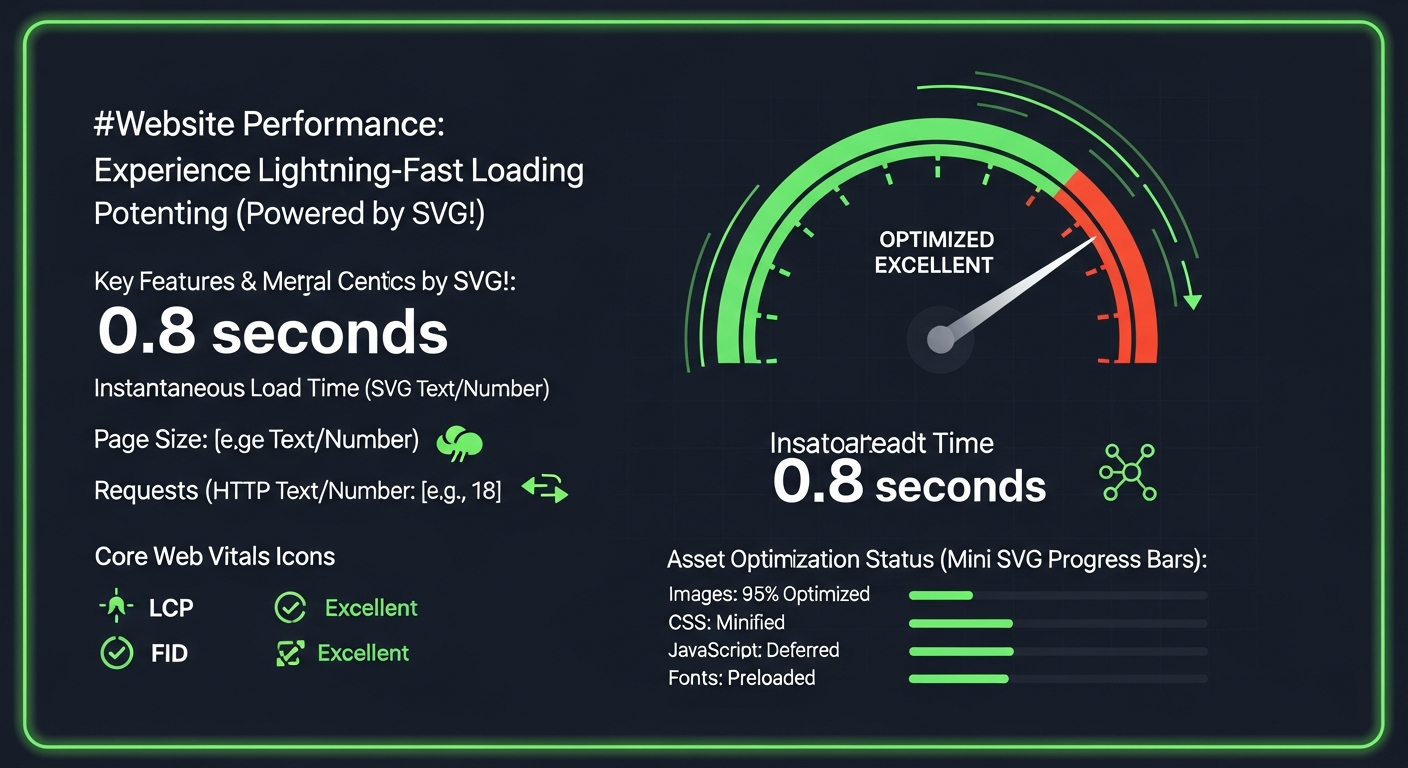\n\n## Rendering Pipeline Deep Dive\n\n### PNG Rendering Path\n\n1. **Fetch** — HTTP response lands in the network buffer.\n2. **Decode** — The decoder inflates DEFLATE data into a raw RGBA bitmap.\n3. **Rasterize** — The bitmap uploads to a GPU texture.\n4. **Composite** — The compositor blits the texture at the element's CSS transform.\n\nMemory is fixed: `width x height x 4 bytes`. A 1920x1080 PNG consumes **~8.3 MB of GPU memory** regardless of transparency.\n\n### SVG Rendering Path\n\n1. **Fetch** — XML payload arrives (often smaller than a single PNG scanline).\n2. **Parse** — The XML parser builds a DOM subtree.\n3. **Style** — CSS cascade applies; `viewBox` and `preserveAspectRatio` resolve.\n4. **Paint** — Skia/Core Graphics tessellate paths into triangles at *current device resolution*.\n5. **Composite** — The rasterized result enters the compositor like any other layer.\n\nMemory scales with **path complexity**, not canvas size. A 200-node icon: ~60 KB. A 15 000-node illustrated map: several MB with potential main-thread stalls.\n\n:::warning\n**SVG Complexity Threshold**: When an SVG exceeds ~1 500 path nodes, paint time on mid-range mobile devices can exceed 16 ms, causing frame drops. At that complexity, consider rasterizing to high-DPI PNG/WebP and serving SVG only to high-end clients. Profile with Chrome DevTools' Paint Profiler before shipping.\n:::\n\n## Benchmark Table: 15 Real-World Scenarios\n\n| # | Asset Type | PNG | SVG | Winner | LCP Delta | Notes |\n|---|-----------|-----|-----|--------|-----------|-------|\n| 1 | Simple logo (3 colors) | 42 KB | 2.8 KB | **SVG** 93% | -120 ms | CSS themeable |\n| 2 | Detailed logo (gradients) | 68 KB | 9.1 KB | **SVG** 87% | -95 ms | linearGradient |\n| 3 | Icon set (50 icons) | 340 KB | 28 KB | **SVG** 92% | -380 ms | Sprite vs inline |\n| 4 | Hero illustration (flat) | 185 KB | 22 KB | **SVG** 88% | -210 ms | Animatable |\n| 5 | Hero illustration (complex) | 410 KB | 390 KB | **Tie** | ~0 ms | Evaluate AVIF |\n| 6 | Product photograph | 1.8 MB | N/A | **PNG*** | — | *Use WebP/AVIF |\n| 7 | Screenshot (UI) | 220 KB | N/A | **PNG** | — | Pixel-perfect |\n| 8 | Data chart (bar) | 95 KB | 11 KB | **SVG** 88% | -130 ms | Interactive |\n| 9 | Infographic (mixed) | 680 KB | 155 KB | **SVG** 77% | -310 ms | Embed raster |\n| 10 | Animated loader | 120 KB | 4 KB | **SVG** 97% | -160 ms | CSS keyframes |\n| 11 | Map with 5k paths | 1.2 MB | 2.1 MB | **PNG** | +60 ms | SVG paint cost |\n| 12 | QR code | 8 KB | 6 KB | **SVG** 25% | ~0 ms | Sharp at any zoom |\n| 13 | Favicon (multi-size) | 15 KB | 1.2 KB | **SVG** | -18 ms | Single file |\n| 14 | Social share card | 85 KB | N/A | **PNG** | — | Platform req. |\n| 15 | Background pattern | 32 KB | 1.5 KB | **SVG** 95% | -55 ms | pattern tiles |\n\n## Lighthouse Benchmark Data (2025)\n\nTested on e-commerce landing page: 12 UI icons, 1 logo, 3 illustrations, 4 product photos. Simulated Moto G Power on 4G.\n\n**All-PNG baseline:**\n```\nPerformance: 62 | LCP: 4.8s | TBT: 620ms | CLS: 0.08 | Image weight: 2.4 MB\n```\n\n**Hybrid (SVG vectors + WebP photos):**\n```\nPerformance: 94 | LCP: 1.9s | TBT: 180ms | CLS: 0.01 | Image weight: 380 KB\n```\n\n**Delta:** +32 performance points, -2.9s LCP, -84% image payload — from format selection alone.\n\n## Production Code Patterns\n\n### Responsive SVG with Art Direction\n\n```html\n\u003cpicture\u003e\n \u003csource media=\"(max-width: 639px)\" srcset=\"/img/logo-simple.svg\" type=\"image/svg+xml\"\u003e\n \u003csource media=\"(min-width: 640px)\" srcset=\"/img/logo-full.svg\" type=\"image/svg+xml\"\u003e\n \u003cimg src=\"/img/logo-full.png\" alt=\"VectoSolve — AI-powered SVG tools\"\n width=\"280\" height=\"60\" loading=\"eager\" fetchpriority=\"high\"\u003e\n\u003c/picture\u003e\n```\n\n\n\n### Density Switching for Raster Fallbacks\n\n```html\n\u003cpicture\u003e\n \u003csource srcset=\"/img/hero.avif\" type=\"image/avif\"\u003e\n \u003csource srcset=\"/img/hero.webp\" type=\"image/webp\"\u003e\n \u003cimg src=\"/img/hero.png\"\n srcset=\"/img/hero-1x.png 1x, /img/hero-2x.png 2x\"\n sizes=\"(max-width: 768px) 100vw, 50vw\"\n alt=\"Product dashboard overview\"\n width=\"1200\" height=\"630\" loading=\"lazy\" decoding=\"async\"\u003e\n\u003c/picture\u003e\n```\n\n## Accessibility: A Side-by-Side Comparison\n\n| Criterion | PNG | SVG |\n|-----------|-----|-----|\n| Alt text | `alt` attribute only | `\u003ctitle\u003e`, `\u003cdesc\u003e`, `aria-labelledby` |\n| Screen readers | Treated as flat image | Full DOM traversal; roles per element |\n| High contrast | No adaptation | Responds to `forced-colors` media query |\n| Zoom | Pixelates beyond native res | Infinite vector scaling |\n| Reduced motion | N/A (static) | Respects `prefers-reduced-motion` |\n| Color blindness | No in-browser adaptation | Patterns injectable via CSS |\n\nSVG is **architecturally superior** for accessibility and WCAG 2.2 AA compliance.\n\n## Future Formats: AVIF, WebP, and Beyond\n\n- **WebP** — 25–35% smaller than PNG. 97% browser support. The safe raster default for 2025.\n- **AVIF** — 40–60% smaller than PNG. 92% support and climbing. Best for photographs.\n- **JPEG XL** — Superior compression with progressive decode. Browser support stalled. Worth monitoring.\n\nNone of these formats replace SVG for vector content. The winning strategy: **SVG for vector, AVIF/WebP for raster, PNG as ultimate fallback.**\n\n:::tip\n**The Hybrid Approach**: (1) SVG for every asset that *can* be vector — logos, icons, charts, illustrations under 1 500 nodes. (2) AVIF with WebP and PNG fallbacks inside `\u003cpicture\u003e` for photographic content. (3) Use [VectoSolve's SVG optimizer](https://vectosolve.com/optimize-svg) to strip metadata before deployment. (4) When you need pixel-perfect PNGs from SVGs, use [VectoSolve's SVG-to-PNG converter](https://vectosolve.com/svg-to-png) for exact target resolutions.\n:::\n\n## Memory Usage: The Hidden Cost\n\n| Asset | Wire Size | Decoded Memory | Notes |\n|-------|-----------|----------------|-------|\n| PNG 512x512 | 85 KB | 1.05 MB | width x height x 4 |\n| PNG 1024x1024 | 210 KB | 4.19 MB | 4x for 2x dimensions |\n| PNG 2048x2048 | 620 KB | 16.78 MB | Retina tax is real |\n| SVG (200 nodes) | 6 KB | ~60 KB | Paths + styles |\n| SVG (2 000 nodes) | 45 KB | ~450 KB | Still well below raster |\n| SVG (15 000 nodes) | 380 KB | ~4 MB+ | Approaches raster cost |\n\nOn memory-constrained mobile devices (2–3 GB shared across all tabs), shipping a 2048x2048 PNG hero when a 6 KB SVG would suffice is not a missed optimization — it is a bug.\n\n## Conclusion: Engineering Decisions, Not Format Wars\n\nThe PNG vs SVG question is not a matter of preference — it is an engineering decision with measurable consequences for performance, accessibility, maintainability, and user experience. SVG wins for vector content by every metric that matters in 2025, while modern raster formats like AVIF and WebP have superseded PNG for photographic content.\n\nAudit your current assets. Run Lighthouse. Measure paint times. Then convert every eligible PNG to SVG using [VectoSolve's AI-powered vectorization](https://vectosolve.com) and watch your performance scores climb. The best image format is the one that matches the content — now you have the benchmarks to prove it.\n\n\n---\n\n\u003ctable\u003e\u003cthead\u003e\u003ctr\u003e\u003cth\u003eCriteria\u003c/th\u003e\u003cth\u003ePNG\u003c/th\u003e\u003cth\u003eSVG\u003c/th\u003e\u003cth\u003eWinner\u003c/th\u003e\u003c/tr\u003e\u003c/thead\u003e\u003ctbody\u003e\u003ctr\u003e\u003ctd\u003eFile Size (logo, 200x200)\u003c/td\u003e\u003ctd\u003e15–45 KB\u003c/td\u003e\u003ctd\u003e2–8 KB\u003c/td\u003e\u003ctd\u003eSVG (75% smaller)\u003c/td\u003e\u003c/tr\u003e\u003ctr\u003e\u003ctd\u003eScalability\u003c/td\u003e\u003ctd\u003ePixelates above native res\u003c/td\u003e\u003ctd\u003eInfinite, lossless\u003c/td\u003e\u003ctd\u003eSVG\u003c/td\u003e\u003c/tr\u003e\u003ctr\u003e\u003ctd\u003ePhotographic Content\u003c/td\u003e\u003ctd\u003eExcellent\u003c/td\u003e\u003ctd\u003eNot suitable\u003c/td\u003e\u003ctd\u003ePNG\u003c/td\u003e\u003c/tr\u003e\u003ctr\u003e\u003ctd\u003eAnimation Support\u003c/td\u003e\u003ctd\u003eNo (use APNG)\u003c/td\u003e\u003ctd\u003eYes (SMIL, CSS, JS)\u003c/td\u003e\u003ctd\u003eSVG\u003c/td\u003e\u003c/tr\u003e\u003ctr\u003e\u003ctd\u003eBrowser Support\u003c/td\u003e\u003ctd\u003e100%\u003c/td\u003e\u003ctd\u003e98%+ (all modern)\u003c/td\u003e\u003ctd\u003eTie\u003c/td\u003e\u003c/tr\u003e\u003c/tbody\u003e\u003c/table\u003e\n\n## Sources \u0026 Further Reading\n\n- [MDN Web Docs — SVG](https://developer.mozilla.org/en-US/docs/Web/SVG) — Authoritative SVG format reference with browser compatibility data\n- [W3C SVG 2 Specification](https://www.w3.org/TR/SVG2/) — Official standard defining SVG capabilities compared to raster formats\n- [web.dev](https://web.dev/learn/performance) — Performance benchmarks comparing image format impact on Core Web Vitals\n- [CSS-Tricks: Using SVG](https://css-tricks.com/using-svg/) — Practical use cases and decision frameworks for choosing SVG vs raster\n- [Smashing Magazine](https://www.smashingmagazine.com/) — Engineering deep-dives on image format selection and optimization strategies"])</script><script>self.__next_f.push([1,"7:[\"$\",\"div\",null,{\"className\":\"min-h-screen bg-gray-50 dark:bg-[#212529]\",\"children\":[[\"$\",\"$18\",null,{\"fallback\":null,\"children\":[\"$\",\"$L1d\",null,{\"reason\":\"next/dynamic\",\"children\":[\"$\",\"$L1e\",null,{\"variant\":\"top\"}]}]}],[\"$\",\"$L1f\",null,{\"slug\":\"png-vs-svg-definitive-comparison-2025\"}],[\"$\",\"script\",null,{\"type\":\"application/ld+json\",\"dangerouslySetInnerHTML\":{\"__html\":\"$20\"}}],[\"$\",\"script\",null,{\"type\":\"application/ld+json\",\"dangerouslySetInnerHTML\":{\"__html\":\"{\\\"@context\\\":\\\"https://schema.org\\\",\\\"@type\\\":\\\"BreadcrumbList\\\",\\\"itemListElement\\\":[{\\\"@type\\\":\\\"ListItem\\\",\\\"position\\\":1,\\\"name\\\":\\\"Home\\\",\\\"item\\\":\\\"https://vectosolve.com/\\\"},{\\\"@type\\\":\\\"ListItem\\\",\\\"position\\\":2,\\\"name\\\":\\\"Blog\\\",\\\"item\\\":\\\"https://vectosolve.com/blog\\\"},{\\\"@type\\\":\\\"ListItem\\\",\\\"position\\\":3,\\\"name\\\":\\\"Comparison\\\",\\\"item\\\":\\\"https://vectosolve.com/blog?category=Comparison\\\"},{\\\"@type\\\":\\\"ListItem\\\",\\\"position\\\":4,\\\"name\\\":\\\"PNG vs SVG: The Definitive Comparison Guide for 2026\\\"}]}\"}}],[\"$\",\"script\",null,{\"type\":\"application/ld+json\",\"dangerouslySetInnerHTML\":{\"__html\":\"$21\"}}],null,[\"$\",\"$L22\",null,{\"variant\":\"compact\",\"showCloseButton\":false}],[\"$\",\"$L23\",null,{}],[\"$\",\"div\",null,{\"className\":\"max-w-3xl mx-auto\",\"children\":[\"$\",\"$L24\",null,{\"items\":[{\"label\":\"Blog\",\"href\":\"/blog\"},{\"label\":\"Comparison\"},{\"label\":\"PNG vs SVG: The Definitive Comparison Guide for 2026\"}]}]}],[\"$\",\"article\",null,{\"className\":\"py-8 px-4\",\"children\":[\"$\",\"div\",null,{\"className\":\"max-w-3xl mx-auto\",\"children\":[[\"$\",\"header\",null,{\"className\":\"mb-8\",\"children\":[[\"$\",\"div\",null,{\"className\":\"inline-flex items-center rounded-full border px-2.5 py-0.5 text-xs font-semibold transition-colors focus:outline-none focus:ring-2 focus:ring-ring focus:ring-offset-2 border-transparent hover:bg-secondary/80 bg-[#1cb721]/10 text-[#1cb721] dark:bg-[#1cb721]/20 mb-4\",\"children\":\"Comparison\"}],[\"$\",\"h1\",null,{\"className\":\"text-3xl md:text-4xl font-bold text-gray-900 dark:text-white mb-4\",\"children\":\"PNG vs SVG: The Definitive Comparison Guide for 2026\"}],[\"$\",\"p\",null,{\"className\":\"text-lg text-gray-600 dark:text-gray-400 mb-6\",\"children\":\"End the confusion between PNG and SVG formats. Learn exactly when to use each format with practical examples and decision frameworks.\"}],[\"$\",\"div\",null,{\"className\":\"flex flex-wrap items-center gap-4 text-sm text-gray-500 dark:text-gray-500 pb-6 border-b border-gray-200 dark:border-gray-700\",\"children\":[[\"$\",\"span\",null,{\"className\":\"flex items-center gap-1\",\"children\":[[\"$\",\"svg\",null,{\"xmlns\":\"http://www.w3.org/2000/svg\",\"width\":24,\"height\":24,\"viewBox\":\"0 0 24 24\",\"fill\":\"none\",\"stroke\":\"currentColor\",\"strokeWidth\":2,\"strokeLinecap\":\"round\",\"strokeLinejoin\":\"round\",\"className\":\"lucide lucide-user w-4 h-4\",\"children\":[[\"$\",\"path\",\"975kel\",{\"d\":\"M19 21v-2a4 4 0 0 0-4-4H9a4 4 0 0 0-4 4v2\"}],[\"$\",\"circle\",\"17ys0d\",{\"cx\":\"12\",\"cy\":\"7\",\"r\":\"4\"}],\"$undefined\"]}],\"VectoSolve Team\"]}],[\"$\",\"span\",null,{\"className\":\"flex items-center gap-1\",\"children\":[[\"$\",\"svg\",null,{\"xmlns\":\"http://www.w3.org/2000/svg\",\"width\":24,\"height\":24,\"viewBox\":\"0 0 24 24\",\"fill\":\"none\",\"stroke\":\"currentColor\",\"strokeWidth\":2,\"strokeLinecap\":\"round\",\"strokeLinejoin\":\"round\",\"className\":\"lucide lucide-calendar w-4 h-4\",\"children\":[[\"$\",\"rect\",\"eu3xkr\",{\"width\":\"18\",\"height\":\"18\",\"x\":\"3\",\"y\":\"4\",\"rx\":\"2\",\"ry\":\"2\"}],[\"$\",\"line\",\"m3sa8f\",{\"x1\":\"16\",\"x2\":\"16\",\"y1\":\"2\",\"y2\":\"6\"}],[\"$\",\"line\",\"18kwsl\",{\"x1\":\"8\",\"x2\":\"8\",\"y1\":\"2\",\"y2\":\"6\"}],[\"$\",\"line\",\"xt86sb\",{\"x1\":\"3\",\"x2\":\"21\",\"y1\":\"10\",\"y2\":\"10\"}],\"$undefined\"]}],\"December 22, 2025\"]}],[\"$\",\"span\",null,{\"className\":\"flex items-center gap-1 text-[#1cb721]\",\"children\":[[\"$\",\"svg\",null,{\"xmlns\":\"http://www.w3.org/2000/svg\",\"width\":24,\"height\":24,\"viewBox\":\"0 0 24 24\",\"fill\":\"none\",\"stroke\":\"currentColor\",\"strokeWidth\":2,\"strokeLinecap\":\"round\",\"strokeLinejoin\":\"round\",\"className\":\"lucide lucide-refresh-cw w-4 h-4\",\"children\":[[\"$\",\"path\",\"v9h5vc\",{\"d\":\"M3 12a9 9 0 0 1 9-9 9.75 9.75 0 0 1 6.74 2.74L21 8\"}],[\"$\",\"path\",\"1q7to0\",{\"d\":\"M21 3v5h-5\"}],[\"$\",\"path\",\"3uifl3\",{\"d\":\"M21 12a9 9 0 0 1-9 9 9.75 9.75 0 0 1-6.74-2.74L3 16\"}],[\"$\",\"path\",\"1cv678\",{\"d\":\"M8 16H3v5\"}],\"$undefined\"]}],\"Updated: \",\"February 19, 2026\"]}],[\"$\",\"span\",null,{\"className\":\"flex items-center gap-1\",\"children\":[[\"$\",\"svg\",null,{\"xmlns\":\"http://www.w3.org/2000/svg\",\"width\":24,\"height\":24,\"viewBox\":\"0 0 24 24\",\"fill\":\"none\",\"stroke\":\"currentColor\",\"strokeWidth\":2,\"strokeLinecap\":\"round\",\"strokeLinejoin\":\"round\",\"className\":\"lucide lucide-clock w-4 h-4\",\"children\":[[\"$\",\"circle\",\"1mglay\",{\"cx\":\"12\",\"cy\":\"12\",\"r\":\"10\"}],[\"$\",\"polyline\",\"68esgv\",{\"points\":\"12 6 12 12 16 14\"}],\"$undefined\"]}],\"20 min\",\" read\"]}]]}]]}],[\"$\",\"div\",null,{\"className\":\"mb-8 rounded-xl overflow-hidden shadow-lg\",\"children\":[\"$\",\"$L13\",null,{\"src\":\"/blog/png-vs-svg-definitive-comparison-2025.png\",\"alt\":\"PNG vs SVG: The Definitive Comparison Guide for 2026\",\"width\":1200,\"height\":630,\"className\":\"w-full h-auto object-cover\",\"priority\":true}]}],[\"$\",\"div\",null,{\"className\":\"mb-8 p-4 bg-white dark:bg-[#2d3339] rounded-lg border border-gray-200 dark:border-gray-700\",\"children\":[\"$\",\"div\",null,{\"className\":\"flex items-start gap-4\",\"children\":[[\"$\",\"div\",null,{\"className\":\"w-12 h-12 bg-gradient-to-br from-[#1cb721] to-[#0090ff] rounded-full flex items-center justify-center text-white font-bold text-lg\",\"children\":\"V\"}],[\"$\",\"div\",null,{\"className\":\"flex-1\",\"children\":[[\"$\",\"div\",null,{\"className\":\"flex items-center gap-2\",\"children\":[[\"$\",\"span\",null,{\"className\":\"font-semibold text-gray-900 dark:text-white\",\"children\":\"VectoSolve Team\"}],[\"$\",\"svg\",null,{\"xmlns\":\"http://www.w3.org/2000/svg\",\"width\":24,\"height\":24,\"viewBox\":\"0 0 24 24\",\"fill\":\"none\",\"stroke\":\"currentColor\",\"strokeWidth\":2,\"strokeLinecap\":\"round\",\"strokeLinejoin\":\"round\",\"className\":\"lucide lucide-check-circle w-4 h-4 text-[#1cb721]\",\"children\":[[\"$\",\"path\",\"g774vq\",{\"d\":\"M22 11.08V12a10 10 0 1 1-5.93-9.14\"}],[\"$\",\"path\",\"1pflzl\",{\"d\":\"m9 11 3 3L22 4\"}],\"$undefined\"]}]]}],[\"$\",\"p\",null,{\"className\":\"text-sm text-[#1cb721] font-medium\",\"children\":\"Graphics \u0026 Design Experts\"}],[\"$\",\"p\",null,{\"className\":\"text-sm text-gray-600 dark:text-gray-400 mt-1\",\"children\":\"Our team of experienced designers and developers specializes in vector graphics, image conversion, and digital design optimization. With over 10 years of combined experience in graphic design and web development.\"}],[\"$\",\"div\",null,{\"className\":\"flex flex-wrap gap-2 mt-2\",\"children\":[[\"$\",\"span\",\"Vector Graphics\",{\"className\":\"text-xs px-2 py-1 bg-gray-100 dark:bg-gray-800 rounded text-gray-600 dark:text-gray-400\",\"children\":\"Vector Graphics\"}],[\"$\",\"span\",\"SVG Optimization\",{\"className\":\"text-xs px-2 py-1 bg-gray-100 dark:bg-gray-800 rounded text-gray-600 dark:text-gray-400\",\"children\":\"SVG Optimization\"}],[\"$\",\"span\",\"Image Processing\",{\"className\":\"text-xs px-2 py-1 bg-gray-100 dark:bg-gray-800 rounded text-gray-600 dark:text-gray-400\",\"children\":\"Image Processing\"}],[\"$\",\"span\",\"Web Performance\",{\"className\":\"text-xs px-2 py-1 bg-gray-100 dark:bg-gray-800 rounded text-gray-600 dark:text-gray-400\",\"children\":\"Web Performance\"}]]}]]}]]}]}],[\"$\",\"$L25\",null,{\"content\":\"$26\",\"showTOC\":true}],[\"$\",\"div\",null,{\"className\":\"mt-10 pt-6 border-t border-gray-200 dark:border-gray-700\",\"children\":[\"$\",\"div\",null,{\"className\":\"flex flex-wrap items-center gap-2\",\"children\":[[\"$\",\"span\",null,{\"className\":\"text-sm font-medium text-gray-600 dark:text-gray-400 mr-2\",\"children\":\"Tags:\"}],[[\"$\",\"div\",null,{\"className\":\"inline-flex items-center rounded-full border px-2.5 py-0.5 font-semibold transition-colors focus:outline-none focus:ring-2 focus:ring-ring focus:ring-offset-2 text-foreground text-xs\",\"children\":\"PNG\"}],[\"$\",\"div\",null,{\"className\":\"inline-flex items-center rounded-full border px-2.5 py-0.5 font-semibold transition-colors focus:outline-none focus:ring-2 focus:ring-ring focus:ring-offset-2 text-foreground text-xs\",\"children\":\"SVG\"}],[\"$\",\"div\",null,{\"className\":\"inline-flex items-center rounded-full border px-2.5 py-0.5 font-semibold transition-colors focus:outline-none focus:ring-2 focus:ring-ring focus:ring-offset-2 text-foreground text-xs\",\"children\":\"Comparison\"}],[\"$\",\"div\",null,{\"className\":\"inline-flex items-center rounded-full border px-2.5 py-0.5 font-semibold transition-colors focus:outline-none focus:ring-2 focus:ring-ring focus:ring-offset-2 text-foreground text-xs\",\"children\":\"Formats\"}],[\"$\",\"div\",null,{\"className\":\"inline-flex items-center rounded-full border px-2.5 py-0.5 font-semibold transition-colors focus:outline-none focus:ring-2 focus:ring-ring focus:ring-offset-2 text-foreground text-xs\",\"children\":\"Guide\"}]]]}]}],[\"$\",\"div\",null,{\"className\":\"mt-6 flex items-center gap-4\",\"children\":[[\"$\",\"span\",null,{\"className\":\"text-sm font-medium text-gray-600 dark:text-gray-400\",\"children\":\"Share:\"}],[\"$\",\"$L27\",null,{\"title\":\"PNG vs SVG: The Definitive Comparison Guide for 2026\",\"url\":\"https://vectosolve.com/blog/png-vs-svg-definitive-comparison-2025\"}],[\"$\",\"$L28\",null,{\"title\":\"PNG vs SVG: The Definitive Comparison Guide for 2026\",\"excerpt\":\"End the confusion between PNG and SVG formats. Learn exactly when to use each format with practical examples and decision frameworks.\"}]]}],[\"$\",\"div\",null,{\"className\":\"mt-8 p-4 bg-gray-50 dark:bg-[#1a1d21] rounded-lg\",\"children\":[[\"$\",\"h4\",null,{\"className\":\"text-sm font-semibold text-gray-900 dark:text-white mb-3\",\"children\":\"You might also like:\"}],[\"$\",\"ul\",null,{\"className\":\"space-y-2\",\"children\":[[\"$\",\"li\",\"convert-png-to-dxf-cnc-guide\",{\"children\":[\"$\",\"$L12\",null,{\"href\":\"/blog/convert-png-to-dxf-cnc-guide\",\"className\":\"text-sm text-[#1cb721] hover:text-[#0090ff] transition-colors flex items-center gap-2\",\"children\":[[\"$\",\"svg\",null,{\"xmlns\":\"http://www.w3.org/2000/svg\",\"width\":24,\"height\":24,\"viewBox\":\"0 0 24 24\",\"fill\":\"none\",\"stroke\":\"currentColor\",\"strokeWidth\":2,\"strokeLinecap\":\"round\",\"strokeLinejoin\":\"round\",\"className\":\"lucide lucide-arrow-right w-3 h-3\",\"children\":[[\"$\",\"path\",\"1ays0h\",{\"d\":\"M5 12h14\"}],[\"$\",\"path\",\"xquz4c\",{\"d\":\"m12 5 7 7-7 7\"}],\"$undefined\"]}],\"How to Convert PNG to DXF for CNC Machines — Step-by-Step Guide\"]}]}],[\"$\",\"li\",\"online-svg-editor-guide\",{\"children\":[\"$\",\"$L12\",null,{\"href\":\"/blog/online-svg-editor-guide\",\"className\":\"text-sm text-[#1cb721] hover:text-[#0090ff] transition-colors flex items-center gap-2\",\"children\":[[\"$\",\"svg\",null,{\"xmlns\":\"http://www.w3.org/2000/svg\",\"width\":24,\"height\":24,\"viewBox\":\"0 0 24 24\",\"fill\":\"none\",\"stroke\":\"currentColor\",\"strokeWidth\":2,\"strokeLinecap\":\"round\",\"strokeLinejoin\":\"round\",\"className\":\"lucide lucide-arrow-right w-3 h-3\",\"children\":[[\"$\",\"path\",\"1ays0h\",{\"d\":\"M5 12h14\"}],[\"$\",\"path\",\"xquz4c\",{\"d\":\"m12 5 7 7-7 7\"}],\"$undefined\"]}],\"Free Online SVG Editor — How to Edit SVG Files Without Software\"]}]}],[\"$\",\"li\",\"svg-vs-dxf-cutting-machines\",{\"children\":[\"$\",\"$L12\",null,{\"href\":\"/blog/svg-vs-dxf-cutting-machines\",\"className\":\"text-sm text-[#1cb721] hover:text-[#0090ff] transition-colors flex items-center gap-2\",\"children\":[[\"$\",\"svg\",null,{\"xmlns\":\"http://www.w3.org/2000/svg\",\"width\":24,\"height\":24,\"viewBox\":\"0 0 24 24\",\"fill\":\"none\",\"stroke\":\"currentColor\",\"strokeWidth\":2,\"strokeLinecap\":\"round\",\"strokeLinejoin\":\"round\",\"className\":\"lucide lucide-arrow-right w-3 h-3\",\"children\":[[\"$\",\"path\",\"1ays0h\",{\"d\":\"M5 12h14\"}],[\"$\",\"path\",\"xquz4c\",{\"d\":\"m12 5 7 7-7 7\"}],\"$undefined\"]}],\"SVG vs DXF: Which Format for Your Cutting Machine?\"]}]}]]}]]}],[\"$\",\"div\",null,{\"className\":\"mt-10 p-6 bg-gradient-to-r from-[#1cb721]/10 to-[#0090ff]/10 dark:from-[#1cb721]/20 dark:to-[#0090ff]/20 rounded-xl border border-[#1cb721]/30\",\"children\":[\"$\",\"div\",null,{\"className\":\"flex flex-col md:flex-row items-center gap-4\",\"children\":[[\"$\",\"div\",null,{\"className\":\"flex-1 text-center md:text-left\",\"children\":[[\"$\",\"h3\",null,{\"className\":\"text-lg font-bold text-gray-900 dark:text-white mb-1\",\"children\":\"Try Vectosolve Now\"}],[\"$\",\"p\",null,{\"className\":\"text-sm text-gray-600 dark:text-gray-400\",\"children\":\"Convert your images to high-quality SVG vectors with AI\"}]]}],[\"$\",\"$L12\",null,{\"href\":\"/?ref=blog\",\"children\":[\"$\",\"button\",null,{\"className\":\"inline-flex items-center justify-center whitespace-nowrap rounded-md text-sm ring-offset-background transition-colors focus-visible:outline-none focus-visible:ring-2 focus-visible:ring-ring focus-visible:ring-offset-2 disabled:pointer-events-none disabled:opacity-50 bg-primary hover:bg-primary/90 h-10 px-4 py-2 bg-gradient-to-r from-[#1cb721] to-[#0090ff] hover:from-[#1cb721]/90 hover:to-[#0090ff]/90 text-white font-semibold\",\"children\":[[\"$\",\"svg\",null,{\"xmlns\":\"http://www.w3.org/2000/svg\",\"width\":24,\"height\":24,\"viewBox\":\"0 0 24 24\",\"fill\":\"none\",\"stroke\":\"currentColor\",\"strokeWidth\":2,\"strokeLinecap\":\"round\",\"strokeLinejoin\":\"round\",\"className\":\"lucide lucide-sparkles w-4 h-4 mr-2\",\"children\":[[\"$\",\"path\",\"17u4zn\",{\"d\":\"m12 3-1.912 5.813a2 2 0 0 1-1.275 1.275L3 12l5.813 1.912a2 2 0 0 1 1.275 1.275L12 21l1.912-5.813a2 2 0 0 1 1.275-1.275L21 12l-5.813-1.912a2 2 0 0 1-1.275-1.275L12 3Z\"}],[\"$\",\"path\",\"bklmnn\",{\"d\":\"M5 3v4\"}],[\"$\",\"path\",\"iiml17\",{\"d\":\"M19 17v4\"}],[\"$\",\"path\",\"nem4j1\",{\"d\":\"M3 5h4\"}],[\"$\",\"path\",\"lbex7p\",{\"d\":\"M17 19h4\"}],\"$undefined\"]}],\"Start Free Conversion\"]}]}]]}]}]]}]}],[\"$\",\"section\",null,{\"className\":\"py-12 px-4 bg-white dark:bg-[#2d3339] border-t border-gray-200 dark:border-gray-700\",\"children\":[\"$\",\"div\",null,{\"className\":\"max-w-4xl mx-auto\",\"children\":[[\"$\",\"h2\",null,{\"className\":\"text-xl font-bold text-gray-900 dark:text-white mb-6\",\"children\":\"Related articles\"}],[\"$\",\"div\",null,{\"className\":\"grid grid-cols-1 md:grid-cols-3 gap-4\",\"children\":[[\"$\",\"$L12\",null,{\"href\":\"/blog/ai-svg-animation-tools-2026\",\"className\":\"group block\",\"children\":[\"$\",\"div\",null,{\"className\":\"rounded-lg text-card-foreground shadow-sm h-full bg-white dark:bg-[#2d3339] border border-gray-200 dark:border-gray-700 hover:border-[#1cb721] dark:hover:border-[#1cb721] transition-all duration-300 hover:shadow-md\",\"children\":[\"$\",\"div\",null,{\"className\":\"p-4\",\"children\":[[\"$\",\"div\",null,{\"className\":\"inline-flex items-center rounded-full border px-2.5 py-0.5 font-semibold transition-colors focus:outline-none focus:ring-2 focus:ring-ring focus:ring-offset-2 border-transparent hover:bg-secondary/80 bg-[#1cb721]/10 text-[#1cb721] dark:bg-[#1cb721]/20 text-xs mb-2\",\"children\":\"Comparison\"}],[\"$\",\"h3\",null,{\"className\":\"font-semibold text-gray-900 dark:text-white group-hover:text-[#1cb721] transition-colors line-clamp-2 text-sm\",\"children\":\"Best AI SVG Animation Tools in 2026 — Gemini, Adobe, and More Compared\"}],[\"$\",\"div\",null,{\"className\":\"flex items-center gap-2 mt-2 text-xs text-gray-500\",\"children\":[[\"$\",\"svg\",null,{\"xmlns\":\"http://www.w3.org/2000/svg\",\"width\":24,\"height\":24,\"viewBox\":\"0 0 24 24\",\"fill\":\"none\",\"stroke\":\"currentColor\",\"strokeWidth\":2,\"strokeLinecap\":\"round\",\"strokeLinejoin\":\"round\",\"className\":\"lucide lucide-clock w-3 h-3\",\"children\":[[\"$\",\"circle\",\"1mglay\",{\"cx\":\"12\",\"cy\":\"12\",\"r\":\"10\"}],[\"$\",\"polyline\",\"68esgv\",{\"points\":\"12 6 12 12 16 14\"}],\"$undefined\"]}],\"15\"]}]]}]}]}],[\"$\",\"$L12\",null,{\"href\":\"/blog/canva-vs-vectosolve-svg-conversion-2026\",\"className\":\"group block\",\"children\":[\"$\",\"div\",null,{\"className\":\"rounded-lg text-card-foreground shadow-sm h-full bg-white dark:bg-[#2d3339] border border-gray-200 dark:border-gray-700 hover:border-[#1cb721] dark:hover:border-[#1cb721] transition-all duration-300 hover:shadow-md\",\"children\":[\"$\",\"div\",null,{\"className\":\"p-4\",\"children\":[[\"$\",\"div\",null,{\"className\":\"inline-flex items-center rounded-full border px-2.5 py-0.5 font-semibold transition-colors focus:outline-none focus:ring-2 focus:ring-ring focus:ring-offset-2 border-transparent hover:bg-secondary/80 bg-[#1cb721]/10 text-[#1cb721] dark:bg-[#1cb721]/20 text-xs mb-2\",\"children\":\"Comparison\"}],[\"$\",\"h3\",null,{\"className\":\"font-semibold text-gray-900 dark:text-white group-hover:text-[#1cb721] transition-colors line-clamp-2 text-sm\",\"children\":\"Canva vs VectoSolve for SVG Conversion: Which Is Better in 2026?\"}],[\"$\",\"div\",null,{\"className\":\"flex items-center gap-2 mt-2 text-xs text-gray-500\",\"children\":[[\"$\",\"svg\",null,{\"xmlns\":\"http://www.w3.org/2000/svg\",\"width\":24,\"height\":24,\"viewBox\":\"0 0 24 24\",\"fill\":\"none\",\"stroke\":\"currentColor\",\"strokeWidth\":2,\"strokeLinecap\":\"round\",\"strokeLinejoin\":\"round\",\"className\":\"lucide lucide-clock w-3 h-3\",\"children\":[[\"$\",\"circle\",\"1mglay\",{\"cx\":\"12\",\"cy\":\"12\",\"r\":\"10\"}],[\"$\",\"polyline\",\"68esgv\",{\"points\":\"12 6 12 12 16 14\"}],\"$undefined\"]}],\"7 min read\"]}]]}]}]}],[\"$\",\"$L12\",null,{\"href\":\"/blog/ai-svg-animation-vs-manual-css\",\"className\":\"group block\",\"children\":[\"$\",\"div\",null,{\"className\":\"rounded-lg text-card-foreground shadow-sm h-full bg-white dark:bg-[#2d3339] border border-gray-200 dark:border-gray-700 hover:border-[#1cb721] dark:hover:border-[#1cb721] transition-all duration-300 hover:shadow-md\",\"children\":[\"$\",\"div\",null,{\"className\":\"p-4\",\"children\":[[\"$\",\"div\",null,{\"className\":\"inline-flex items-center rounded-full border px-2.5 py-0.5 font-semibold transition-colors focus:outline-none focus:ring-2 focus:ring-ring focus:ring-offset-2 border-transparent hover:bg-secondary/80 bg-[#1cb721]/10 text-[#1cb721] dark:bg-[#1cb721]/20 text-xs mb-2\",\"children\":\"Comparison\"}],[\"$\",\"h3\",null,{\"className\":\"font-semibold text-gray-900 dark:text-white group-hover:text-[#1cb721] transition-colors line-clamp-2 text-sm\",\"children\":\"AI SVG Animation vs Manual CSS: Which Should You Choose?\"}],[\"$\",\"div\",null,{\"className\":\"flex items-center gap-2 mt-2 text-xs text-gray-500\",\"children\":[[\"$\",\"svg\",null,{\"xmlns\":\"http://www.w3.org/2000/svg\",\"width\":24,\"height\":24,\"viewBox\":\"0 0 24 24\",\"fill\":\"none\",\"stroke\":\"currentColor\",\"strokeWidth\":2,\"strokeLinecap\":\"round\",\"strokeLinejoin\":\"round\",\"className\":\"lucide lucide-clock w-3 h-3\",\"children\":[[\"$\",\"circle\",\"1mglay\",{\"cx\":\"12\",\"cy\":\"12\",\"r\":\"10\"}],[\"$\",\"polyline\",\"68esgv\",{\"points\":\"12 6 12 12 16 14\"}],\"$undefined\"]}],\"13 min\"]}]]}]}]}]]}]]}]}],[\"$\",\"section\",null,{\"className\":\"py-12 px-4 bg-gray-50 dark:bg-[#212529]\",\"children\":[\"$\",\"div\",null,{\"className\":\"max-w-4xl mx-auto\",\"children\":[[\"$\",\"div\",null,{\"className\":\"flex items-center gap-2 mb-6\",\"children\":[[\"$\",\"svg\",null,{\"xmlns\":\"http://www.w3.org/2000/svg\",\"width\":24,\"height\":24,\"viewBox\":\"0 0 24 24\",\"fill\":\"none\",\"stroke\":\"currentColor\",\"strokeWidth\":2,\"strokeLinecap\":\"round\",\"strokeLinejoin\":\"round\",\"className\":\"lucide lucide-wrench w-5 h-5 text-[#1cb721]\",\"children\":[[\"$\",\"path\",\"cbrjhi\",{\"d\":\"M14.7 6.3a1 1 0 0 0 0 1.4l1.6 1.6a1 1 0 0 0 1.4 0l3.77-3.77a6 6 0 0 1-7.94 7.94l-6.91 6.91a2.12 2.12 0 0 1-3-3l6.91-6.91a6 6 0 0 1 7.94-7.94l-3.76 3.76z\"}],\"$undefined\"]}],[\"$\",\"h2\",null,{\"className\":\"text-xl font-bold text-gray-900 dark:text-white\",\"children\":\"Related Conversion Tools\"}]]}],[\"$\",\"div\",null,{\"className\":\"grid grid-cols-1 md:grid-cols-3 gap-4\",\"children\":[[\"$\",\"$L12\",\"png-to-svg\",{\"href\":\"/convert/png-to-svg\",\"className\":\"group p-4 bg-white dark:bg-[#2d3339] rounded-lg border border-gray-200 dark:border-gray-700 hover:border-[#1cb721] transition-all hover:shadow-md\",\"children\":[[\"$\",\"div\",null,{\"className\":\"flex items-center gap-2 mb-2\",\"children\":[\"$\",\"div\",null,{\"className\":\"inline-flex items-center rounded-full border px-2.5 py-0.5 text-xs font-semibold transition-colors focus:outline-none focus:ring-2 focus:ring-ring focus:ring-offset-2 border-transparent hover:bg-primary/80 bg-[#0090ff]/10 text-[#0090ff]\",\"children\":\"Free Tool\"}]}],[\"$\",\"h3\",null,{\"className\":\"font-semibold text-gray-900 dark:text-white group-hover:text-[#1cb721] transition-colors\",\"children\":[\"PNG\",\" to \",\"SVG\",\" Converter\"]}],[\"$\",\"p\",null,{\"className\":\"text-sm text-gray-600 dark:text-gray-400 mt-1 line-clamp-2\",\"children\":[\"Convert \",\"PNG\",\" images to scalable \",\"SVG\",\" vectors\"]}],[\"$\",\"div\",null,{\"className\":\"flex items-center text-sm text-[#1cb721] font-medium mt-3\",\"children\":[\"Try free\",[\"$\",\"svg\",null,{\"xmlns\":\"http://www.w3.org/2000/svg\",\"width\":24,\"height\":24,\"viewBox\":\"0 0 24 24\",\"fill\":\"none\",\"stroke\":\"currentColor\",\"strokeWidth\":2,\"strokeLinecap\":\"round\",\"strokeLinejoin\":\"round\",\"className\":\"lucide lucide-arrow-right w-4 h-4 ml-1 group-hover:translate-x-1 transition-transform\",\"children\":[[\"$\",\"path\",\"1ays0h\",{\"d\":\"M5 12h14\"}],[\"$\",\"path\",\"xquz4c\",{\"d\":\"m12 5 7 7-7 7\"}],\"$undefined\"]}]]}]]}],[\"$\",\"$L12\",\"jpg-to-svg\",{\"href\":\"/convert/jpg-to-svg\",\"className\":\"group p-4 bg-white dark:bg-[#2d3339] rounded-lg border border-gray-200 dark:border-gray-700 hover:border-[#1cb721] transition-all hover:shadow-md\",\"children\":[[\"$\",\"div\",null,{\"className\":\"flex items-center gap-2 mb-2\",\"children\":[\"$\",\"div\",null,{\"className\":\"inline-flex items-center rounded-full border px-2.5 py-0.5 text-xs font-semibold transition-colors focus:outline-none focus:ring-2 focus:ring-ring focus:ring-offset-2 border-transparent hover:bg-primary/80 bg-[#0090ff]/10 text-[#0090ff]\",\"children\":\"Free Tool\"}]}],[\"$\",\"h3\",null,{\"className\":\"font-semibold text-gray-900 dark:text-white group-hover:text-[#1cb721] transition-colors\",\"children\":[\"JPG\",\" to \",\"SVG\",\" Converter\"]}],[\"$\",\"p\",null,{\"className\":\"text-sm text-gray-600 dark:text-gray-400 mt-1 line-clamp-2\",\"children\":[\"Convert \",\"JPG\",\" images to scalable \",\"SVG\",\" vectors\"]}],[\"$\",\"div\",null,{\"className\":\"flex items-center text-sm text-[#1cb721] font-medium mt-3\",\"children\":[\"Try free\",[\"$\",\"svg\",null,{\"xmlns\":\"http://www.w3.org/2000/svg\",\"width\":24,\"height\":24,\"viewBox\":\"0 0 24 24\",\"fill\":\"none\",\"stroke\":\"currentColor\",\"strokeWidth\":2,\"strokeLinecap\":\"round\",\"strokeLinejoin\":\"round\",\"className\":\"lucide lucide-arrow-right w-4 h-4 ml-1 group-hover:translate-x-1 transition-transform\",\"children\":[[\"$\",\"path\",\"1ays0h\",{\"d\":\"M5 12h14\"}],[\"$\",\"path\",\"xquz4c\",{\"d\":\"m12 5 7 7-7 7\"}],\"$undefined\"]}]]}]]}],[\"$\",\"$L12\",\"jpeg-to-svg\",{\"href\":\"/convert/jpeg-to-svg\",\"className\":\"group p-4 bg-white dark:bg-[#2d3339] rounded-lg border border-gray-200 dark:border-gray-700 hover:border-[#1cb721] transition-all hover:shadow-md\",\"children\":[[\"$\",\"div\",null,{\"className\":\"flex items-center gap-2 mb-2\",\"children\":[\"$\",\"div\",null,{\"className\":\"inline-flex items-center rounded-full border px-2.5 py-0.5 text-xs font-semibold transition-colors focus:outline-none focus:ring-2 focus:ring-ring focus:ring-offset-2 border-transparent hover:bg-primary/80 bg-[#0090ff]/10 text-[#0090ff]\",\"children\":\"Free Tool\"}]}],[\"$\",\"h3\",null,{\"className\":\"font-semibold text-gray-900 dark:text-white group-hover:text-[#1cb721] transition-colors\",\"children\":[\"JPEG\",\" to \",\"SVG\",\" Converter\"]}],[\"$\",\"p\",null,{\"className\":\"text-sm text-gray-600 dark:text-gray-400 mt-1 line-clamp-2\",\"children\":[\"Convert \",\"JPEG\",\" images to scalable \",\"SVG\",\" vectors\"]}],[\"$\",\"div\",null,{\"className\":\"flex items-center text-sm text-[#1cb721] font-medium mt-3\",\"children\":[\"Try free\",[\"$\",\"svg\",null,{\"xmlns\":\"http://www.w3.org/2000/svg\",\"width\":24,\"height\":24,\"viewBox\":\"0 0 24 24\",\"fill\":\"none\",\"stroke\":\"currentColor\",\"strokeWidth\":2,\"strokeLinecap\":\"round\",\"strokeLinejoin\":\"round\",\"className\":\"lucide lucide-arrow-right w-4 h-4 ml-1 group-hover:translate-x-1 transition-transform\",\"children\":[[\"$\",\"path\",\"1ays0h\",{\"d\":\"M5 12h14\"}],[\"$\",\"path\",\"xquz4c\",{\"d\":\"m12 5 7 7-7 7\"}],\"$undefined\"]}]]}]]}]]}],[\"$\",\"div\",null,{\"className\":\"mt-6 pt-6 border-t border-gray-200 dark:border-gray-700\",\"children\":[[\"$\",\"p\",null,{\"className\":\"text-sm font-medium text-gray-500 dark:text-gray-400 mb-3\",\"children\":\"More AI-powered tools:\"}],[\"$\",\"div\",null,{\"className\":\"flex flex-wrap gap-3\",\"children\":[[\"$\",\"$L12\",null,{\"href\":\"/upscale\",\"className\":\"text-sm px-3 py-1.5 bg-white dark:bg-[#2d3339] rounded-full border border-gray-200 dark:border-gray-700 hover:border-[#1cb721] hover:text-[#1cb721] transition-colors\",\"children\":\"AI Image Upscaler\"}],[\"$\",\"$L12\",null,{\"href\":\"/remove-bg\",\"className\":\"text-sm px-3 py-1.5 bg-white dark:bg-[#2d3339] rounded-full border border-gray-200 dark:border-gray-700 hover:border-[#1cb721] hover:text-[#1cb721] transition-colors\",\"children\":\"Background Remover\"}],[\"$\",\"$L12\",null,{\"href\":\"/generate-logo\",\"className\":\"text-sm px-3 py-1.5 bg-white dark:bg-[#2d3339] rounded-full border border-gray-200 dark:border-gray-700 hover:border-[#1cb721] hover:text-[#1cb721] transition-colors\",\"children\":\"AI Logo Generator\"}],[\"$\",\"$L12\",null,{\"href\":\"/generate-svg\",\"className\":\"text-sm px-3 py-1.5 bg-white dark:bg-[#2d3339] rounded-full border border-gray-200 dark:border-gray-700 hover:border-[#1cb721] hover:text-[#1cb721] transition-colors\",\"children\":\"AI SVG Generator\"}],[\"$\",\"$L12\",null,{\"href\":\"/svg-for-cricut\",\"className\":\"text-sm px-3 py-1.5 bg-white dark:bg-[#2d3339] rounded-full border border-gray-200 dark:border-gray-700 hover:border-[#1cb721] hover:text-[#1cb721] transition-colors\",\"children\":\"SVG for Cricut\"}]]}]]}]]}]}],[\"$\",\"section\",null,{\"className\":\"py-20 px-4 bg-gradient-to-r from-[#1cb721] to-[#0090ff] relative overflow-hidden\",\"children\":[[\"$\",\"div\",null,{\"className\":\"absolute inset-0 opacity-10\",\"children\":[[\"$\",\"div\",null,{\"className\":\"absolute top-10 left-10 w-32 h-32 bg-white rounded-full blur-3xl\"}],[\"$\",\"div\",null,{\"className\":\"absolute bottom-10 right-10 w-40 h-40 bg-white rounded-full blur-3xl\"}]]}],[\"$\",\"div\",null,{\"className\":\"max-w-4xl mx-auto text-center relative z-10\",\"children\":[[\"$\",\"div\",null,{\"className\":\"inline-flex items-center gap-2 px-4 py-2 bg-white/20 rounded-full mb-6\",\"children\":[[\"$\",\"svg\",null,{\"xmlns\":\"http://www.w3.org/2000/svg\",\"width\":24,\"height\":24,\"viewBox\":\"0 0 24 24\",\"fill\":\"none\",\"stroke\":\"currentColor\",\"strokeWidth\":2,\"strokeLinecap\":\"round\",\"strokeLinejoin\":\"round\",\"className\":\"lucide lucide-zap w-4 h-4 text-white\",\"children\":[[\"$\",\"polygon\",\"45s27k\",{\"points\":\"13 2 3 14 12 14 11 22 21 10 12 10 13 2\"}],\"$undefined\"]}],[\"$\",\"span\",null,{\"className\":\"text-sm font-medium text-white\",\"children\":\"AI-Powered Vectorization\"}]]}],[\"$\",\"h2\",null,{\"className\":\"text-3xl md:text-4xl font-bold text-white mb-4\",\"children\":\"Ready to vectorize your images?\"}],[\"$\",\"p\",null,{\"className\":\"text-white/90 mb-8 max-w-xl mx-auto text-lg\",\"children\":\"Convert your PNG, JPG, and other images to high-quality, scalable SVG vectors in seconds.\"}],[\"$\",\"div\",null,{\"className\":\"flex flex-col sm:flex-row items-center justify-center gap-4\",\"children\":[[\"$\",\"$L12\",null,{\"href\":\"/?ref=blog\",\"children\":[\"$\",\"button\",null,{\"className\":\"inline-flex items-center justify-center whitespace-nowrap text-sm ring-offset-background focus-visible:outline-none focus-visible:ring-2 focus-visible:ring-ring focus-visible:ring-offset-2 disabled:pointer-events-none disabled:opacity-50 h-11 rounded-md bg-white text-[#1cb721] hover:bg-gray-100 font-semibold px-8 shadow-xl hover:shadow-2xl transition-all\",\"children\":[[\"$\",\"svg\",null,{\"xmlns\":\"http://www.w3.org/2000/svg\",\"width\":24,\"height\":24,\"viewBox\":\"0 0 24 24\",\"fill\":\"none\",\"stroke\":\"currentColor\",\"strokeWidth\":2,\"strokeLinecap\":\"round\",\"strokeLinejoin\":\"round\",\"className\":\"lucide lucide-sparkles w-5 h-5 mr-2\",\"children\":[[\"$\",\"path\",\"17u4zn\",{\"d\":\"m12 3-1.912 5.813a2 2 0 0 1-1.275 1.275L3 12l5.813 1.912a2 2 0 0 1 1.275 1.275L12 21l1.912-5.813a2 2 0 0 1 1.275-1.275L21 12l-5.813-1.912a2 2 0 0 1-1.275-1.275L12 3Z\"}],[\"$\",\"path\",\"bklmnn\",{\"d\":\"M5 3v4\"}],[\"$\",\"path\",\"iiml17\",{\"d\":\"M19 17v4\"}],[\"$\",\"path\",\"nem4j1\",{\"d\":\"M3 5h4\"}],[\"$\",\"path\",\"lbex7p\",{\"d\":\"M17 19h4\"}],\"$undefined\"]}],\"Start Converting Free\"]}]}],[\"$\",\"$L12\",null,{\"href\":\"/pricing\",\"children\":[\"$\",\"button\",null,{\"className\":\"inline-flex items-center justify-center whitespace-nowrap text-sm ring-offset-background transition-colors focus-visible:outline-none focus-visible:ring-2 focus-visible:ring-ring focus-visible:ring-offset-2 disabled:pointer-events-none disabled:opacity-50 bg-background hover:text-accent-foreground h-11 rounded-md border-2 border-white text-white hover:bg-white/10 font-semibold px-8\",\"children\":[\"View Pricing\",[\"$\",\"svg\",null,{\"xmlns\":\"http://www.w3.org/2000/svg\",\"width\":24,\"height\":24,\"viewBox\":\"0 0 24 24\",\"fill\":\"none\",\"stroke\":\"currentColor\",\"strokeWidth\":2,\"strokeLinecap\":\"round\",\"strokeLinejoin\":\"round\",\"className\":\"lucide lucide-arrow-right w-4 h-4 ml-2\",\"children\":[[\"$\",\"path\",\"1ays0h\",{\"d\":\"M5 12h14\"}],[\"$\",\"path\",\"xquz4c\",{\"d\":\"m12 5 7 7-7 7\"}],\"$undefined\"]}]]}]}]]}]]}]]}],[\"$\",\"footer\",null,{\"className\":\"bg-white dark:bg-[#2d3339] border-t border-gray-200 dark:border-gray-700 py-12\",\"children\":[\"$\",\"div\",null,{\"className\":\"container mx-auto px-6\",\"children\":[\"$\",\"div\",null,{\"className\":\"flex flex-col items-center gap-6\",\"children\":[[\"$\",\"$L12\",null,{\"href\":\"/\",\"className\":\"group\",\"children\":[\"$\",\"$L13\",null,{\"src\":\"/vectosolve/SVG/vectosolve_typo_gradient.svg\",\"alt\":\"VECTOSOLVE\",\"width\":140,\"height\":32,\"className\":\"h-7 transition-transform group-hover:scale-105\",\"unoptimized\":true}]}],[\"$\",\"div\",null,{\"className\":\"flex items-center gap-8\",\"children\":[[\"$\",\"$L12\",null,{\"href\":\"/\",\"className\":\"text-sm text-gray-600 dark:text-gray-400 hover:text-[#1cb721] dark:hover:text-[#1cb721] transition-colors\",\"children\":\"Converter\"}],[\"$\",\"$L12\",null,{\"href\":\"/pricing\",\"className\":\"text-sm text-gray-600 dark:text-gray-400 hover:text-[#1cb721] dark:hover:text-[#1cb721] transition-colors\",\"children\":\"Pricing\"}],[\"$\",\"$L12\",null,{\"href\":\"/privacy\",\"className\":\"text-sm text-gray-600 dark:text-gray-400 hover:text-[#0090ff] dark:hover:text-[#0090ff] transition-colors\",\"children\":\"Privacy\"}],[\"$\",\"$L12\",null,{\"href\":\"/terms\",\"className\":\"text-sm text-gray-600 dark:text-gray-400 hover:text-[#0090ff] dark:hover:text-[#0090ff] transition-colors\",\"children\":\"Terms\"}]]}],[\"$\",\"div\",null,{\"className\":\"text-sm text-gray-500 dark:text-gray-500\",\"children\":\"© 2026 VectoSolve. All rights reserved.\"}]]}]}]}]]}]\n"])</script></body></html>