
Convert Images to DST, PES and JEF Stitch Files
Upload a logo or a drawing and get a DST stitch file for Tajima. Download on the page and PES (Brother), JEF (Janome), the SVG and a PNG. The design is fitted to the hoop before a single stitch is generated, and the sewn size is shown in millimetres before you pay.


Upload your image to convert to DST
Drag & drop or click — PNG, JPG, WebP up to 25MB
From a picture to a stitch file
The picture becomes flat colour shapes, then stitches, one thread change per colour.

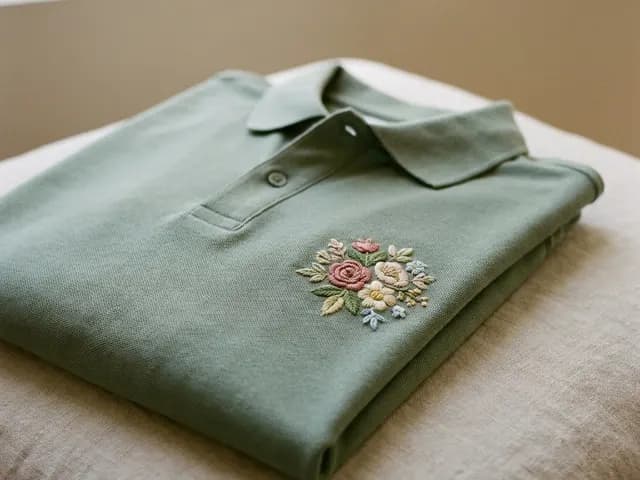
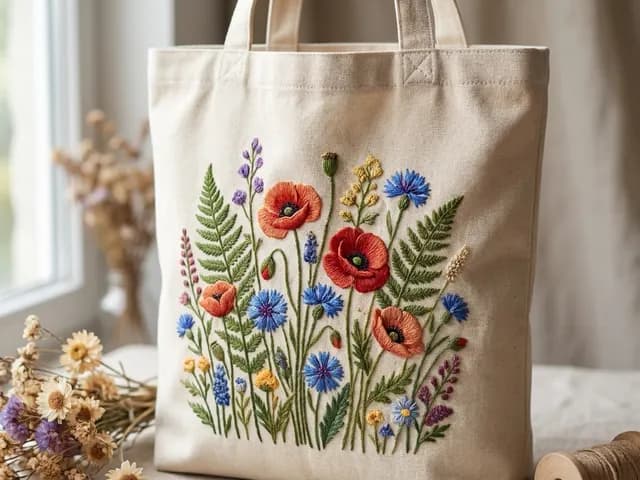
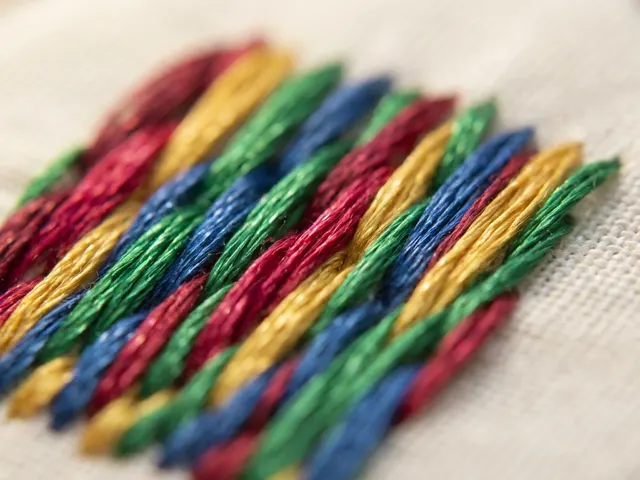
Embroidery Designs You Can Create
How It Works
Upload Your Design
Drop a logo, photo, or drawing. PNG, JPG, WEBP all accepted. Works best with clear outlines and limited colors.
Traced, Then Fitted to the Hoop
Paths are simplified and colors reduced, then the design is scaled to the 4x4 in hoop before any stitch exists — so row spacing and stitch length stay at their real size.
Download on the page
Downloading here gives one ZIP with the DST, the PES and the JEF, plus the SVG and a PNG, and a readme stating the stitched size in millimetres.
Machines That Read What We Write
Three stitch formats come out of this converter, and nothing else. Here is which brand reads which.
Not covered directly: Bernina reads EXP, Pfaff and Husqvarna Viking read VP3, Singer Futura reads XXX. We do not write those formats. Many of those machines and their software import DST or PES — check yours before you buy.
Tools for Embroidery
Image to SVG Converter
CoreConvert any image to embroidery-ready clean vectors
Background Remover
AIIsolate logos and designs before vectorizing
AI SVG Generator
NewGenerate unique embroidery-ready illustrations from text prompts
Batch Converter
ProConvert up to 50 designs at once
SVG to DST (Tajima)
DSTVector in, Tajima DST out: the format nearly every commercial machine reads
SVG to PES (Brother)
PESBrother and Babylock, with a thread palette the machine can display
SVG to JEF (Janome)
JEFJanome, Elna and Kenmore, with the thread indices those machines expect
Embroidery Converter Pricing
One plan opens the machine formats, stitch files included. What changes between tiers is how many files a month you get.
- All export formats: SVG, DXF, EPS, PDF, and cut-ready ZIP
- All niche modes: Cricut, laser, embroidery, Etsy & brand tools
- SVG Editor Pro + batch processing
- Commercial-use license on every file
- 300 conversions / year · unused credits roll over
See it before you pay
The full preview is free. You only pay once the file looks right.
Failed conversion? Credit back
If a paid conversion fails, the credit returns to your balance automatically.
Cancel in two clicks
Plans stop from your account page, no email, no phone call.
Support by email
A question about a file or a plan? Write to contact@vectosolve.com.
FAQ
How do I convert an image to an embroidery file?▼
Upload a PNG, JPG or WEBP. VectoSolve traces it into clean shapes, fits the design to the hoop, then generates the stitches. You get a DST (Tajima) stitch file. Download on the page and it arrives as a ZIP that also holds the PES (Brother), the JEF (Janome), the SVG and a PNG preview. No separate digitizing software in between.
Which machines read the files this converter writes?▼
It writes three stitch formats and no others. DST is read by Tajima, Barudan, ZSK, Ricoma, Happy and Melco. PES is the Brother and Babylock format. JEF is the Janome, Elna and Kenmore format. We do not write EXP, VP3, HUS, XXX or PCS, so Bernina, Pfaff, Husqvarna Viking and Singer are not covered directly — check whether your machine or its software imports DST or PES before you buy.
How big is the stitched design?▼
Every file is fitted to a 4x4 in hoop by default, the 100 x 100 mm field of the Brother SE and PE machines, which leaves about 90 x 90 mm of stitching once the 5 mm edge margin is kept. The design is scaled before the first stitch is generated, never after, so row spacing and stitch length keep their real millimetre values. The converter prints the exact stitched size in millimetres and inches under the preview, before you pay.
Is this professional digitizing?▼
No, and it is not sold as such. VectoSolve generates running stitches along the outlines and zigzag scanline fills with underlay for the closed areas, grouped by colour so each colour becomes a thread change. It does not do variable-width satin columns, pull compensation or stitch-by-stitch editing, which is what a digitizer sells. Logos, lettering, monograms and flat shapes are what it handles; a detailed photograph still belongs with a digitizer.
What happens if my design cannot be stitched?▼
It is refused rather than delivered broken. If the short side of the design lands under 5 mm once fitted, the detail inside it would not sew, so no file is produced, nothing is charged, and the message names the hoop or the width that would work instead.
What makes a good image for embroidery conversion?▼
Simple designs with clear outlines, limited colors (2-8), and bold shapes work best. Logos, cartoon characters, text, and silhouettes are ideal. Avoid photos with gradients or very fine details — embroidery machines can't reproduce them.
How many colors should my embroidery design have?▼
Most embroidery designs use 2-8 thread colors. VectoSolve's color reduction automatically simplifies complex images. For the best results, keep designs under 6 colors — each color is a separate thread change on your machine.
Can I sell embroidery designs I create?▼
Yes! All files include commercial use rights. Many sellers create embroidery design packs and sell them on Etsy for $3-$8 each, or in bundles of 10-20 designs for $15-$30.
Customer artwork arriving as screenshots every week?
We also do the whole job as a service: send the customer's file, get a free quote, see the watermarked preview, then pay. From $9 a file, delivered in the format your machine reads, with no VectoSolve name in the files.
Done-For-You ServiceRelated tools:
If embroidery is your business, you are probably paying per file.
An outside art service charges 6 to 26 dollars a logo and comes back the next day. Redrawing it yourself costs half an hour you could bill. A year here is $49 for 25 conversions every month, every machine format included, which works out cheaper than two outsourced logos.
Everything on this page stays free. This is only worth it if you do volume.