
For Cricut, Silhouette and laser
Free SVG Files, or Your Own Picture as an SVG
9 of our 20 templates are free to download once you sign in, and Text to SVG is a free tool that turns a name or a quote into a cut file. Your own photo, drawing or logo works too: drop it here, check the free preview, then decide.
- Templates
- 9 of 20 are free to download once you sign in
- Text to SVG
- A free tool in your browser, no account
- Your picture
- Free preview, no signup. The clean file is paid, and the price shows before you pay.
What you can get here
Templates, Text to SVG and Your Own Picture
The free templates and Text to SVG cost nothing. The clean file of your own picture is paid, and you see it before you pay.
Free templates
Our template library has 20 simple outlines for Cricut, Silhouette and laser. 9 of them are free to download once you sign in, for personal use: the heart monogram frame, interlinked wedding rings, balloon bundle, star cake topper, geometric snowflake, star ornament, gift tag, vintage label frame and geometric hexagon pattern. The other 11 come with any plan.
Text to SVG
Type a name, a word or a quote, pick one of 18 fonts and download the SVG, with real paths ready to cut. It is a free tool that works in your browser, with no account.
Your own picture
Drop a photo, a drawing or a logo in the converter on this page. The background comes off and you see the traced file before you pay anything, with no signup. The clean file is $6.99 for that one file, or 25 files for $7.99 a month with the Starter plan.
Real pictures, and the files made from them
Each pair is one real conversion made on vectosolve.com on October 1 or 2, 2026, with the settings named under it. The right image is drawn from the SVG the converter returned, without the preview watermark and with nothing retouched. What the file does not do is written under each pair.
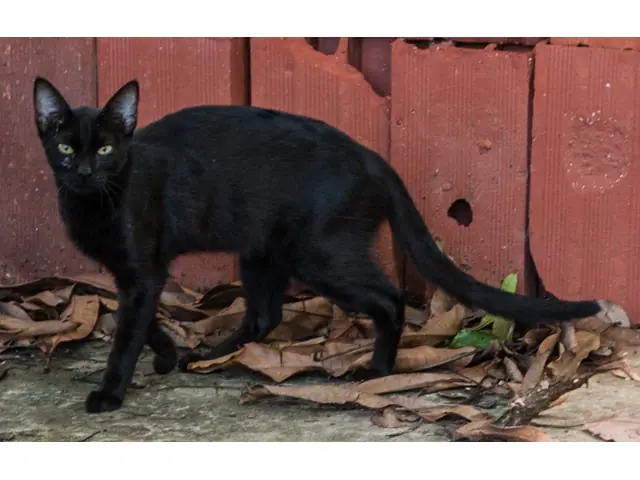
Uploaded 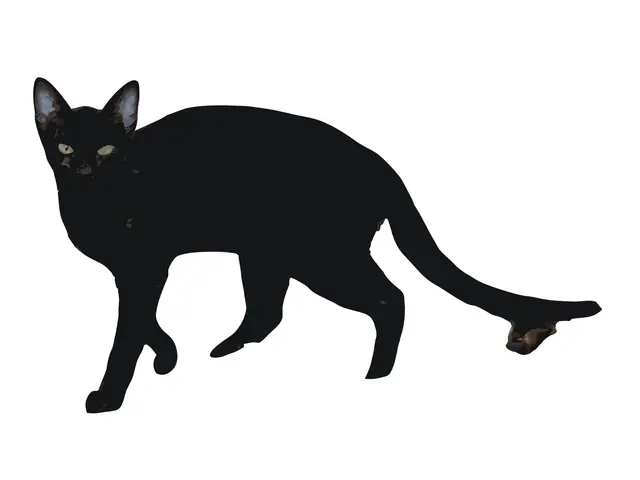
SVG returned A black cat walking past a red wall
The wall, the leaves and the ground are gone: the cat is one solid silhouette, with the eyes and ears as shapes on top.
Limit: A piece of dry leaf stayed under the tip of the tail: delete it, or weld everything into one shape.
Settings: free preview, Balanced preset. Converted on October 1, 2026. Photo: Wilfredor, Wikimedia Commons, CC0.
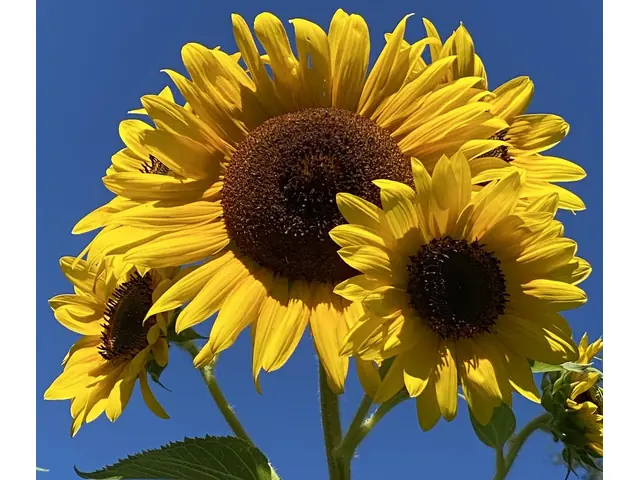
Uploaded 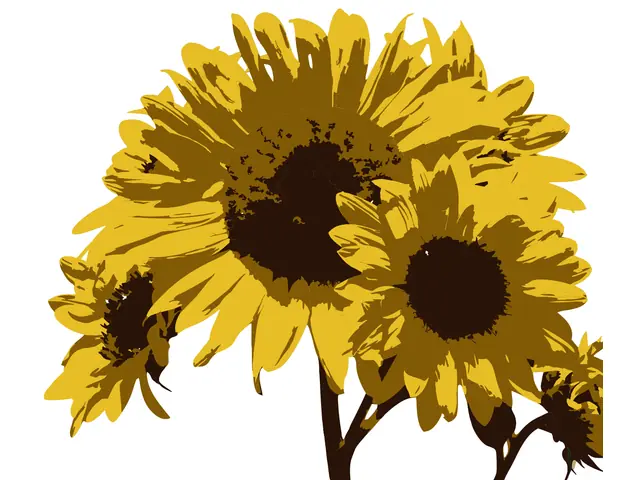
SVG returned Three sunflowers against a blue sky, shot with a phone
The sky is gone: petals, centres, stems and a bud come back in 3 flat colours, yellow, ochre and dark brown.
Limit: The shaded petals make 1,186 shapes: right for a print, a mug or a screen-printed tee, too many for one clean cut.
Settings: paid conversion on the home page, 3 colours. Converted on October 1, 2026. Photo: Cbuske46, Wikimedia Commons, CC0.
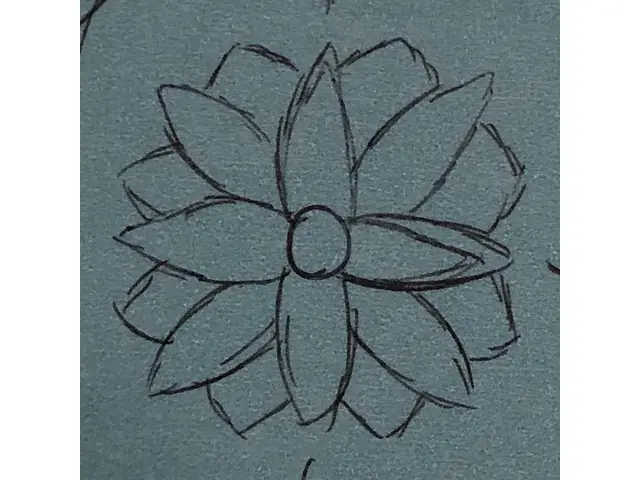
Uploaded 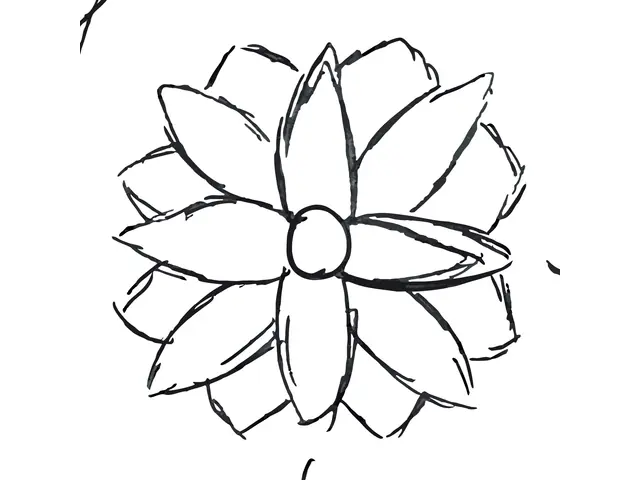
SVG returned A ballpoint doodle on a blue index card
The blue card is gone: every pen stroke of the flower is kept as a dark line.
Limit: Doubled sketch strokes and a few stray lines at the edges are kept too: the trace follows the pen, mistakes included.
Settings: free preview, Balanced preset. Converted on October 1, 2026. Photo: Mbennettphan, Wikimedia Commons, CC0.
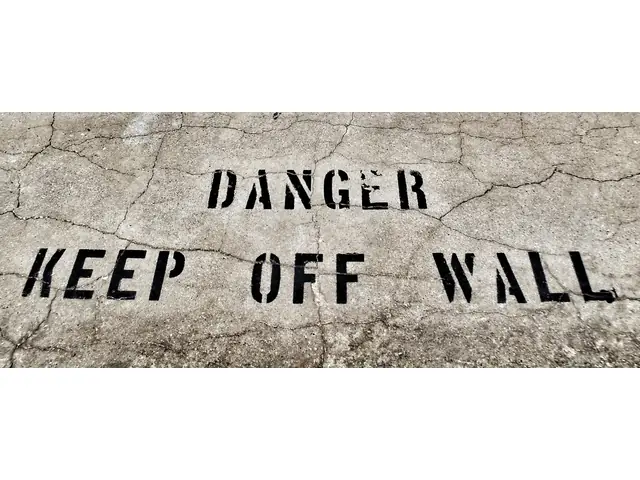
Uploaded 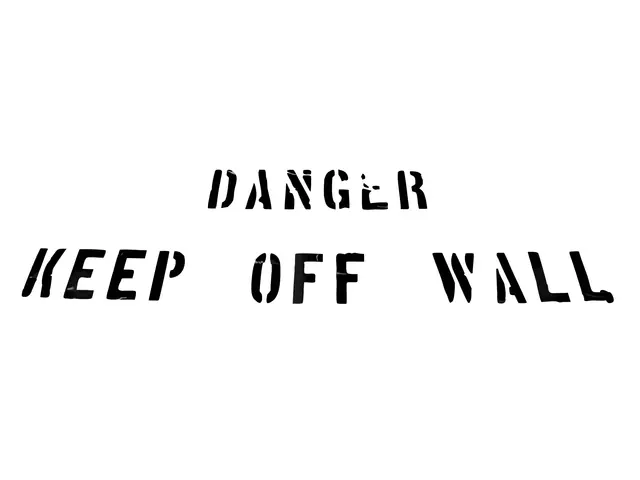
SVG returned Stencilled lettering on a cracked concrete wall
The concrete is gone: only the black stencil letters are left, and the stencil bridges stay real gaps.
Limit: Grey streaks where cracks cross the paint stay inside some letters: recolour them black or delete them.
Settings: free preview, Balanced preset. Converted on October 2, 2026. Photo: David Whelan, Wikimedia Commons, CC0.
Uploaded 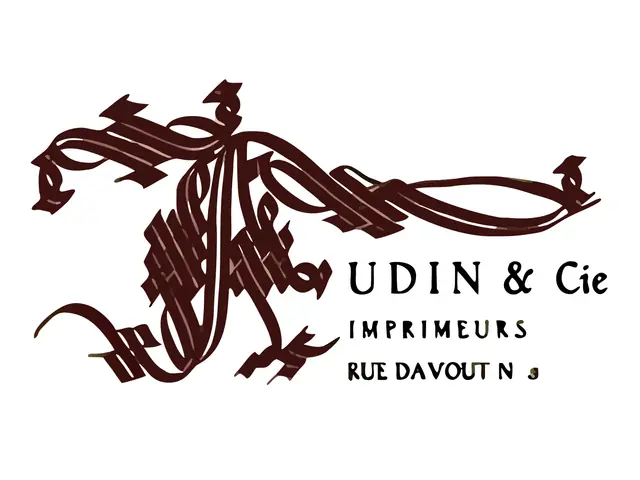
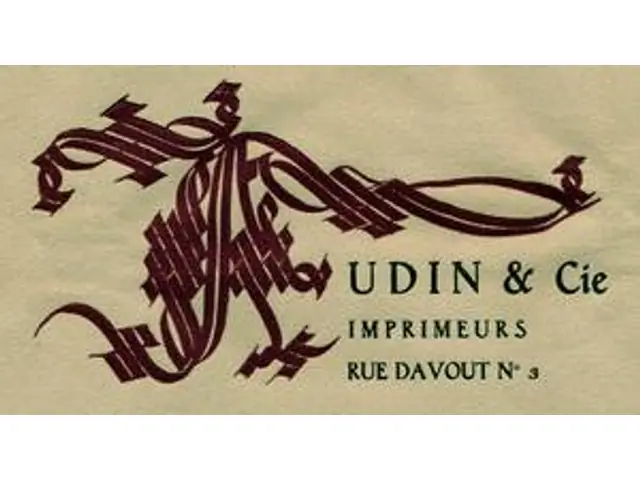
SVG returned A 300 px logo cut from a 1920s letterhead
The paper is gone: the monogram and the lettering come back as clean shapes, 124 in all.
Limit: At 300 px wide the smallest text cannot be rebuilt: the 3 of the address came back as a blob. Start from your largest copy.
Settings: free preview, Balanced preset. Converted on October 2, 2026. Scan: Musée de l'imprimerie, Lyon, Wikimedia Commons, public domain.
Uploaded 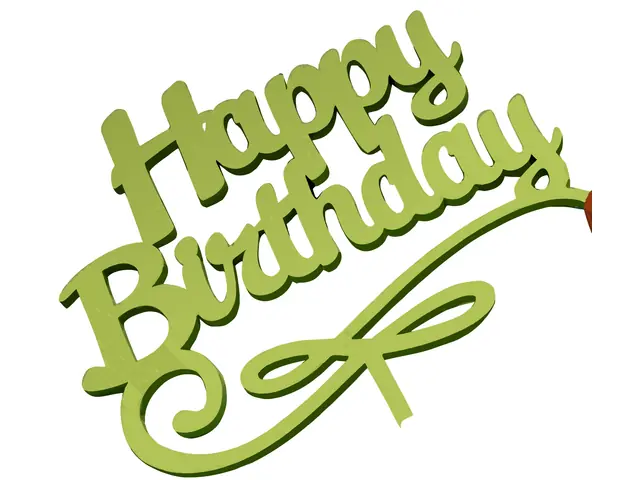
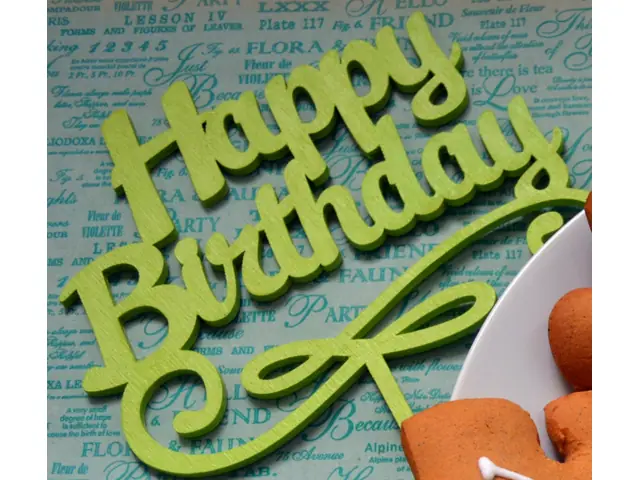
SVG returned A laser-cut wooden Happy Birthday cake topper
The patterned paper and the plate are gone: the lettering and the swirl come back in flat greens.
Limit: The side of the wood came back as a darker green rim, and a sliver of a cookie stayed at the right edge, 355 shapes in all: weld or delete them before you cut.
Settings: free preview, Clean Cut preset. Converted on October 1, 2026. Photo: AnnaKhrobolova (WMUA), Wikimedia Commons, CC0.
Popular themes
Popular SVG Categories
What people look for most, and what you really find here for each.
Wedding
Our template library has 5 wedding outlines: the heart monogram frame and the interlinked rings are free to download once you sign in, the floral border, the love arrow and the Mr and Mrs script come with any plan. For your own monogram or invitation art, the wedding page converts it.
Mom and family
Her handwriting, a recipe card or your child's drawing as a cut file: the Mother's Day page converts your own picture, and the hand drawing page explains which pictures trace best.
Holidays
The geometric snowflake and the star ornament are free to download once you sign in. Each holiday page converts your own picture: an ornament, a sign, a drawing.
Quotes and sayings
We have no quote files to download. Type the quote in Text to SVG, a free tool that works in your browser, pick a script or a bold font and download the SVG.
Animals and pets
We have no animal templates. A photo of your dog, cat or horse works: the background comes off, like the black cat above, which came back as one solid silhouette.
Flowers and nature
The geometric hexagon pattern is free to download once you sign in; the floral corner and the mandala come with any plan. A photo of real flowers works too, like the sunflowers above: 1,186 shapes in 3 colors, right for a print.
Other Places to Find Free SVG Files
For a ready-made design rather than your own picture, these sites give some files away. We are not affiliated with them, and each file comes with its own license.
Creative Fabrica
Daily freebies, SVG cut files among them. You need an account to download.
Design Bundles
A section of free SVG files and fonts. Read the license of each file before you sell what you make with it.
SVG Repo
Icons and simple vector shapes under open licenses, made for web and app projects more than for cutting.
Love SVG
Cut files for crafters: quotes, holidays and simple designs. Read the terms of use before you sell anything.
Free SVG Files FAQ
How are free SVG files different from paid ones?
Free SVG files are usually simple designs that many crafters already use, and most come with a personal-use license. Paid files are often more detailed and come with a commercial license. On this site, 9 templates are free to download once you sign in, for personal use; Text to SVG is a free tool; and you get a free preview of your own picture. The clean SVG of your picture is paid, and it is yours to use, commercially too, if you own the picture.
Where can I get free SVG files with no sign up?
Text to SVG needs no account: type the words, pick a font and download the SVG. The preview of your own picture needs no account either, but its clean file is paid. Our templates need you to sign in first, and most free SVG sites ask for an account too.
Can I download free SVG files from this page?
Not from this page itself: it converts your own picture, and the preview is free while the clean file is paid. For files to download, our template library has 9 designs that are free to download once you sign in, and Text to SVG makes a file from your text as a free tool in your browser.
Can I sell things made with free SVG files?
Our free templates are for personal use. The other templates, which come with any plan, include a license to sell finished products such as shirts, mugs and stickers, but not the files. Text to SVG uses Google Fonts under the SIL Open Font License, which allows commercial use. The SVG made from your own picture is yours to use, commercially too, if you own the picture. On other sites, check the license of each file.
What does the clean file of my own picture cost?
$6.99 for that one file, or 25 files for $7.99 a month with the Starter plan. The preview is free, with no signup, and the price shows before you pay.
Will the SVG open in Cricut Design Space and Silhouette Studio?
Yes in Design Space: choose Upload, then Upload Image, and pick the SVG. Silhouette Studio opens SVG files from the Designer Edition up; with the Basic Edition, use a DXF instead (see our Silhouette Studio page).
Can I convert a design I found on a free SVG site?
Only if its license allows it. Converting a picture to SVG does not change who owns it. For things you sell, start from your own drawing or photo, or from a design licensed for commercial use.
Related pages: