
5 Ways to Convert a Logo to Vector: AI vs Illustrator vs Fiverr vs Manual (2026)
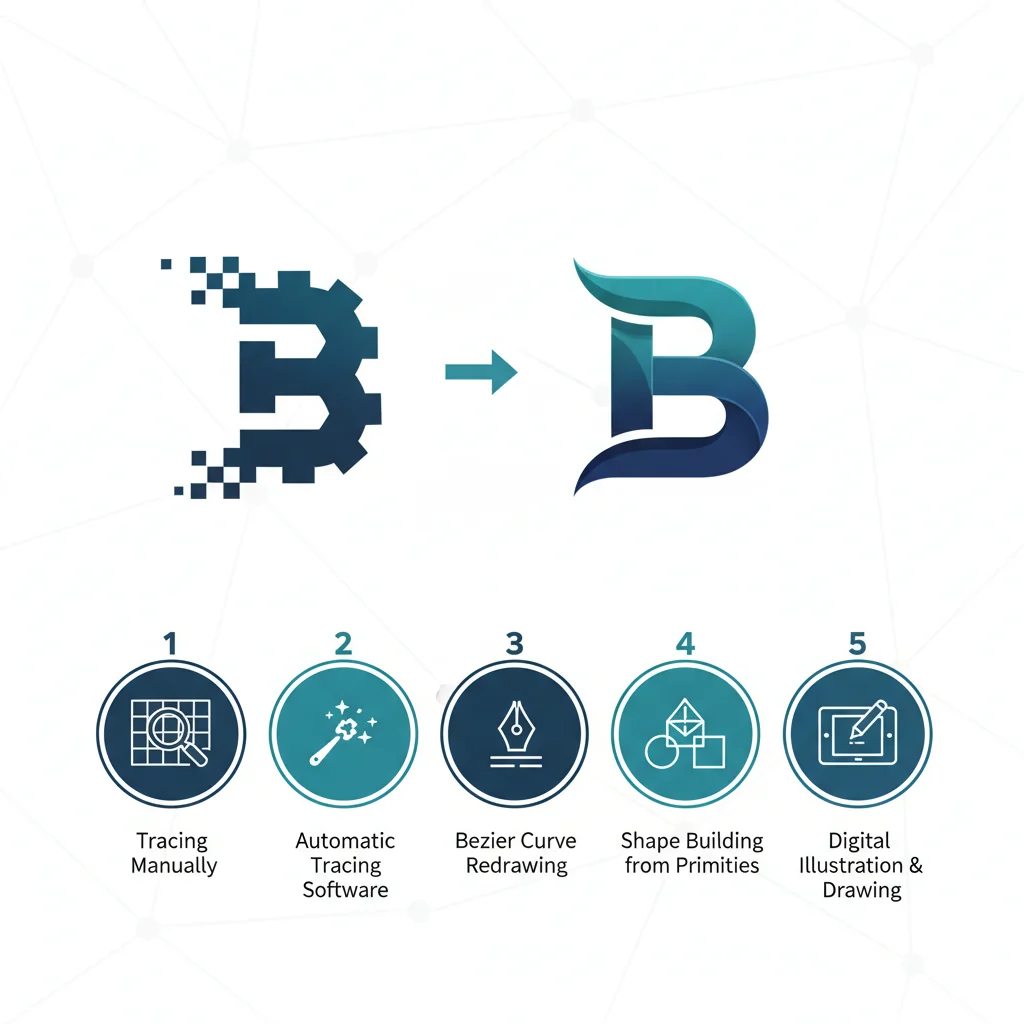
We compare 5 different methods for converting a logo to vector format — AI tools, Adobe Illustrator, Fiverr freelancers, Inkscape, and manual pen-tool tracing. See which is fastest, cheapest, and highest quality.
Founder and developer of VectoSolve
Self-taught developer who founded VectoSolve in 2024. He builds the conversion engine and the cutting, embroidery and 3D printing exports, working with the VectoSolve team of graphic designers.
How this article was made: drafted with AI assistance, then edited and fact-checked before publication. About the author
Try it on your own file
Free preview, no signup. Drop an image and see the vector before deciding anything.
Key Takeaways
- AI tools like VectoSolve convert a clean logo in under 10 seconds — no design skills required
- Always start from the highest resolution source you can find; garbage in, garbage out
- 5 methods ranked by speed-to-quality: AI conversion > Illustrator Image Trace > Manual pen tool > Inkscape > Hiring a designer
- Post-conversion QA is non-negotiable: check colors, proportions, and path cleanliness
- SVG is king for web; keep EPS and PDF ready for print partners
No logo yet? Our comparison of the best AI logo generators shows which tools deliver usable SVG files.
Why Your Logo Must Be Vector — No Exceptions
From large brand systems to a logo a bakery owner's nephew made in Paint, one thing holds: the moment someone scales a raster logo to billboard size, it falls apart.
If your logo only exists as a PNG or JPEG, you're operating with a ticking time bomb. One day you'll need it on a trade show banner, an embroidered shirt, or a favicon — and your 500px file won't cut it.
Vector logos solve this permanently. Built on mathematical curves instead of pixels, they scale from 16x16 favicons to building wraps with zero quality loss.
The 5 Methods Ranked
Disclosure: VectoSolve is our own tool. We list it first because it is the tool we build and know best, not because it won an independent test, and we do not give it a score.
Method 1: AI-Powered Conversion with VectoSolve (Fastest)
Best for: Business owners, marketers, developers — anyone who needs results now
VectoSolve uses AI models trained specifically on logo imagery. It understands solid shapes, clean edges, and deliberate color choices — not a generic image tracer.
Step-by-Step: Convert Your Logo with VectoSolve
- Go to vectosolve.com and sign in, or try the free preview without an account
- Upload your logo (PNG, JPEG, or WEBP). Aim for 1000px+ on the longest side
- Select "Logo" mode to prioritize clean paths and solid fills
- Click Convert — processing takes 5-10 seconds
- Preview the result in the built-in viewer. Zoom in to check edges
- Download as SVG for web, or export to EPS/PDF for print
- Optional: Run through VectoSolve's SVG Optimizer to minimize file size
The AI understands negative space, symmetry, color boundaries, and letterforms — things generic Potrace-based tools miss entirely.
Quality Rating: not scored (our own tool) | Time: 5-10 seconds | Cost: $7.99-14.99/mo
Method 2: Adobe Illustrator Image Trace
Best for: Designers who already pay for Creative Cloud
Image Trace has improved over the years, but the default presets are mediocre. The magic is in manual adjustments: tuning Paths, Corners, and Noise sliders, then cleaning up with the Direct Selection tool after expanding.
The catch: a Creative Cloud subscription and 10-30 minutes of hands-on work per logo.
Quality Rating: 9/10 (expert hands) / 6/10 (beginners)
Method 3: Manual Pen Tool Tracing
Best for: Pixel-perfect control or rebuilding a logo from scratch
The gold standard for precision. Place the raster as a background reference and draw every curve by hand. Painstaking, slow, and flawless when done well. Worth it for simple geometric logos or when you need to improve the original. Expect 1-4 hours per logo.
Quality Rating: 10/10 (with skill)
Method 4: Inkscape Auto-Trace
Best for: Budget-conscious users comfortable with open-source software
Inkscape is free and uses Potrace for bitmap tracing. Results are noticeably rougher — jagged curves, excessive anchor points, imprecise colors.
After tracing in Inkscape, always run Path → Simplify (Ctrl+L) multiple times. This reduces path complexity without losing shape integrity. Inkscape's tracer produces far more anchor points than necessary.
Quality Rating: 6/10
Method 5: Hiring a Professional Designer
Best for: Brand-critical applications where quality trumps everything
| Service Level | Price | Turnaround | What You Get |
|---|---|---|---|
| Budget (Fiverr) | $15-75 | 2-5 days | Basic SVG, 1-2 revisions |
| Mid-Range Freelancer | $100-350 | 3-7 days | Multiple formats, color variants |
| Studio / Agency | $500-2,000 | 1-3 weeks | Full brand package, guidelines |
Quality varies wildly. Always request a portfolio sample before committing.
Quality Rating: 5-10/10 (depends entirely on who you hire)
Complete Comparison Table
| Criteria | VectoSolve (our tool, not scored) | Illustrator | Manual Pen | Inkscape | Designer |
|---|---|---|---|---|---|
| Cost | $7.99-14.99/mo | Subscription | Free or paid software | Free | $15-2,000 |
| Time | 5-10 sec | 10-30 min | 1-4 hours | 5-15 min | 2-14 days |
| Skill needed | None | High | Expert | Medium | None |
| Simple logo | — | 9/10 | 10/10 | 7/10 | 9/10 |
| Complex logo | — | 8/10 | 10/10 | 4/10 | 9.5/10 |
| Batch support | Yes | Limited | No | No | No |
| Path cleanliness | Clean | Needs work | Perfect | Messy | Clean |
A Full Year of Conversions for $49
Starter Annual: 25 conversions every month, $49 for the whole year. That is about $4.08 a month · Cancel anytime
Get the Annual DealPreparing Your Image for Best Results
This is where most people go wrong. They upload a 150px favicon and wonder why the output looks terrible.
Pro Tip: Start with the highest resolution source you can find. Dig through old Dropbox folders, email your original designer, check Google Drive. A 2000px PNG produces dramatically better vectors than a 200px thumbnail ripped from your website. Resolution is the single biggest factor in conversion quality.
Preparation Checklist
- Resolution: Minimum 500px, ideally 1000px+
- Background: White or transparent — crop out busy backgrounds first
- Format: PNG with transparency is ideal; JPEG introduces edge artifacts
- Contrast: Clear contrast against the background
- Cropping: Tight crop, no excessive whitespace
- One logo per image: Don't upload sheets with multiple variations
Warning: Complex gradients and photorealistic logos are the enemy of vectorization. Smooth photographic gradients, soft drop shadows, and photorealistic imagery defeat every automated tool. These logos need manual tracing or a redesign embracing flat, scalable shapes. Consider generating a new vector-native logo from scratch if your brand relies on these effects.
Post-Conversion Quality Checklist
Never skip this. Unchecked vectors sent to a printer are a common source of regret.
Colors
- Brand colors match exactly (compare hex values, don't eyeball)
- No stray colors from anti-aliasing artifacts (watch for gray halos)
- Pantone/CMYK values set for print deliverables
Proportions & Paths
- Aspect ratio matches the original
- Text spacing preserved (kerning can shift during conversion)
- Symmetrical elements verified with alignment tools
- No excessive anchor points (a clean circle needs 4, not 47)
- Curves smooth, not jagged — no overlapping duplicate paths
Final Verification
- Zoom to 5000%+ and inspect every curve
- Scale to 16x16 and verify readability
- Test on both white and dark backgrounds
File Format Delivery Guide
| Format | Use Case | Notes |
|---|---|---|
| SVG | Web, apps, email | Lightweight, scalable, CSS-styleable. Optimize with VectoSolve |
| EPS | Print vendors | Universal print handoff format |
| Documents, presentations | Viewable everywhere without special software | |
| AI | Adobe workflow | Only if your designer works in Illustrator |
| PNG (2000px+) | Social media, sharing | Export from your vector for raster needs |
Pro Tip: Deliver a minimum package: SVG (web), EPS (print), PDF (universal), and high-res PNG (convenience). Label files clearly: logo-full-color.svg, logo-white.svg, logo-black.svg. Every vendor you work with will thank you.
Free SVG Tools for Crafters
Design Checker · Color Separator · Mat Preview · Offset Generator · Text to SVG
Check Your SVG FreeThe Bottom Line
For most businesses, AI-powered conversion through VectoSolve is the right call. Fast, affordable, and genuinely excellent quality for clean logos. No Illustrator license. No freelancer wait times. Upload, convert, download.
For the rest — photorealistic logos, intricate hand-drawn details, or brand launches where perfection is mandatory — invest in a skilled designer.
But always start with VectoSolve. If the AI output is good enough (it usually is), you saved hours or hundreds of dollars. If it needs refinement, you've got a solid starting point a designer can clean up in minutes instead of hours.
Your logo is the hardest-working asset in your brand. Build it to last — in vector.
Ready to convert? Try the free VectoSolve preview and see your vector in under 10 seconds. Need a new logo? Generate one with AI.
| Conversion Method | Avg. Time | Quality (1-10) | Cost |
|---|---|---|---|
| AI Auto-Trace (VectoSolve) | 5-10 sec | Not scored (our tool) | Free preview / from $7.99 mo |
| Adobe Illustrator Image Trace | 1-5 min | 8 | Subscription |
| Inkscape Auto-Trace | 2-10 min | 6 | Free |
| Manual Pen Tool Tracing | 30-120 min | 10 | $50-200 (freelancer) |
| Online Free Converters | 10-30 sec | 4 | Free |