
SVG File Format: Everything You Need to Know in 2026
A comprehensive guide to understanding SVG files, their benefits, how they work, and why they're essential for modern web design.
Founder and developer of VectoSolve
Self-taught developer who founded VectoSolve in 2024. He builds the conversion engine and the cutting, embroidery and 3D printing exports, working with the VectoSolve team of graphic designers.
How this article was made: drafted with AI assistance, then edited and fact-checked before publication. About the author
Try it on your own file
Free preview, no signup. Drop an image and see the vector before deciding anything.
Key Takeaways
- SVG (Scalable Vector Graphics) is an XML-based vector format that scales infinitely without quality loss
- SVG files are typically 50-90% smaller than equivalent PNG or JPEG images for simple graphics
- SVGs are fully editable with code, stylable with CSS, and animatable with JavaScript
- All modern browsers offer full SVG support, making it the go-to format for web graphics
- Tools like VectoSolve use AI to convert raster images (PNG/JPEG) to clean SVG vectors
What is SVG?
SVG (Scalable Vector Graphics) is an XML-based vector image format for two-dimensional graphics. Unlike raster formats like PNG or JPEG, SVG uses mathematical formulas to define shapes, making images scalable without quality loss.
History of SVG
Origins
- 1999: SVG 1.0 specification released by W3C
- 2001: SVG 1.1 became W3C Recommendation
- 2016: SVG 2 development began
- 2025: Universal adoption across web platforms
Evolution
SVG has evolved from a specialized format to a web standard, now supported by all modern browsers and design tools.
How SVG Works
XML-Based Structure
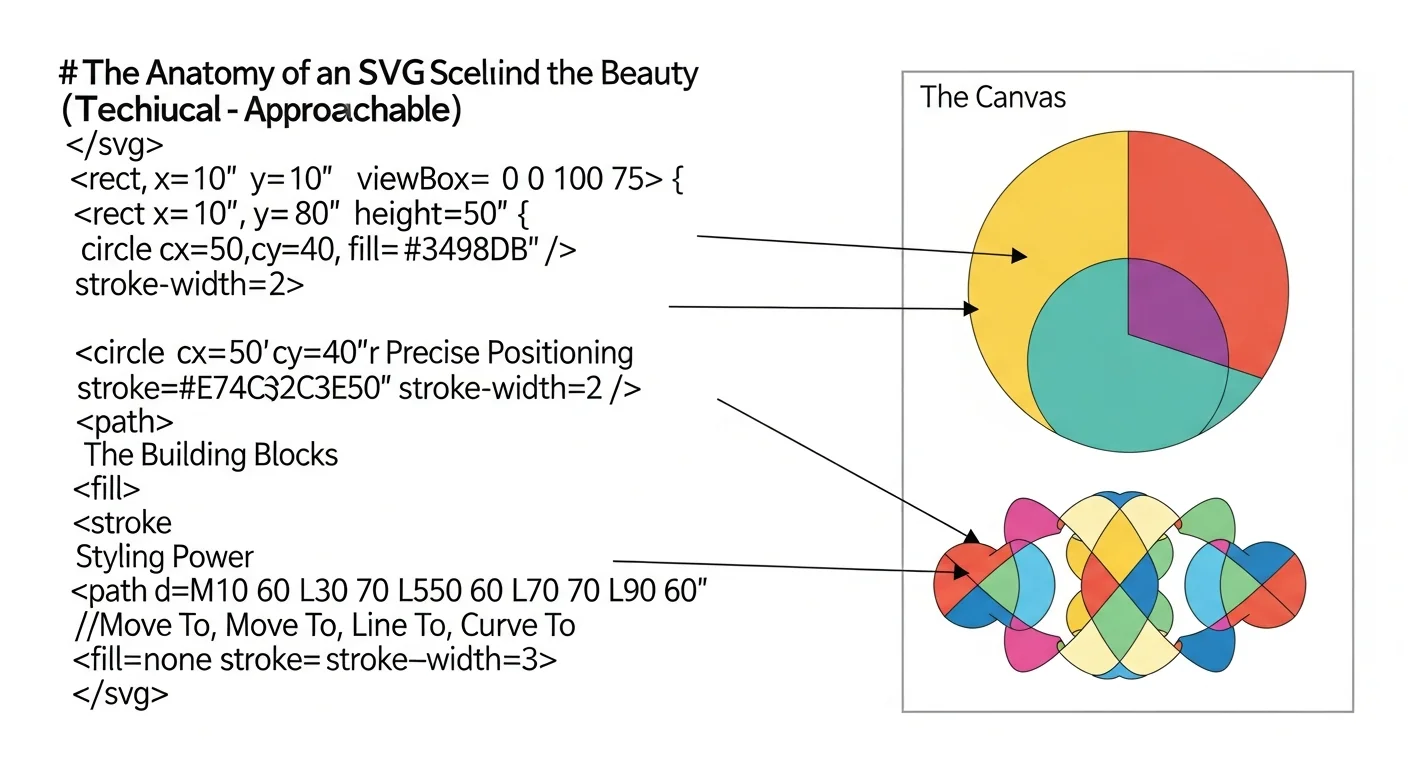
SVG files are written in XML, making them human-readable and editable:
<svg width="100" height="100" xmlns="http://www.w3.org/2000/svg">
  <circle cx="50" cy="50" r="40" fill="#1cb721" />
  <rect x="10" y="10" width="30" height="30" fill="#000" />
</svg>
Vector Mathematics
Instead of pixels, SVG uses:
- Paths: Bezier curves and lines
- Shapes: Circles, rectangles, polygons
- Text: Actual text elements
- Colors: Fill and stroke definitions
Pro Tip: Because SVG is plain XML, you can open any .svg file in a text editor, tweak coordinates or colors, and see changes instantly in your browser -- no design software required.
A Full Year of Conversions for $49
Starter Annual: 25 conversions every month, $49 for the whole year. That is about $4.08 a month · Cancel anytime
Get the Annual DealAdvantages of SVG Format
1. Infinite Scalability
SVG graphics look perfect at any size:
- Favicon (16x16 pixels)
- Mobile icons (128x128 pixels)
- Desktop displays (any size)
- Billboard printing (massive sizes)
2. Small File Sizes
For simple graphics, SVG files are typically:
- 50-80% smaller than PNG
- 60-90% smaller than JPEG
- Even smaller with compression (SVGZ)
Example Comparison:
Logo as PNG (2000x2000): 250 KB
Logo as SVG: 15 KB
Savings: 94%
3. Editable and Programmable
SVG files can be:
- Edited with text editors
- Styled with CSS
- Animated with CSS or JavaScript
- Generated dynamically
4. SEO-Friendly
Search engines can:
- Read text within SVG
- Index SVG content
- Understand semantic structure
- Crawl embedded metadata
5. Accessibility
SVG supports:
- Screen readers
- Keyboard navigation
- ARIA labels
- Semantic markup
6. Performance Benefits
- Faster page load times
- Reduced bandwidth usage
- Better Core Web Vitals scores
- Improved user experience
SVG vs Other Image Formats
SVG vs PNG
| Feature | SVG | PNG |
|---|---|---|
| Type | Vector | Raster |
| Scalability | Infinite | Limited |
| File size | Small (simple graphics) | Larger |
| Transparency | Yes | Yes |
| Animation | Yes | No |
| Browser support | Modern browsers | Universal |
| Best for | Logos, icons, graphs | Photos, complex images |
SVG vs JPEG
| Feature | SVG | JPEG |
|---|---|---|
| Type | Vector | Raster |
| Compression | Lossless | Lossy |
| Scalability | Perfect | Degrades |
| File size | Small (graphics) | Small (photos) |
| Transparency | Yes | No |
| Best for | Graphics | Photographs |
SVG vs WebP
| Feature | SVG | WebP |
|---|---|---|
| Type | Vector | Raster |
| Scalability | Infinite | Fixed |
| Animation | CSS/JS | Native |
| Browser support | Excellent | Good |
| Editability | High | None |
SVG File Structure
Basic Elements
<svg xmlns="http://www.w3.org/2000/svg" viewBox="0 0 100 100">
  <!-- Circle -->
  <circle cx="50" cy="50" r="40" fill="blue"/>

  <!-- Rectangle -->
  <rect x="10" y="10" width="30" height="30" fill="red"/>

  <!-- Path -->
  <path d="M10 10 L 90 90" stroke="black" stroke-width="2"/>

  <!-- Text -->
  <text x="50" y="50" font-size="16">Hello SVG</text>
</svg>
Advanced Features
Gradients:
<defs>
  <linearGradient id="grad1" x1="0%" y1="0%" x2="100%" y2="0%">
    <stop offset="0%" style="stop-color:rgb(255,255,0)"/>
    <stop offset="100%" style="stop-color:rgb(255,0,0)"/>
  </linearGradient>
</defs>
<rect fill="url(#grad1)" x="0" y="0" width="100" height="100"/>Filters:
<filter id="blur">
  <feGaussianBlur in="SourceGraphic" stdDeviation="5"/>
</filter>
<circle cx="50" cy="50" r="40" filter="url(#blur)"/>
Free SVG Tools for Crafters
Design Checker · Color Separator · Mat Preview · Offset Generator · Text to SVG
Check Your SVG FreeCreating SVG Files
1. Vector Design Software
- Adobe Illustrator: Industry standard
- Inkscape: Free and open-source
- Figma: Browser-based design
- Sketch: Mac-only design tool
2. Code Editors
Write SVG directly in:
- VS Code
- Sublime Text
- Atom
- Any text editor
3. Online Converters
Convert PNG/JPEG to SVG with:
- Vectosolve: AI-powered conversion
- Online trace tools
- Automated vectorization services
4. Programming Libraries
Generate SVG with:
- D3.js (JavaScript)
- Raphael.js
- Snap.svg
- Python libraries (svgwrite)
Using SVG on the Web
Inline SVG
<svg width="100" height="100">
  <circle cx="50" cy="50" r="40" fill="#1cb721"/>
</svg>Advantages:
- Full CSS/JS control
- No HTTP request
- Can be animated
IMG Tag
<img src="logo.svg" alt="Logo" width="200">Advantages:
- Simple implementation
- Cacheable
- Lazy loading support
CSS Background
.element {
  background-image: url('pattern.svg');
}
Object/Embed Tag
<object data="graphic.svg" type="image/svg+xml"></object>For maximum flexibility, use inline SVG when you need CSS styling and JavaScript interactivity. Use the <img> tag when you just need a static, cacheable image with minimal code.
SVG Optimization
Optimization Techniques
- Remove unnecessary metadata
- Simplify paths
- Reduce decimal precision
- Remove hidden elements
- Combine similar paths
- Use shorthand attributes
Optimization Tools
- SVGO: Command-line optimizer
- SVGOMG: Web-based SVGO interface
- Vectosolve: Built-in optimization
- ImageOptim: Mac application
Before Optimization (156 bytes):
<svg xmlns="http://www.w3.org/2000/svg" viewBox="0 0 100 100">
  <circle cx="50.123456" cy="50.789012" r="40.555555" fill="#1cb721" stroke="none"/>
</svg>
After Optimization (98 bytes):
<svg xmlns="http://www.w3.org/2000/svg" viewBox="0 0 100 100">
  <circle cx="50" cy="51" r="41" fill="#1cb721"/>
</svg>
A Full Year of Conversions for $49
Starter Annual: 25 conversions every month, $49 for the whole year. That is about $4.08 a month · Cancel anytime
Get the Annual DealSVG Animation
CSS Animations
@keyframes rotate {
  from { transform: rotate(0deg); }
  to { transform: rotate(360deg); }
}

svg circle {
  animation: rotate 2s infinite linear;
  transform-origin: center;
}
JavaScript Animation
const circle = document.querySelector('circle');
let radius = 40;

setInterval(() => {
  radius = radius === 40 ? 50 : 40;
  circle.setAttribute('r', radius);
}, 1000);
SMIL Animation (Native SVG)
<circle cx="50" cy="50" r="40">
  <animate attributeName="r" from="40" to="50" dur="1s" repeatCount="indefinite"/>
</circle>
SVG Accessibility
Best Practices
<svg role="img" aria-labelledby="logo-title logo-desc">
  <title id="logo-title">Company Logo</title>
  <desc id="logo-desc">A green circle representing our eco-friendly brand</desc>
  <!-- SVG content -->
</svg>
Focus Management
svg:focus {
  outline: 2px solid blue;
}
Browser Support
Current Support (2025)
- Chrome/Edge: Full support
- Firefox: Full support
- Safari: Full support
- Mobile browsers: Full support
- IE 11: Partial support (deprecated)
Fallback Strategies
<object data="logo.svg" type="image/svg+xml">
  <img src="logo.png" alt="Logo fallback">
</object>
Free SVG Tools for Crafters
Design Checker · Color Separator · Mat Preview · Offset Generator · Text to SVG
Check Your SVG FreeSVG in Different Contexts
Limited support; use with PNG fallback:
<img src="logo.svg" alt="Logo" onerror="this.src='logo.png'">Social Media
- Some platforms strip SVG
- Use PNG for og:image
- Test on each platform
Printing
SVG is perfect for print:
- Infinite resolution
- No pixelation
- Small file sizes
- Industry-standard support
Common SVG Issues and Solutions
Issue: SVG Not Displaying
Causes:
- Missing xmlns attribute
- Incorrect MIME type
- Browser compatibility
Solution:
<svg xmlns="http://www.w3.org/2000/svg" viewBox="0 0 100 100">
  <!-- content -->
</svg>
Issue: Fuzzy Rendering
Solution: Use whole numbers for coordinates
Issue: Large File Size
Solution: Optimize with SVGO or reduce complexity
Converting to SVG
From PNG/JPEG
Use Vectosolve for:
- Automatic AI conversion
- High-quality results
- Batch processing
- Color editing
From PDF
- Open in Illustrator
- Export as SVG
- Or use online converters
From Other Formats
Most vector formats (AI, EPS) export easily to SVG.
A Full Year of Conversions for $49
Starter Annual: 25 conversions every month, $49 for the whole year. That is about $4.08 a month · Cancel anytime
Get the Annual DealFuture of SVG
Emerging Trends
- Enhanced animation capabilities
- Better 3D integration
- Improved compression (SVG 2)
- Wider adoption in AR/VR
- More AI-generated content
Conclusion
SVG is the ultimate format for scalable graphics in 2025. Its combination of infinite scalability, small file sizes, editability, and web performance makes it indispensable for modern design.
Whether you're creating logos, icons, illustrations, or data visualizations, understanding SVG will improve your workflow and output quality.
Convert your images to SVG today with Vectosolve and experience the benefits of true vector graphics.
| Feature | SVG | PNG | JPEG | WebP |
|---|---|---|---|---|
| Scalability | Infinite | Fixed resolution | Fixed resolution | Fixed resolution |
| Transparency | Yes | Yes | No | Yes |
| Animation | CSS/JS/SMIL | APNG only | No | No |
| Editable with code | Yes (XML) | No | No | No |
| Best for | Logos, icons, UI | Screenshots, photos with transparency | Photos | Photos (modern browsers) |