
Vectorize Product Photos for E-commerce: Boost Sales with Better Graphics
Learn how vectorizing product images can increase conversions, improve load times, and create a cohesive brand experience for your online store.
Founder and developer of VectoSolve
Self-taught developer who founded VectoSolve in 2024. He builds the conversion engine and the cutting, embroidery and 3D printing exports, working with the VectoSolve team of graphic designers.
How this article was made: drafted with AI assistance, then edited and fact-checked before publication. About the author
Try it on your own file
Free preview, no signup. Drop an image and see the vector before deciding anything.
Key Takeaways
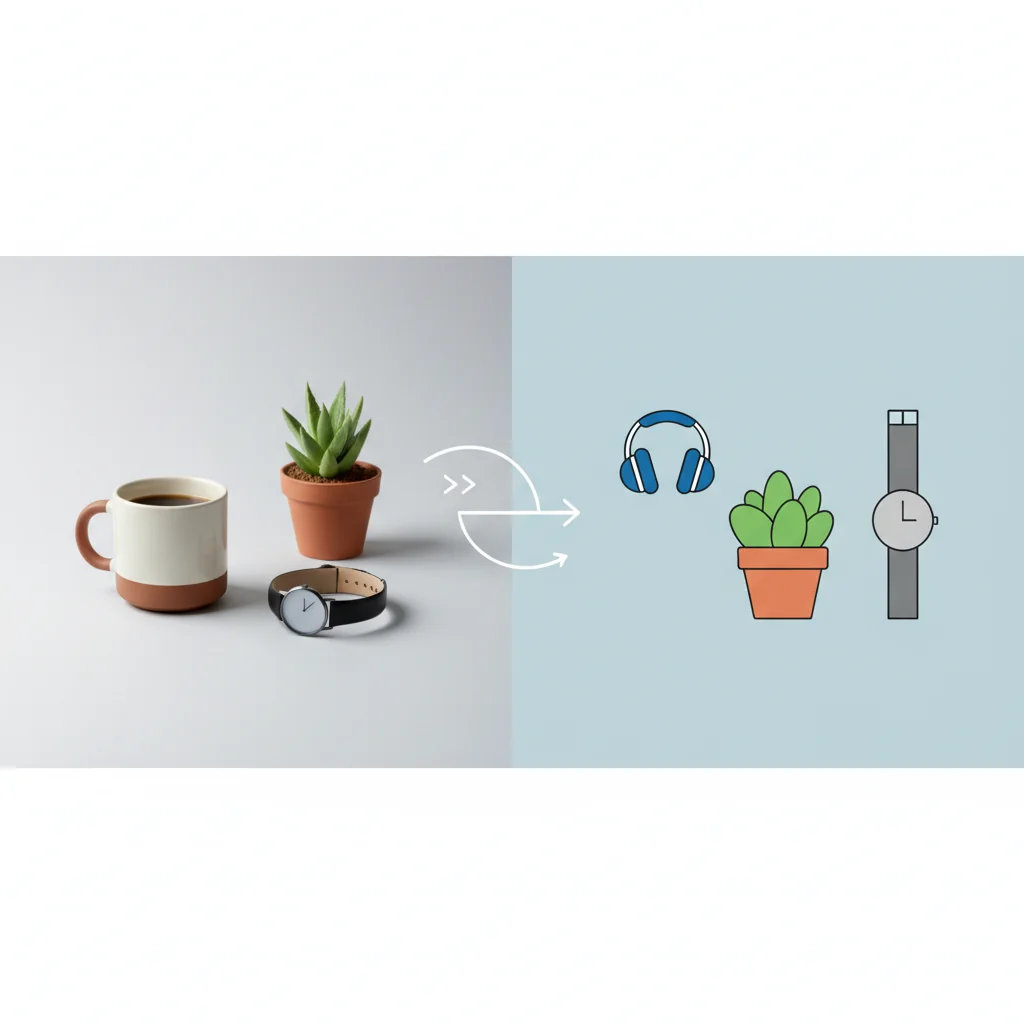
- Vector product graphics load 15x faster than PNGs and render pixel-perfect on every screen -- directly lifting mobile conversion rates
- Category icons and feature badges are the first graphics worth vectorizing: they stay sharp at every size and weigh far less than raster equivalents
- Not everything should be vectorized: photorealistic product shots still outperform vectors for hero images and lifestyle contexts
- A consistent SVG design system creates the visual trust signal that separates 7-figure brands from commodity sellers
Why Your Product Graphics Are Silently Killing Conversions
Here is a stat that should make every e-commerce operator sweat: 53% of mobile shoppers abandon a site that takes longer than 3 seconds to load, and product images account for over 60% of total page weight on the average Shopify store. You are paying for traffic that bounces before seeing a single product.
Stores that strategically replace raster graphics with optimized vectors get lighter, faster pages, and that is worth measuring against engagement and revenue per session.
This is not about replacing your product photography. It is about knowing which assets to vectorize and building a system that scales.
Vector Graphics vs. Photos: When Each Wins
Where Vectors Crush Photos
- Category navigation icons -- crisp at 16px and 1600px alike
- Feature badges (waterproof, organic, free shipping) -- consistent brand language
- Size charts and spec diagrams -- zoomable without pixelation on mobile
- Infographics -- data-driven selling points that load instantly
- Trust symbols and certification marks -- sharp credibility signals
Warning: When NOT to Vectorize: Photorealistic product shots, lifestyle imagery, texture-dependent visuals (fabrics, wood grains, food), and user-generated content should remain as optimized JPEGs or WebP. Vectorizing a photo of a leather handbag will produce a flat, cartoon-like result that tanks perceived value. Use vectors for graphics; use photos for photography.
Vector vs. Raster: Which Format for Which Graphic
Here is where each format fits best:
| Graphic Type | Better Format | Why | Best Platforms |
|---|---|---|---|
| Category icons | Vector | Crisp at 16px and 1600px alike | Shopify, WooCommerce |
| Feature badges | Vector | Consistent brand language | All platforms |
| Size charts | Vector | Zoomable without pixelation on mobile | Apparel, furniture |
| Product hero | Photo | Real texture and detail | All platforms |
| Infographics | Vector | Selling points that load instantly | Amazon A+, Shopify |
| Spec diagrams | Vector | Fine lines stay readable when zoomed | Electronics, tools |
| Trust badges | Vector | Sharp credibility signals | Cart, checkout pages |
Vectors win for information-dense and brand-consistency assets; photos win for emotional and aspirational content.
A Full Year of Conversions for $49
Starter Annual: 25 conversions every month, $49 for the whole year. That is about $4.08 a month · Cancel anytime
Get the Annual DealMarketplace-Specific Requirements
| Platform | SVG Support | Recommended Vector Use | Notes |
|---|---|---|---|
| Shopify | Full (Liquid + CDN) | Icons, badges, size charts | Use asset_url filter for SVGs |
| Amazon | Limited (A+ Content only) | Infographics, comparison charts | SVG not allowed in main images; export high-res PNG |
| Etsy | No native SVG | Export SVG to PNG at 2x | Offer SVG as digital download |
| WooCommerce | Full (WordPress) | All graphic types | Enable SVG upload via plugin |
Amazon sellers: Create infographics and A+ Content graphics as vectors in VectoSolve, then export at 2x resolution. You get the design precision of vectors with Amazon-compliant file formats.
Step-by-Step Workflow with VectoSolve
Step 1: Audit Your Product Pages
Open your top 10 revenue-generating pages. Catalog every non-photo graphic: navigation icons, feature badges, size guides, trust marks, promotional overlays. Sort by frequency of appearance -- a category icon on 500 pages has 500x the impact of a one-off graphic.
Step 2: Prepare Source Files
- Remove backgrounds from graphics with noisy surroundings
- Increase contrast and use the highest resolution available
- Clean up anti-aliasing artifacts at edges
Step 3: Batch Convert
Use batch processing for stores with dozens of assets:
- Upload prepared graphics to VectoSolve
- Set detail level -- medium for icons, high for diagrams
- Limit colors to your brand palette (fewer colors = smaller SVGs)
- Download production-ready SVGs
Example batch conversion (illustrative sizes):
  20 category icons:  PNG 900KB → SVG 58KB   (93% reduction)
  15 feature badges:  PNG 480KB → SVG 36KB   (92% reduction)
  8 size charts:      PNG 1.2MB → SVG 64KB   (95% reduction)
  Total savings:      2.58MB → 158KB per page load
Step 4: Implement on Your Platform
Shopify:
<div class="product-feature">
  {{ 'icon-waterproof.svg' | asset_url | inline_asset }}
  <span>Waterproof Design</span>
</div>
WooCommerce:
<img src="<?php echo get_template_directory_uri(); ?>/icons/feature.svg"
     alt="Waterproof feature icon" width="48" height="48" loading="lazy">
Step 5: Measure the Impact
Track before and after: Core Web Vitals via Search Console, page weight via Lighthouse, bounce rate on collection pages, and add-to-cart rate segmented by device.

Performance Impact: What Changes When You Switch
When a fashion store replaces all non-photo graphics with vectors, the first gains show up in page weight, then in load time and the mobile PageSpeed score. Whether bounce rate, add-to-cart rate and revenue per session follow depends on the store, so compare them before and after with the metrics from Step 5.
Free SVG Tools for Crafters
Design Checker · Color Separator · Mat Preview · Offset Generator · Text to SVG
Check Your SVG FreeBuilding a Visual Design System with Vectors
Pro Tip: Create a consistent visual language: Build an SVG design system with standardized stroke widths, corner radii, color tokens, and sizing scales. When every icon across your store feels like it belongs to the same family, shoppers perceive higher quality -- even subconsciously. Start with 5 core feature icons, enforce consistency with a shared component library, and export through VectoSolve.
SVG Style Guide Checklist
- Consistent stroke width: Pick 1.5px or 2px across all icons
- Uniform viewBox: Standardize on
0 0 24 24or0 0 48 48 - Brand color tokens: Define 3-5 SVG fill colors and never deviate
- Hover states: Use CSS transitions for interactive icons
.product-icon svg {
  fill: var(--color-text-secondary);
  transition: fill 0.2s ease, transform 0.2s ease;
}
.product-icon:hover svg {
  fill: var(--color-brand-primary);
  transform: scale(1.05);
}
The ROI Math Is Simple
Every millisecond shaved off load time converts to revenue. Every inconsistent, blurry graphic erodes trust. Vectorizing your e-commerce graphics is not a design project -- it is a conversion rate optimization project with compounding returns.
Start with your highest-traffic pages, batch convert with VectoSolve, measure the delta, and scale from there.
| Product Graphic Type | Raster (PNG) Size | SVG Size | Load Time Improvement |
|---|---|---|---|
| Category icon set (24 icons) | 480 KB total | 36 KB total | 13x smaller |
| Feature badge / trust seal | 85 KB each | 4 KB each | 21x smaller |
| Size chart / spec diagram | 220 KB | 18 KB | 12x smaller |
| Product comparison table icons | 150 KB set | 12 KB set | 12x smaller |
| Animated add-to-cart button | N/A (GIF: 350 KB) | 8 KB (CSS-animated SVG) | 44x smaller |