
Google Gemma 4 Changes Everything for Local Image Processing — What Designers Need to Know
Google just dropped Gemma 4 — four open-source AI models under Apache 2.0 that run on a Raspberry Pi and beat Llama 4 on reasoning benchmarks. Here's why designers should care about local image processing.

Founder of VectoSolve
Self-taught developer, founder and sole developer of VectoSolve since 2024. He builds the conversion engine and the cutting, embroidery and 3D printing exports.
How this article was made: drafted with AI assistance, then edited and fact-checked before publication. About the author
Try it on your own file
Free preview, no signup. Drop an image and see the vector before deciding anything.
A $80 Computer Now Runs a World-Class AI Vision Model
On April 2, 2026, Google DeepMind quietly released what might be the most important open-source AI launch of the year. Gemma 4 is a family of four models — from a 2.3 billion parameter model that fits on a Raspberry Pi to a 30.7 billion parameter powerhouse that rivals GPT-4 class models on reasoning tasks.
The kicker? It's Apache 2.0. Free. Commercial use allowed. No strings attached.
For designers working with images, this changes everything. For the first time, a model that genuinely understands images — detecting objects, reading text, parsing documents, classifying content — can run 100% offline on hardware you already own. No cloud API bills. No data leaving your machine. No rate limits.
And with over 400 million downloads and 100,000+ community variants already built on the Gemma family, this isn't an experiment. It's an ecosystem.
Gemma 4 was built from Gemini 3 research and technology, engineered to maximize intelligence-per-parameter. It's the most capable open model family ever released by Google.
How Does Gemma 4 Compare to Llama 4 and Previous Models?
Gemma 4's benchmarks aren't just good — they're a generational leap. The improvements from Gemma 3 to Gemma 4 are staggering across every metric:
Key comparisons:
| Benchmark | Gemma 3 27B | Gemma 4 31B | Llama 4 Scout 109B | Improvement |
|---|---|---|---|---|
| AIME 2026 (Math) | 20.8% | 89.2% | 88.3% | +330% |
| LiveCodeBench v6 | 29.1% | 80.0% | — | +175% |
| Codeforces ELO | 110 | 2,150 | — | 20x |
| GPQA Diamond | — | 84.3% | — | — |
| tau2-bench (Agentic) | 6.6% | 86.4% | — | 13x |
| MMLU Pro | — | 85.2% | — | — |
| MMMU Pro (Vision) | — | 76.9% | — | — |
| Arena AI ELO | — | 1,452 | — | #3 open model |
That AIME 2026 score of 89.2% edges out Meta's Llama 4 Scout (88.3%), despite Llama 4 having 109 billion total parameters versus Gemma 4's 30.7 billion. The efficiency difference is even starker with the 26B MoE: it activates only 3.8B parameters per token versus Llama 4 Maverick's 17B — delivering comparable quality at a fraction of the compute.
On Arena AI, Gemma 4 31B achieved an ELO of 1,452, making it the #3 ranked open model as of April 2, 2026. The 26B MoE scored 1,441 — beating OpenAI's gpt-oss-120B (76.2% on GPQA) with just 82.3%.
"Byte for byte, the most capable open models
What Are the Four Gemma 4 Models?
Gemma 4 ships as four distinct models, each targeting different hardware and use cases:
Deep dive into each model:
E2B (2.3B effective / 5.1B total) — The edge champion. Fits in under 1.5GB RAM with 2-bit quantization. Handles text, image, AND audio natively. On a Raspberry Pi 5, it achieves 133 prefill tokens/s. On a Qualcomm Dragonwing IQ8 NPU: 3,700 prefill tokens/s and 31 decode tokens/s — processing 4,000 input tokens across 2 skills in under 3 seconds.
E4B (4.5B effective / 8B total) — The sweet spot for mobile. Scores 42.5% on AIME 2026 — more than double what the entire Gemma 3 27B model achieved (20.8%). Runs on any 2023+ Android phone with 6GB RAM at 10-25 tokens/s.
26B MoE (25.2B total / 3.8B active) — The efficiency king. Uses Mixture-of-Experts routing to activate only ~3.8B parameters per forward pass. 256K context window (double the others). Scores 1,441 Arena ELO and 77.1% on LiveCodeBench. Runs on an RTX 4060 Ti 16GB (~$400).
31B Dense (30.7B total) — The full-power option. All parameters active on every token. 1,452 Arena ELO, 89.2% AIME, 2,150 Codeforces ELO. Requires RTX 5090 32GB (~$2,000) for comfortable inference with long context.
All four support 140+ languages and are natively multimodal. Available on Hugging Face, Ollama, Kaggle, LM Studio, Vertex AI, and Google AI Edge.
What Can Gemma 4 See in Images?
This is where Gemma 4 gets interesting for anyone working with images. The vision capabilities aren't bolted-on afterthoughts — they're native to the architecture with a dedicated vision encoder using learned 2D positional embeddings and multidimensional RoPE.

Complete list of vision capabilities:
- Object detection — identify and locate objects with bounding boxes
- OCR — extract text from photos, screenshots, documents (multilingual, 140+ languages)
- Document parsing — understand PDFs, invoices, forms, tables
- Chart comprehension — read and interpret data visualizations
- Handwriting recognition — decipher handwritten notes and annotations
- Image captioning — generate descriptive alt text
- Visual Q&A — answer questions about image content
- Screen/UI understanding — parse app interfaces and web layouts
- Multilingual document processing — read documents with mixed scripts
The configurable visual token budget is a clever feature: you can allocate 70, 140, 280, 560, or 1,120 tokens per image, trading detail for speed. Processing a batch of thumbnails for classification? Use 70 tokens each. Analyzing a detailed architectural drawing? Crank it to 1,120.
Variable resolution input preserves original aspect ratios instead of force-resizing to squares — critical for design work where proportions matter. The vision encoder supports interleaved multimodal input, meaning you can freely mix text and images in prompts.
What Hardware Do You Need to Run Gemma 4?
One of Gemma 4's most impressive achievements is the hardware range it covers. The E2B model fits in under 1.5GB of RAM with 4-bit quantization, enabling real AI inference on devices that cost less than a nice dinner.
Detailed hardware specifications:
| Model | Hardware | VRAM/RAM | Speed | Cost |
|---|---|---|---|---|
| E2B (Q4) | Raspberry Pi 5 | 8GB RAM (<1.5GB used) | 133 prefill, 7.6 decode tok/s | ~$80 |
| E2B (INT4) | Android (Pixel 9 class) | 6GB RAM | 10-25 tok/s | ~$500 |
| E2B | Qualcomm Dragonwing IQ8 | NPU | 3,700 prefill, 31 decode tok/s | OEM |
| 26B MoE | RTX 4060 Ti | 16GB VRAM | Full speed | ~$400 |
| 31B Dense (Q8) | RTX 5090 | 32GB VRAM | Full speed, long context | ~$2,000 |
Performance improvements over previous generation:
- 4x faster inference on Android
- 60% less battery consumption on mobile
- Forward compatibility: code written for Gemma 4 in AICore will work on Gemini Nano 4 devices (arriving later 2026 on new flagship Android phones)
- Gemini Nano predecessor already on 140+ million devices
Deployment tools include LiteRT-LM (Google's multi-platform runtime), Python CLI for Linux/macOS/RPi, Google AI Edge Gallery (iOS/Android apps), and Android AICore Developer Preview.
How to Build an Offline Image-to-SVG Pipeline with Gemma 4?
Here's where it gets practical. Imagine this workflow:
- You photograph a logo, sketch, or design on paper
- Gemma 4 runs locally on your phone — analyzes the image, detects objects, extracts text, classifies the content
- Based on that analysis, you send the image to VectoSolve for vectorization
- You get back a clean, optimized SVG — scalable, print-ready, no embedded scripts
The analysis step is completely offline. No API call, no data sent anywhere. The vectorization step uses VectoSolve's API (or MCP server for AI agent workflows), but the heavy lifting of understanding what's in the image happens on your device.
Why this matters:
- Privacy-sensitive work — client logos, unreleased designs, NDA materials stay on your device
- Offline environments — field work, flights, areas with poor connectivity
- Cost optimization — analyze locally, and spend plan credits only on the actual vectorization (0.20 credits a conversion)
- Speed — no network round-trip for the analysis step
- Compliance — GDPR, HIPAA, and other data residency requirements satisfied by default
Warning: This is not a replacement for cloud-based vectorization — converting raster to SVG still requires specialized models like Recraft AI. But having local image understanding means smarter preprocessing, better prompts, and fewer wasted API calls.
Can Gemma 4 Run Autonomous AI Agents?
The most underrated improvement in Gemma 4 might be its agentic capabilities. The tau2-bench score jumped from 6.6% to 86.4% — that's not incremental improvement, that's going from "basically broken" to "actually useful."
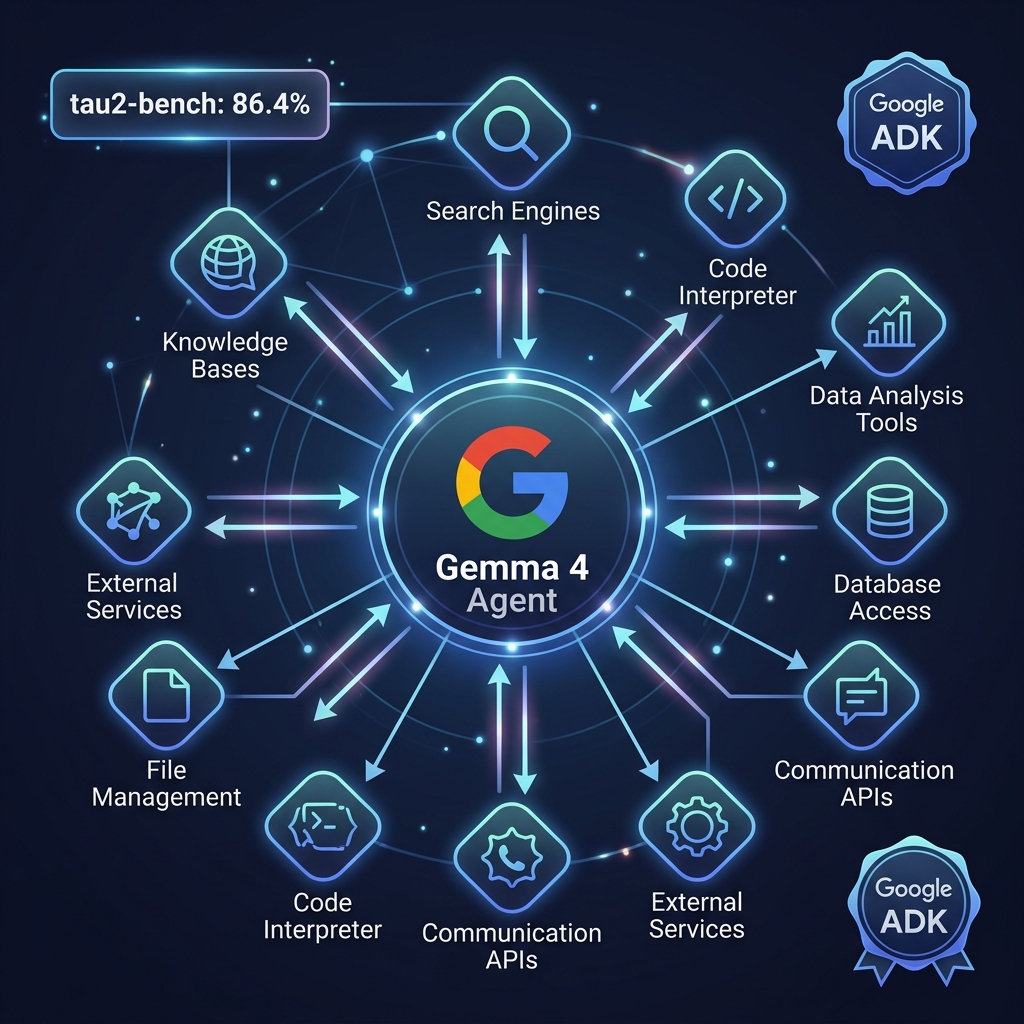
With Google ADK (Agent Development Kit), Gemma 4 models can:
- Call external tools autonomously (APIs, file systems, databases)
- Plan multi-step workflows with branching logic
- Execute code locally with sandboxing
- Process interleaved text, image, and audio inputs in a single context
- Use structured decoding (JSON mode) for reliable, parseable outputs
- Maintain 256K context for long-running agentic sessions (26B MoE)
Practical example with VectoSolve MCP:
{
  "mcpServers": {
    "vectosolve": {
      "command": "npx",
      "args": ["@vectosolve/mcp"],
      "env": { "VECTOSOLVE_API_KEY": "vs_your_key" }
    }
  }
}
An agent receives a design brief → generates image concepts → vectorizes them via VectoSolve → optimizes the SVGs → delivers production-ready assets. All orchestrated by a local Gemma 4 model running on a $400 GPU.
Compatible agent frameworks: Claude Code, Cursor, Warp, Android Studio, VS Code, Factory, Firebender, Augment, and many more.
What Does Gemma 4 Mean for the Future of Design?
The release of Gemma 4 marks a turning point. Until now, "local AI" meant compromised quality — smaller models that could sort of do the job but couldn't match cloud APIs. Gemma 4 breaks that trade-off.
The 26B MoE model runs on a $400 GPU and rivals models 3-4x its size. The E2B model runs on your phone and handles vision tasks that would have required GPT-4V a year ago. The 400M+ download count and 100,000+ community variants mean the ecosystem is mature and thriving.
What to expect next:
- Gemini Nano 4 arriving on new flagship Android phones later 2026 — same architecture, optimized for mobile silicon
- Fine-tuned variants for specific design tasks (icon classification, font recognition, color palette extraction) from the community
- Deeper MCP integrations — Gemma 4 as the local brain orchestrating cloud tools like VectoSolve, Figma, and Vercel
Key Takeaways
- Gemma 4 is Apache 2.0 — use it commercially, modify it, deploy it anywhere, no strings attached
- Four models: E2B (phone/RPi), E4B (mobile), 26B MoE (consumer GPU), 31B Dense (enthusiast)
- 89.2% on AIME 2026 mathematics (beats Llama 4 Scout at 88.3% with 3.5x fewer parameters)
- Arena AI ELO 1,452 — #3 ranked open model worldwide
- Vision is native: OCR in 140+ languages, object detection, document parsing, chart reading
- Runs on a Raspberry Pi 5 ($80) in under 1.5GB RAM
- Agentic capabilities jumped from 6.6% to 86.4% on tau2-bench
- Pair with VectoSolve MCP for a privacy-first image-to-SVG pipeline
- 400M+ downloads, 100K+ community variants — battle-tested ecosystem
- Available on Hugging Face, Ollama, Kaggle, LM Studio, Vertex AI
The gap between local and cloud AI just got a lot smaller. For designers who care about privacy, cost, and independence from API providers, Gemma 4 is the model to watch.
Ready to vectorize your images? Try VectoSolve free — convert any image to clean SVG in seconds. Works perfectly with Gemma 4 preprocessed images.