
How Small Businesses Are Cutting Design Costs by 80% with AI Tools in 2026
Small businesses are replacing $2,000/month design retainers with $10/month AI tools. Here's what changed in 2026 and how to do it yourself.

UX Designer & Content Strategist
Sarah brings 6 years of design experience from agencies like IDEO and Frog Design. She specializes in visual design systems and brand optimization.
The $2,000/Month Problem That AI Just Solved
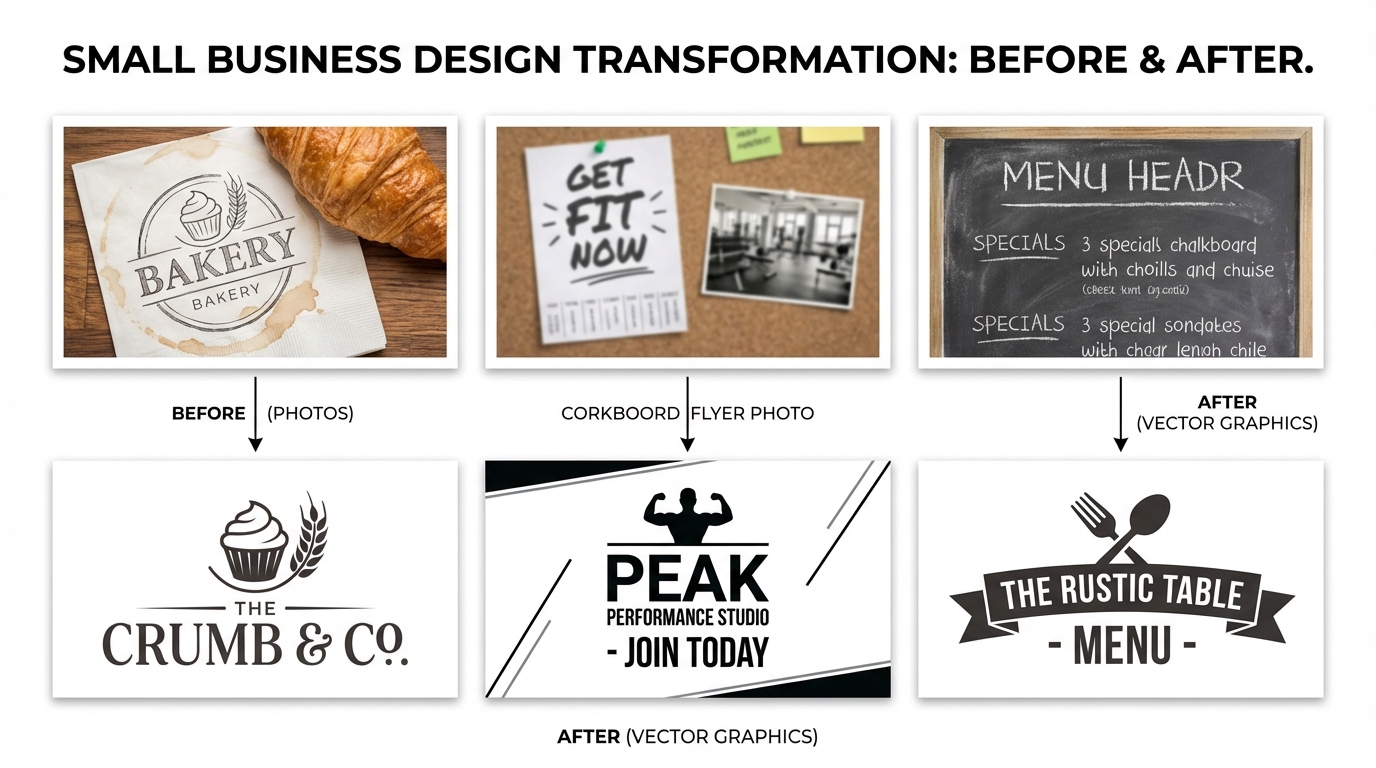
A bakery in Atlantic City used to pay $1,800/month for a freelance designer to create social media graphics, update menus, and vectorize their logo for merchandise. In January 2026, they switched to AI design tools. Their monthly design spend dropped to under $50.
This isn't an isolated case. Across the country, small business owners are discovering that the AI tools available in 2026 operate in a genuinely different category than what existed two years ago. The quality gap between AI-generated designs and human-created ones has narrowed to the point where, for most small business needs, the difference is imperceptible.
What Changed in 2026?
Three shifts converged to make AI design tools viable for small businesses:
The result: a small business owner with zero design skills can now convert a phone photo of their storefront into a professional vector logo, create social media templates, and generate product mockups — all before lunch.

The Math: Agency vs AI Tools
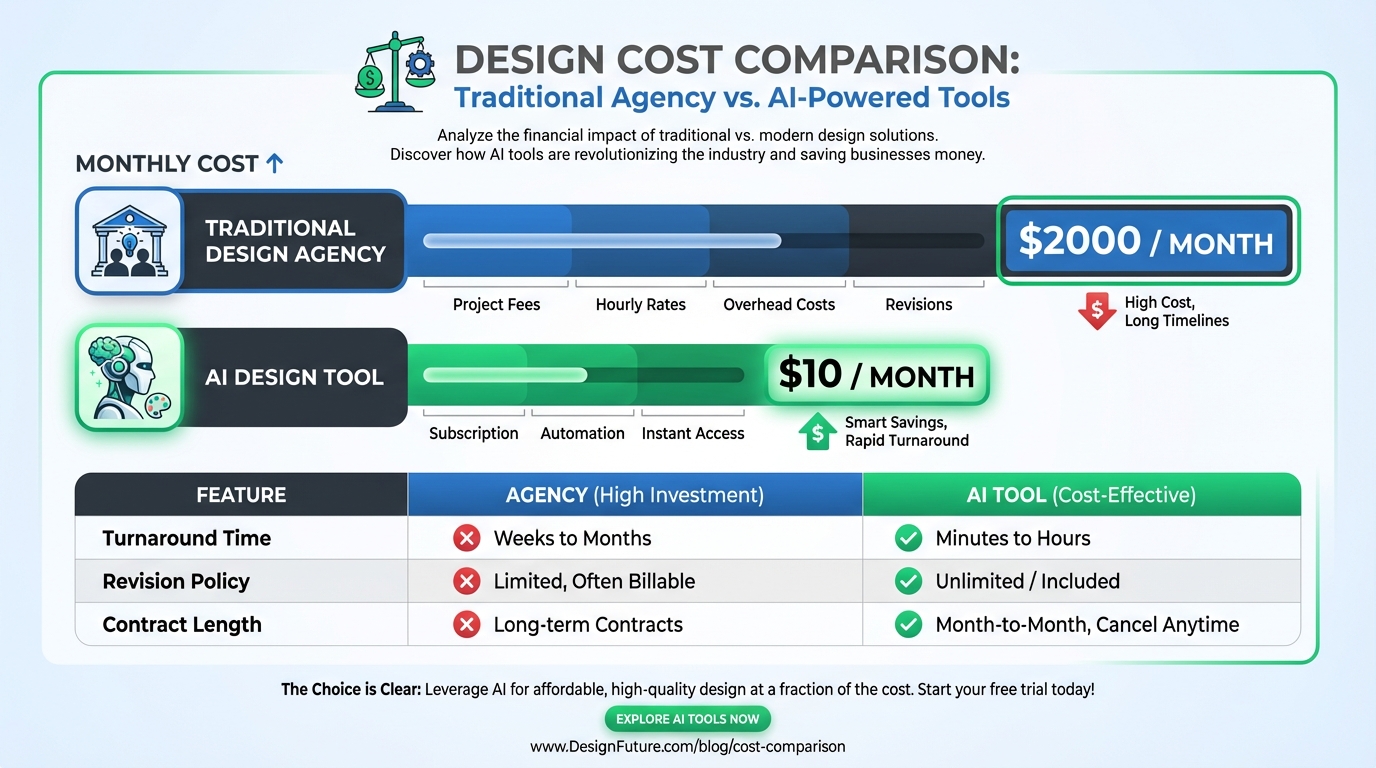
| Design Task | Agency/Freelancer | AI Tools | |---|---|---| | Logo vectorization (1 version) | $75-200 | $0.20 | | Social media graphics (10/month) | $500-800 | $2-5 (AI generate) | | Background removal (20 images) | $100-200 | $1.40 | | Menu/flyer design | $150-300 | $2-5 | | Product photo cleanup | $200-500 | $3-5 | | Monthly total | $1,025-2,000 | $9-16 |
That's a 95% cost reduction. Even if you factor in the time the business owner spends learning the tools (typically 1-2 hours), the ROI is immediate.
50% OFF Your First Conversion
$1.30 $0.65 for 5 conversions · No signup required
5 AI Design Tasks Any Small Business Can Do Today
1. Convert Your Logo to SVG
Your logo probably exists as a blurry JPEG from 2019. Upload it to VectoSolve and get a clean, infinitely scalable SVG in under 10 seconds. Use it on business cards, vehicle wraps, t-shirts — no pixelation ever.
Cost: $0.20 per conversion (one-time)
2. Remove Backgrounds from Product Photos
Selling on Etsy, Amazon, or your own site? Clean product photos with white backgrounds convert 40% better. AI background removal handles this in seconds, even around complex edges like jewelry or fabric.
Cost: $0.07 per image
3. Create Cut-Ready Files for Merchandise
If you sell stickers, vinyl decals, or t-shirts, you need SVG files optimized for cutting machines. VectoSolve's Cricut Mode automatically removes gradients, flattens opacity, and cleans up small details.
Cost: $0.20 per file
4. Generate Social Media Graphics
AI image generators can create branded social media templates from text prompts. Describe what you want, add your logo, and publish. Tools like Canva AI, Adobe Express, and dedicated generators handle this well.
Cost: $0-10/month depending on the tool
5. Upscale Low-Resolution Images
That tiny logo from your old website? AI upscaling can enlarge it 4x while maintaining — or even improving — sharpness. Then vectorize the upscaled version for the best of both worlds.
Cost: $0.15 per upscale
What AI Can't Replace (Yet)
Be realistic about what AI handles well and where you still need a human:
The sweet spot: use AI for 80% of your daily design tasks, and hire a professional for the 20% that requires strategic thinking.
Getting Started: The $10 Design Stack
Here's what we recommend for a small business spending under $10/month on design:
Total monthly cost for a typical small business: $5-15.
Free SVG Tools for Crafters
Design Checker · Color Separator · Mat Preview · Offset Generator · Text to SVG
Check Your SVG FreeThe Bottom Line
The design tools available in March 2026 are not incremental improvements over what existed before. They represent a category shift. A small business owner with a smartphone and $10 can now produce design assets that would have cost thousands just two years ago.
The businesses that adopt these tools first will have a significant advantage in brand consistency, content velocity, and marketing effectiveness — all while spending a fraction of what their competitors pay.
Start converting images to SVG — free preview, no credit card required.