
For Cricut, Silhouette and laser
Mother's Day SVG Files From Your Own Picture
Drop a photo of a handwritten recipe, your child's drawing or flowers from the garden. The background comes off and you get an SVG for Cricut Design Space, Silhouette Studio or your laser software.
- Opens in
- Cricut Design Space, Silhouette Studio Designer Edition, LightBurn, xTool Creative Space
- Preview
- Free preview, no signup
- Clean file
- Buy that one file or take a plan. The price shows before you pay.
Real pictures, and the files made from them
Each pair is one real conversion made on vectosolve.com on October 1 or 2, 2026, with the settings named under it. The right image is drawn from the SVG the converter returned, without the preview watermark and with nothing retouched. What the file does not do is written under each pair.
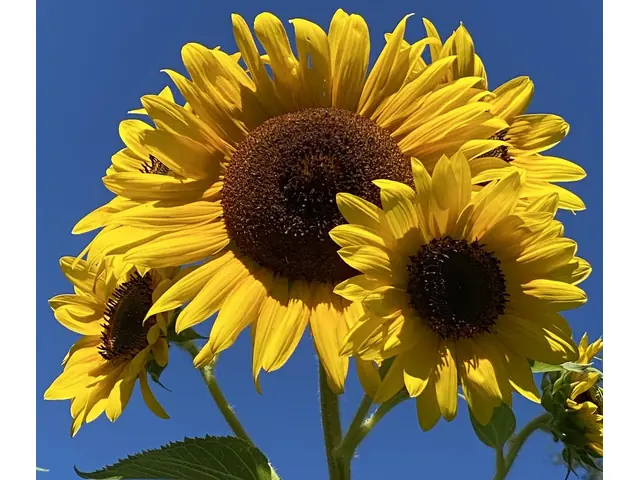
Uploaded 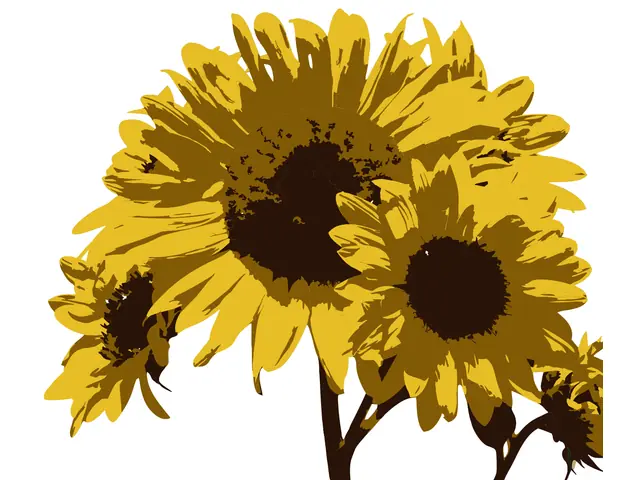
SVG returned Three sunflowers against a blue sky, shot with a phone
The sky is gone: petals, centres, stems and a bud come back in 3 flat colours, yellow, ochre and dark brown.
Limit: The shaded petals make 1,186 shapes: right for a print, a mug or a screen-printed tee, too many for one clean cut.
Settings: paid conversion on the home page, 3 colours. Converted on October 1, 2026. Photo: Cbuske46, Wikimedia Commons, CC0.
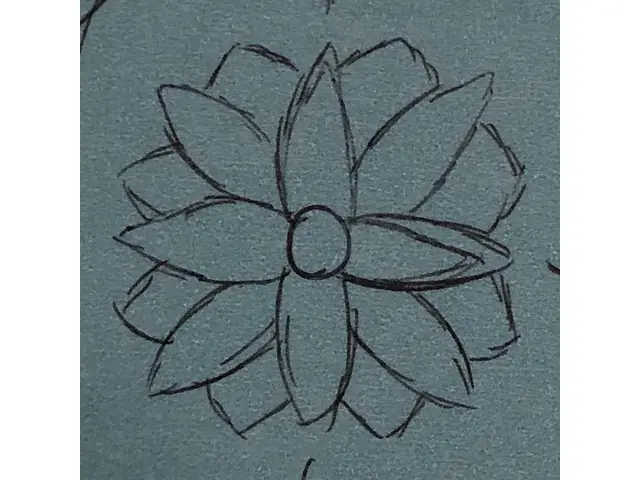
Uploaded 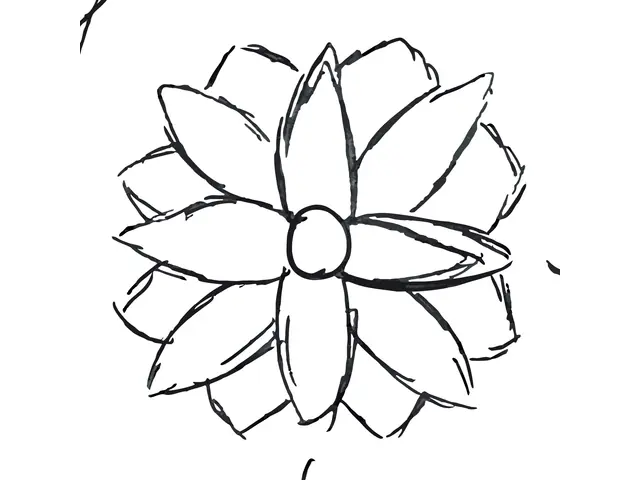
SVG returned A ballpoint doodle on a blue index card
The blue card is gone: every pen stroke of the flower is kept as a dark line.
Limit: Doubled sketch strokes and a few stray lines at the edges are kept too: the trace follows the pen, mistakes included.
Settings: free preview, Balanced preset. Converted on October 1, 2026. Photo: Mbennettphan, Wikimedia Commons, CC0.
Uploaded 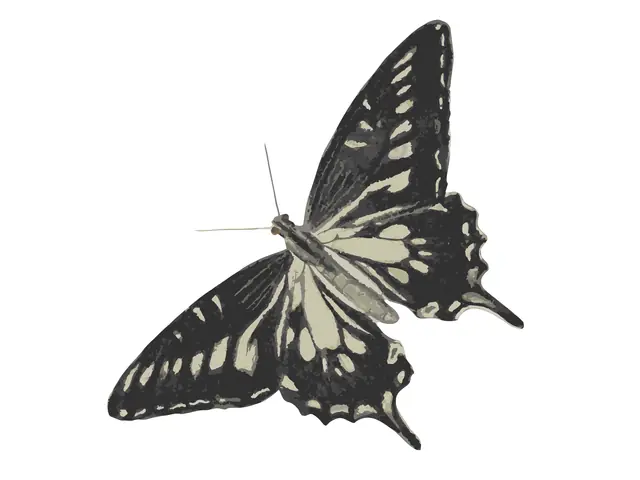
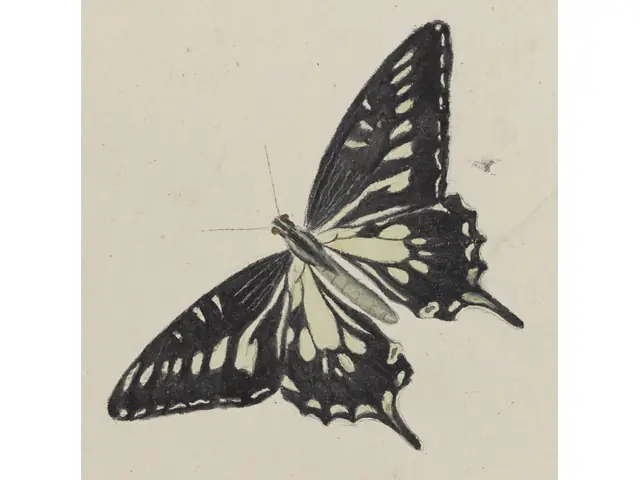
SVG returned An 18th-century watercolour of a swallowtail
The paper, a smudge and a fold are gone: the butterfly is kept whole, wings, tails and eyes included.
Limit: The watercolour shading makes 1,511 shapes: right for a print, heavy for a cut file.
Settings: free preview, Balanced preset. Converted on October 2, 2026. Scan: Ann Lee, Royal Albert Memorial Museum, Exeter, Wikimedia Commons, public domain.
Uploaded 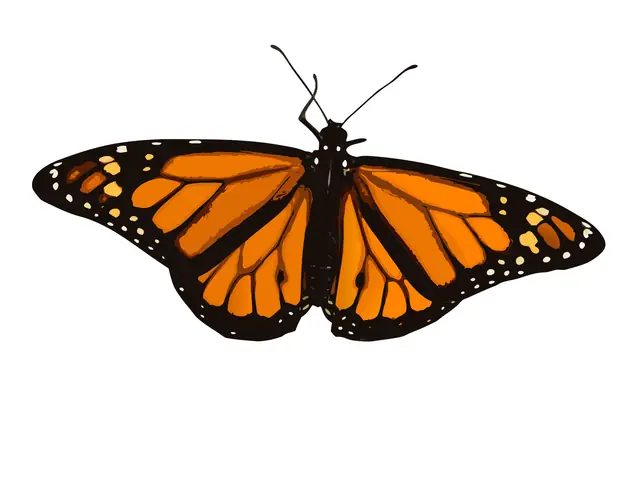
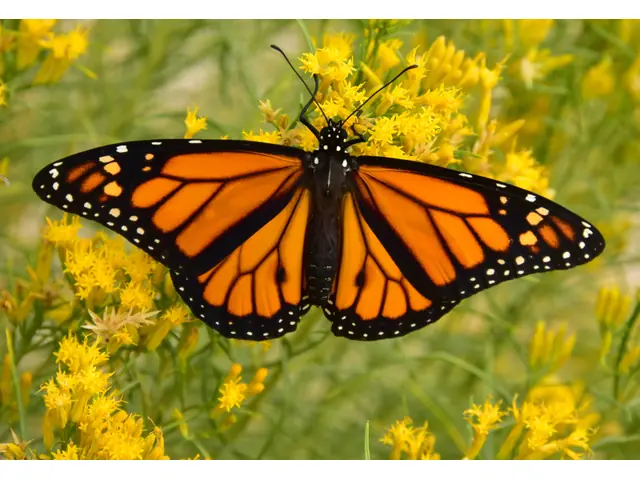
SVG returned A monarch butterfly on yellow flowers
The flowers and the grass are gone: the wings, the veins, the white dots, the body and both antennae are traced.
Limit: About 50 of the roughly 74 white dots were kept: the smallest ones on the wing edges were dropped.
Settings: free preview, Balanced preset. Converted on October 2, 2026. Photo: Tom Koerner, USFWS, Wikimedia Commons, public domain.
Your project
Pick Your Mother's Day Project
Each page below has a converter for that machine and explains which file to use.
Her handwriting
A recipe card or a note in her handwriting, engraved on a cutting board or cut in vinyl for a mug.
Cards from a drawing
Your child's drawing on a card: Print then Cut it, or cut it from layered cardstock.
Mugs, tumblers and shirts
Her name or a drawing, in sublimation, iron-on vinyl or a print.
Flowers
A photo of her garden or a botanical print, turned into a layered file or a print, like the sunflowers above.
Engraved keepsakes
Wood boxes, slate coasters and jewelry dishes. Engrave the traced shapes, or keep only the outline as your cut line.
Ready-made outlines
Our template library has a floral corner accent for cards, which costs one conversion, and a gift tag that is free to download once you sign in.
From Your Picture to the Cut File in 3 Steps
- 1
Drop your picture
A phone photo, a scan or a PNG. A plain background and good light give the cleanest file.
- 2
Check the free preview
See the traced file before you pay anything. No signup.
- 3
Get the clean file and cut
Buy that one file or take a plan, then open the SVG in Design Space, Silhouette Studio or your laser software.
Mother's Day SVG FAQ
Are there ready-made Mother's Day SVG files on this page?
No. This page turns your own picture into an SVG: the preview is free, the clean file is paid. Our template library has no Mother's Day set; it has a floral corner accent that costs one conversion and a gift tag that is free to download once you sign in.
Can I convert Mother's Day clipart I found online?
Only if you have the right to use it. Converting a picture to SVG does not change who owns it. For things you sell, start from your own drawing or photo, or from a design licensed for commercial use.
Which pictures give the cleanest cut file?
Dark ink or flat colors on a plain background: handwriting, a drawing, a logo. The sunflower photo above came back in its 3 colors as 1,186 shapes: right for a print or a mug, too many for one clean cut. A pen drawing keeps every stroke: 479 shapes for the doodle above.
Will the SVG open in Cricut Design Space and Silhouette Studio?
Yes in Design Space: choose Upload, then Upload Image, and pick the SVG. Silhouette Studio opens SVG files from the Designer Edition up; with the Basic Edition, use a DXF instead (see our Silhouette Studio page).
How long does a conversion take?
Usually a few seconds per picture. You see the preview on this page, with no account.
What does it cost?
The preview is free, with no signup. The clean file is paid: you can buy just that file or take a plan, and the price shows before you pay.
Make Your Mother's Day Cut File
Drop the picture, check the free preview, then decide.
Upload a pictureRelated pages: