
For Cricut, Silhouette and laser
Christmas SVG Files From Your Own Picture
Drop a photo of an ornament, your child's drawing or a design you made. The background comes off and you get an SVG for Cricut Design Space, Silhouette Studio or your laser software.
- Opens in
- Cricut Design Space, Silhouette Studio Designer Edition, LightBurn, xTool Creative Space
- Preview
- Free preview, no signup
- Clean file
- Buy that one file or take a plan. The price shows before you pay.
Real pictures, and the files made from them
Each pair is one real conversion made on vectosolve.com on October 1 or 2, 2026, with the settings named under it. The right image is drawn from the SVG the converter returned, without the preview watermark and with nothing retouched. What the file does not do is written under each pair.
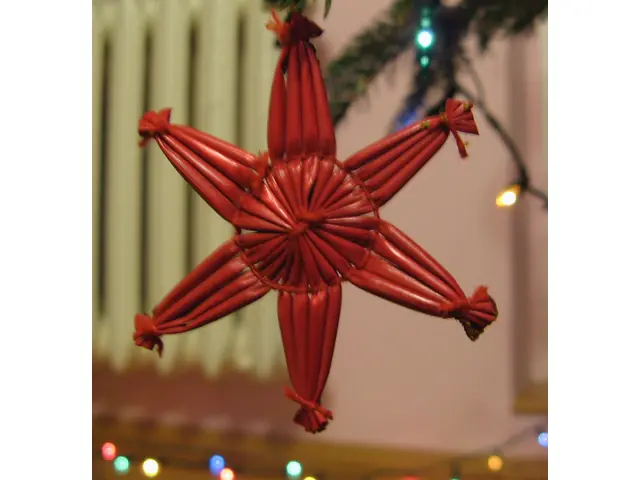
Uploaded 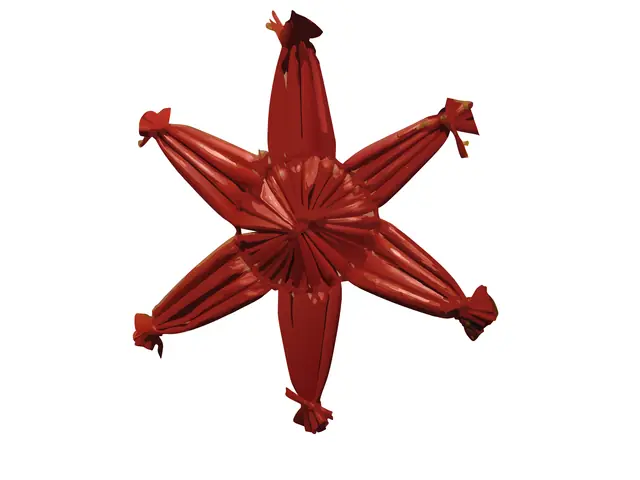
SVG returned A straw star hanging on a Christmas tree
The tree, the radiator and the fairy lights are gone: the six-pointed star and its ties are kept.
Limit: Every straw is traced with its shine, 848 shapes in all: engrave it, or weld the shapes for a single cut line.
Settings: free preview, Clean Cut preset. Converted on October 1, 2026. Photo: Edzio, Wikimedia Commons, public domain.
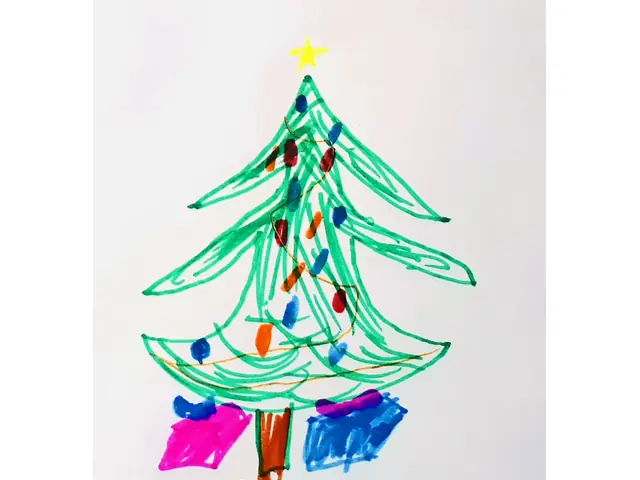
Uploaded 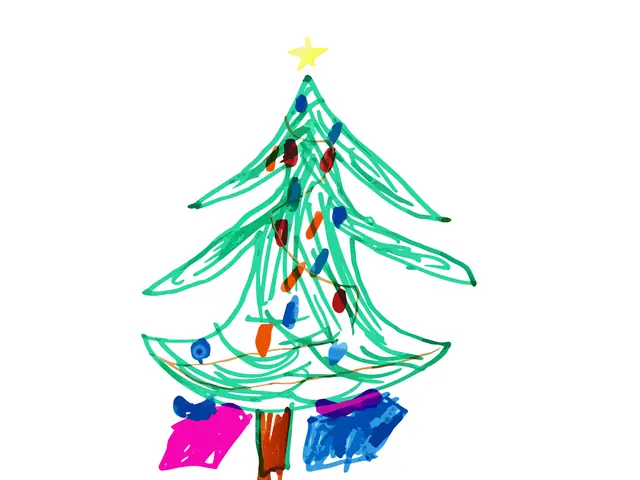
SVG returned A child's felt-tip Christmas tree, shot with a phone
The paper is gone. The strokes, the baubles, the star, the trunk and both presents are kept in their own colours.
Limit: Felt-tip strokes are uneven, so the file has 703 shapes: engrave it as is, or merge the colours before you cut layers.
Settings: free preview, Clean Cut preset. Converted on October 1, 2026. Photo: Liilia Moroz, Wikimedia Commons, CC0.
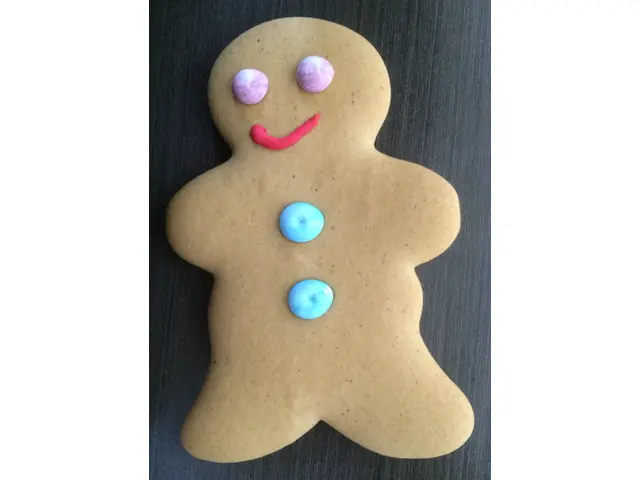
Uploaded 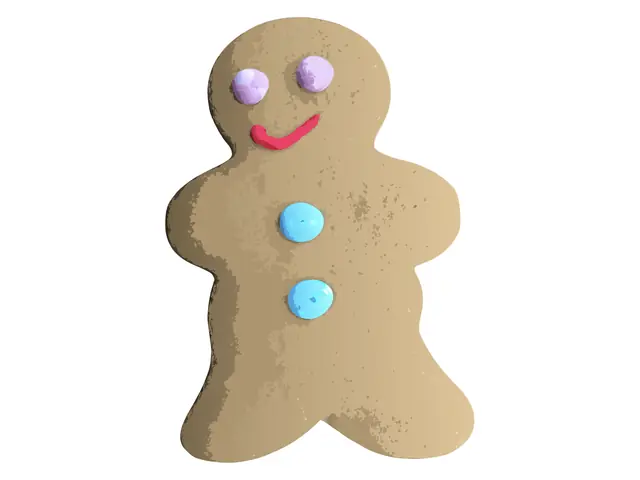
SVG returned A gingerbread man on a grey cloth
The cloth is gone. The cookie is one closed outline, with the icing eyes, smile and buttons as separate shapes on top.
Limit: The baked texture came back as shaded patches, 399 shapes in all: right for engraving, too many for one clean cut.
Settings: free preview, Clean Cut preset. Converted on October 1, 2026. Photo: Brassluff, Wikimedia Commons, CC0.
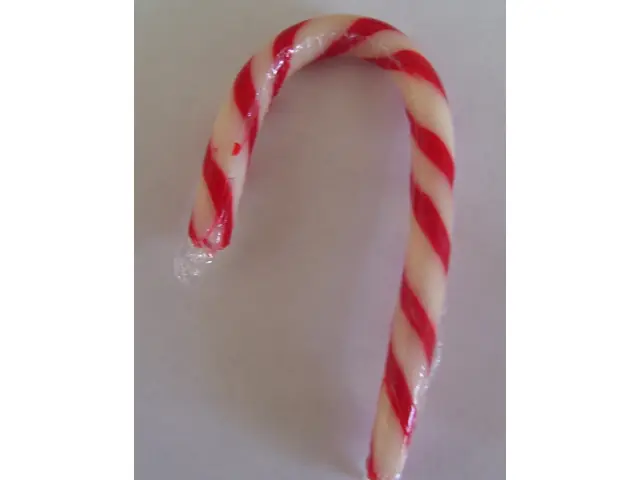
Uploaded 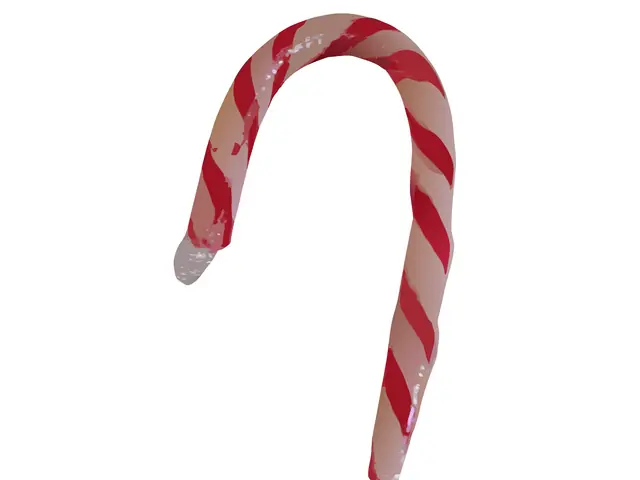
SVG returned A candy cane on a grey table
The table is gone: the red stripes come back as flat deep-red shapes along the whole cane.
Limit: The white stripes came back pinkish, with soft gradients from the warm light: recolour them before you cut white vinyl.
Settings: free preview, Balanced preset. Converted on October 1, 2026. Photo: Coolgirly88, Wikimedia Commons, public domain.
Your project
Pick Your Christmas Project
Each page below has a converter for that machine and explains which file to use.
Laser-cut and engraved ornaments
Wood, acrylic or slate. Engrave the traced shapes, or keep only the outline as your cut line.
Vinyl decals and iron-on shirts
Family names, a drawing on a sweatshirt, window decals: cut each color from its own sheet.
Cards and gift tags
Print then Cut on a Cricut, or layered cardstock. A felt-tip drawing works, like the tree above.
Stocking names and embroidered patches
A name, a monogram or a simple drawing turned into a stitch file: DST, PES and JEF in one download.
3D-printed ornaments
An SVG that Bambu Studio turns into a raised shape, or a 3MF with one part per filament color.
Ready-made Christmas outlines
Our template library has a snowflake, a star ornament, a layered tree and an ornament ball. Some are free to download once you sign in, the others cost one conversion.
From Your Picture to the Cut File in 3 Steps
- 1
Drop your picture
A phone photo, a scan or a PNG. A plain background and good light give the cleanest file.
- 2
Check the free preview
See the traced file before you pay anything. No signup.
- 3
Get the clean file and cut
Buy that one file or take a plan, then open the SVG in Design Space, Silhouette Studio or your laser software.
Christmas SVG FAQ
Are there ready-made Christmas SVG files on this page?
This page turns your own picture into an SVG: the preview is free, the clean file is paid. For ready-made designs, our template library has a few simple Christmas outlines, and some of them are free to download once you sign in.
Can I convert Christmas clipart I found online?
Only if you have the right to use it. Converting a picture to SVG does not change who owns it. For things you sell, start from your own drawing or photo, or from a design licensed for commercial use.
Which pictures give the cleanest cut file?
Flat colors on a plain background: a drawing, a logo, a sticker design. Photos work too, but shading turns into extra shapes. The straw star above came back as 848 shapes: right for engraving, too many for one clean cut.
Will the SVG open in Cricut Design Space and Silhouette Studio?
Yes in Design Space: choose Upload, then Upload Image, and pick the SVG. Silhouette Studio opens SVG files from the Designer Edition up; with the Basic Edition, use a DXF instead (see our Silhouette Studio page).
How long does a conversion take?
Usually a few seconds per picture. You see the preview on this page, with no account.
What does it cost?
The preview is free, with no signup. The clean file is paid: you can buy just that file or take a plan, and the price shows before you pay.
Related pages: