
Marketing Materials: Complete Vector Graphics Playbook
Create impactful marketing materials with vector graphics. From brochures to presentations, master the visual elements that drive results.
Founder and developer of VectoSolve
Self-taught developer who founded VectoSolve in 2024. He builds the conversion engine and the cutting, embroidery and 3D printing exports, working with the VectoSolve team of graphic designers.
How this article was made: drafted with AI assistance, then edited and fact-checked before publication. About the author
Try it on your own file
Free preview, no signup. Drop an image and see the vector before deciding anything.
In many marketing teams, the quarterly pipeline review shows the same pattern: the product is strong, the positioning is sharp, and then someone opens the campaign deck — and the logo is pixelated on slide three. The brochure export looks washed out. The trade-show banner proof comes back with compression artifacts around the wordmark. These are not design problems. They are asset-format problems, and they cost mid-size marketing teams far more than anyone tracks.
Across print, digital, paid media, and event channels, the lesson is the same: vector graphics are the single highest-leverage investment a marketing org can make in brand consistency at scale.
Why This Matters to the Bottom Line
Brand consistency across all touchpoints can increase revenue by up to 23 percent, according to Lucidpress research. Yet most marketing teams manage a patchwork of PNGs, JPEGs, and the occasional AI file only one designer can open. The result is rework, vendor delays, and slow erosion of the visual standard your brand guidelines were supposed to protect.
Vector formats — especially SVG — eliminate an entire category of production friction. They scale infinitely, stay editable, and render crisply whether the output is a 60-pixel favicon or a 60-foot billboard. When you centralize marketing assets in vector format, you stop re-creating and start re-using.
Key Takeaways
- Vector assets remove the single biggest source of brand inconsistency: format-dependent quality loss
- A centralized SVG marketing library cuts production time by 30-50% across campaigns
- Every marketing collateral type — from business cards to trade-show banners — benefits from a vector-first workflow
- The cost of fixing raster-based brand inconsistencies far exceeds the one-time investment in vectorization
The Marketing Collateral Checklist
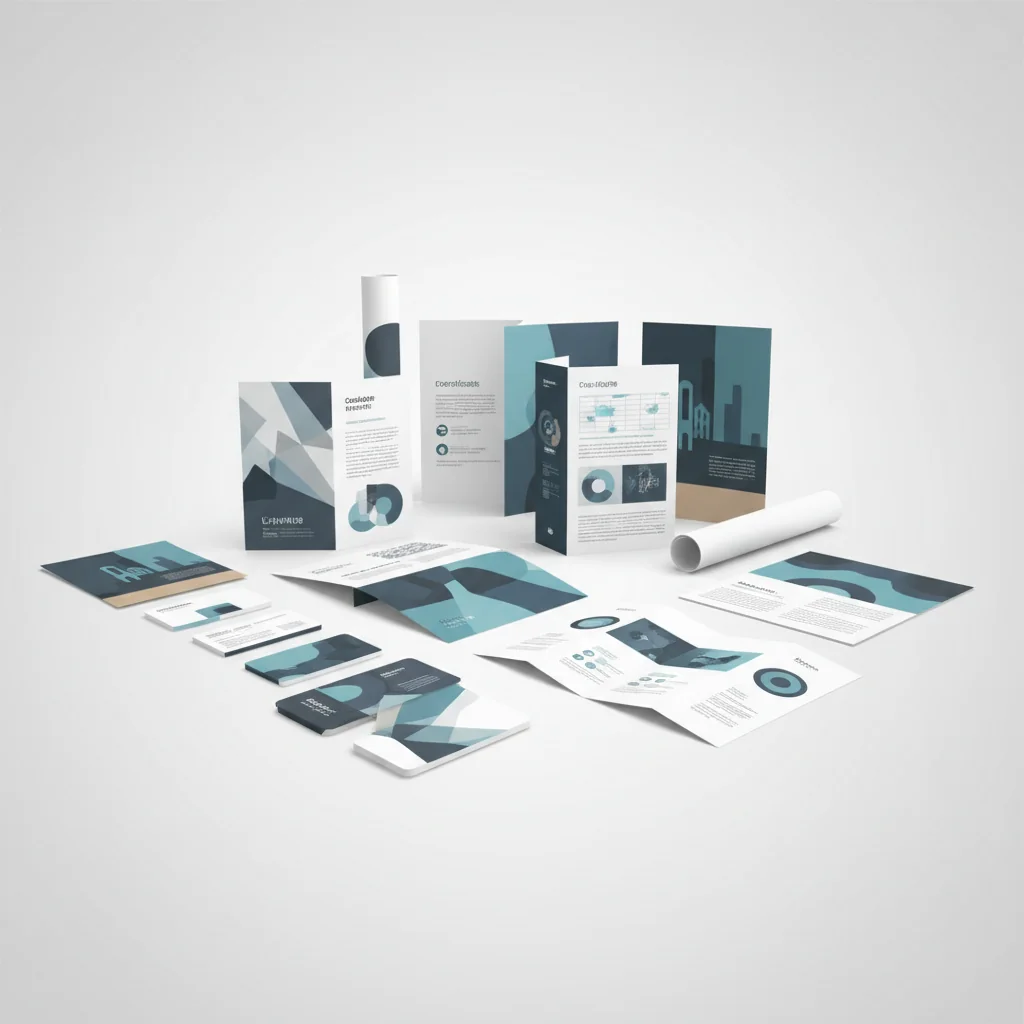
Here is every material type a typical mid-size marketing team produces, and how vector graphics fit into each one.
Business Cards
Your business card is often the first physical artifact a prospect holds. A raster logo at 300 DPI looks acceptable at standard size, but specialty prints — foil stamping, letterpress, die-cut — require clean vector paths. VectoSolve converts raster logos into production-ready SVGs that print vendors can work with.
Brochures and Sell Sheets
Tri-fold brochures, capability decks, product one-pagers — these live at the intersection of photography and brand graphics. Photos stay raster; logos, icons, diagrams, and decorative elements should all be vector. This keeps file sizes manageable and ensures every graphical element prints at full sharpness.
Banners and Large-Format Signage
This is where raster assets fail most visibly. A logo that looked fine on a web page becomes a blurry mess at 8 feet wide.
Warning: Never send a raster logo to a large-format printer. A 1000x1000 pixel PNG stretched to banner size (typically 8'x3' or larger) drops below 30 DPI — well under the 100 DPI minimum for acceptable viewing distance. The result: visible pixelation that undermines every dollar you spent on booth design. Always supply vector source files for any print piece larger than letter size.
Trade Show and Event Materials
Trade shows compress your entire brand into a 10x10 booth. Backdrops, retractable banners, table wraps, podium graphics, badge lanyards — every element needs to scale perfectly. A single vectorized asset library lets you hand your event vendor one folder and know every piece will print correctly.
Digital Ads (Display, Social, Video)
Paid media demands dozens of size variants: 728x90 leaderboards, 1080x1080 social squares, 1200x628 link previews, 9:16 story formats. When core brand elements are SVG, resizing is non-destructive. Use VectoSolve's batch converter to process an entire icon set or illustration library in one pass.
Vector vs. Raster: Requirements by Material Type
Not every element needs to be vector. Here is a practical breakdown of what should be vector, what can stay raster, and the risk if you get it wrong.
| Material Type | Logo | Icons | Photography | Decorative Graphics | Risk if Raster |
|---|---|---|---|---|---|
| Business Cards | Vector required | Vector preferred | N/A | Vector preferred | Vendor rejection |
| Brochures | Vector required | Vector required | Raster OK (300 DPI) | Vector preferred | Soft printing |
| Large Banners | Vector critical | Vector required | Raster OK (150 DPI) | Vector required | Visible pixelation |
| Trade Show Booth | Vector critical | Vector required | Raster OK (150 DPI) | Vector required | Brand damage |
| Digital Ads | Vector preferred | Vector preferred | Raster OK (72 DPI) | Vector preferred | Blurry at 2x/3x displays |
| Email Headers | Vector preferred | Vector preferred | Raster OK | SVG or high-res PNG | Retina blur |
| Presentations | Vector preferred | Vector preferred | Raster OK | Vector preferred | Projection softness |
| Social Media | Vector preferred | Vector preferred | Raster OK | Vector preferred | Platform recompression |
Logos and icons should always be vector, without exception. Photography remains raster, and decorative elements trend strongly toward vector for anything touching print.
A Full Year of Conversions for $49
Starter Annual: 25 conversions every month, $49 for the whole year. That is about $4.08 a month · Cancel anytime
Get the Annual DealBrand Asset Management: The System That Scales
A vector-first asset library is only valuable if your team can find and use the right files. Here is a folder architecture that works well.
/marketing-assets
  /brand-core
    /logos
      logo-primary.svg
      logo-reversed.svg
      logo-icon-only.svg
    /color-palette
      brand-colors.svg
    /typography
      font-files/
  /icons
    /ui-icons
    /industry-icons
    /social-icons
  /templates
    /print (brochure, card, flyer)
    /digital (ad sizes, email, social)
    /presentations (slide masters)
  /campaigns
    /[campaign-name]-[quarter]
      source-vectors/
      exports/
When every asset starts as a vector source, updates propagate cleanly. Change the brand color in one SVG, re-export, and every downstream material reflects the update.
Pro Tip: Build your marketing asset library in SVG format from day one. SVG files are XML-based — searchable, version-controllable (Git-friendly), and editable in any text editor. A marketing team storing master assets as SVGs can update a brand color across 50+ templates with a single find-and-replace — impossible with raster formats. Use VectoSolve's SVG optimizer to keep file sizes lean without sacrificing path accuracy.
Cost Savings Analysis: The ROI of Going Vector-First
Here is an illustrative estimate for a mid-size team. Plug in your own numbers.
Rework elimination. Suppose roughly 15% of campaign production hours go to re-creating or upscaling assets. At a blended designer rate of $85/hour and 200 campaign-hours per quarter, that is $2,550 per quarter in waste — over $10,000 annually.
Vendor rejection reduction. A print vendor rejecting a file for insufficient resolution can delay a job by several days. At 4-6 rejections per quarter, with rush reprints and overnight shipping around $400 per incident, that is another $1,600-$2,400 per quarter.
Speed to market. If a vector library cuts campaign launch time from 12 to 7 days, that is five extra days in-market per campaign, across 8 campaigns per year, which translates directly to incremental pipeline.
Estimated first-year savings in this example: $16,000-$20,000 for a team of three designers and two marketing managers — excluding the brand-perception value of consistent visuals at every touchpoint.
Multi-Channel Consistency: One Source, Every Output
The real power of vector-first marketing is channel-agnostic production. A single SVG source file generates:
- A CMYK PDF for print vendors (brochures, cards, banners)
- An RGB PNG at 1x, 2x, and 3x for web and email
- A sized export for every social platform's spec sheet
- A presentation-ready EMF or SVG for slides
- An animated SVG for web hero sections or digital ads
When your source is raster, each output requires a separate production step — and each step introduces inconsistency. When your source is vector, you export once per format and move on.
"Brand consistency isn't a design nice-to-have — it's marketing's secret weapon. Every pixel that doesn't match your standard is a micro-erosion of trust, and trust is the only asset that compounds."
Free SVG Tools for Crafters
Design Checker · Color Separator · Mat Preview · Offset Generator · Text to SVG
Check Your SVG FreeBringing It All Together: A 5-Step Plan
- Audit — Inventory every marketing asset. Flag raster-only logos, icons, or graphical elements.
- Convert — Use VectoSolve to batch-convert raster assets to clean SVGs. Prioritize logos and icons first.
- Organize — Stand up the folder architecture above. Assign an owner for the asset library.
- Optimize — Run every SVG through VectoSolve's optimizer to strip metadata and minimize file size.
- Operationalize — Update brand guidelines to mandate vector source files. Add a pre-flight checklist to every campaign brief.
The marketing teams that win on brand are not the ones with the biggest budgets. They are the ones with the cleanest systems. A vector-first asset library is the foundation — and the sooner you build it, the faster every campaign after it moves.
Start Converting Your Marketing Assets
| Marketing Asset | Raster Production Time | Vector Production Time | Reuse Potential |
|---|---|---|---|
| Business cards | 2–3 hours | 30 min (template) | Unlimited scaling |
| Social media kit (8 sizes) | 4–6 hours | 1 hour (resize from master) | One source, all platforms |
| Trade show banner (6ft) | 3–4 hours + costly re-export | 1 hour (scale from logo kit) | Any physical size |
| Email header graphics | 1–2 hours per variant | 20 min per variant | Inline SVG, no image hosting |
| Pitch deck icons (20+) | 5–8 hours | 1–2 hours | Consistent style across decks |