
Creating Seamless Vector Patterns from Images: Step-by-Step Tutorial
Transform any image into a seamless repeating pattern for textiles, wallpapers, and packaging. Learn the complete workflow from photo to production-ready vector.
Founder and developer of VectoSolve
Self-taught developer who founded VectoSolve in 2024. He builds the conversion engine and the cutting, embroidery and 3D printing exports, working with the VectoSolve team of graphic designers.
How this article was made: drafted with AI assistance, then edited and fact-checked before publication. About the author
Try it on your own file
Free preview, no signup. Drop an image and see the vector before deciding anything.
Key Takeaways
- Seamless vector patterns tile infinitely with zero visible seams — master four core repeat methods (full-drop, half-drop, brick, diamond) to unlock textile, wallpaper, packaging, and digital design work.
- Converting a photograph to a production-ready repeat tile follows a clear pipeline: isolate motif, vectorize, build tile, test at 4x4, and export.
- Always test scale on the actual substrate before sending files to production — a pattern that looks perfect on screen can disappear or overwhelm once printed.
Few things in design feel as satisfying as watching a single motif lock into a flawless, infinite repeat. As someone who has spent years hunched over repeat tiles for textile mills and packaging houses, I can tell you: the moment your edges vanish and the pattern just flows is pure magic.
This guide walks you through every stage — from a raw photograph to a production-ready seamless vector pattern — with detail that holds up on a printing press or a bolt of cotton sateen.

Why Vectors Are Non-Negotiable for Pattern Design
Raster patterns break the moment a mill scales your artwork to a 60-inch fabric width. Vector patterns don't.
| Advantage | What It Means in Practice |
|---|---|
| Infinite scaling | Your tile prints identically on a postage stamp or a king-size duvet |
| Live color editing | Swap a five-color palette in seconds to deliver multiple colorways |
| Tiny file size | A complex floral repeat in SVG can be under 200 KB |
| Industry requirement | Textile mills, wallpaper printers, and packaging converters demand vector art |
| CSS/SVG ready | Vectors embed directly into web <pattern> elements for digital use |
Most fabric mills require artwork delivered as AI, EPS, or SVG with Pantone spot colors. Delivering only raster PNGs means the prepress team redraws your work — and charges you for it.
The Four Core Repeat Methods
Understanding repeat geometry is the backbone of pattern design. Every seamless pattern is built on one of these structures.
| Repeat Type | Offset | Best For | Difficulty |
|---|---|---|---|
| Full-drop | 0 % — straight grid | Geometrics, plaids, checks | Beginner |
| Half-drop | 50 % vertical shift | Florals, organics, ditsy prints | Intermediate |
| Brick | 50 % horizontal shift | Paisleys, conversational motifs | Intermediate |
| Diamond / Ogee | 50 % on both axes | Damasks, medallions, luxury patterns | Advanced |
A full-drop repeat is the simplest: every tile sits directly beside and below its neighbor. A half-drop shifts alternating columns down by half the tile height, breaking up the grid and hiding the repeat — that is why it dominates floral textile design. The brick repeat does the same horizontally, like a masonry wall. The diamond repeat offsets on both axes and is beloved in high-end wallpaper and jacquard weaving.
Step-by-Step: Photograph to Seamless Tile
Step 1 — Capture Your Source Image
Start with a photograph that has a clear, isolated motif: a pressed flower, a hand-painted brushstroke, a sketch of a bird.
- High contrast between motif and background is your friend.
- Shoot against white paper or use a light-box for botanicals.
- 300 DPI minimum to keep fine detail in the vector trace.
Step 2 — Vectorize the Motif
Upload your image to VectoSolve for AI-powered vectorization. The platform converts raster artwork into clean, scalable SVG paths — no manual pen-tool tracing required.
- Upload your PNG or JPEG.
- Choose the detail level (higher for botanicals, lower for bold shapes).
- Download the resulting SVG.
- Open in your vector editor and clean up stray nodes.
Step 3 — Build the Tile
- Create a square artboard — 1000 x 1000 px is a good working size.
- Place your main motif in the center.
- Duplicate and position copies so they overlap the tile edges.
- Every element crossing the left edge must be copied to the same Y position on the right edge.
- Every element crossing the top edge must appear identically at the bottom edge.
- Fill gaps with secondary motifs to balance density.
For a half-drop, your working tile is one tile wide by two tiles tall — the software then shifts alternating columns.
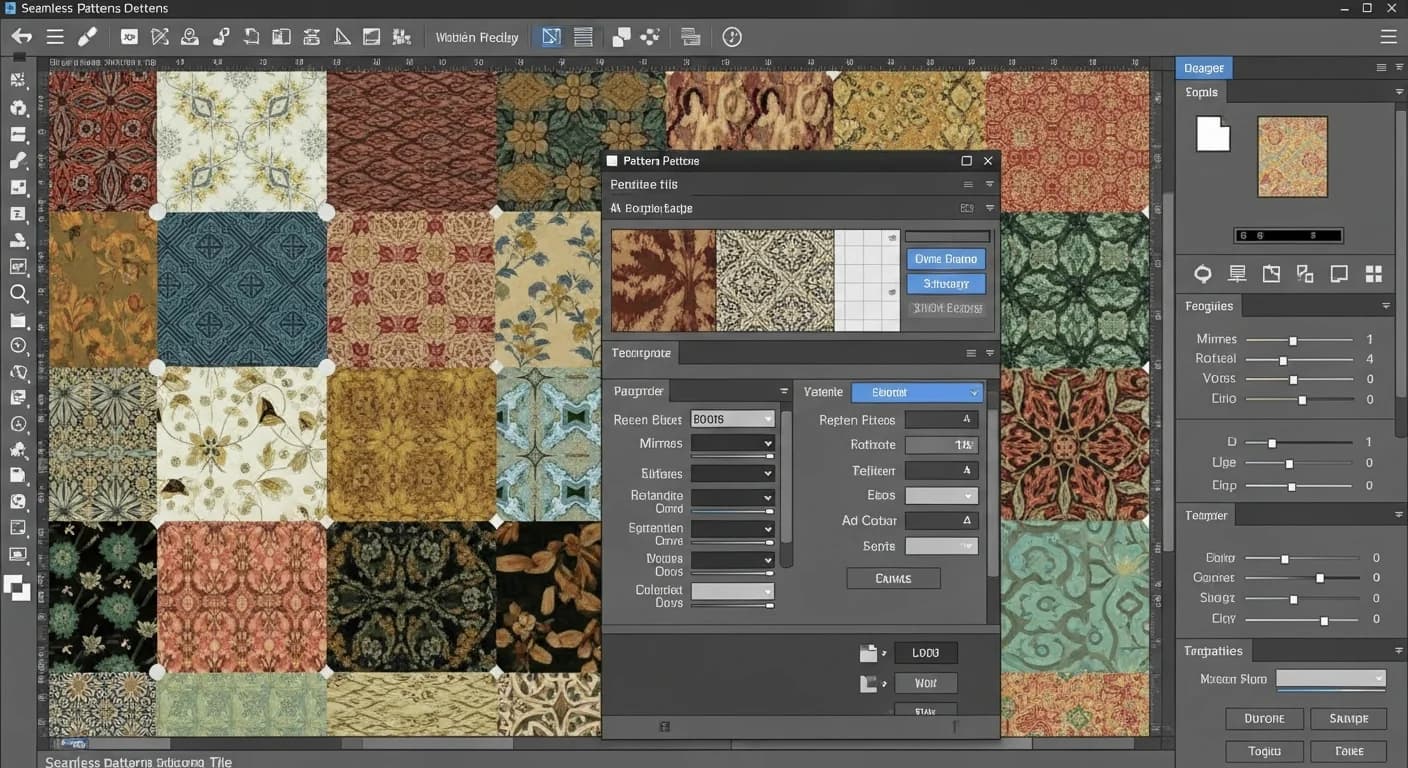
Step 4 — Test Seamlessness
Pro Tip: The 4x4 Tile Test: Duplicate your tile into a 4-column by 4-row grid. If no seams, rivers, or density gaps appear at this scale, your repeat is production-ready. This is the exact test textile studios use before sending artwork to the mill.
- Zoom to 100 % and scan every seam line.
- Zoom to 25 % and squint — look for diagonal "rivers" of empty space.
- Rotate the tiled grid 90 degrees; some issues only surface in landscape.
Step 5 — Refine Color and Export
- Limit palettes to 4–6 spot colors for cost-effective textile printing.
- Create 3–5 colorways to maximize commercial appeal.
- Export as SVG for web, AI/EPS for print, and high-res PNG for client previews.
A Full Year of Conversions for $49
Starter Annual: 25 conversions every month, $49 for the whole year. That is about $4.08 a month · Cancel anytime
Get the Annual DealSVG Pattern Element: Bringing Your Tile to the Web
Embed seamless patterns directly in HTML using the SVG <pattern> element:
<svg width="100%" height="100%" xmlns="http://www.w3.org/2000/svg">
  <defs>
    <pattern id="myPattern" x="0" y="0"
             width="100" height="100"
             patternUnits="userSpaceOnUse">
      <circle cx="50" cy="50" r="30" fill="#E8927C" opacity="0.8"/>
      <circle cx="0"  cy="0"  r="20" fill="#7CABB8" opacity="0.6"/>
      <circle cx="100" cy="100" r="20" fill="#7CABB8" opacity="0.6"/>
    </pattern>
  </defs>
  <rect width="100%" height="100%" fill="url(#myPattern)"/>
</svg>
This technique is resolution-independent, loads fast, and works for hero sections, card backgrounds, and decorative UI. Try VectoSolve's pattern generator to create SVG-ready tiles without writing code.
Use Cases Across Industries
"You encounter seamless patterns before you even get out of bed — your sheets, your curtains, your wallpaper, the cereal box on the table. Patterns are the quiet fabric of everyday life.
Textiles and Fashion
Apparel fabrics, upholstery, curtains, bedding, scarves, and accessories. Mills require precise repeat lengths and spot-color separations.
Wallpaper and Home Decor
Wallpaper repeats must match across strips hung side by side. A half-drop repeat is industry standard because it hides strip joins.
Packaging and Wrapping Paper
Gift wrap, tissue paper, branded shipping boxes, and product packaging. Patterns reinforce brand identity while hiding minor print registration errors.
Web and Digital Products
Website hero backgrounds, app interfaces, social media templates, and digital scrapbooking paper. SVG patterns scale to any viewport.
Common Mistakes and How to Fix Them
- Visible seams — Elements at tile edges don't mirror exactly. Fix: zoom to 6400 % and align anchor points numerically.
- Density rivers — Empty channels appear when tiled. Fix: add filler motifs (dots, leaves, texture marks).
- Color overload — More than six colors spikes production cost. Fix: build a disciplined palette and offer colorways instead.
- Ignoring substrate — A pattern that sings on screen may muddy on uncoated kraft paper. Fix: always request a strike-off or proof print.
Warning: Scale matters at the press. A repeat tile designed at 4 inches may look elegant on screen but become a chaotic micro-texture on 54-inch upholstery fabric. Conversely, an 18-inch repeat can overwhelm a small cosmetics box. Always mock up your pattern at actual production dimensions on the intended substrate before final delivery.
Free SVG Tools for Crafters
Design Checker · Color Separator · Mat Preview · Offset Generator · Text to SVG
Check Your SVG FreeYour Next Step
You now have the full pipeline: photograph to motif, motif to vector, vector to seamless tile, tile to production file. Upload any image to VectoSolve for a clean SVG in seconds, then jump into the pattern generator to build your first seamless repeat.
The world runs on patterns. Time to make yours.
| Repeat Method | Tile Offset | Complexity | Best For |
|---|---|---|---|
| Full-drop | 0% (straight grid) | Beginner | Geometric, polka dots, simple motifs |
| Half-drop | 50% vertical shift | Intermediate | Florals, organic shapes, wallpaper |
| Brick repeat | 50% horizontal shift | Intermediate | Textiles, fabric prints, tiles |
| Diamond (ogee) | 50% both axes | Advanced | Damask, luxury textile, high-end packaging |