
VectoSolve vs Manual Tracing: Why AI Vectorization Saves You Hours
A detailed comparison between AI-powered vectorization with VectoSolve and manual tracing in Illustrator or Inkscape. See how much time and effort you can save.
Founder and developer of VectoSolve
Self-taught developer who founded VectoSolve in 2024. He builds the conversion engine and the cutting, embroidery and 3D printing exports, working with the VectoSolve team of graphic designers.
How this article was made: drafted with AI assistance, then edited and fact-checked before publication. About the author
Try it on your own file
Free preview, no signup. Drop an image and see the vector before deciding anything.
Key Takeaways
- Manual tracing is a genuine craft, but economics now favor AI-first workflows for most vectorization jobs
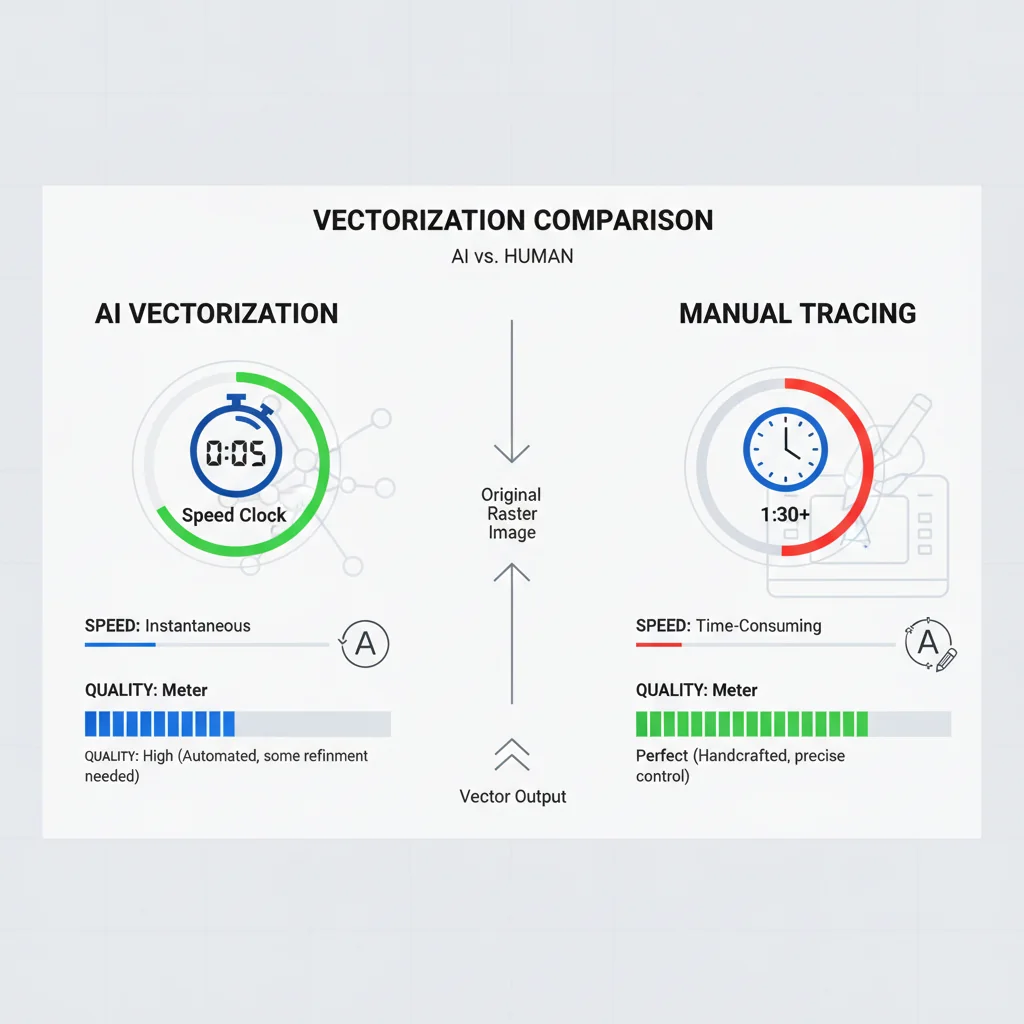
- VectoSolve AI converts images to SVG in ~5 seconds at $0.11–$0.32 a conversion on a plan vs. $50-200 and 2-4 hours for manual tracing
- The smartest studios use a hybrid approach: AI first pass, then selective manual refinement
- For batch work (catalogs, e-commerce, SVG shops), AI vectorization is a survival requirement
Why Studios Are Rethinking Manual Tracing
In many design studios, illustrators spend their days tracing raster artwork into clean vectors. Logos, product images, event graphics — the queue never empties.
AI tools like VectoSolve now produce a usable first pass of a logo in seconds, where a careful manual trace can take forty-five minutes or more.
This guide compares the two approaches.
Disclosure: VectoSolve is our own tool. We compare it here because it is the tool we build and know best, not because it won an independent test, and we do not give it a score.
What Manual Tracing Actually Involves
Manual vectorization takes years to develop. The workflow demands precision:
- Import the raster image and lock it as a reference layer (1 min)
- Trace primary outlines with the Pen tool, placing anchors at every curve inflection (15-45 min)
- Adjust Bezier handles for smooth curves (10-20 min)
- Fill regions with sampled colors, managing overlaps (5-10 min)
- Refine details — small elements, gradients, textures (10-30 min)
- Clean up and QA — remove stray points, close open paths, check every join at 400% zoom (10-15 min)
- Export and optimize SVG (2-5 min)
Realistic total: 1-3 hours for moderate complexity. Detailed illustrations can take a full day.
What AI Vectorization Does Differently
Modern AI models like VectoSolve approach vectorization fundamentally differently from threshold-based tools like Illustrator's Image Trace.
Semantic Understanding vs. Pixel Thresholds
Old auto-trace tools detect contrast boundaries between pixel regions. They don't understand what they're looking at.
AI vectorization understands structure. It recognizes circles as circles, letterforms as letterforms, and gradients as design choices rather than noise:
- Cleaner paths — fewer anchor points, smoother curves
- Semantic color grouping — related elements share logical assignments
- Intelligent noise filtering — JPEG artifacts are discarded, not traced
- Shape reconstruction — partially occluded circles come out whole
A Full Year of Conversions for $49
Starter Annual: 25 conversions every month, $49 for the whole year. That is about $4.08 a month · Cancel anytime
Get the Annual DealThe Comparison Table
How the two approaches compare:
| Criteria | Manual Tracing | VectoSolve AI | Advantage |
|---|---|---|---|
| Time per image | 1-4 hours | ~5 seconds | AI |
| Cost per image | $50-200 (labor) | $0.11–$0.32 (on a plan) | AI |
| Path smoothness | Excellent (artist-controlled) | Very good (AI-optimized) | Manual (edge) |
| Color fidelity | Exact (hand-picked) | Sampled from the image | Manual (edge) |
| Batch capability | 3-5 images/day | Up to 50 at once via batch | AI |
| Consistency | Varies with fatigue | Identical at image 1 and 500 | AI |
| Learning curve | 6-18 months | Upload and click | AI |
| Complex illustrations | Superior (human judgment) | Good (may need touch-up) | Manual |
| Logo conversion | Excellent but slow | Excellent and fast | AI |
| Photo to vector | Extremely tedious | Handles automatically | AI |
| Text handling | Perfect (re-typed live) | Very good; small text may need work | Manual (edge) |
| Artistic interpretation | Full creative freedom | Faithful reproduction only | Manual |
| Scalability | Linear cost growth | Near-zero marginal cost | AI |
Time and Cost Analysis
Manual Tracing — One Logo
- Designer rate: $50-100/hr
- Time: 2-4 hours
- Cost: $50-200 per logo
- Annual at 5/week: 260 logos = $13,000-$52,000 in labor
VectoSolve AI — One Logo
- Cost: about $0.16 on the annual Starter plan
- Time: ~5 seconds
- Annual at 5/week: 260 logos = $49 total on the annual Starter plan (25 conversions a month), ~22 minutes of upload time
Even adding 10 minutes of manual cleanup per AI output: 43 hours/year vs. 520-1040 hours/year pure manual.
Quality by Image Type
Logos and Brand Marks
Clean logos convert near-perfectly. VectoSolve produces cut-ready SVGs that pass brand review.
Photographs
Nobody should manually trace photographs. AI handles posterization and path generation in seconds.
Detailed Illustrations
Complex illustrations with subtle gradients benefit from human judgment. But starting with an AI pass still saves time.
Text-Heavy Graphics
Large display text converts cleanly. Small body text occasionally needs refinement.
Pro Tip: The Hybrid Workflow: Best of Both Worlds
Use AI as your first pass for every job, then apply manual refinement selectively:
- Run the image through VectoSolve (5 seconds)
- Open the SVG in your vector editor
- Assess: does it need refinement? (Most won't.)
- For premium deliverables, spend 5-15 minutes on targeted cleanup
- For batch production, ship directly
This keeps most of the time savings while maintaining your quality standard.
Warning: When Manual Tracing Is Still the Right Call
- Artistic reinterpretation — stylized or simplified versions, not faithful reproductions
- Complex layer architecture — specific layer naming and grouping for animation or dev handoff
- Intentional imperfection — hand-drawn aesthetics that AI will "correct" away
- Regulatory compliance — industries requiring manually verified assets with documented production chains
The Learning Curve Gap
Manual tracing proficiency requires:
- Pen tool mastery: 2-6 months of daily practice
- Bezier intuition: 6-12 months of muscle memory
- Software fluency: A year or more for the full toolset
VectoSolve's learning curve is one minute. Upload, download. A freelancer, crafter, or marketing intern produces production-quality vectors on their first attempt.
Free SVG Tools for Crafters
Design Checker · Color Separator · Mat Preview · Offset Generator · Text to SVG
Check Your SVG FreeThe Verdict: Respect the Craft, Embrace the Tool
Adopting AI doesn't have to mean replacing illustrators. It frees them from days of repetitive tracing for actual creative design.
Manual tracing is a legitimate skill. But using it for routine conversion is like hand-washing laundry when you own a machine. You can. You probably shouldn't.
Start with one image. Run it through VectoSolve, compare it to your manual trace, and let the results speak. For bulk work, the batch converter handles up to 50 images at once.
| Factor | Manual Tracing (Pen Tool) | AI Vectorization (VectoSolve) |
|---|---|---|
| Time per image | 2–4 hours | 5–10 seconds |
| Cost per image | $50–$200 (freelancer) | 0.20 credits ($0.11–$0.32 on a plan) |
| Skill required | Expert-level Illustrator/Inkscape | None — upload and download |
| Consistency across batch | Varies by artist fatigue | Identical algorithm every time |
| Creative interpretation | Excellent (human judgment) | Good (AI-assisted) |