
Best Adobe Illustrator Image Trace Alternatives (2026)
Looking for Illustrator alternatives for image tracing? Compare the best tools for converting images to vectors without Adobe.
Founder and developer of VectoSolve
Self-taught developer who founded VectoSolve in 2024. He builds the conversion engine and the cutting, embroidery and 3D printing exports, working with the VectoSolve team of graphic designers.
How this article was made: drafted with AI assistance, then edited and fact-checked before publication. About the author
Try it on your own file
Free preview, no signup. Drop an image and see the vector before deciding anything.
Key Takeaways
- Adobe Illustrator's Image Trace is powerful but locked behind a Creative Cloud subscription — overkill if vectorization is all you need
- VectoSolve (our own tool) offers AI-powered tracing in the browser, with plans from $7.99/month
- Free options like Inkscape Trace Bitmap work well for simple graphics but struggle with complex images
- The best alternative depends on your workflow: one-off conversions vs. batch processing vs. full design suite needs
- In 2026, AI-driven vectorization has closed the gap with traditional tracing algorithms significantly
For many designers, Adobe Illustrator has long been the go-to vector tool. Image Trace is there when you need to convert a raster image into clean, scalable vectors — logos from clients who "lost the original file," hand-drawn sketches, you name it.
But here's the thing: plenty of people pay a yearly subscription mostly to use one feature a few times a month.
This guide looks at the main alternatives, updated for 2026 with the latest AI-powered options.
Why Designers Are Looking for Illustrator Image Trace Alternatives
Before we get into the tools, let's be honest about why so many people are searching for alternatives in 2026:
1. The Cost Problem
Adobe Illustrator requires a Creative Cloud subscription. At the time of writing (February 2026), even the single-app plan ran $22.99/month (billed annually). If you're a freelancer, student, or small business owner who only needs vectorization occasionally, that's a steep price for a single feature.
2. The Complexity Problem
Illustrator is a professional-grade application with a steep learning curve. Image Trace itself has dozens of settings — threshold, paths, corners, noise, color modes, palette options. For someone who just wants to turn a PNG into an SVG, it's like driving a semi-truck to the grocery store.
3. The Quality Problem
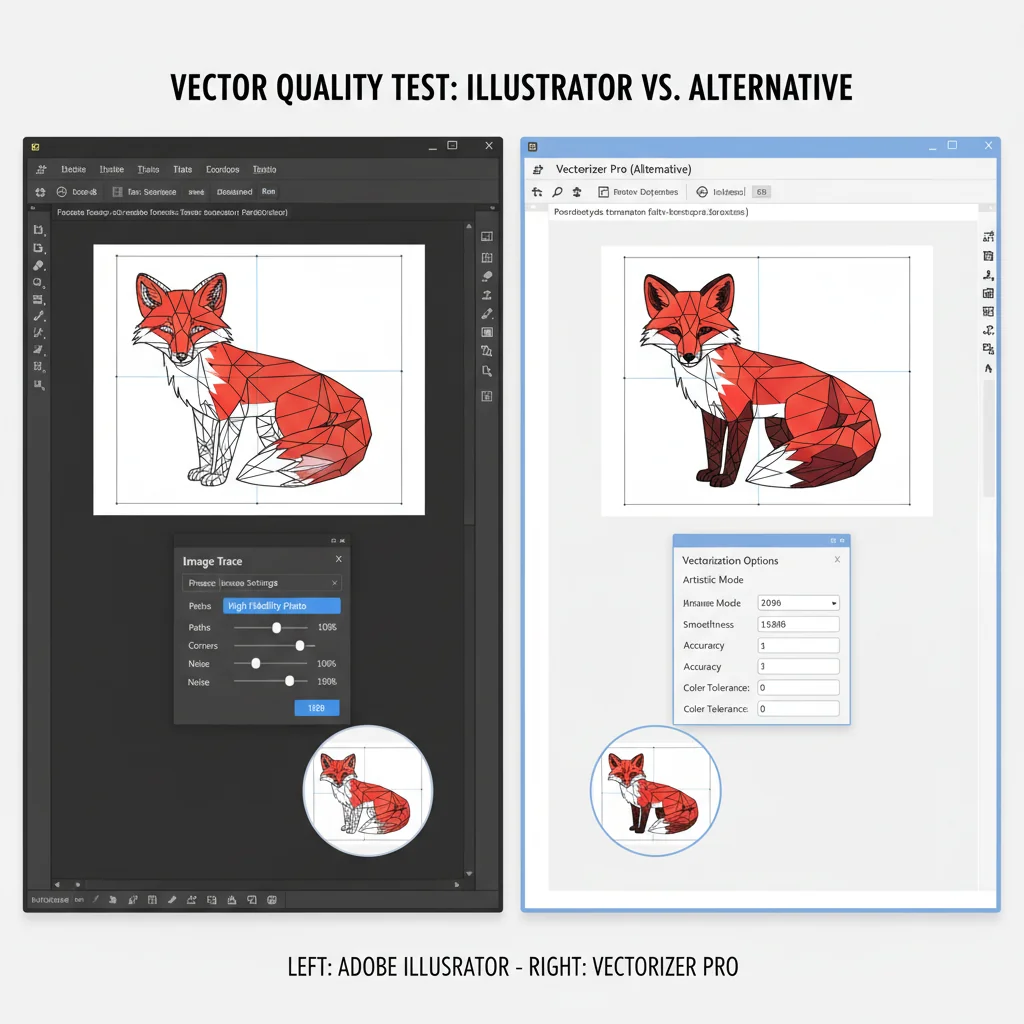
Illustrator's Image Trace hasn't changed dramatically in years. Meanwhile, AI-powered vectorization tools have evolved rapidly. With default settings, Illustrator's tracing often produces:
- Excessive anchor points that bloat file sizes
- Jagged edges on curved elements
- Poor color separation on complex images
- Loss of fine detail in intricate artwork
4. The Workflow Problem
If you don't already live in the Adobe ecosystem, installing a 2GB+ application just for vectorization is impractical. Modern web-based alternatives let you drag, drop, and download in seconds. That's especially true when the vector isn't even the end product — laser and CNC users, for example, often just need to turn a PNG into a DXF before handing the file off to their cutting software.
Quick reality check: Illustrator Image Trace is not a bad tool. It's a powerful feature inside an even more powerful application. The question is whether you need — and want to pay for — everything else that comes with it.
The 5 Best Adobe Illustrator Image Trace Alternatives in 2026
Here is what each tool offers for the images people trace most: logos, illustrations, photographs, hand-drawn sketches, and icons.
Disclosure: VectoSolve is our own tool. We list it first because it is the tool we build and know best, not because it won an independent test, and we do not give it a score.
1. VectoSolve — Our Own Tool
What it is: A web-based AI vectorization platform purpose-built for converting raster images (PNG, JPG, WebP, BMP) to clean SVG vectors.
Why it is listed first: It is our own tool, so we do not score it. The AI doesn't just trace edges — it understands shapes, optimizes anchor points, and produces SVGs that are actually pleasant to work with in any vector editor.
Standout features:
- AI-powered tracing that intelligently reduces node counts without sacrificing quality
- One-click conversion — no settings to fiddle with (though advanced options exist)
- Batch processing for multiple files
- Output files are immediately editable in Illustrator, Figma, Inkscape, or any SVG editor
- No software installation required
Pricing: Free preview to test the quality, no signup needed. Paid plans start at $7.99/month for 25 conversions, or $49/year — a fraction of an Illustrator subscription.
Pro Tip: If you're tracing photographs or detailed illustrations with gradients and complex color transitions, run the same file through VectoSolve's free preview and Illustrator's Image Trace and compare the results.
2. Inkscape Trace Bitmap — Best Free Desktop Option
What it is: The built-in bitmap tracing feature in Inkscape, a free and open-source vector graphics editor.
The good: It's completely free and runs locally on your machine. Uses the Potrace engine for both single and multi-color scans, with optional Autotrace and centerline-tracing modes. For simple logos and line art, results are surprisingly competent.
The not-so-good:
- Multi-color tracing produces significantly more nodes than Illustrator or VectoSolve
- The UI is clunky — adjusting settings requires trial-and-error
- No AI optimization; purely algorithmic tracing
- Processing complex images can be very slow on modest hardware
- Occasional crashes with large or high-resolution images
Best for: Budget-conscious designers who need occasional vectorization and don't mind spending time tweaking settings.
3. Vector Magic — Best for Batch Desktop Processing
What it is: A dedicated vectorization application available as both a web app and desktop software.
The good: Vector Magic has been around for years and offers reliable, consistent results. The desktop version supports batch processing and works offline. Color quantization is handled well.
The not-so-good:
- Desktop license cost $295 one-time at the time of writing in February 2026 (or $9.95/month for the online version)
- Classical tracing rather than AI, which can struggle on complex images
- The interface feels dated compared to modern tools
- Limited export format options compared to Illustrator
Best for: Agencies that need reliable offline batch processing and can justify the upfront cost.
4. Vectorizer.io — Best for Quick One-Off Conversions
What it is: A web-based vectorization service with a simple drag-and-drop interface.
The good: Extremely easy to use. Upload an image, get a vector. The preview system lets you compare before downloading. Handles simple graphics and logos well.
The not-so-good:
- Limited free usage — watermarked outputs on free tier
- Quality drops noticeably on photographic or highly detailed images
- Free credits are for evaluation and non-commercial use only
- Output limited to SVG, EPS, and DXF
Best for: Non-designers who need an occasional quick conversion without any learning curve.
5. CorelDRAW PowerTRACE — Best Illustrator-Like Full Suite Alternative
What it is: The bitmap tracing feature built into CorelDRAW Graphics Suite, Illustrator's main competitor in the professional vector design space.
The good: PowerTRACE offers AI-assisted tracing with good results, especially on logos and line art. If you're looking to leave the Adobe ecosystem entirely, CorelDRAW gives you a complete vector design environment alongside the tracing feature.
The not-so-good:
- $549 one-time or $269/year subscription at the time of writing (February 2026) — not cheap
- Full desktop suite is Windows and Mac only (the browser-based CorelDRAW Web has limitations)
- Overkill if you only need vectorization
- Smaller community means fewer tutorials and resources
Best for: Professional designers who want a full Illustrator alternative, not just a tracing replacement.
Head-to-Head Comparison: All 5 Alternatives vs. Illustrator Image Trace
The table rates each tool across six categories, out of 10. These are editorial ratings, not lab measurements.
| Feature | Illustrator Image Trace | VectoSolve (our tool, not scored) | Inkscape | Vector Magic | Vectorizer.io | CorelDRAW |
|---|---|---|---|---|---|---|
| Trace Quality (Simple) | 8/10 | — | 7/10 | 8/10 | 7/10 | 8/10 |
| Trace Quality (Complex) | 7/10 | — | 5/10 | 7/10 | 5/10 | 7/10 |
| Ease of Use | 5/10 | — | 4/10 | 7/10 | 9/10 | 6/10 |
| Speed | 6/10 | — | 5/10 | 7/10 | 8/10 | 7/10 |
| Output File Size | 6/10 | — | 4/10 | 7/10 | 6/10 | 7/10 |
| Value for Money | 4/10 | — | 10/10 | 6/10 | 7/10 | 5/10 |
| Overall Score | 36/60 | — | 35/60 | 42/60 | 42/60 | 40/60 |
Rating note: Trace quality ratings consider path accuracy, anchor point efficiency, color fidelity, and edge smoothness. Speed covers upload/processing/download time for web tools and open/trace/export time for desktop tools.
A Full Year of Conversions for $49
Starter Annual: 25 conversions every month, $49 for the whole year. That is about $4.08 a month · Cancel anytime
Get the Annual DealWhen Adobe Illustrator Image Trace Is Still Worth Using
Look, I'm not here to trash Illustrator. There are legitimate scenarios where Image Trace remains the best choice:
You already pay for Creative Cloud. If you're subscribed for Photoshop, InDesign, After Effects, or other Adobe apps, Illustrator is already included. Using Image Trace costs you nothing extra.
You need the full vector editing pipeline. If your workflow goes from trace → extensive manual editing → final production artwork, doing everything inside Illustrator eliminates export/import friction.
You're working with Illustrator-native files. If your team or clients work exclusively in .ai format, staying in the ecosystem makes sense.
You need hyper-specific tracing control. Illustrator gives you granular control over every tracing parameter. For edge cases where automated AI tools don't nail it on the first pass, manual parameter tuning can be valuable.
Warning: Watch out for this common trap: Many designers keep their Illustrator subscription "just in case" while doing 90% of their vectorization elsewhere. If Image Trace is the only Illustrator feature you use regularly, you're likely overpaying. Run the numbers on your actual usage before renewing.
Which Alternative Should You Choose? Recommendations by User Type
Here's a straightforward recommendation based on who you are:
Freelance Designers & Small Agencies
Go with VectoSolve. You get AI-powered tracing at a fraction of Illustrator's cost. The web-based workflow means no installation overhead, and the output quality means less manual cleanup. Your time is money — VectoSolve saves both.
Students & Hobbyists
Start with Inkscape Trace Bitmap, then try VectoSolve's free preview when you need better results. There's no reason to pay for Illustrator when you're learning. Inkscape teaches you the fundamentals of vector graphics while giving you a capable (if basic) tracing tool.
Enterprise Design Teams
Evaluate VectoSolve for vectorization, keep Illustrator for design work. Most enterprise teams need Illustrator for reasons beyond Image Trace. But routing your vectorization tasks through a dedicated tool like VectoSolve can save time. A common split is VectoSolve for the initial trace and Illustrator for refinement.
Non-Designers Who Need Occasional Vectorization
VectoSolve or Vectorizer.io. Both are web-based and require zero design knowledge. VectoSolve is our own tool, and Vectorizer.io is perfectly serviceable for simple logos and icons. One exception: if the reason you're vectorizing is embroidery, a dedicated embroidery converter will get you machine-ready stitch files directly instead of an SVG you'd still need to digitize.
Designers Leaving Adobe Entirely
VectoSolve for tracing + Figma or Affinity Designer for editing. This combination gives you a complete vector workflow without any Adobe dependency. If you need a traditional desktop vector editor, CorelDRAW with PowerTRACE is the most complete single-application alternative.
Final Thoughts: The Vectorization Landscape Has Changed
Five years ago, recommending anything over Illustrator's Image Trace would have been controversial. The alternatives were either too limited, too expensive, or too unreliable.
In 2026, that's no longer the case. AI-powered vectorization has fundamentally changed what's possible. Tools like VectoSolve don't just trace edges — they understand the intent behind shapes and optimize the output accordingly.
If you're still paying for Illustrator solely for Image Trace, try VectoSolve's free preview on your next project and compare the results side by side.
The best tool is the one that gives you great vectors without wasting your time or your budget. For most people in 2026, that's no longer Adobe Illustrator.
Pro Tip: Ready to try it? Head over to VectoSolve and test it with your own images — the free preview lets you experience the AI vectorization quality firsthand, no credit card required.
| Alternative Tool | Price | Best For | Platform |
|---|---|---|---|
| VectoSolve | Free preview / from $7.99 mo | AI-powered fast vectorization | Web (any browser) |
| Inkscape | Free (open source) | Full vector editing + tracing | Windows, Mac, Linux |
| Vectorizer.io | Free credits + paid plans | Quick online auto-trace | Web |
| CorelDRAW | Subscription or one-time licence | Professional design + PowerTRACE | Windows, Mac |
| Affinity (by Canva) | Free | Free desktop design suite | Windows, Mac |