
How to Create Seamless Patterns with AI — The Complete Guide for Designers
Create professional seamless patterns for fabric, wallpaper, and products using AI. Step-by-step guide with style tips and commercial use info.
Founder and developer of VectoSolve
Self-taught developer who founded VectoSolve in 2024. He builds the conversion engine and the cutting, embroidery and 3D printing exports, working with the VectoSolve team of graphic designers.
How this article was made: drafted with AI assistance, then edited and fact-checked before publication. About the author
Try it on your own file
Free preview, no signup. Drop an image and see the vector before deciding anything.
Key Takeaways
- Seamless patterns tile infinitely without visible edges, and AI now handles the difficult alignment work automatically
- The AI Pattern Generator supports 8 styles including Botanical, Geometric, Art Deco, and Tropical
- Effective prompts specify 2-4 motif types, density, colors, and scale rather than describing scenes
- All generated patterns include full commercial use rights with no attribution required
- Patterns pair with VectoSolve's SVG Generator and Templates for a complete design toolkit
Seamless patterns are everywhere. They cover the fabric of your shirt, the wallpaper in your living room, the wrapping paper on a gift, and the background of your favorite website. Designing them used to require specialized knowledge of repeat tiles, offset grids, and color theory. With VectoSolve's AI Pattern Generator, anyone can create professional seamless patterns in seconds.
This guide covers everything: what seamless patterns are, where they're used commercially, how to generate them with AI, and tips for getting the best results.
What Are Seamless Patterns?
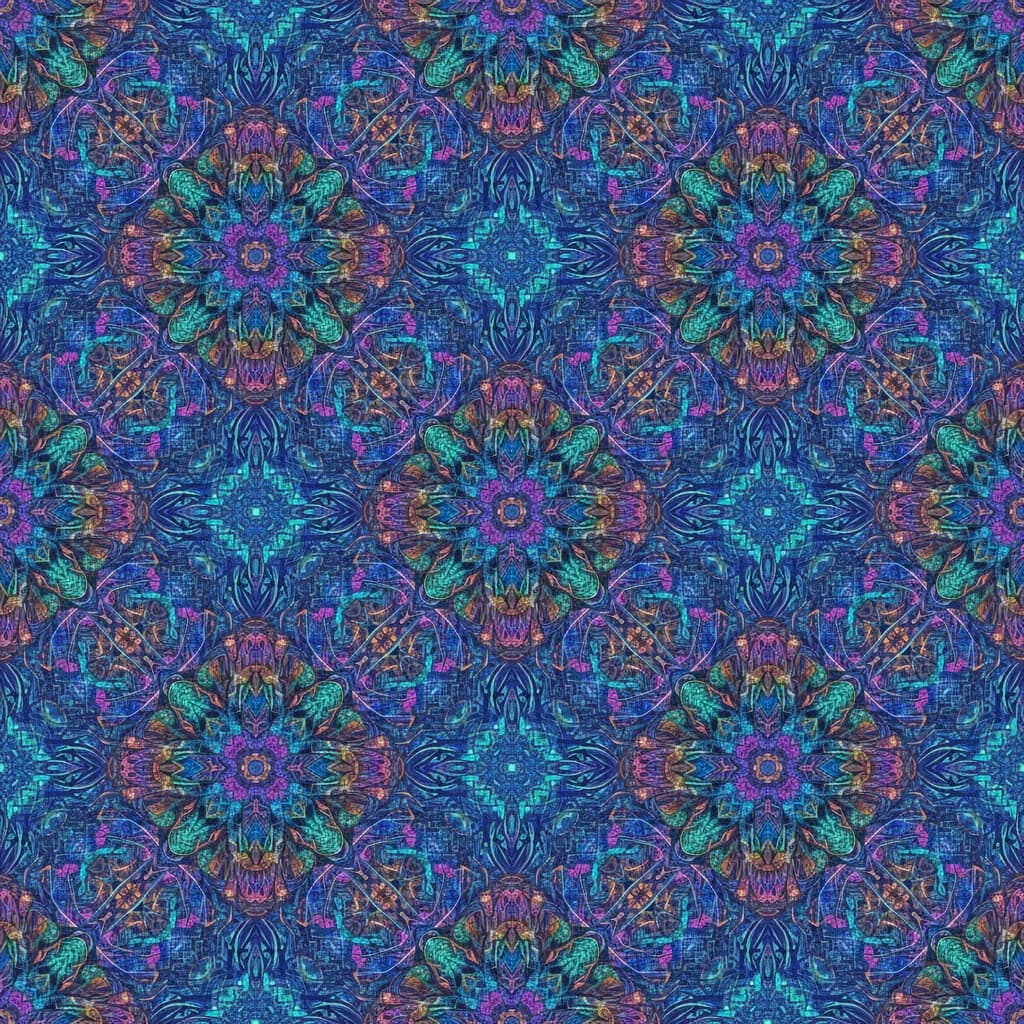
A seamless pattern (also called a repeating pattern or tiled pattern) is a design that can be repeated infinitely in all directions without visible edges or breaks. When you tile the image, the edges match perfectly — creating the illusion of a continuous surface.
The key technical challenge is making the left edge match the right edge, and the top match the bottom. Traditional designers spend significant time ensuring seamless alignment. AI handles this automatically.
Industries That Use Seamless Patterns
Fashion & Textiles
The textile industry is the largest consumer of pattern designs. Every printed fabric — from cotton dresses to polyester athletic wear — starts with a seamless pattern. Designers create seasonal collections with dozens of unique patterns.
Interior Design
Wallpaper, upholstery fabric, curtains, bedding, and tile designs all rely on repeating patterns. The home decor market demands fresh patterns constantly.
Packaging & Paper Goods
Wrapping paper, gift bags, tissue paper, and product packaging use patterns to create visual appeal. Brands use custom patterns for premium unboxing experiences.
Digital Products
Website backgrounds, app interfaces, social media templates, and digital scrapbooking kits all use seamless patterns. Digital pattern packs sell well on marketplaces like Etsy and Creative Market.
Surface Design & Print-on-Demand
Print-on-demand products — phone cases, laptop skins, mugs, notebooks — use patterns as a primary design approach. A single pattern can be applied to dozens of products.
Pro Tip: If you sell on print-on-demand platforms, generate 5-10 colorway variations of each pattern. One base design can power an entire product line across multiple color preferences.
How the AI Pattern Generator Works
- Visit /generate-pattern
- Enter a description of your desired pattern (e.g., "tropical leaves and flowers, watercolor style")
- Select a style from the 8 available options
- Generate — the AI creates a seamless tile in 15-25 seconds
- Preview the tiling — see your pattern repeated in a grid to verify seamlessness
- Download as SVG (vector) or PNG (raster)
A Full Year of Conversions for $49
Starter Annual: 25 conversions every month, $49 for the whole year. That is about $4.08 a month · Cancel anytime
Get the Annual DealThe 8 Pattern Styles
- Botanical — Leaves, flowers, branches, and natural elements
- Geometric — Triangles, hexagons, chevrons, and abstract shapes
- Abstract — Fluid shapes, splatters, and non-representational forms
- Minimalist — Simple dots, lines, and subtle textures
- Retro — 60s-70s inspired groovy shapes and color palettes
- Art Deco — Elegant 1920s-inspired fan shapes and gold motifs
- Tropical — Palm leaves, exotic flowers, and island vibes
- Seasonal — Holiday-themed patterns (Christmas, Halloween, Spring)
Writing Effective Pattern Prompts
Pattern prompts differ from illustration prompts. Here's what works:
Do:
- Specify elements: "small daisies, leaves, and dots" is better than "flowers"
- Mention density: "scattered loosely" vs. "densely packed" changes the feel dramatically
- Define colors: "navy blue, coral, and cream on white background" gives precise control
- Reference scale: "tiny micro-print" vs. "large-scale statement print"
Don't:
- Don't describe scenes — patterns are about elements, not landscapes
- Don't use too many elements — 2-4 motif types create the best patterns
- Don't forget the background color — it's half the design
Example Prompts
- "Small scattered wildflowers in pink, yellow, and lavender on cream background, ditsy style"
- "Bold geometric hexagons in navy and gold, art deco style"
- "Minimalist polka dots in varying sizes, sage green on white"
- "Tropical monstera leaves and hibiscus flowers, watercolor style"

Tiling Preview
Before downloading, always check the tiling preview. The generator shows your pattern repeated in a 3x3 grid so you can verify:
- Seamlessness — No visible lines where tiles meet
- Balance — Elements are distributed evenly without awkward gaps
- Scale — The pattern looks right at the intended size
- Color harmony — Colors work together across the repeat
Free SVG Tools for Crafters
Design Checker · Color Separator · Mat Preview · Offset Generator · Text to SVG
Check Your SVG FreeCommercial Use Rights
All patterns generated with VectoSolve's AI Pattern Generator come with full commercial use rights. You can:
- Sell products featuring the pattern
- Use patterns in client projects
- Include patterns in digital product bundles
- Print on physical merchandise
You own the output. No attribution required.
Every pattern you generate is uniquely yours. VectoSolve does not retain rights to your output and you can use it commercially on unlimited products without royalty fees.
Pricing
Pattern generation costs 0.25 credits per pattern — the same as SVG illustration generation. Credits come with every plan, from $7.99 a month, and unused credits roll over.
For high-volume users creating pattern collections, the Pro plan's 20 credits a month cover up to 80 patterns.
Expanding Your Design Toolkit
Patterns pair perfectly with other VectoSolve tools:
- AI SVG Generator — Create matching illustrations to complement your patterns
- SVG Templates — Browse pre-made pattern templates for inspiration
A Full Year of Conversions for $49
Starter Annual: 25 conversions every month, $49 for the whole year. That is about $4.08 a month · Cancel anytime
Get the Annual DealStart Creating
Whether you're a surface designer building a portfolio, a print-on-demand seller adding products, or a brand creating custom packaging — the AI Pattern Generator turns your ideas into production-ready seamless patterns in seconds. Try your first pattern now.