
How to Convert AI-Generated Images to SVG (Midjourney, DALL-E, Gemini)
Learn how to convert AI-generated images from Midjourney, DALL-E, and Google Gemini into clean, scalable SVG vector files for print, web, and cutting machines.
Founder of VectoSolve
Self-taught developer, founder and sole developer of VectoSolve since 2024. He builds the conversion engine and the cutting, embroidery and 3D printing exports.
How this article was made: drafted with AI assistance, then edited and fact-checked before publication. About the author
Try it on your own file
Free preview, no signup. Drop an image and see the vector before deciding anything.
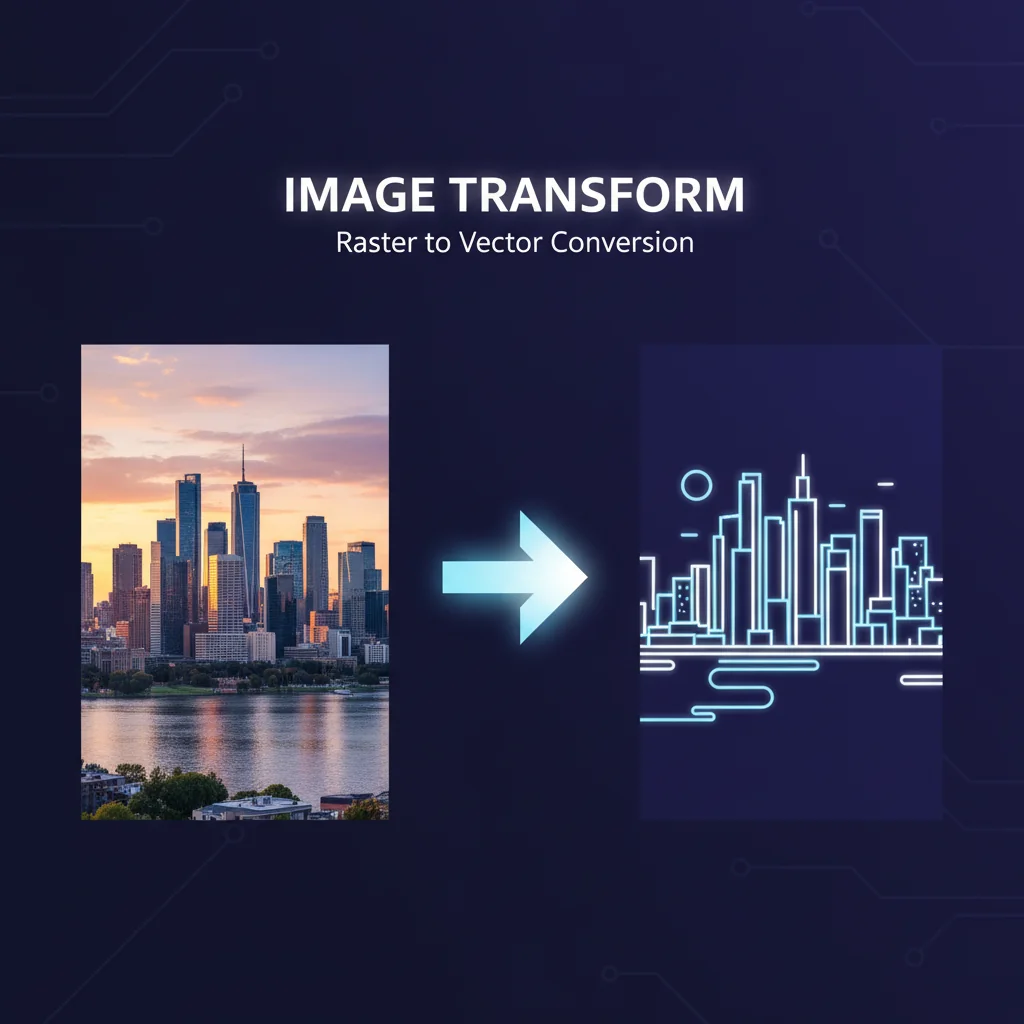
The AI image generation revolution is here. With Midjourney v7, DALL-E 3 becoming mainstream, and Google's Imagen 3 (plus the buzzworthy Nano Banana 2 released in February 2026), creators can now generate stunning visuals in seconds. But there's one major problem: AI image generators output raster files (PNG, JPG, WebP) that don't scale, can't be edited flexibly, and fall apart when printed or resized.
This is where SVG conversion becomes essential. Whether you're creating print-on-demand merchandise, designing logos, building web assets, or preparing files for cutting machines like Cricut, you need scalable vector graphics that maintain perfect quality at any size.
Why AI-Generated Images Need Vectorization
AI image generators are incredible at creating visuals, but they all share the same fundamental limitation: they produce raster images made of pixels, not vectors.
- Scaling issues: Zoom in on any AI-generated PNG and you'll see pixelation. SVG vectors scale infinitely
- Print requirements: Professional printers, embroidery machines, and laser cutters require vector files
- File size: Complex raster images can be 5-20 MB, while SVG vectors are often just 50-200 KB
- Editability: Vectors give you full control to change colors, isolate elements, or modify shapes
- Web performance: SVG files load faster and look crisp on any screen resolution
Key Takeaways
- AI generators output raster files (PNG/JPG) that can't scale without losing quality
- SVG vectors are essential for print, merchandise, cutting machines, and professional web use
- Converting AI images to SVG unlocks editability, smaller file sizes, and infinite scalability
AI Image Generator Comparison (2026)
| Generator | Max Resolution | Output Format | Best For | Vector-Friendly? |
|---|---|---|---|---|
| Midjourney v7 | 2048x2048 | PNG, WebP | Logos, illustrations, art | High |
| DALL-E 3 | 1792x1024 | PNG | Icons, simple graphics | Excellent |
| Google Gemini (Imagen 3) | 1536x1536 | PNG, JPG | Complex art, photos | Medium |
| Nano Banana 2 | 2048x2048 | PNG, WebP | Stylized illustrations | High |
| Adobe Firefly | 2048x2048 | PNG, JPG | Marketing graphics | High |
| Stable Diffusion XL | Custom (up to 4096) | PNG | Technical illustrations | Medium |
For best vectorization results, generate AI images with high contrast, clean edges, and simplified details. Avoid photorealistic styles with heavy texture or noise.
Step-by-Step Tutorial: AI Image to SVG
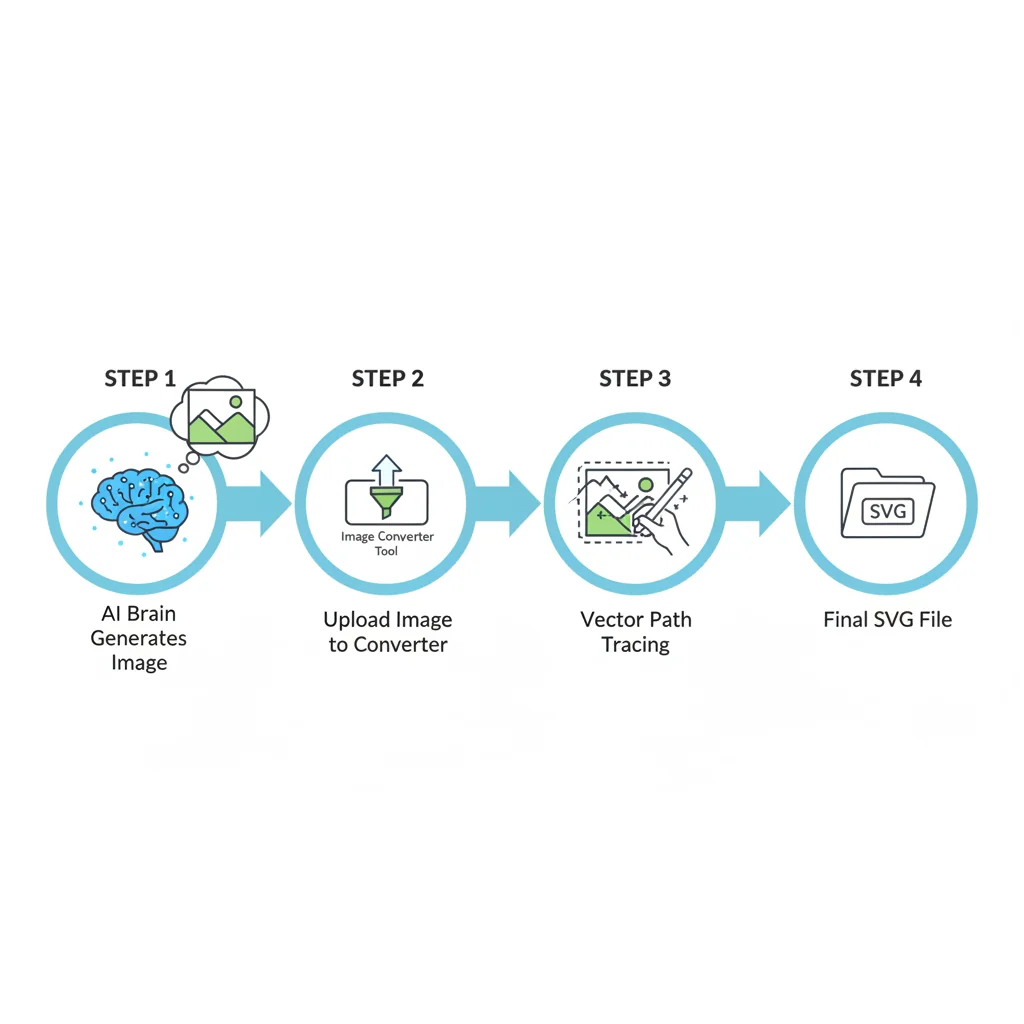
Step 1: Generate Your AI Image
For Midjourney (official docs):
Use prompts with keywords like "flat design," "vector style," "minimalist," "solid colors"
For DALL-E 3 (OpenAI platform):
Request "clean geometric" designs with "white background"
For Google Gemini (Google AI blog):
Ask for "line art style," "minimalist," "suitable for logo"
Pro Tip: Vectorization-friendly prompt keywords: "flat design," "vector style," "minimalist," "solid colors," "clean lines," "simple shapes," "white background"
Avoid for SVG conversion: "photorealistic," "highly detailed," "textured," "watercolor," "gradient mesh," "3D rendering"
Step 2: Download and Prepare Your Image
- Download in the highest resolution available
- Choose PNG format (preserves transparency and quality)
- For Midjourney, use the U4 upscale button before downloading
Step 3: Upload to VectoSolve for Conversion
Navigate to VectoSolve's PNG to SVG converter:
- Upload your AI-generated image (drag-and-drop or browse)
- Adjust quality settings based on image type
- Preview the conversion in real-time
- Fine-tune color count and curve smoothing
- Download your SVG file
VectoSolve uses AI-powered vectorization and works on any PNG or JPG, including Midjourney and DALL-E outputs. The flatter and cleaner the image, the cleaner the SVG.
Step 4: Refine and Use Your Vector
- Test scaling: Zoom to 500%+ to ensure smooth curves
- Adjust colors using your vector editor's fill/stroke tools
- Optimize file size: Use SVGO or VectoSolve's built-in optimization
For additional tools, check out VectoSolve's image upscaler to enhance low-resolution AI images before vectorization, or background remover for clean logo extractions.
A Full Year of Conversions for $49
Starter Annual: 25 conversions every month, $49 for the whole year. That is about $4.08 a month · Cancel anytime
Get the Annual DealQuality Results by AI Image Type
| Image Type | Vectorization Quality | Best AI Generator | Tips |
|---|---|---|---|
| Logos | Excellent | DALL-E 3, Midjourney | Use flat colors, request "vector style" |
| Icons | Excellent | DALL-E 3 | Keep simple, use solid colors |
| Illustrations | Very Good | Midjourney, Nano Banana 2 | Limit color palette, avoid gradients |
| Typography/Text | Good | Midjourney (with caution) | AI text often needs manual fixes |
| Portraits | Fair | Not recommended | Too complex; use selectively |
| Photorealistic | Poor | Not recommended | Defeats the purpose of vectorization |
| Patterns | Very Good | Stable Diffusion, Midjourney | Seamless tiles work best |
Warning: Text in AI images: AI generators still struggle with readable text. Plan to manually add proper typography in your vector editor after conversion, or use VectoSolve's logo generator which creates text-ready designs.
7 Pro Tips for Better AI-to-SVG Results
1. Generate with Vectorization in Mind
Add keywords like "vector illustration," "flat design aesthetic," "clean geometric shapes"
2. Use Negative Prompts
In Midjourney and Stable Diffusion: --no gradient, texture, shadow, grain, noise, blur
3. Upscale Before Converting
Use the AI platform's upscale feature first, or VectoSolve's AI image upscaler for up to 4x enhancement.
4. Simplify Color Palettes
AI images with 50+ colors create bloated SVG files. Prompt for "limited color palette" or reduce colors during conversion.
5. Remove Backgrounds First
Use VectoSolve's background removal tool before conversion for cleaner results.
6. Batch Process for Consistency
VectoSolve plans support batch conversion with consistent settings across all files.
7. Test Print Before Production
Export a test PDF at actual size and print on standard paper to verify details.
Real-World Use Cases
Print-on-Demand & Merchandise
Convert AI t-shirt designs to SVG for clean screen printing. Professional printers charge 30-50% more for raster designs due to quality issues.
Cutting Machines (Cricut, Silhouette)
Cricut Design Space and Silhouette Studio require SVG or DXF files. Convert DALL-E icons or Midjourney graphics to SVG for precision cutting.
Web Assets & UI Design
Generate icons in DALL-E, convert to SVG, embed directly in HTML/CSS. SVG files are typically 80-90% smaller than PNG equivalents.
Logo Design & Branding
Generate 20-30 logo concepts in Midjourney or use VectoSolve's AI logo generator. Total cost: $10-20 instead of $500+ for a designer.
Embroidery & Laser Engraving
Embroidery machines and laser cutters read vector paths, not pixels. Vector files produce clean stitches and precise engravings.
Free SVG Tools for Crafters
Design Checker · Color Separator · Mat Preview · Offset Generator · Text to SVG
Check Your SVG FreeCan I convert Midjourney images to SVG for free?
You can preview it for free: VectoSolve shows a watermarked preview of the SVG with no signup. The clean, downloadable file comes with a plan from $7.99/month for 25 conversions. Free alternatives like Inkscape's trace function exist but typically produce lower-quality results.
What's the best AI image generator for creating vector-friendly graphics?
DALL-E 3 produces the most vector-friendly outputs, especially for logos and icons. Midjourney v7 is excellent for stylized illustrations. Google Gemini works well but tends toward photorealistic outputs. Combine your preferred generator with VectoSolve's PNG to SVG converter for best results.
Do vectorized AI images lose quality compared to the original?
Not if done correctly. The SVG conversion process eliminates pixel-based quality loss—your vector file scales infinitely. However, extremely complex photorealistic images may lose fine details since vectors work with paths and shapes, not individual pixels.
A Full Year of Conversions for $49
Starter Annual: 25 conversions every month, $49 for the whole year. That is about $4.08 a month · Cancel anytime
Get the Annual DealCan I edit AI-generated SVG files after conversion?
Absolutely. You can change colors with a single click, resize without quality loss, modify individual paths, and combine multiple vectors. Use free tools like Inkscape or Adobe Illustrator for advanced editing.
How do I convert DALL-E images to SVG without Illustrator?
Upload to VectoSolve's converter, adjust quality settings, and download SVG. Total time: under 60 seconds. Illustrator's Image Trace comes with an Illustrator subscription (listed at $22.99/month in March 2026); VectoSolve plans start at $7.99/month.
Are there copyright issues with converting AI-generated images?
Midjourney, DALL-E, and Gemini grant commercial usage rights to paying users. Converting to SVG doesn't change the original rights. Always verify your platform's terms of service and check for trademark conflicts on logo designs.
Warning: Converting to SVG doesn't grant new rights—if you couldn't use the original image commercially, the vector version has the same restrictions.
Free SVG Tools for Crafters
Design Checker · Color Separator · Mat Preview · Offset Generator · Text to SVG
Check Your SVG FreeTake Your AI Images to the Next Level
AI image generators have democratized visual creation, but without vectorization, you're leaving massive potential on the table. VectoSolve's AI-powered conversion engine works with Midjourney, DALL-E, and Google Gemini outputs.
Ready to convert your AI images to scalable vectors? Start with a free watermarked preview in VectoSolve's PNG to SVG converter.
Key Takeaways
- AI generators output raster files; professional work requires vectors
- DALL-E 3 and Midjourney v7 produce the most vector-friendly images
- Use VectoSolve for fast, high-quality AI image to SVG conversion
- Prompt with "vector style" and "flat design" for best results
- SVG files unlock print-on-demand, cutting machines, and infinite scalability
Related resources: