
PES Files for Brother Embroidery Machines
Brother home embroidery machines read PES files from a USB stick. Upload a logo or drawing here and get a PES stitch file with its thread colors, fitted to the 4x4 in field that the SE600, SE700, PE535, PE800 and SE1900 all sew.
- PES with thread colors, plus DST and JEF
- Fitted to the 4x4 in field before stitching
- Sewn size shown in millimeters before you pay
Works with Brother PE800, PE900, SE1900, SE2000, SE600, SE700 and PE535, and other machines that read PES.
How to make a PES file for a Brother machine
- 1
Upload the logo or drawing
Drop a PNG or JPG with bold shapes and few colors. Small text and fine lines do not stitch well at 4x4 size.
- 2
Check the free preview
The preview shows the design and its sewn size in millimeters before you pay.
- 3
Download the PES
The download holds the PES with its thread colors, plus DST, JEF, SVG and PNG versions of the same design.
- 4
Load it on the machine
Copy the PES to a USB stick, plug it into the machine, pick the design on the screen, hoop the fabric with stabilizer and stitch.
What a Brother machine needs from a file
PES is the native format
Brother home machines read PES, which stores the stitches and the thread colors. Some models also read DST, which has no color information.
The design must fit the field
A design larger than the machine embroidery field will not load. The 4x4 in field is 100 x 100 mm; the 5x7 field of the PE800 and SE1900 is 130 x 180 mm.
Bold shapes stitch best
Thin lines and tiny letters sink into the fabric. Simple logos with solid areas give the cleanest result at 4x4 size.
Stabilizer and hooping
Stitch quality also depends on the stabilizer and the hooping. Test on a scrap of the same fabric first.
Common Brother file problems
The machine does not list the file
The file is a JPG, PNG or SVG. The machine only reads stitch files, so convert the picture into a PES first.
File format not supported
The file uses a stitch format the model does not read, such as one made for another brand. Use the PES, Brother's own format.
The design is too large for the hoop
It was digitized for a bigger field. The PES from this page is fitted to the 4x4 in field, which fits in 4x4 and 5x7 hoops.
The screen shows the wrong colors
DST files carry no colors, so the machine shows its own. The PES carries the thread palette.
For home embroidery businesses
Logos for caps, bags and polos, digitized for Brother
Small orders for team logos and custom gifts start with a picture. Convert it here into a PES, or send larger designs and batches for a quote, digitized and checked before delivery.
Free preview with the sewn size, no signup. Bigger hoops and batches go through a quote.

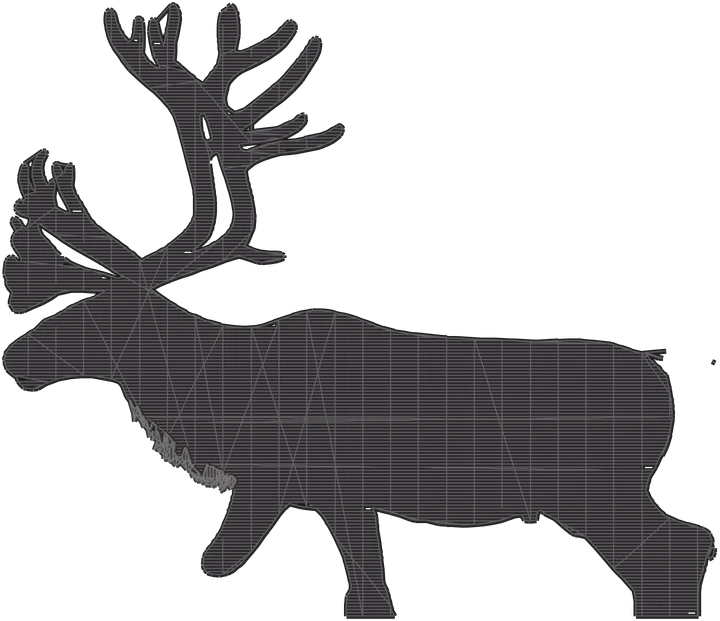
What each file in the download is for
- PES Brother and Baby Lock machines, with thread colors
- DST commercial machines and digitizing software
- JEF Janome machines
- SVG StitchArtist or Ink/Stitch, to edit as vectors
Product photos are mockups: each design is the real VectoSolve file, not retouched. Source photos are public domain or CC0. Photo: Emily Mesner, NPS, public domain.
Custom · On quote
Top-of-market quality for complex jobs: large-format murals, detailed illustrations, photo to vector, multi-layer print files. Finished by hand by our team and checked before delivery.
No machine at the end of the job? The image to SVG converter turns any picture into an SVG, and the PNG to SVG tool keeps the paths ready to cut.
PES for Brother FAQ
What file format do Brother embroidery machines use?
PES. Brother home machines such as the PE800, SE1900 and SE700 read PES files from a USB stick, and several models also read DST.
What is the maximum design size on a Brother PE800?
5 x 7 in, or 130 x 180 mm, with the hoop that comes with it. The SE600, SE700 and PE535 sew up to 4 x 4 in, or 100 x 100 mm.
Why does my Brother say the file format is not supported?
The file is not a stitch format the machine reads, for example a picture or another brand's format. Convert it into a PES and copy that to the USB stick.
Can I stitch the file on a 5x7 hoop?
Yes. The design is fitted to the 4x4 in field, which sits inside a 5x7 hoop. For a design that fills the 5x7 field, ask for a quote.
Does the PES keep my colors?
Yes. The PES carries the thread palette, so the machine shows each color stop. Swap the threads for your own spools.
More machine guides: all VectoSolve tools