
For Cricut, Silhouette and laser
St Patrick's Day SVG Files From Your Own Picture
Drop a drawing of a shamrock, a photo of a sign or a design you made. The background comes off and you get an SVG for Cricut Design Space, Silhouette Studio or your laser software.
- Opens in
- Cricut Design Space, Silhouette Studio Designer Edition, LightBurn, xTool Creative Space
- Preview
- Free preview, no signup
- Clean file
- Buy that one file or take a plan. The price shows before you pay.
Real pictures, and the files made from them
Each pair is one real conversion made on vectosolve.com on October 1 or 2, 2026, with the settings named under it. The right image is drawn from the SVG the converter returned, without the preview watermark and with nothing retouched. What the file does not do is written under each pair.
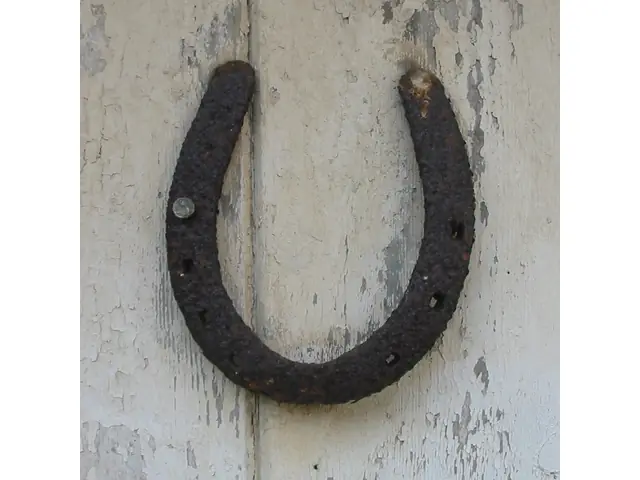
Uploaded 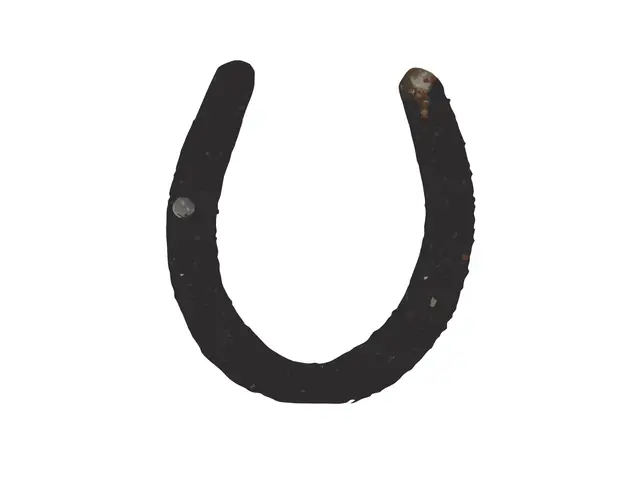
SVG returned A rusty horseshoe nailed to a door
The door is gone. The first shape is one closed outline of the whole horseshoe, ready to cut out.
Limit: The rust and the shading came back too, as 146 small shapes on top: keep only the outline before you cut.
Settings: free preview, Clean Cut preset. Converted on October 2, 2026. Photo: Man vyi, Wikimedia Commons, public domain.
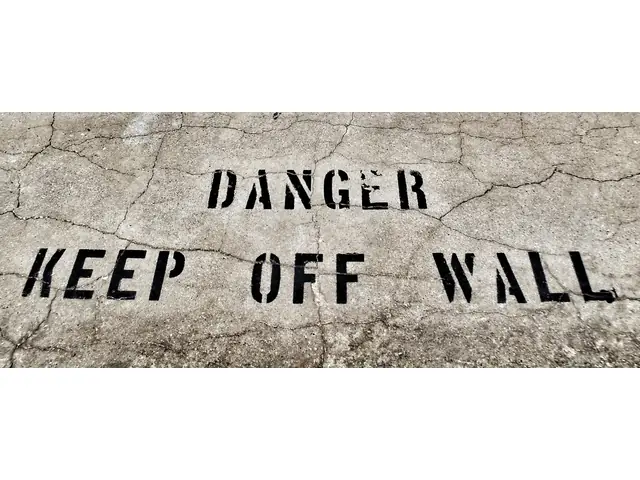
Uploaded 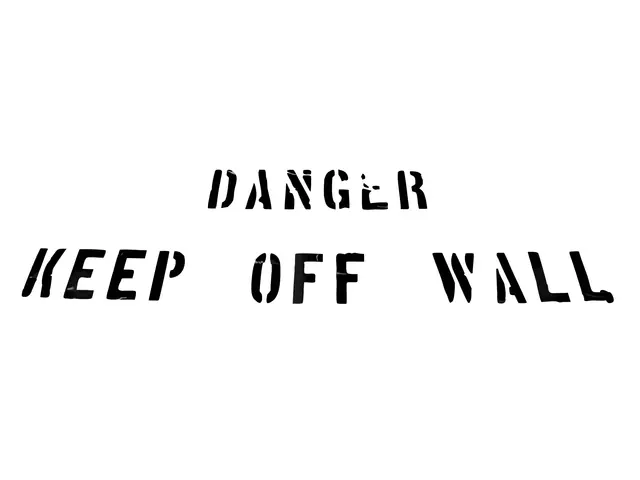
SVG returned Stencilled lettering on a cracked concrete wall
The concrete is gone: only the black stencil letters are left, and the stencil bridges stay real gaps.
Limit: Grey streaks where cracks cross the paint stay inside some letters: recolour them black or delete them.
Settings: free preview, Balanced preset. Converted on October 2, 2026. Photo: David Whelan, Wikimedia Commons, CC0.
Uploaded 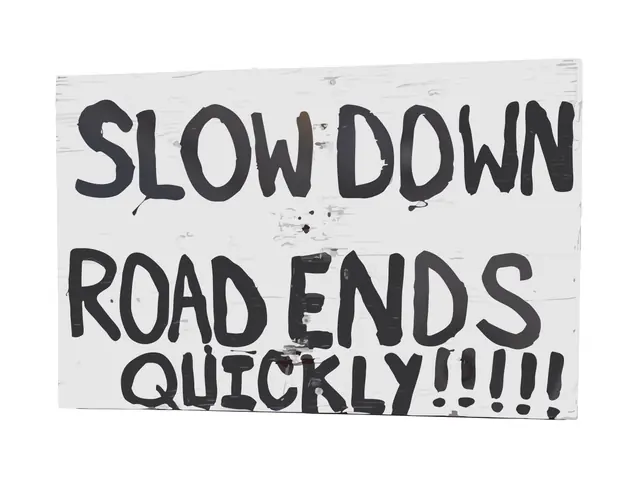
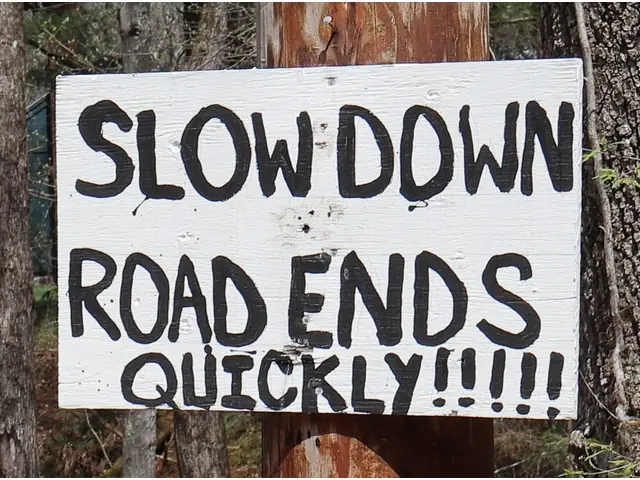
SVG returned A hand-painted SLOW DOWN sign on a pole
The pole and the trees are gone: the brushed letters come back as dark shapes on the board, and every word reads.
Limit: The board's grain and nail holes came along as pale shapes, 385 shapes in all: hide the board colour to cut only the letters.
Settings: free preview, Balanced preset. Converted on October 1, 2026. Photo: Peter Cooper Jr., Wikimedia Commons, CC0.
Uploaded 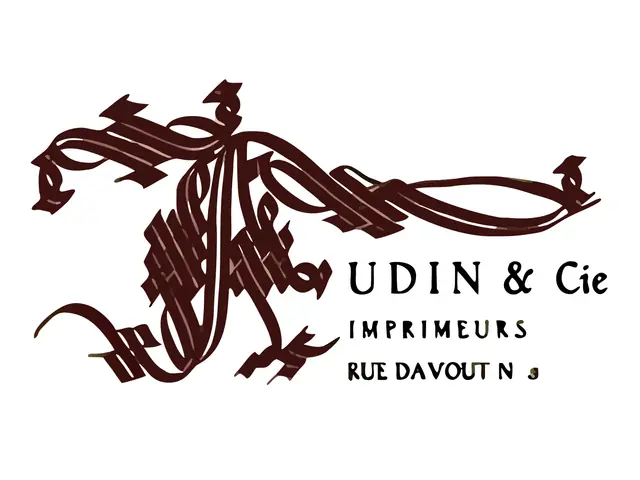
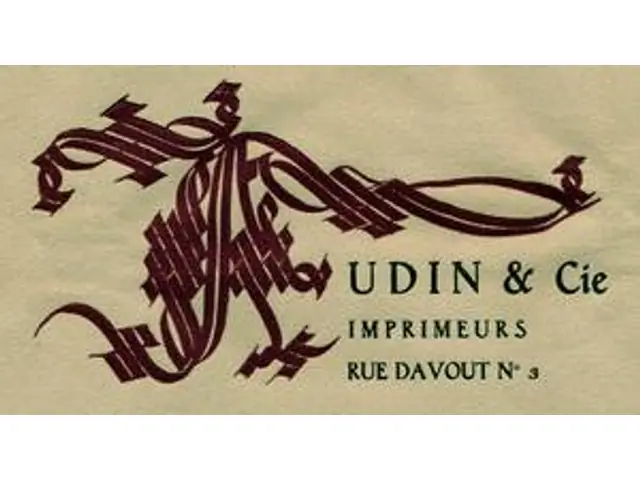
SVG returned A 300 px logo cut from a 1920s letterhead
The paper is gone: the monogram and the lettering come back as clean shapes, 124 in all.
Limit: At 300 px wide the smallest text cannot be rebuilt: the 3 of the address came back as a blob. Start from your largest copy.
Settings: free preview, Balanced preset. Converted on October 2, 2026. Scan: Musée de l'imprimerie, Lyon, Wikimedia Commons, public domain.
Your project
Pick Your St Patrick's Day Project
Each page below has a converter for that machine and explains which file to use.
Shamrock shirts
Iron-on vinyl or a print for the parade: cut each color from its own sheet.
Signs and door hangers
A painted wood sign with a vinyl stencil, or a door hanger cut on the laser.
Stickers and party favors
Print then Cut a sheet of shamrocks, or put a cut line around your own design.
Lettering
A word like Lucky or a family name: type it in Text to SVG, a free tool that works in your browser.
Keychains and pins
Engrave the shape on wood or acrylic, or print it as a raised shape in Bambu Studio.
Embroidered patches
A shamrock or a name turned into a stitch file: DST, PES and JEF in one download.
From Your Picture to the Cut File in 3 Steps
- 1
Drop your picture
A phone photo, a scan or a PNG. A plain background and good light give the cleanest file.
- 2
Check the free preview
See the traced file before you pay anything. No signup.
- 3
Get the clean file and cut
Buy that one file or take a plan, then open the SVG in Design Space, Silhouette Studio or your laser software.
St Patrick's Day SVG FAQ
Are there ready-made St Patrick's Day SVG files on this page?
No. This page turns your own picture into an SVG: the preview is free, the clean file is paid. Our template library has no St Patrick's Day set. For words like Lucky, Text to SVG is a free tool that turns typed text into a cut file.
Can I convert St Patrick's Day clipart I found online?
Only if you have the right to use it. Converting a picture to SVG does not change who owns it. For things you sell, start from your own drawing or photo, or from a design licensed for commercial use.
Which pictures give the cleanest cut file?
Flat colors on a plain background: a drawing, lettering, a sticker design. The horseshoe above came back as one closed outline plus 146 small shapes of rust: keep only the outline before you cut. The stencilled lettering came back as 35 shapes, its stencil bridges kept as real gaps.
Will the SVG open in Cricut Design Space and Silhouette Studio?
Yes in Design Space: choose Upload, then Upload Image, and pick the SVG. Silhouette Studio opens SVG files from the Designer Edition up; with the Basic Edition, use a DXF instead (see our Silhouette Studio page).
How long does a conversion take?
Usually a few seconds per picture. You see the preview on this page, with no account.
What does it cost?
The preview is free, with no signup. The clean file is paid: you can buy just that file or take a plan, and the price shows before you pay.
Make Your St Patrick's Day Cut File
Drop the picture, check the free preview, then decide.
Upload a pictureRelated pages: