
15 St. Patrick's Day SVG Ideas for Cricut & Silhouette (2026), Plus Where to Find Free Files
Get 15 free St. Patrick's Day SVG cut files for Cricut, Silhouette, and other cutting machines. Shamrocks, lucky clovers, leprechaun hats, and festive quotes ready to cut.

Founder of VectoSolve
Self-taught developer, founder and sole developer of VectoSolve since 2024. He builds the conversion engine and the cutting, embroidery and 3D printing exports.
How this article was made: drafted with AI assistance, then edited and fact-checked before publication. About the author
Try it on your own file, in Cricut mode
Free preview, no signup. Drop an image and see the vector before deciding anything.
St. Patrick's Day falls on March 17, 2026 – and if you're a crafter with a Cricut or Silhouette cutting machine, you're probably already planning your festive projects. Whether you're making shamrock-adorned t-shirts, lucky charm decals, or leprechaun-themed party decorations, you need high-quality SVG cut files that actually work.
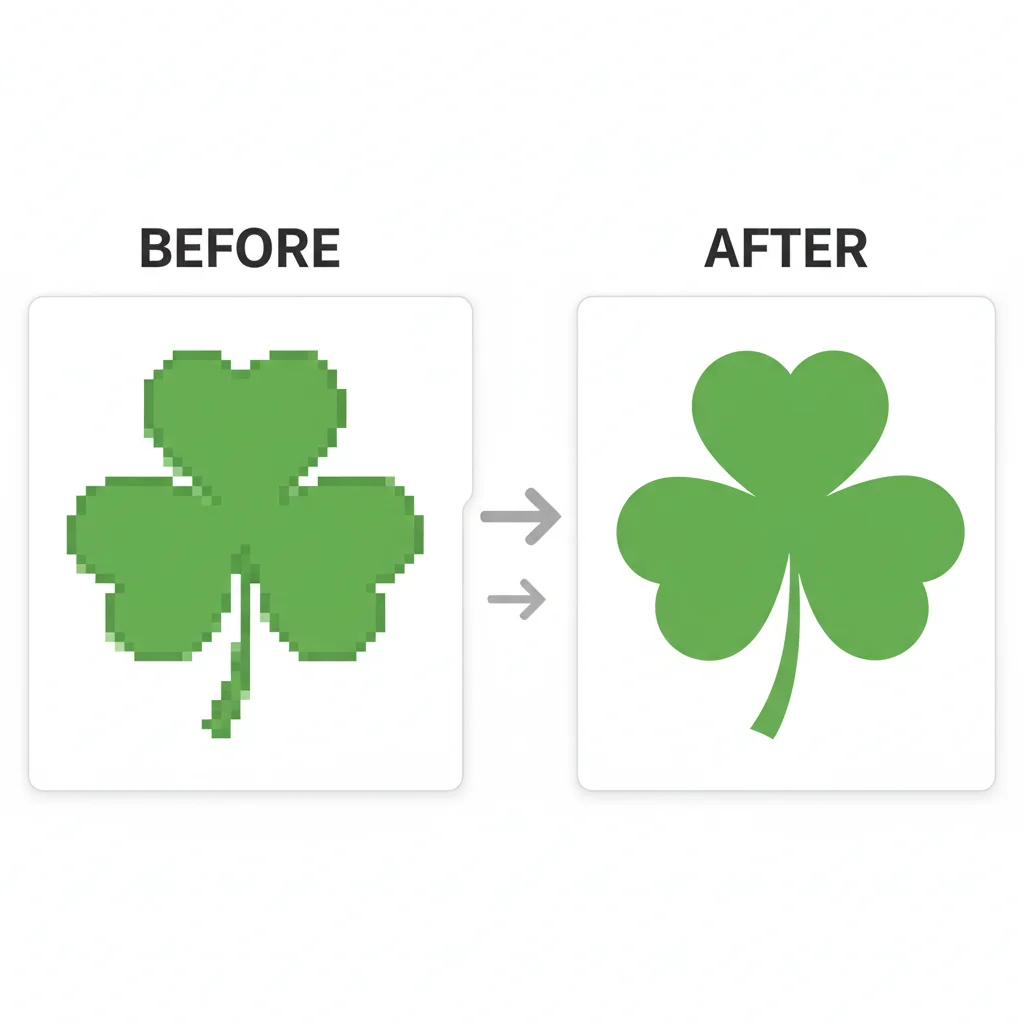
The problem? Most "free SVG" downloads are actually low-resolution PNGs in disguise, causing jagged edges and failed cuts. Real SVG files contain vector paths that scale infinitely without losing quality – essential for crisp cuts on everything from vinyl stickers to iron-on transfers.
In this guide, you'll discover 15 free St. Patrick's Day SVG design ideas, learn how to convert your own images to perfect SVG files, and master the compatibility requirements for Cricut Maker, Explore Air, Joy, and Silhouette Cameo machines.
Why SVG Files Are Essential for Cutting Machines
Not all image formats are created equal when it comes to die-cutting machines. Here's how the formats compare:
| Format | Type | Scalability | Cutting Machine Compatible | File Size | Best For |
|---|---|---|---|---|---|
| SVG | Vector | Infinite (no quality loss) | Yes (Cricut, Silhouette) | Small (5-50KB) | Cutting, engraving, printing |
| PNG | Raster | Limited (pixelates when scaled) | No (requires tracing) | Medium (50-500KB) | Photos, digital use only |
| JPG | Raster | Limited (lossy compression) | No (requires tracing) | Medium (30-300KB) | Photography, web images |
| DXF | Vector | Infinite | Yes (older Silhouette models) | Small (10-80KB) | CAD, older cutting software |
| Mixed | Depends on content | Sometimes (if vector-based) | Large (100KB-5MB) | Printing, documentation |
A single SVG file can be scaled from 1 inch to 10 feet without losing sharpness. Try that with a PNG and you'll get a pixelated disaster.
15 Free St. Patrick's Day SVG Design Ideas
Here are the most popular St. Patrick's Day SVG designs that crafters are searching for in 2026:
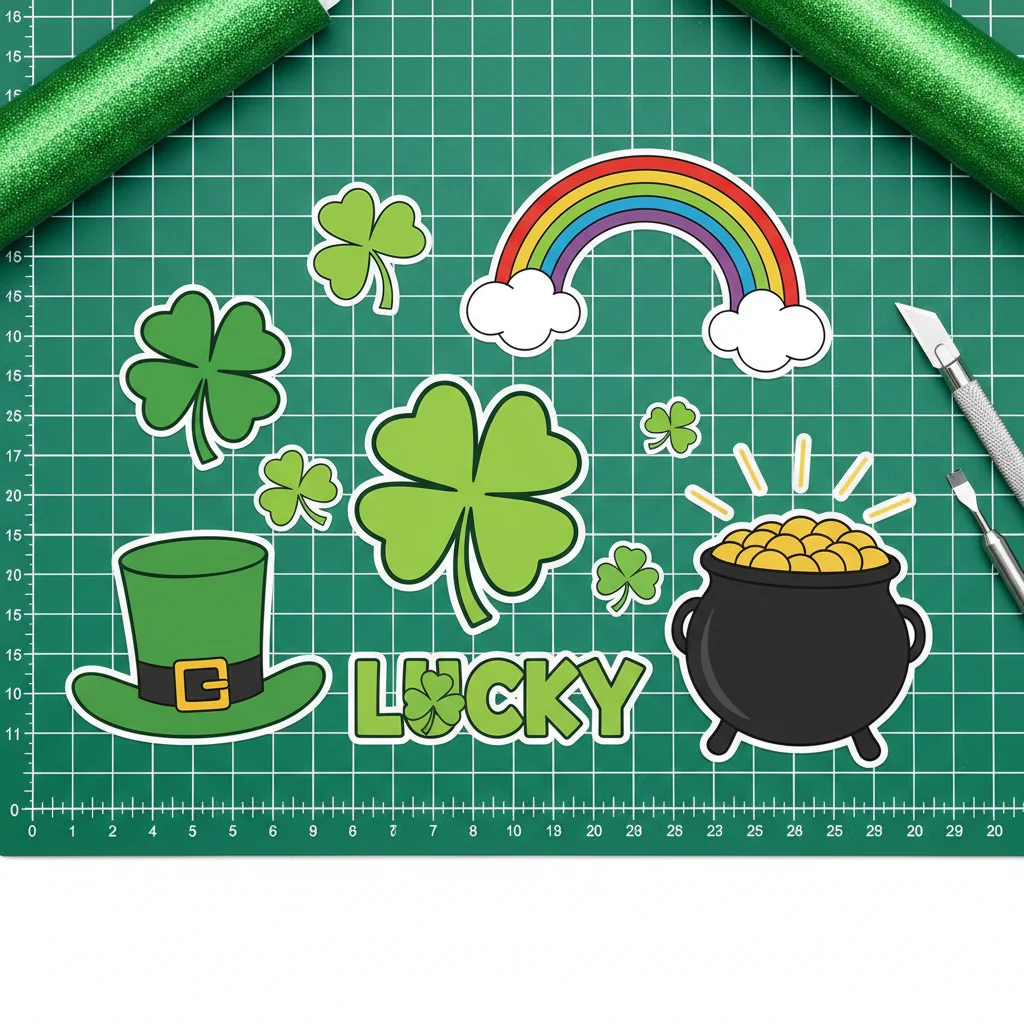
1. Classic Shamrock (3-Leaf Clover)
The iconic Irish symbol – perfect for minimalist vinyl decals, t-shirt iron-ons, and party napkin embellishments.
Project ideas: Wine glass decals, greeting cards, banner cutouts
2. Lucky Four-Leaf Clover
Rarer than the shamrock, this symbol screams good fortune. Ideal for layered designs with multiple shades of green vinyl.
Project ideas: Lucky coin purse designs, scrapbook accents, gift tags
3. Leprechaun Hat with Buckle
That signature green top hat with a gold buckle is instantly recognizable. Great for larger projects like yard signs or photo booth props.
Project ideas: Foam board cutouts, cupcake toppers, door hangers
4. Pot of Gold at Rainbow's End
A whimsical design combining rainbows, clouds, and overflowing gold coins. Works beautifully with holographic or metallic vinyl.
Project ideas: Baby onesies, treasure hunt party decorations, window clings
5. "Lucky" Typography Design
Hand-lettered script or bold sans-serif fonts spelling "Lucky," "Blessed," or "Feeling Lucky."
Project ideas: Wood sign overlays, tote bag transfers, mug decals
6. Irish Flag Tricolor
The green, white, and orange vertical stripes of Ireland's flag – simple but powerful for heritage-themed projects.
Project ideas: Parade banners, heritage scrapbooks, clothing patches
7. Celtic Knot Pattern
Intricate interwoven designs representing eternity and interconnectedness.
Project ideas: Leather stamping templates, cake stencils, mandala-style wall art
8. Horseshoe with Shamrocks
Traditional good luck symbol enhanced with clover accents.
Project ideas: Front door wreaths, farmhouse signs, good luck cards
9. "Kiss Me I'm Irish" Quote Design
Playful typography perfect for apparel and accessories.
Project ideas: St. Patrick's Day party shirts, beer koozies, temporary tattoos
10. Gnome with Leprechaun Hat
The trendy gnome craze meets St. Patrick's Day. These whimsical characters have exploded in popularity.
Project ideas: Tiered tray decorations, pillow covers, garden stakes
11. Beer Mug with Foam and Shamrock
For adult-themed St. Patrick's Day parties and pub crawl apparel.
Project ideas: Bar coasters, growler labels, drinking game boards
12. Rainbow Arch
Simple curved rainbow design – works solo or layered with other elements.
Project ideas: Layered paper rainbows, cake toppers, mobile hanging decorations
13. "Lucky Mama/Dude/Teacher" Personalized Text
Customizable templates with occupation or family role placeholders. Hugely popular on Etsy.
Project ideas: Personalized t-shirts, teacher appreciation gifts, family photo shoot props
14. Shamrock Monogram Frame
Circular or shield-shaped frames bordered with shamrocks, designed to add a single initial in the center.
Project ideas: Personalized mugs, initial door wreaths, custom gift bags
15. Truck with Shamrocks (Vintage Style)
The viral "truck with seasonal items" trend continues.
Project ideas: Farmhouse signs, spring wreaths, vintage t-shirt designs
Key Takeaways
- Shamrocks and four-leaf clovers are the most versatile designs
- Typography designs work best for apparel and signs
- Layered designs (rainbows, pots of gold) create professional-looking dimension
- Trend alert: Gnomes and vintage trucks are dominating 2026 craft trends
How to Convert Your Own Images to SVG Files
Found the perfect St. Patrick's Day clipart but it's only available as a PNG or JPG? Converting raster images to SVG takes seconds with the right tool.
The VectoSolve Method (AI-Powered Conversion)
VectoSolve's PNG to SVG converter uses advanced AI to trace bitmap images and create clean vector paths automatically:
Step 1: Upload your image (PNG, JPG, WebP, or HEIC)
Step 2: AI analyzes and vectorizes with edge detection and path smoothing
Step 3: Customize color count and curve smoothing
Step 4: Download your SVG – compatible with Cricut Design Space, Silhouette Studio, and Adobe Illustrator
Pro Tip: When converting shamrock or clover images, select "Medium" detail level. "High" detail can create unnecessarily complex paths that confuse cutting machines.
For comparison, manual tracing in Adobe Illustrator takes 15-30 minutes per design. VectoSolve delivers results in under 10 seconds.
A Full Year of Conversions for $49
Starter Annual: 25 conversions every month, $49 for the whole year. That is about $4.08 a month · Cancel anytime
Get the Annual DealCutting Machine Compatibility Guide
| Machine Model | SVG Support | Software Required | Max Cutting Width | Best For |
|---|---|---|---|---|
| Cricut Maker 3 | Native | Design Space (free) | 12 inches | All materials, intricate cuts |
| Cricut Explore Air 2 | Native | Design Space (free) | 12 inches | Paper, vinyl, iron-on |
| Cricut Joy | Native | Design Space (free) | 5.5 inches | Small projects, cards |
| Silhouette Cameo 4 | Native | Studio (free/paid) | 12 inches | Vinyl, HTV, cardstock |
| Silhouette Portrait 3 | Native | Studio (free/paid) | 8 inches | Smaller crafts, precision |
| Brother ScanNCut | Import required | Canvas Workspace | 12 inches | Fabric, paper scanning |
Warning: Common Cricut Error: "This image is too complex" means your SVG has too many anchor points (usually 5,000+). Solution: Simplify paths in VectoSolve or use "Medium" detail level during conversion.
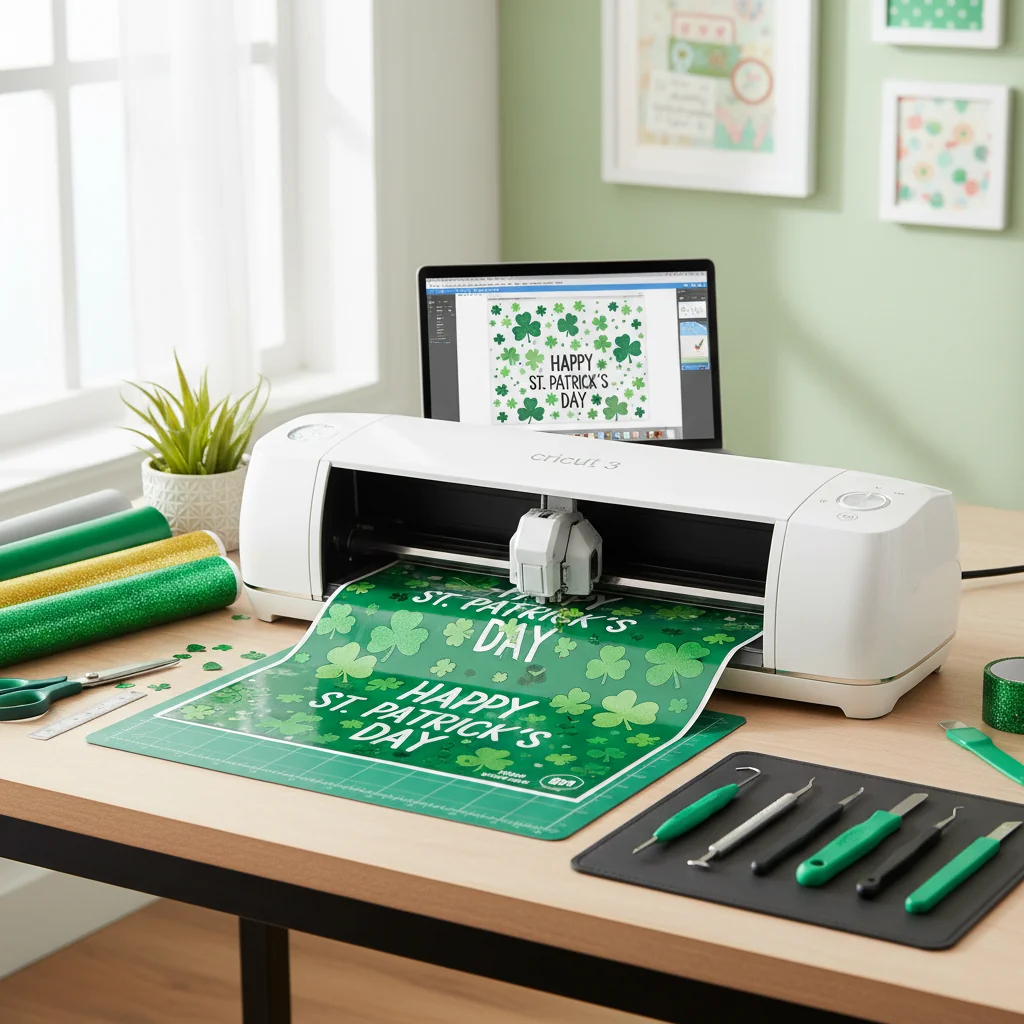
Expert Tips for Preparing SVGs for Cutting
1. Clean Up Overlapping Paths
Overlapping vector paths waste material and can cause double-cuts that tear delicate vinyl or paper.
2. Simplify Complex Curves
Celtic knots and intricate shamrock details might look beautiful on screen, but too many anchor points create jerky cuts. Optimal: 20-40 points for a simple shamrock, 100-200 for a detailed leprechaun.
3. Set Proper Dimensions Before Cutting
SVG files don't have inherent "size." Always set dimensions in your cutting software before cutting.
4. Test Cut on Scrap Material
Never waste premium glitter vinyl on untested SVGs.
5. Use Weeding Boxes for Small Details
Designs with tiny shamrock leaves or narrow Celtic knot gaps need weeding boxes.
Pro Tip: Material-Specific Settings:
- Permanent vinyl (outdoor): Blade depth 3-4, medium pressure
- Removable vinyl (indoor): Blade depth 2-3, light pressure
- Iron-on/HTV: Mirror image, blade depth 2-3
- Cardstock (65lb): Blade depth 4-5, high pressure
Where to Find Free St. Patrick's Day SVG Files
- VectoSolve Free SVG Library – Curated collection of cut files for Cricut and Silhouette
- Cricut Design Space – Free images available with Cricut Access trial
- Silhouette Design Store – Free Design of the Week
- FreeSVG.org – Public domain vectors, no attribution required
Warning: "Free for personal use" SVGs cannot be used for items you sell on Etsy or at craft fairs. Always check commercial licensing if you're selling finished products.
For ready-made cut files, visit VectoSolve's St. Patrick's Day SVG collection.
Free SVG Tools for Crafters
Design Checker · Color Separator · Mat Preview · Offset Generator · Text to SVG
Check Your SVG FreeWhat file format is best for Cricut cutting machines?
SVG (Scalable Vector Graphics) is the best format for Cricut machines because it contains vector paths that scale infinitely without quality loss. While Cricut Design Space accepts PNG and JPG files, it must trace them into vectors first – a process that often produces inferior results.
Can I use free SVG files for commercial projects?
It depends on the license. Most free SVG files are licensed for personal use only. Commercial licenses must be purchased separately or the design must be public domain/CC0 licensed. SVGs you create yourself using VectoSolve from your own photos/designs are safe for commercial use.
How do I convert a PNG shamrock image to SVG?
The fastest method is using VectoSolve's AI-powered converter: upload your PNG, AI traces edges and creates vector paths, adjust color count and smoothing, download SVG. Total time: 10 seconds vs 20+ minutes for manual tracing.
A Full Year of Conversions for $49
Starter Annual: 25 conversions every month, $49 for the whole year. That is about $4.08 a month · Cancel anytime
Get the Annual DealWhy does my Cricut say "image too complex" when uploading SVG?
Cricut Design Space has a limit of approximately 5,000-7,000 anchor points per image. Reduce detail level during conversion (use VectoSolve's "Medium" or "Simple" settings) or split complex designs into multiple smaller SVG files.
What's the difference between SVG for cutting vs SVG for printing?
Cutting SVGs need clean continuous paths, separated color layers, minimal anchor points, and no gradients. Printing SVGs can include gradients, transparency, embedded raster images, and unlimited complexity.
Can Silhouette machines use Cricut SVG files?
Yes, SVG files are universal – they work across all cutting machines. Generic SVGs from VectoSolve work perfectly in both Design Space and Silhouette Studio.
Free SVG Tools for Crafters
Design Checker · Color Separator · Mat Preview · Offset Generator · Text to SVG
Check Your SVG FreeHow small can I cut intricate St. Patrick's Day designs?
| Material | Minimum Detail Size |
|---|---|
| Permanent vinyl | 0.25 inches |
| Removable vinyl | 0.3 inches |
| Iron-on/HTV | 0.4 inches |
| Cardstock | 0.2 inches |
| Glitter vinyl | 0.5 inches |
Do I need Cricut Access to use SVG files?
No. Cricut Access (a paid subscription) provides access to Cricut's library, but you can upload unlimited SVG files from external sources completely free. Use VectoSolve's free SVG files and you'll never need Cricut Access for St. Patrick's Day projects.
Final Thoughts
With 15 design ideas, conversion techniques, and machine compatibility knowledge, you're equipped to create stunning St. Patrick's Day projects. The global craft market reached $44 billion in 2025, with cutting machine projects representing the fastest-growing segment. St. Patrick's Day crafts see a 340% search volume increase between February and March.
Ready to start cutting? Visit VectoSolve.com to convert your first St. Patrick's Day image to professional-grade SVG in under 10 seconds.