
Cut Files for Roland CutStudio, From Any Logo
CutStudio imports AI and EPS files saved in the Illustrator 7 or 8 format, plus BMP and JPG images, but not SVG or DXF. Convert the logo here, then send the clean vector to CutStudio through its plug-in or the Inkscape extension.
- Clean cut paths instead of a jagged image outline
- SVG and DXF in one download, for any route into CutStudio
- Colors kept apart, so each vinyl color cuts on its own
Works with Roland CutStudio and Roland vinyl cutters such as the GS-24 and GS2-24.
How to get a logo into CutStudio
- 1
Upload the logo
Drop the PNG, JPG or screenshot the customer sent. The free preview shows each cut path before you pay.
- 2
Pick a preset
Clean Cut for lettering and one-color decals, Balanced for most logos, High Detail for complex art.
- 3
Download the SVG
The SVG holds the clean cut paths. The DXF and a PNG come in the same download.
- 4
Send it to CutStudio
Open the SVG in Illustrator or CorelDRAW and send it with the CutStudio plug-in, or open it in Inkscape and use its Roland CutStudio extension. Check the size, then cut.
CutStudio file rules, in short
AI and EPS, version 7 or 8
CutStudio reads AI and EPS files saved in the Illustrator 7 or 8 format. A file from a recent Illustrator may need saving down first.
No SVG, no DXF
CutStudio does not open SVG or DXF directly. The plug-ins for Illustrator and CorelDRAW, and the Inkscape extension, are the usual bridge.
Image outline is a last resort
CutStudio can outline a BMP or JPG itself, but it follows the pixels. A clean vector cuts smoother curves and weeds faster.
One color per pass
Cut each vinyl color as its own job. Keeping colors as separate shapes makes that a matter of selecting them.
Why a CutStudio import fails
CutStudio will not open the SVG
It does not read SVG. Send the file through Illustrator, CorelDRAW or Inkscape, as in the steps above.
The EPS opens empty or with an error
The EPS was saved in a format newer than Illustrator 8. Save it down to version 8, or send the SVG through a plug-in.
Jagged curves from the image outline
The outline follows the pixels of the JPG. Convert the logo here first and cut the vector instead.
Tiny pieces lift while weeding
Very small islands do not hold on the liner. Use Clean Cut, or scale up designs with fine detail.
For sign and decal shops
Customer logos cut clean on a Roland
Window lettering, vehicle decals and storefront logos rarely arrive as vectors. Convert each logo here, or send a batch of jobs for a quote and get clean cut files back, checked before delivery.
Free preview of every cut path, no signup. Batches of logos are quoted within a business day.
Which file for which route
- SVG Illustrator, CorelDRAW or Inkscape, then on to CutStudio
- DXF other sign software that reads DXF
- PNG a proof to send the customer for approval
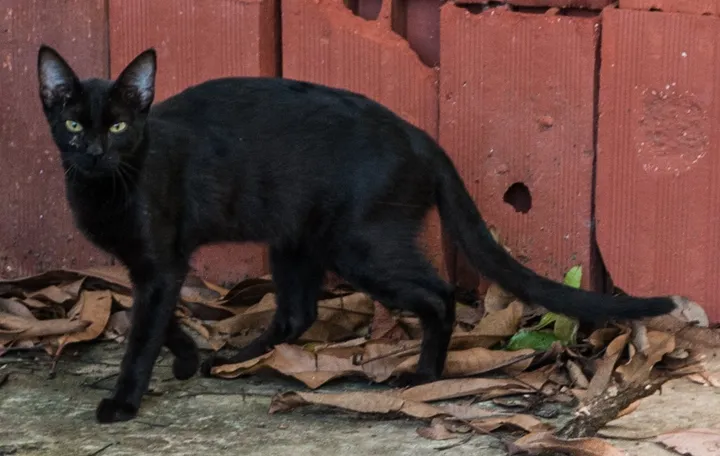
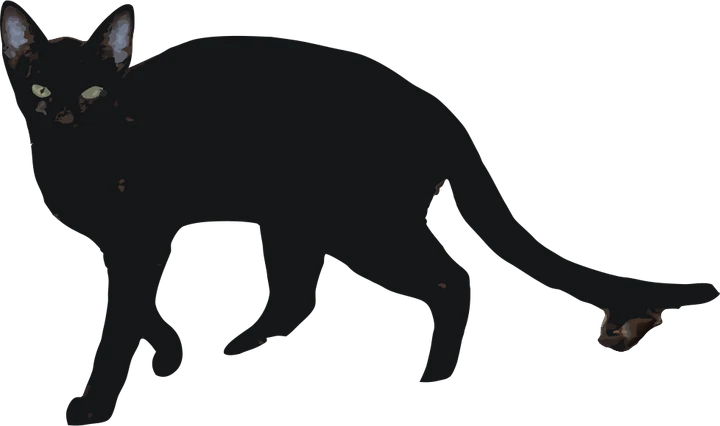
Product photos are mockups: each design is the real VectoSolve file, not retouched. Source photos are public domain or CC0. Photo: Wilfredor, Wikimedia Commons, CC0.
Custom · On quote
Top-of-market quality for complex jobs: large-format murals, detailed illustrations, photo to vector, multi-layer print files. Finished by hand by our team and checked before delivery.
Only need an SVG, not a machine file? Start with the image to SVG converter, or the PNG to SVG cut file converter.
Roland CutStudio files FAQ
Can Roland CutStudio open SVG files?
No. CutStudio imports AI and EPS saved in the Illustrator 7 or 8 format, STX, BMP and JPG. To cut an SVG, open it in Illustrator, CorelDRAW or Inkscape and send it to CutStudio from there.
What file types does CutStudio use?
Five for import: AI and EPS in the Illustrator 7 or 8 format, STX, BMP and JPG. Its own projects save as CST files.
Why does my EPS not open in CutStudio?
It was saved in a newer format. Save it as an Illustrator 8 EPS, or send the artwork through the plug-in instead.
Is the image outline in CutStudio enough?
For crisp black and white art, it can be. For photos, small logos and screenshots it follows the pixels, so a clean vector from this page cuts better.
Do these files work on other vinyl cutters?
Yes. The SVG and DXF open in most sign software, and in Cricut Design Space and Silhouette Studio.
More machine guides: all VectoSolve tools