
V-Carve From a Picture


Upload your image to convert to G-code
Drag & drop or click — PNG, JPG, WebP up to 25MB
The converter starts on V-carve wood, 60° V-bit; the 90° V-bit is in the G-code Material Preset menu. Set the width and the depth before you click Download G-code File.
Without an account you get one preview a day, carved wood included. The G-code file: $6.99 for that one file, or 18 files for $7.99 a month with the Starter plan.
V-carving cuts a design with a cone-shaped bit that runs down the middle of each line and sinks deeper where the line gets wider, so one bit carves hairlines and bold strokes, with sloped walls that catch the light. Drop a picture in the converter: it traces it, then writes V-carve G-code for a CNC router. It starts on the 60 degree V-bit setting; the 90 degree one is in its menu.
- Turns a PNG, JPG or WebP of a logo or drawing into V-carve G-code, set for a 60 degree V-bit (90 degree in the menu)
- Draws the carved wood, the deepest cut and the size before you pay
- Takes the real width of the design and the deepest cut you allow, in millimeters
How deep the bit goes, line by line
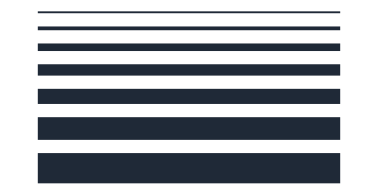
To see the rule at work, we drew a test board of 7 bars, 80 mm long and 0.5 to 8 mm wide, and had the V-carve engine of the converter write it twice: once with the 60 degree setting, once with the 90 degree one. Each depth below is read in the files, on the toolpath that runs down the middle of the bar.
| Line width | 60 degree V-bit | 90 degree V-bit |
|---|---|---|
| 0.5 mm | 0.455 mm | 0.263 mm |
| 1 mm | 0.888 mm | 0.513 mm |
| 2 mm | 1.754 mm | 1.013 mm |
| 3 mm | 2.620 mm | 1.513 mm |
| 4 mm | 3.000 mm, 2 passes | 2.013 mm |
| 6 mm | 3.000 mm, 2 passes | 3.000 mm |
| 8 mm | 3.000 mm, 2 passes | 3.000 mm, 2 passes |
The engine adds a quarter of a pixel of the grid it measures on (0.0125 mm) to half the width of the line, then divides by the tangent of half the bit angle, so the cone reaches 0.0125 mm past each edge of the line. That is about 0.87 times the width with the 60 degree bit and half the width with the 90 degree bit. The engine stops at the deepest cut you allow, 3 mm in both settings: at that depth, one pass cuts a groove 3.46 mm wide with the 60 degree bit and 6 mm wide with the 90 degree bit.
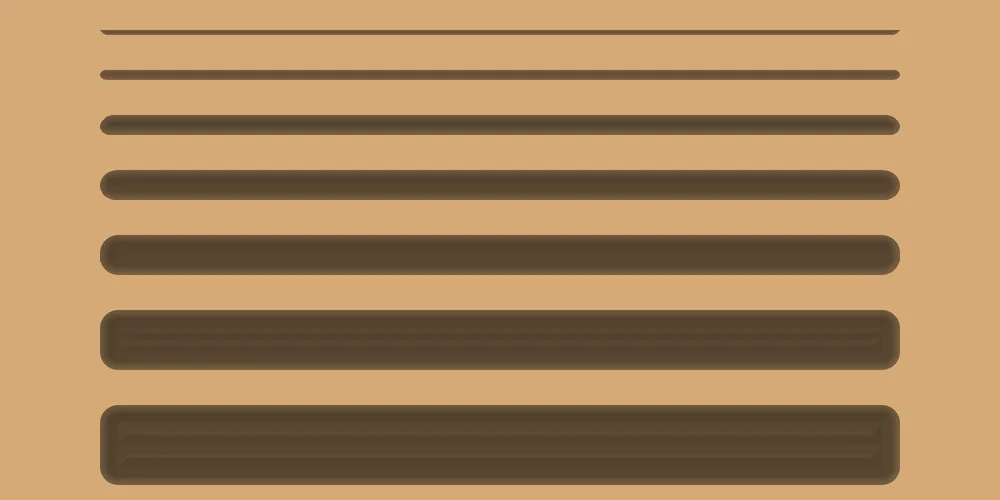
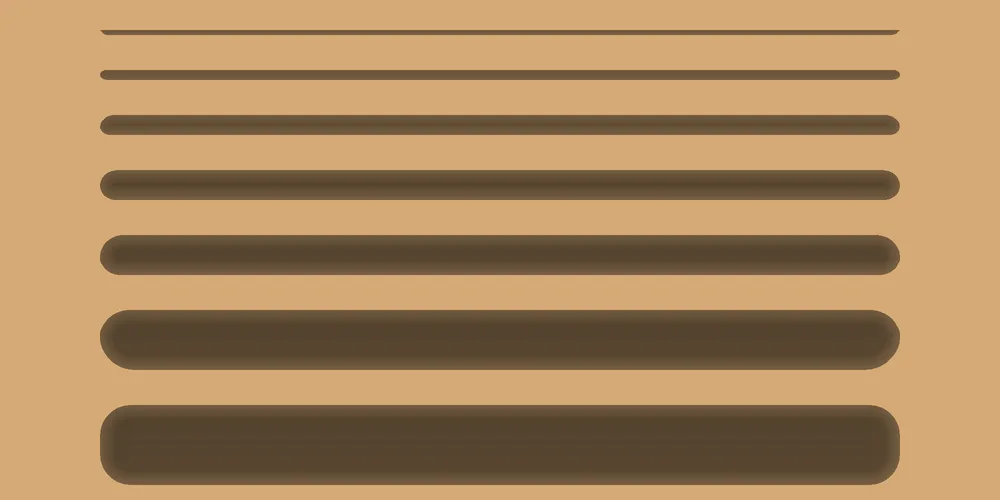
The carved test board, drawn by the V-carve preview of the converter from the toolpaths of the file. The drawing: v-bit-depth-test.svg, 516 bytes.
Wider than the bit: extra passes, and ridges
Past that width the bit stays at 3 mm. On bars like these, a line up to 3.7 mm wide with the 60 degree bit, or 6.2 mm with the 90 degree bit, still gets a single pass, which leaves a strip of wood up to 0.12 mm wide along each edge. From 3.75 mm with the 60 degree bit and 6.25 mm with the 90 degree bit, the converter adds passes that follow the outline of the shape, so the walls meet the edge of the drawing: the 4, 6 and 8 mm bars get 2 passes with the 60 degree bit, the 8 mm bar 2 passes with the 90 degree bit. The floor between those passes is not flat, because a V-bit has no flat tip. Worked out from the toolpaths of the files, across the middle of the 8 mm bar the wood comes back up to 1.036 mm under the surface with the 60 degree bit, and to 2.5 mm with the 90 degree bit.
Square ends come out round
A cone cannot cut a sharp corner, so the bit stops short of each corner of a bar. Worked out from the toolpaths of the files, the bit cuts less than 0.05 mm, one pixel of the grid, outside the bars, and all the ink it leaves uncut sits at their square ends: within 1.8 mm of the end with the 60 degree bit, and within 3.5 mm with the 90 degree bit.
A real photo, carved
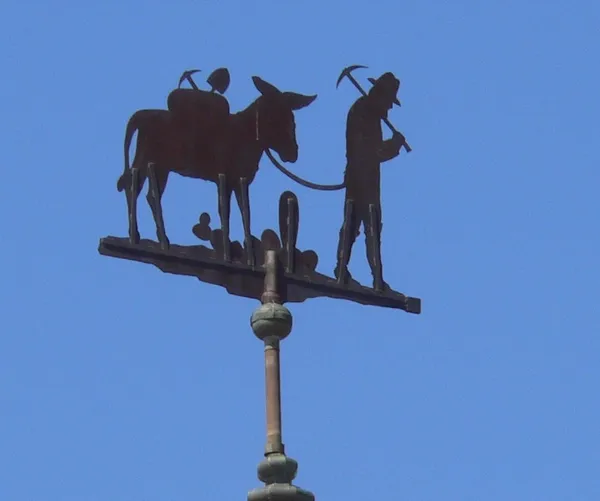
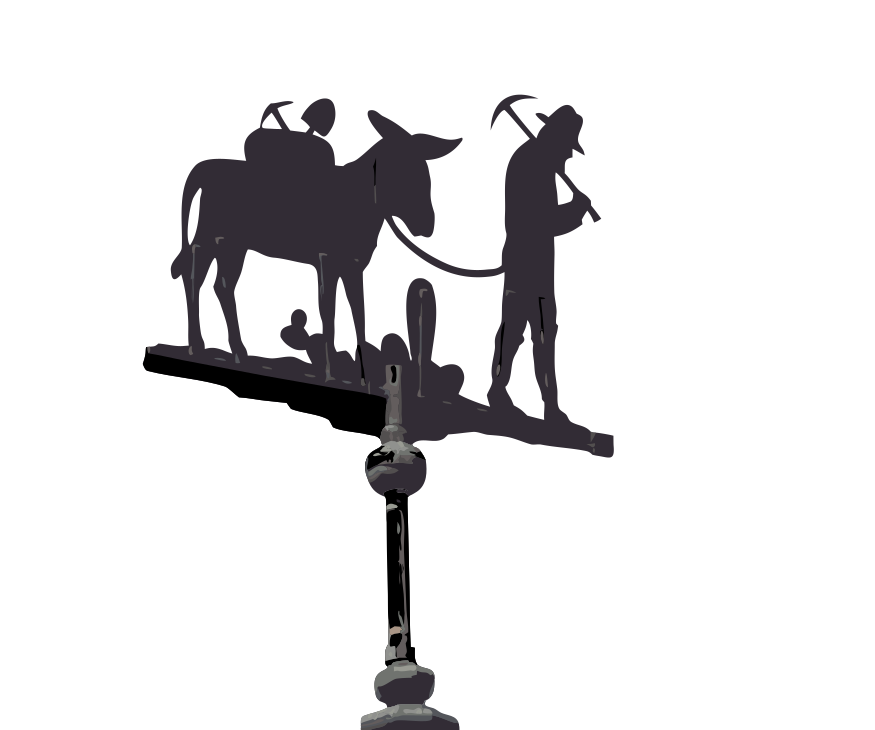
A cut-steel weathervane on the El Con water tower in Tucson: a prospector, his mule and a saguaro. On 1 October 2026 this photo went through the picture to G-code converter of the site with the settings a visitor gets. For this page, the SVG it traced was set to 120 mm wide and written with the 60 degree V-carve setting.
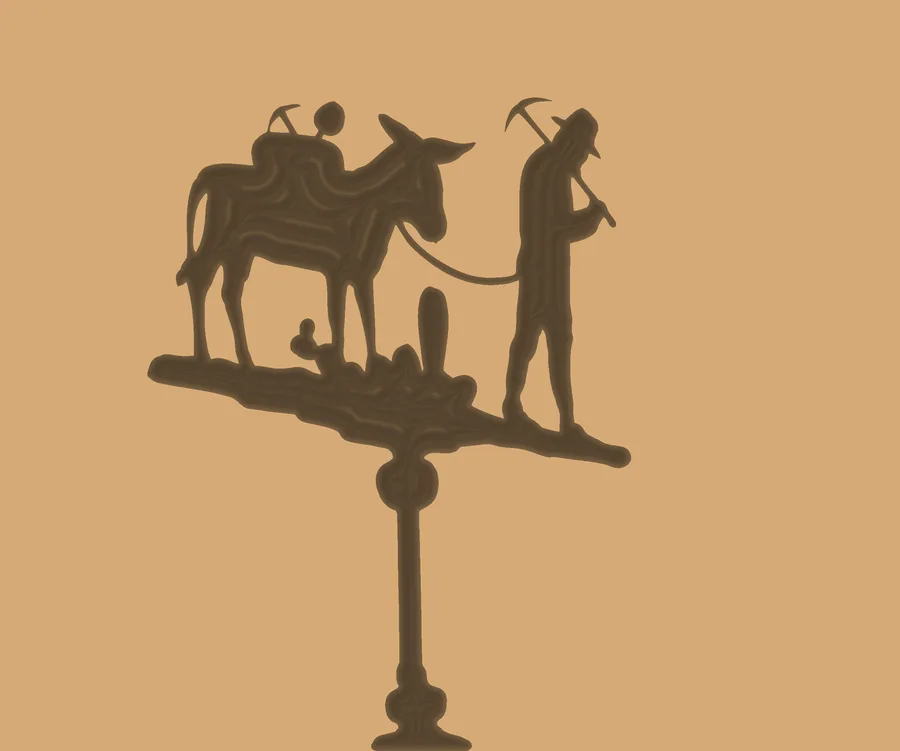
- Traced SVG
- 113 shapes, 55,647 bytes
- Carved size
- 120 x 100.2 mm, the whole canvas of the trace
- G-code
- 81 toolpaths, 2,301 lines, 59,516 bytes
- Depth
- 75 toolpaths reach the 3 mm limit; the other 6 stay above it, the shallowest at 1.03 mm
- Bit travel in the wood
- 1,254 mm, including 213 mm of straight plunges
Simulated from the file on a grid of 0.05 mm, the cone of the bit reaches all but 4,303 of the 668,314 pixels of the drawing to within one pixel, and cuts 2 pixels more than one pixel outside it, none more than two.
Reading the V-carve file
This is v-bit-depth-test-60.gcode, the test board written with the 60 degree setting. One command per line; after a semicolon comes a note for people, which the machine skips. Y counts up from the bottom edge of the board, so the first toolpath is the widest bar, at the bottom.
| No. | G-code | Meaning |
|---|---|---|
| 2 | ; Machine: CNC router, V-carve | A note: written for a router, in V-carve mode. |
| 3 | ; Bit: 60 degree V-bit | The bit the depths were computed for: with another angle, every groove comes out at another width. |
| 4 | ; Max depth: 3.000mm | The deepest cut the setting allows: no point of the file goes lower, and here the 4, 6 and 8 mm bars reach it. |
| 5 | ; Design: 100.0 x 50.0 mm, 10 toolpaths | The size of the board and the number of toolpaths. |
| 6 | ; Spindle: S12000 RPM, feed 800 mm/min, plunge 267 mm/min | The values of the setting. The plunge feed is a third of the feed, rounded. |
| 7 | ; Zero X/Y on the bottom-left corner of the design, Z on the TOP of the wood. | Where to set the zero before you run the file. |
| 8 | ; Depth follows the width of each line: one pass down the middle of every stroke. | A note on how the middle passes are made. The 4, 6 and 8 mm bars also get an outline pass, further down. |
| 10 | G21 ; Units: mm | Millimeters for every number that follows. |
| 11 | G90 ; Absolute positioning | Coordinates count from the zero, not from the last point. |
| 12 | G0 Z5.000 ; Safe Z | Up to 5 mm above the wood before any travel. |
| 13 | M3 S12000 ; Spindle on | Spindle on, at 12,000 RPM. |
| 14 | G4 P3 ; Let the spindle reach speed | A pause before the first cut. |
| No. | G-code | Meaning |
|---|---|---|
| 16 | G0 X10.000 Y5.525 | Travel above the wood to the left end of the 8 mm bar. |
| 17 | G1 Z0.000 F267 | Down to the surface at the plunge feed. |
| 18 | G1 X11.725 Y5.525 Z-3.000 F800 | Into the wood: 3 mm deep after 1.725 mm along the bar, at the cutting feed. |
| 21 | G1 X85.665 Y5.500 Z-3.000 | Along the middle of the bar at the full 3 mm. |
| 24 | G1 X90.000 Y5.525 Z0.000 | Back up to the surface at the right end: the bit draws the end as a slope. |
| 25 | G0 Z5.000 | Out of the wood, to the safe height. |
| No. | G-code | Meaning |
|---|---|---|
| 107 | G0 X10.009 Y46.956 | The top bar, 0.5 mm wide. |
| 113 | G1 X10.735 Y46.750 Z-0.455 | Its full depth: 0.455 mm. |
| 114 | G1 X89.215 Y46.750 Z-0.455 | Along the bar at that depth, 78.48 mm in one line. |
| 146 | ; End of carving | A note. |
| 148 | M5 ; Spindle off | Spindle off. |
| 149 | G0 X0 Y0 ; Return to origin | Back to the zero, the bottom-left corner of the board. |
The outline passes of the 4, 6 and 8 mm bars plunge straight to 3 mm instead of sloping down: each one runs in a bar whose middle pass came earlier in the file.
What the converter keeps from your picture
The background goes, dark shapes carve
The converter removes the background of the picture as it traces it. Then every part of the trace darker than near white, a brightness under 235 out of 255, is wood to remove; white parts and empty areas stay. To carve a drawing of your own, draw it in a dark color on white.
Color does not set the depth
The engine sees ink or no ink, nothing in between. Two dark colors that touch carve as one shape, and shading never turns into depth: only the width of each dark area does.
You set the real size
Type the width of the design in Design width (mm) and the height follows. The file measures the drawing on a grid of 0.05 mm up to 150 mm on its longest side; above that the grid grows, to 0.1 mm at 300 mm.
One pass per toolpath
Each toolpath goes down to its full depth in a single pass: the converter does not split the depth into steps. For a lighter cut, lower Max depth (mm).
Millimeters, zero at the bottom-left
The file is in millimeters (G21), with X and Y counted from the bottom-left corner of the design and Z from the top of the wood.
Spindle and feed
Both V-carve settings write 12,000 RPM, 800 mm/min along the lines and 267 mm/min when the bit plunges.
Three ways to get a carving file
From your picture, here
Drop the picture in the converter at the top of this page: it traces it, draws the carved wood for a 60 degree V-bit, or a 90 degree one picked in its menu, and writes the V-carve G-code once you buy the file.
Go to the converterHave it prepared
A shop with a customer logo to carve can send it to the team: a quote, a watermarked proof, then the file in the format your router reads, DXF, SVG or G-code.
Ask for a carving fileYou already run VCarve or Aspire
If you set your toolpaths in Vectric software, start from vector files made for it instead of a finished G-code.
Vector files for VCarveFrom a picture to a carved board
- 1
Drop the picture
Drop a PNG, JPG or WebP of a logo, a silhouette or a line drawing on a plain background, then hit Convert to G-code. The traced shapes come back in a preview, with a watermark unless the conversion used your credits.
- 2
Check the V-carve setting
The G-code Material Preset menu starts on V-carve wood, 60° V-bit (depth follows the line). With a 90 degree bit in your spindle, choose the 90° one under CNC router: every depth is computed for the angle you pick.
- 3
Set the size, check the wood
Before you download, type the real width in Design width (mm) and, if you want, a smaller Max depth (mm). The panel draws the carved wood and gives the deepest cut and the size.
- 4
Download, zero, carve
Once the size and the depth are set, hit Download G-code File: if the conversion used your credits, the ZIP downloads at once; otherwise the button leads to the payment options. On the machine, set X and Y to zero on the bottom-left corner of the design and Z on the top of the wood, then run the file.
V-carve questions
What does V-carve mean?
V-carving cuts with a cone-shaped bit, the V-bit, that follows the middle of each line and goes deeper where the line is wider. At the surface, the groove is 2 x depth x tan(half the bit angle) wide: at 1 mm deep, a 60 degree bit cuts a groove 1.15 mm wide and a 90 degree bit one 2 mm wide.
How deep will my V-bit cut a line?
The converter adds 0.0125 mm, a quarter of a pixel of its grid, to half the width of the line, divides by the tangent of half the bit angle, and stops at the Max depth you allow, 3 mm unless you change it. Below that limit, it comes to about 0.87 times the width with a 60 degree bit and half the width with a 90 degree bit. In the test files of this page, a 2 mm line goes 1.754 mm deep with the 60 degree setting and 1.013 mm deep with the 90 degree one.
Should I use a 60 or a 90 degree V-bit?
On the same line, the 60 degree bit cuts 1.73 times deeper than the 90 degree one, with steeper walls, until it reaches the 3 mm limit on lines 3.44 mm wide. Past that the 90 degree bit catches up: a 4 mm line goes 3 mm deep with the 60 degree setting and 2.013 mm with the 90 degree one, a 6 mm line 3 mm with both. The 90 degree bit also carves wider lines in one pass: up to 6 mm at the 3 mm limit, against 3.46 mm. Pick the setting that matches the bit in your spindle, since every depth is computed for that angle.
What happens to shapes wider than the bit?
The bit stays at the 3 mm limit. On the straight bars of the test board, a line up to 3.7 mm wide with the 60 degree bit, or 6.2 mm with the 90 degree bit, still gets one pass and keeps a strip of wood up to 0.12 mm wide along each edge; a slanted line or a ring can get outline passes a little sooner, and wider shapes get passes that follow the outline and carry the walls to the edge of the shape. A V-bit has no flat tip, so ridges stay between the passes: across the 8 mm bar of the test board, the wood comes back up to 1.036 mm under the surface with the 60 degree bit.
Why do the ends of my lines come out round?
A cone cannot reach into a square corner. On the test board, all the ink the bit leaves uncut sits at the square ends of the bars, within 1.8 mm of the end with the 60 degree bit and 3.5 mm with the 90 degree bit, and the bit cuts less than 0.05 mm outside the bars.
Which pictures carve well?
A logo, a silhouette or a line drawing on a plain background, like the weathervane on this page: the converter removes the background as it traces the picture, and every part of the trace darker than near white is carved. Shading does not turn into depth: the depth comes only from how wide each dark area is.
Can I choose the size of the carving?
Yes: type the real width in Design width (mm) and the height follows. Up to 150 mm on the longest side the file measures the drawing every 0.05 mm; at 300 mm, every 0.1 mm.
Which machines and programs can run the file?
It is plain G-code for routers that read GRBL commands, in millimeters, with only G21, G90, G0, G1, G4, M3 and M5. The converter lists GRBL, UGS and Candle among the programs that open it. Before the first run, check the zero: X and Y on the bottom-left corner of the design, Z on the top of the wood.
How much does a V-carve file cost?
The preview and the carved wood cost nothing: without an account you get one preview a day. The G-code file: $6.99 for that one file, or 18 files for $7.99 a month with the Starter plan.
More: carving files prepared for your shop, vector files for VCarve and all VectoSolve tools.