
DXF Files for SheetCAM, From Any Logo or Image
SheetCAM cuts what the drawing gives it: a closed shape gets an inside or outside offset, an open line gets neither. Turn the customer logo into closed contours here, import the DXF, and let your post processor write the G-code.
- Closed contours, so inside and outside offsets work
- DXF in inches or millimeters, R12 or AutoCAD 2000
- Repeated paths removed before the DXF is written
Works with SheetCAM TNG. SheetCAM writes the G-code for your table through its post processor.
From a logo to a SheetCAM job
- 1
Upload the logo or drawing
Drop a PNG, JPG or WebP: a logo, a sketch or a photo of a metal sign. The free preview shows every contour before you pay.
- 2
Pick the preset for the plate
Bold Cut for heavy plate and simple shapes, Standard for most signs, Fine Detail for thin gauge and small lettering.
- 3
Download the DXF
Choose inches or millimeters and type the final width in the DXF panel, so the part comes in at its true size. The ZIP also holds the SVG.
- 4
Import it in SheetCAM
Use File, Import drawing, pick DXF in the file type list, then add a plasma operation: outside offset for the part, inside offset for the holes.
SheetCAM settings that decide the cut
Inside and outside offset
SheetCAM offsets a closed contour by half the kerf width, inside or outside. An open line has no inside, so it is always offset to the right of its start point.
Kerf width in the tool
Enter the kerf width of your torch and consumables in the plasma tool. Draw the part at its true size and let the offset do the rest.
Import link tolerance
Ends closer than this tolerance are joined on import. It saves a tiny gap, but SheetCAM's manual says it should not be used to fix a poor drawing.
Detail reduction and arc fitting
Thousands of tiny segments slow SheetCAM down and make large G-code. It merges short lines into arcs within a tolerance; a cleaner trace leaves it less to fix.
Lead-ins and corner loops
Set a lead-in so the pierce starts off the contour, and loop sharp corners that the jet would round. Both belong to the plasma operation.
Why a DXF misbehaves in SheetCAM
The import window shows an empty folder
The file type list shows one format at a time. Switch it to DXF, or to SVG, and the files appear.
Lines are gray and will not cut inside or out
Gray lines are open shapes. The trace from this page closes every contour, so each part gets a real inside and outside.
Letters come out wrong or go missing
Text in a DXF has to be exploded into lines. A traced logo has no live text: every letter is already a closed shape.
The torch cuts the same line twice
The drawing holds duplicate lines. Keep Remove duplicate lines on in SheetCAM; the DXF from this page drops repeated paths before export.
For metal shops and plasma table owners
Customer logos that cut clean on the plasma table
Gate signs, ranch brands and shop logos arrive as phone photos. Convert them here, or send the batch for a quote: closed contours at the plate size, ready for SheetCAM or the CAM you already use.
Free preview of every contour, no signup. The quote comes within one business day.
What each file in the ZIP is for
- DXF SheetCAM import, one layer per color
- SVG SheetCAM import too, or edits in Inkscape
- G-code Mach3 style, for tables that run it without CAM
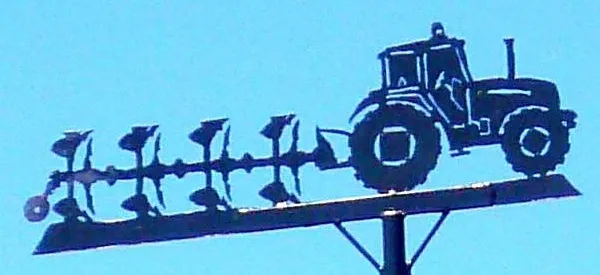
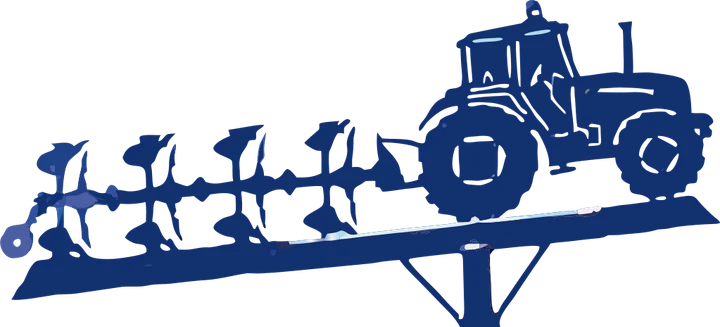
Product photos are mockups: each design is the real VectoSolve file, not retouched. Source photos are public domain or CC0. Photo: Zarateman, Wikimedia Commons, CC0.
Custom · On quote
Top-of-market quality for complex jobs: large-format murals, detailed illustrations, photo to vector, multi-layer print files. Finished by hand by our team and checked before delivery.
Working from a logo or a photo with no machine in mind? Use the image to SVG converter; for a vinyl or paper cut, the PNG to SVG cut file converter.
Done for you, from $9 per file
A stack of plate jobs this week?
Send the customer files and we prepare the DXF, or the G-code for your table, checked before delivery.
- Simple One colour, bold shapes: a silhouette, a monogram, a simple logo$9 per file
- Standard A logo or lettering up to 3 colours, a sign layout$15 per file
- Complex Fine detail, small text, many colours, a photo or a sketch$25 per file
- Production CNC or plasma profiles with G-code, multi-layer and multi-part jobs$45 per file
Rush: next business day, +$5 per file. Quote within one business day; the delivery date is on the quote.
Shop plans, for files every week
- Shop 1010 files a month$99 a month
- Shop 2525 files a month$199 a month
- Shop 5050 files a month$349 a month
Any file up to Complex counts as one, a Production file counts as two. Unused files do not roll over.
- You pay after you have seen the watermarked preview
- Files checked before delivery, in the format your machine reads
More on our DXF conversion service.
DXF for SheetCAM FAQ
What files can SheetCAM import?
DXF, SVG, HPGL, G-code and Excellon drill files, through File, Import drawing. Photos and PNG images are not on the list, so a picture has to become a vector first.
Should I import the DXF or the SVG into SheetCAM?
Either works. The DXF carries the size you set in inches or millimeters; with the SVG, check the scale in the import dialog before you place the part.
Why does SheetCAM treat my shape as an open path?
Two ends do not meet, so the shape is open. Turn on the path end markers to find the gap, or start again from a closed trace.
Can I skip SheetCAM and cut the G-code from this page?
Yes, if your table runs Mach3 style G-code: the plasma ZIP holds one, tuned for mild steel at 55 A. For nesting, lead-ins and your own post processor, keep SheetCAM.
Is the DXF part of the free preview?
The free preview shows the traced contours. Downloading the DXF, the SVG and the G-code is part of a paid plan.
More machine guides: all VectoSolve tools