
SVG Converter: Turn Images into SVG, or SVG into PNG and DXF
This SVG converter turns a PNG, JPG, WEBP, GIF, BMP or AVIF image into an SVG made of editable paths; a PDF (first page) or a TIFF (first image) is decoded in your browser first. Going the other way, SVG to PNG and SVG to DXF run in your browser and keep your paths as drawn. The free preview in the converter is watermarked and needs no signup; the clean file comes with a plan.
Which SVG conversion do you need?
"SVG converter" covers three different jobs. Pick yours before you upload, because they are not done the same way.
- A picture to SVG (logo, drawing, scan, photo): the converter on this page. The picture is traced, which means its shapes are found in the pixels and redrawn as paths.
- An SVG to another format (PNG for a website or a mock-up, DXF for a laser or CNC): SVG to PNG and SVG to DXF. Both read your existing paths and run in your browser, so the file is not uploaded and nothing is redrawn.
- An SVG to a cleaner SVG (lighter, recoloured, specks removed): optimize SVG and the SVG editor.
Do not drop an SVG you already have into the converter on this page: it would be turned into pixels and traced again, and you would lose the paths you started with.
What goes in, what comes out
In: PNG, JPG/JPEG, WEBP, GIF, BMP and AVIF go straight in, up to 25 MB. PDF (the first page) and TIFF (the first image) are decoded in your browser first, then treated as a picture. HEIC, PSD, AI, EPS, CDR, DWG, DXF, Sketch and Figma files cannot be opened by a browser; instead of a dead end, the converter tells you the one export that fixes each, for example Share, Options, Most Compatible on an iPhone for a HEIC photo.
Out, on this page: an SVG made of filled paths. It opens in Inkscape, Illustrator, Affinity, Figma, Canva, Cricut Design Space, LightBurn and any browser.
Out, from the same picture, on their own pages:
- Image to DXF for laser cutters, routers and plasma tables: an R12 file, the version older CAM software reads.
- Image to EPS for print shops, with an SVG, a PNG and a vector PDF in the same ZIP.
- Image to G-code for a GRBL laser or CNC.
- Embroidery files (DST, PES, JEF), fitted to the hoop before the stitches are written.
SVG to PNG and SVG to DXF: what the two browser tools do
Both tools start from the SVG you already have. Nothing is traced, so clean artwork stays exactly as drawn, and both run in your browser without sending the file anywhere.
- SVG to PNG renders the SVG at 1x, 2x or 4x its size, on a transparent, white or custom-colour background. Use it for a website, a mock-up, a print-on-demand upload or any app that does not read SVG. It takes SVG files up to 5 MB.
- SVG to DXF writes the paths as a DXF in millimetres, centimetres or inches, as AutoCAD 2000 or as R12 for older CAM software, on a single layer or with LightBurn, VCarve or generic CAM layer names, at true size or at the width you type. It takes SVG files up to 8 MB. Text in the SVG should be converted to paths first.
The order matters when you start from a picture: convert it to SVG here, check and clean it in the SVG editor, then take that SVG to PNG or DXF. Each step keeps what the previous one made.
What the SVG looks like: four real conversions, measured
Our design team converted nine real pictures between 28 September and 2 October 2026, once each, with the default settings of the page each one was made on and no cleanup, then measured each SVG from the file: size, number of paths, number of fills. Four of them show the range.
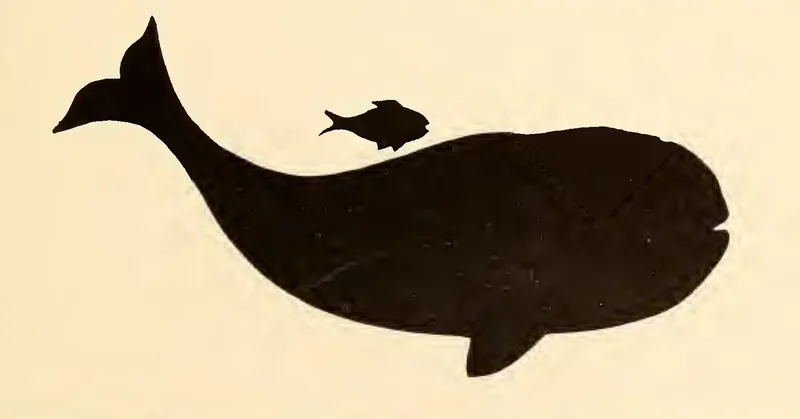
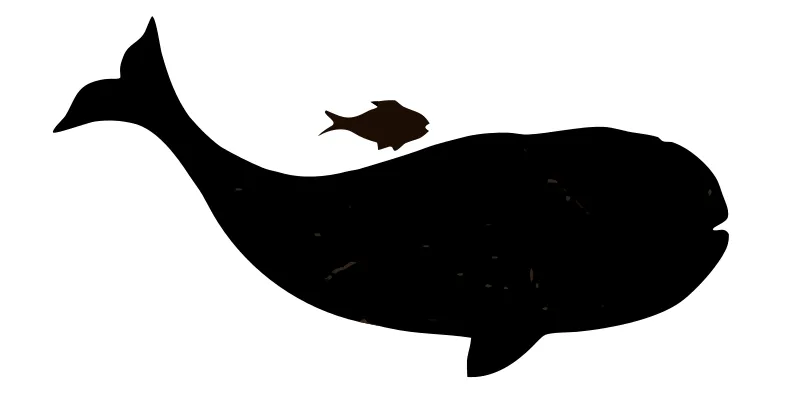
Picture: Silhouettes to cut in school, by Katharine G. Buffum, Silhouettes to Cut in School (1914), via the Internet Archive, public domain (US, 1914). Cropped or resized, colours untouched.
- Flat three-colour plaque (JPG, 34.4 KB): 4 paths, 3 fills, 12.7 KB. The cleanest result of the set.
- Whale from a 1914 book scan (JPG, 26.7 KB): 12 paths, 3 fills, 7.6 KB. Paper removed; a few faint scan lines survive as tiny paths.
- Trail marker on a mossy tree (photo, 116.5 KB): 302 paths, 14 fills, 178.8 KB. Bark removed, blue disc and white arrow kept, but the white rim came out very light blue: check colours before you print.
- Child's felt-tip drawing (phone photo, 141.4 KB): 703 paths, 76 fills, 331.8 KB. Very faithful, and that is the problem for a cutter: 703 pieces. Fine for print or sublimation; for a cut ornament, keep the outline.
The rule that comes out of the nine: the fewer colours in the picture, the closer the SVG is to a clean drawing. All nine, with the SVG files to download, are on nine real conversions, measured.
Who makes this converter, and what reviewers say
VectoSolve is made by a team of graphic designers, with Robin Monteiro as founder and developer. The test above was run and measured by that team, and the files are public so you can check them yourself.
Public reviews: VectoSolve is rated 4.1 out of 5 on G2, from 4 reviews. That is a small number, and we would rather show it as it is than round it up.
SVG or not? A quick decision
- Use SVG for logos, icons, lettering, clipart and cut files: it scales without blur, every shape stays editable, and cutting machines follow it.
- Keep PNG or JPG for photos that must stay photos. Vectorizing a photo gives flat colour shapes and, in our test, files up to 5.8 times heavier than the source.
- Ask for EPS or PDF when a print shop wants them; image to EPS gives both.
- Ask for DXF when the machine software does not read SVG, such as Silhouette Studio Basic Edition or older CAM software.
Starting from a PNG? The PNG to SVG converter on our home page is the dedicated tool. For a JPG, see JPG to SVG; to see how tracing works step by step, see the image vectorizer.
How Does AI Vectorization Compare to Manual Tracing?
Manual Tracing
VectoSolve AI
What Is the Best Image to SVG Converter in 2026?
VectoSolve uses AI-powered vectorization to deliver faster, more accurate results than traditional auto-trace tools. Here's how it compares:
| Feature | VectoSolve | Convertio | AutoTracer | Vectorizer.ai |
|---|---|---|---|---|
| AI-Powered | ||||
| Speed | 2–5 sec | 10–30 sec | 5–15 sec | 5–10 sec |
| Edge quality | Clean, precise paths | Varies | Varies | Good |
| Free Tier | Watermarked preview | 2/day | Unlimited | None |
| Price/Conversion | From $0.11 on a yearly plan | $0.15 | Free | $0.99 |
| Output Formats | SVG, DXF, EPS, PDF | SVG only | SVG, EPS | SVG, PNG |
| Batch Mode | 50 files | 10 files | 1 file | 10 files |
| Background Removal | ||||
| No Signup Required | For previews |
Data as of March 2026. Prices and features may vary. AutoTracer offers unlimited free conversions but with lower accuracy and no AI.
How to Convert Image to SVG
3 simple steps, no software needed
1. Upload Your Image
Drag and drop or click to upload your image file
2. AI Converts Instantly
Our AI traces edges and creates clean vector paths
3. Download SVG
Get your scalable SVG file ready to use
Why Should You Use VectoSolve for Image to SVG Conversion?
Trusted by designers, developers and crafters
AI-Powered Accuracy
Our AI analyzes your image and creates the cleanest possible vector output
Automatic Background Removal
Option to automatically remove backgrounds during conversion
Fast Processing
Most conversions complete in just 2-5 seconds
No Software Required
Works entirely in your browser - no downloads needed
High Quality Output
Professional-grade SVG files ready for any use
Commercial License
Use converted files for any purpose including commercial
What Do Users Ask About This Converter?
7 questions about Image to SVG conversion
It turns a picture made of pixels into an SVG made of paths, or turns an existing SVG into another format. The converter on this page does the first; the SVG to PNG and SVG to DXF tools do the second, in your browser.
PNG, JPG, JPEG, WEBP, GIF, BMP and AVIF up to 25 MB, plus PDF (first page) and TIFF (first image), which your browser decodes first. HEIC, PSD, AI, EPS, CDR, DWG, DXF, Sketch and Figma files are refused, each with the one export that fixes it.
Use the SVG to PNG or SVG to DXF tools instead. They read the paths of your SVG directly in the browser and the file is not uploaded. An SVG dropped into the converter on this page would be turned into pixels and traced again.
For logos and flat art, a handful of paths: 4 to 17 in our nine measured tests. For photos, hundreds or thousands of flat colour shapes: 147 to 2,340 paths. The fewer colours in the picture, the cleaner the SVG.
Yes. Cricut Design Space, Glowforge, xTool Creative Space and LightBurn open it directly. Silhouette Studio needs Designer Edition or higher for SVG; with Basic Edition, use a DXF from the image to DXF converter.
Because an SVG stores every shape it contains. In our tests flat art came out two to four times smaller than the source JPG, but a photo of a straw star went from 85.5 KB to 499 KB and a painted wooden horse to 1.1 MB. A photo is the wrong start when you need a small file.
The preview is free and needs no signup; it carries a watermark. You get one preview a day. For the clean file you need a plan; current prices are on the pricing page.
What Other Converters Are Available?
Explore More
VectoSolve vs GIMP: Vectorization vs Image Editing
VectoSolve vs ChatGPT: Vector Conversion vs AI Generation
VectoSolve vs Cricut Design Space Web: Browser-Based Comparison
Best Alternative to ChatGPT for SVG & Vector Creation in 2026
Best CloudConvert Alternative for SVG Conversion in 2026
How to Vectorize an Image for Free Online
How to Make SVG Files for Cricut
Where Can You Learn More About Image to SVG Conversion?
ChatGPT image to SVG or DXF: how to vectorize an AI-generated picture
A ChatGPT image is a PNG. Here is how to turn it into a clean SVG for design tools or a DXF for laser cutters and CAD, on the web or directly inside ChatGPT with the VectoSolve app.
AI Image to SVG: The 2026 Workflow Creators Are Using
We tested 8 AI image generators (Midjourney, GPT-Image, Firefly, Flux, Ideogram, Recraft, Krea, Leonardo) and the full vectorization pipeline. The creator workflow used by Etsy sellers, laser shops, and apparel printers in 2026.
Figma Weave Just Launched AI Workflows on Community — How to Build an Image-to-SVG Pipeline Without Leaving Figma
In 3 weeks, Figma opened its canvas to AI agents, launched Weave (visual AI workflows), and published 20+ templates. Here's how to build a complete image-to-SVG-to-design pipeline using Figma MCP + VectoSolve MCP.