
DXF Files for Torchmate CAD
Torchmate CAD traces in black and white: black becomes solid metal, white is cut away, and a color logo loses detail when it turns monochrome. Turn it into closed contours here, import the DXF and check it with Show Fill.
- Closed contours that fill solid in Show Fill
- DXF in inches or millimeters, at the plate size
- Smooth curves instead of jagged pixel steps
Works with Torchmate CAD, which adds the tool paths and writes the cut program for your Torchmate table.
From a picture to a Torchmate part
- 1
Upload the picture
Drop a PNG, JPG or WebP: a ranch brand, a shop logo or a photo of a metal sign. The free preview shows each contour before you pay.
- 2
Pick the plate preset
Bold Cut for thick plate and simple silhouettes, Standard for most signs, Fine Detail for thin gauge and small lettering.
- 3
Download the DXF
Set inches or millimeters and the final width in the DXF panel, so the part imports at its real size.
- 4
Import and check it
In Torchmate CAD, use File, Import, then View, Show Fill: a part that fills solid is ready for a tool path.
Torchmate CAD steps that decide the cut
Show Fill
Show Fill displays the object as the computer sees it. Solid means ready for a tool path; a dotted outline means a gap somewhere.
Connect Path for holes
A part with holes can import as separate solid objects. Select the part and its holes, then use Arrange, Connect Path so the CAD treats them as one part.
Online, Male or Female
Create Tool Path offers Online, on the line; Male, outside the part and inside its holes; and Female, the opposite offset.
Monochrome tracing
For its own trace, Torchmate CAD wants a monochrome image: black is solid, white is cut out. Color detail can be lost in that step.
Why a DXF misbehaves in Torchmate CAD
The part shows a dotted outline
The contour has a gap. Try Arrange, Connect Path, or join the open nodes; a closed trace from this page avoids the gap.
Holes fill in solid with the part
The CAD does not know the hole belongs to the part. Select both, use Arrange, Connect Path, then check Show Fill again.
Bought artwork will not cut out
Torchmate notes that art from other vendors often has to be altered before it cuts. Trace it here into closed contours at the plate size.
The trace loses the logo detail
Turning a color logo to monochrome merges close colors. The converter here keeps each color as its own contour, so you pick what to cut.
For fab shops and metal art makers
Ranch brands and shop logos that cut clean in steel
Gate signs, fire pit rings and wall art start from a customer photo or a logo off a truck door. Convert it here, or send the batch for a quote and get closed DXF contours at the plate size, ready for Torchmate CAD.
Free preview of each contour, no signup. Photos of finished metal art are fine.
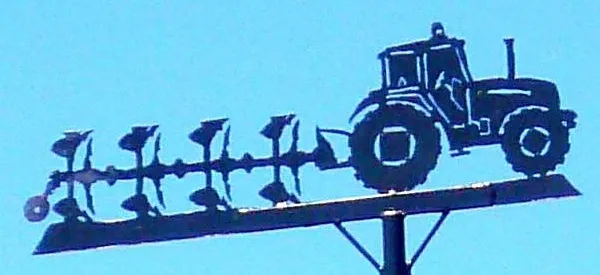
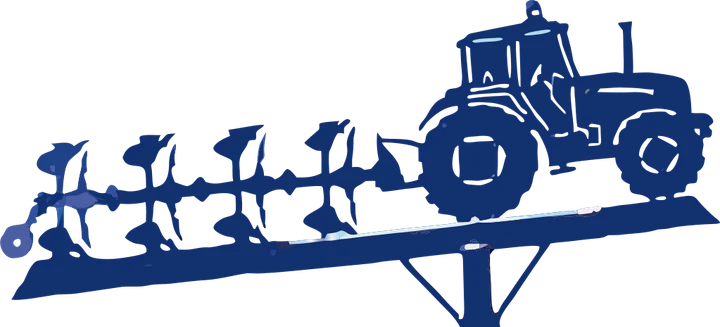
Where each file goes in the shop
- DXF Torchmate CAD import, one layer per color
- SVG edits in Inkscape or Illustrator
Product photos are mockups: each design is the real VectoSolve file, not retouched. Source photos are public domain or CC0. Photo: Zarateman, Wikimedia Commons, CC0.
Custom · On quote
Top-of-market quality for complex jobs: large-format murals, detailed illustrations, photo to vector, multi-layer print files. Finished by hand by our team and checked before delivery.
Only need an SVG, not a machine file? Start with the online vectorizer, or the PNG to SVG converter.
Done for you, from $9 per file
Plasma orders lining up?
Send the customer pictures and we prepare closed DXF contours at the plate size, checked before delivery.
- Simple One colour, bold shapes: a silhouette, a monogram, a simple logo$9 per file
- Standard A logo or lettering up to 3 colours, a sign layout$15 per file
- Complex Fine detail, small text, many colours, a photo or a sketch$25 per file
- Production CNC or plasma profiles with G-code, multi-layer and multi-part jobs$45 per file
Rush: next business day, +$5 per file. Quote within one business day; the delivery date is on the quote.
Shop plans, for files every week
- Shop 1010 files a month$99 a month
- Shop 2525 files a month$199 a month
- Shop 5050 files a month$349 a month
Any file up to Complex counts as one, a Production file counts as two. Unused files do not roll over.
- You pay after you have seen the watermarked preview
- Files checked before delivery, in the format your machine reads
More on our DXF conversion service.
DXF for Torchmate FAQ
Can Torchmate CAD import DXF files?
Yes, with File, Import. Then use View, Show Fill to check that each part fills solid before you create a tool path.
How do you vectorize an image in Torchmate CAD?
Import the bitmap, set it to monochrome with Image, Mode, Monochrome, then trace it with Accuscan from the Scan tools. Expect cleanup on detailed art.
Why does my DXF show a dotted outline in Torchmate?
There is a gap in the contour. Arrange, Connect Path joins gaps within its tolerance; node editing fixes the rest.
Do I still need Torchmate CAD with this DXF?
Yes. The DXF holds the part shapes; Torchmate CAD adds the tool path and the leads, and writes the program for the table.
Is the Torchmate DXF part of the free preview?
The free preview shows the traced contours. Downloading the DXF, the SVG and the G-code is part of a paid plan.
More machine guides: all VectoSolve tools